Archive: Žiga Vaupot's Blog

Clear filter — back to home
My presentations @ HROUG 2026

My presentations @ HROUG 2026

HROUG 2026, Rovinj, 14 to 17 October 2026: AI meets Oracle Analytics, How are we doing and the next question? and No Slides, Just Streams, From live data streams to real-time analytics and chat on Oracle AI Data Platform

This week I was in Rovinj at the HROUG 2026 conference, where I delivered two sessions. On 15 October I presented AI meets Oracle Analytics: How are we doing and the next question?, and on 16 October No Slides, Just Streams: From live data streams to real-time analytics and chat on Oracle AI Data Platform.

In this post I summarise what each session was about. Both slide decks are available for download at the end.

Read more
My presentation @ Autumn MakeIT 2026

My presentation @ Autumn MakeIT 2026

No slides, just agents: building an AI agent with Oracle Private Agent Factory, MakeIT, Ljubljana, 13 October 2026

On 13 October 2026 I presented at the MakeIT conference in Ljubljana. The session was called No slides, just agents (in Slovenian: Sestavimo agenta AI z Oracle Private Agent Factory), and the title was meant literally: a few slides to set the scene, then live agents built and run in Oracle Private Agent Factory (OPAF).

In this post I summarise what I showed: what OPAF is, where to get it, and five demos, from the pre-built Knowledge Agent through Select AI RAG and six Select AI Agent scenarios to the OAS MCP server. The slides are available for download at the end.

Read more
Using Claude Desktop with OAS MCP

Using Claude Desktop with OAS MCP

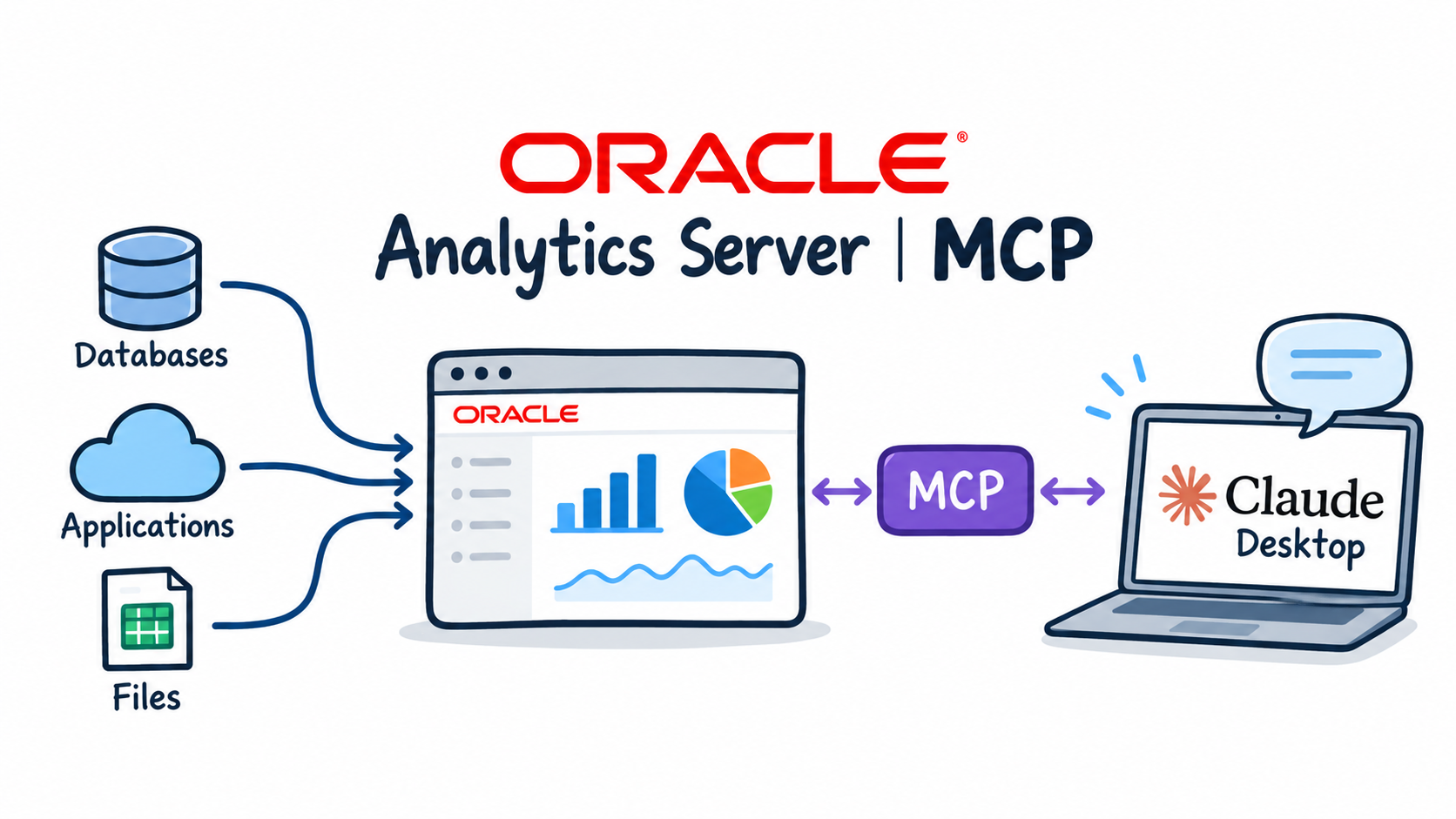
Claude Desktop querying Oracle Analytics Server through the OAS MCP server

In the previous post an OPAF agent queried Oracle Analytics Server through my MCP server. MCP is an open protocol, so the same server works with any MCP client, without changing a line of code on oas001.

In this post I connect Claude Desktop on my Mac to the OAS MCP server through an SSH tunnel and ask it the same questions as the OPAF agent. Then I go further: charts, a follow-up drill-down, and a short comparison of the two clients.

Read more
Using the OAS MCP server in OPAF

Using the OAS MCP server in OPAF

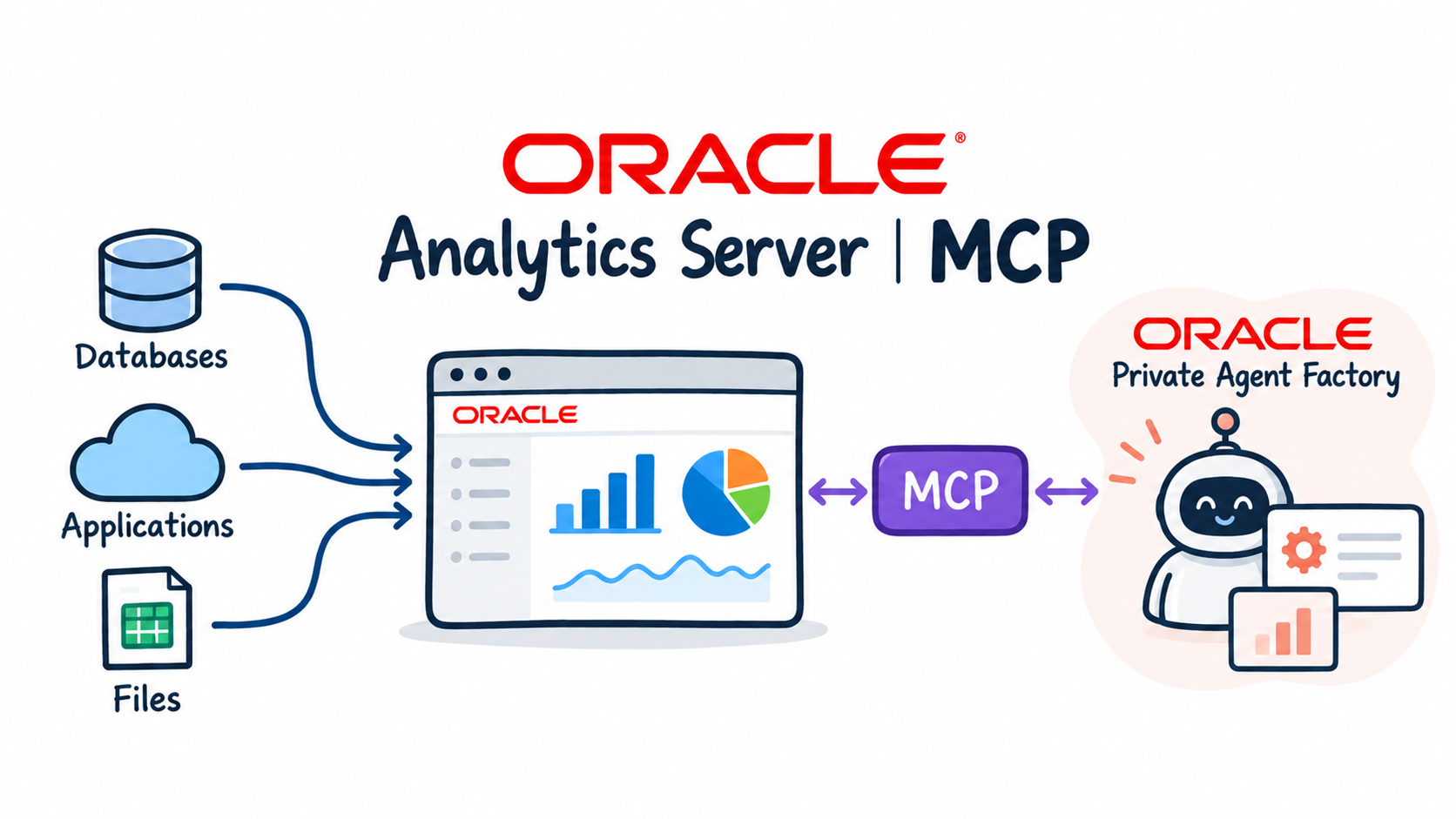
OPAF agent querying Oracle Analytics Server through the OAS MCP server

In the previous post I built the OAS MCP server and opened port 8000 for the OPAF subnet. Now OPAF becomes the MCP client.

In this post I change two OPAF proxy settings, register the server with a Bearer token and build a Custom Flow with an MCP server node and an Agent node. Then I test the agent with business questions and check in the service log which Logical SQL it sent to OAS. I close with what I would change before using the server with a customer's OAS.

Read more
Setting up the OAS MCP server

Setting up the OAS MCP server

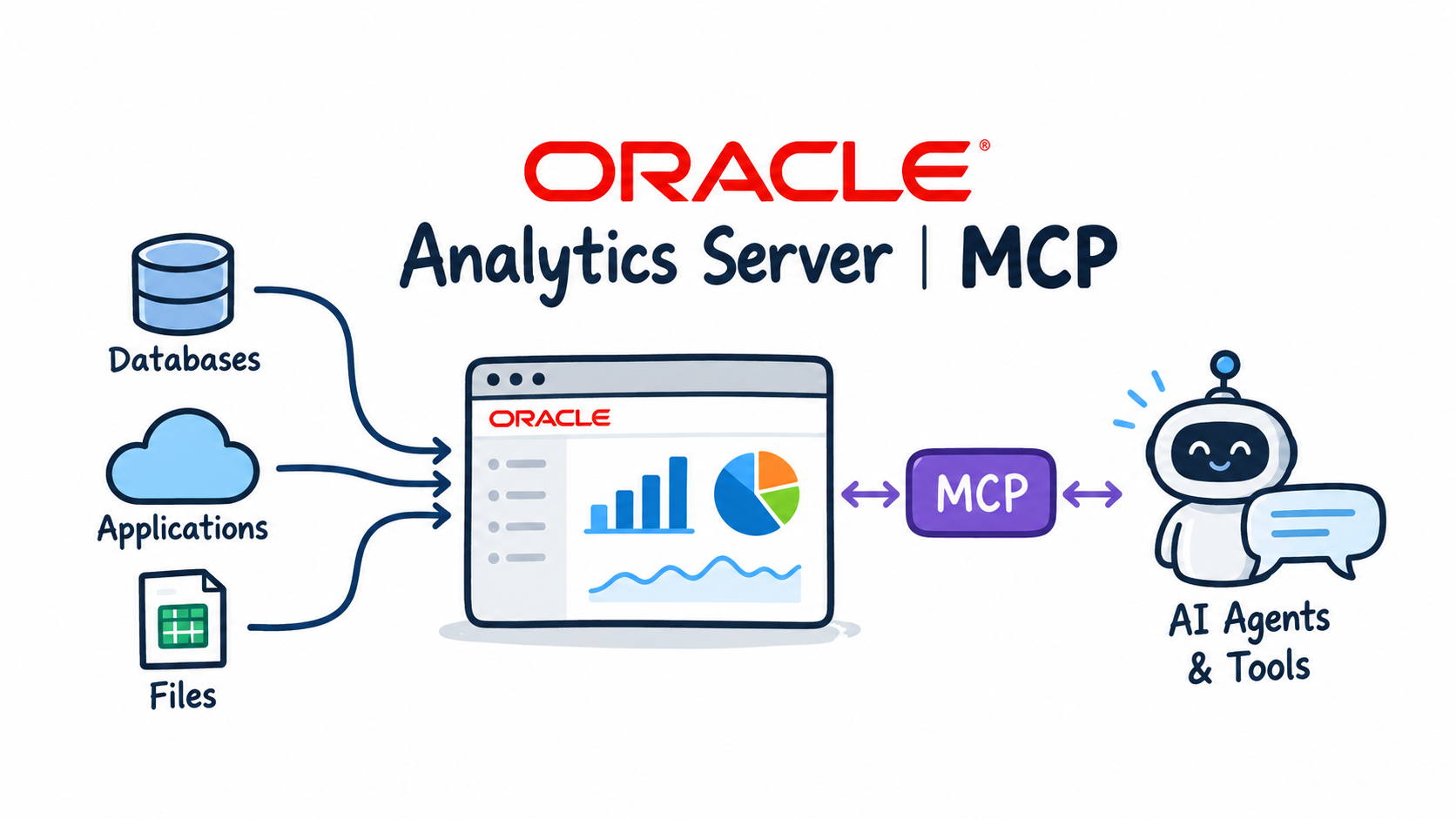
Oracle Analytics Server MCP & Use cases: OPAF agent querying Oracle Analytics Server through a custom MCP server

In the introduction I described the architecture and the four tools the server exposes. In this post I build it.

I walk through the Python code that talks to the OAS SOAP web services and wraps them as MCP tools, install the server on oas001 as a systemd service, test it with curl and open port 8000 for the OPAF subnet only. At the end the server answers tools/list with four tools, ready for an MCP client. The next post connects OPAF to it.

Read more
Oracle Analytics Server MCP & Use cases

Oracle Analytics Server MCP & Use cases

Oracle Analytics Server MCP & Use cases: OPAF agent querying Oracle Analytics Server through a custom MCP server

Oracle Analytics Cloud has an MCP server built in. Oracle Analytics Server does not. Many customers run OAS on premises or on their own compute, and their semantic models hold years of curated business logic that AI agents should be able to use instead of rebuilding it from raw tables.

In three short posts I build a small MCP server for OAS in Python, run it as a service next to OAS on an OCI compute instance and connect AI agents to it, starting with Oracle Private Agent Factory (OPAF). The server exposes four read-only tools on top of the OAS SOAP web services, which have been part of the product since OBIEE.

Read more
Chapter 8: Routing with Select AI Bridge

Chapter 8: Routing with Select AI Bridge

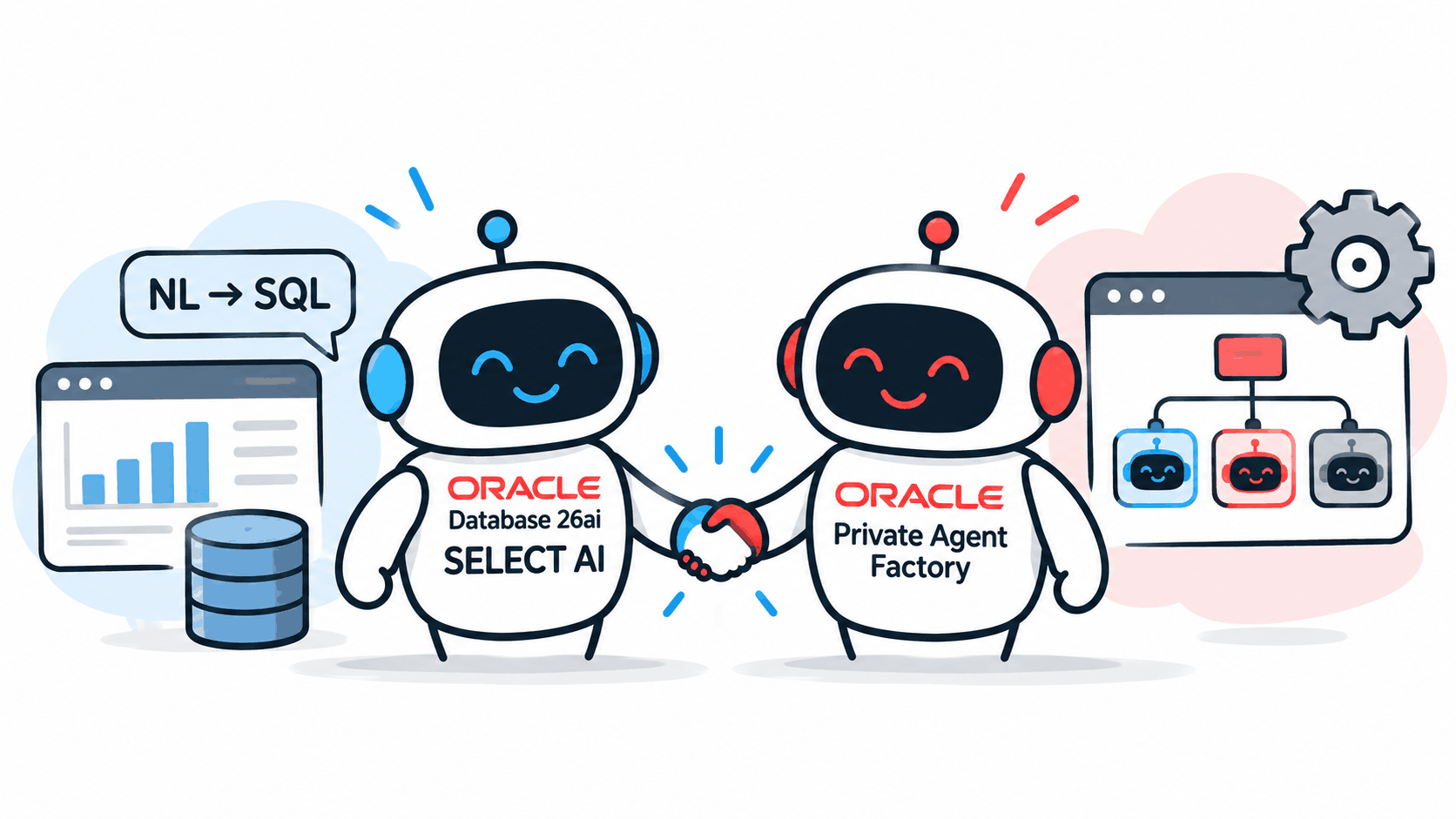
Select AI Agent meets OPAF

Chapter 4 showed two extremes: plain Select AI is fast but answers with one SQL statement, while the in-database team plans the analysis but takes longer. Chapter 7 put an OPAF agent in front of database tools over MCP. In this last chapter I combine the two ideas without MCP.

The Select AI Bridge node wraps a Select AI profile and action, or an in-database team, as a tool for an OPAF Agent node. It is the native alternative to MCP tools. With two bridges, one OPAF agent routes each question to the right database capability: simple lookups to fast single-query NL2SQL, analytical questions to the in-database agent team.

Read more
Chapter 7: OPAF Agents over MCP

Chapter 7: OPAF Agents over MCP

Select AI Agent meets OPAF

In Chapter 6 I enabled the Autonomous Database built-in MCP server and exposed the in-database agent team as a tool. Now OPAF becomes the MCP client.

In this chapter I register the ADB MCP server in OPAF and build two Custom Flows on it, each allowed exactly one tool, so it is always clear which architecture produced the answer. In Flow B the database orchestrates: OPAF hands the whole question to the Select AI Agent team. In Flow A OPAF orchestrates: its own agent plans the analysis and calls NL2SQL in the database. Both get the test questions from Chapter 4.

Read more
Chapter 6: The ADB Built-in MCP Server

Chapter 6: The ADB Built-in MCP Server

Select AI Agent meets OPAF

So far OPAF has reached the database through its native Select AI nodes. Those only exist in OPAF. To make the same in-database agent available to any MCP client, Autonomous AI Database has an MCP server built in: there is no MCP infrastructure to host, and it exposes the Select AI Agent tools the authenticated database user can access.

In this chapter I enable the MCP server on my ADW with a single tag, test it from the terminal with a bearer token and curl, and wrap the agent team from Chapter 3 as a tool, because MCP exposes tools, not teams. Chapter 7 connects OPAF to this endpoint.

Read more
Chapter 5: No-code Select AI Agent

Chapter 5: No-code Select AI Agent

Select AI Agent meets OPAF

In Chapter 3 I built the in-database sales analyst with DBMS_CLOUD_AI_AGENT in PL/SQL, and in Chapter 4 OPAF ran it with the In-Database Team node. The Select AI nodes can do more than run existing objects: in Create new mode they create them.

In this chapter I build the whole tool → task → agent → team stack visually on the OPAF canvas, starting from nothing but the Select AI profile OABOOTCAMP_AI and the table comments. The result, flow C3, answers the test questions from Chapter 4 exactly like the PL/SQL-built team.

Read more
Chapter 4: Native Select AI Nodes in OPAF

Chapter 4: Native Select AI Nodes in OPAF

Select AI Agent meets OPAF

With the Select AI profile from Chapter 2 and the agent team from Chapter 3 in the database, the simplest way to put them in front of users is OPAF's own Select AI nodes. They talk to the database over a database connection, with no MCP server, no wrapper functions and no LLM in OPAF.

In this chapter I build two minimal OPAF Custom Flows: C1 runs plain Select AI with the Select AI node, and C2 runs the in-database team with the In-Database Team node. Both get the same three test questions, which I reuse for every flow in the following chapters.

Read more
Chapter 3: A Select AI Agent Team in PL/SQL

Chapter 3: A Select AI Agent Team in PL/SQL

Select AI Agent meets OPAF

A single SELECT AI call answers one question with one SQL statement. Ask it to compare profit between two years by channel and pick the winner, and it has no step in which to plan that. Select AI Agent adds exactly that step: an agent can break a question into tool calls, run them and combine the results, all inside the database.

In this chapter I build an in-database sales analyst with DBMS_CLOUD_AI_AGENT on top of the Select AI profile from Chapter 2: one SQL tool, one agent, one task and one team. I run it, check its numbers against hand-written SQL, and show what made its answers repeatable. This team is the one OPAF calls in the following chapters.

Read more
Chapter 2: Connecting ADB to OCI Generative AI

Chapter 2: Connecting ADB to OCI Generative AI

Select AI Agent meets OPAF

With the schema prepared in Chapter 1, the next step is giving Select AI an LLM to work with. In my setup the database calls OCI Generative AI with its own resource principal, so no API keys are stored anywhere in the database.

In this chapter I check that the database version and the model support what I need, set up the IAM dynamic group and policy, enable the resource principal and network access, create the Select AI profile that every later flow uses, and run a few smoke tests to confirm that the comments from Chapter 1 actually shape the generated SQL.

Read more
Chapter 1: Preparing the Schema for Select AI

Chapter 1: Preparing the Schema for Select AI

Select AI Agent meets OPAF

Select AI turns a question into SQL, but it only knows what the data dictionary tells it. My OA Bootcamp schema (OABOOTCAMP) is a classic sales star schema with no declared keys and no comments, so out of the box Select AI has nothing to go on except column names.

In this first chapter I prepare the schema: I validate the join keys, collect the literal values the LLM must use, define the business rules, and write table and column comments that act as the semantic layer. Every flow in the later chapters (native OPAF nodes, MCP or routing) reads these comments, which is why they all return the same numbers.

Read more
Using Select AI Agents in Oracle Private Agent Factory

Using Select AI Agents in Oracle Private Agent Factory

Select AI Agent meets OPAF

This is the introduction to my blog in eight chapters on using Select AI Agents in Oracle Private Agent Factory. It answers one question: how do Select AI Agent in Autonomous Database 26ai and Oracle Private Agent Factory (OPAF) fit together? I take one sales analyst over my OA Bootcamp sales schema (OABOOTCAMP) and build it six ways in OPAF: plain Select AI, the in-database agent team called natively, the same team built visually without PL/SQL, two flows through the Autonomous Database built-in MCP server, and a native routing flow. Every flow returns the same numbers, because the business definitions live in the database, not in the agent.

When I started, I only wanted to try out how Select AI Agent works with OPAF. It turned into quite an exploratory journey: each experiment opened another way to connect the two, and I ended up with six scenarios. I doubt these are all; there are most likely alternatives I haven't explored yet.

Read more
AI Data Platform Series: Gold Layer Vehicle Movements

AI Data Platform Series: Gold Layer Vehicle Movements

Gold Layer: stations reference data and live bus positions for line 25, interpolated along TfL's own route geometry and shown on an Oracle Analytics Cloud map

This is the seventh post in the AI Data Platform series. The previous post built tfl.gold.arrivals_board, a live view of the next buses at every stop, and connected it to Oracle Analytics Cloud. What it couldn't do was say where anything is: TfL's arrivals feed carries stop IDs and names, but no coordinates. This post adds them. First a reference table with the location of every stop on every bus line, then an estimate of where each bus on line 25 actually is right now, drawn along the real road it drives on.

Read more
AI Data Platform Series: OAC MCP Server and Streaming Data

AI Data Platform Series: OAC MCP Server and Streaming Data

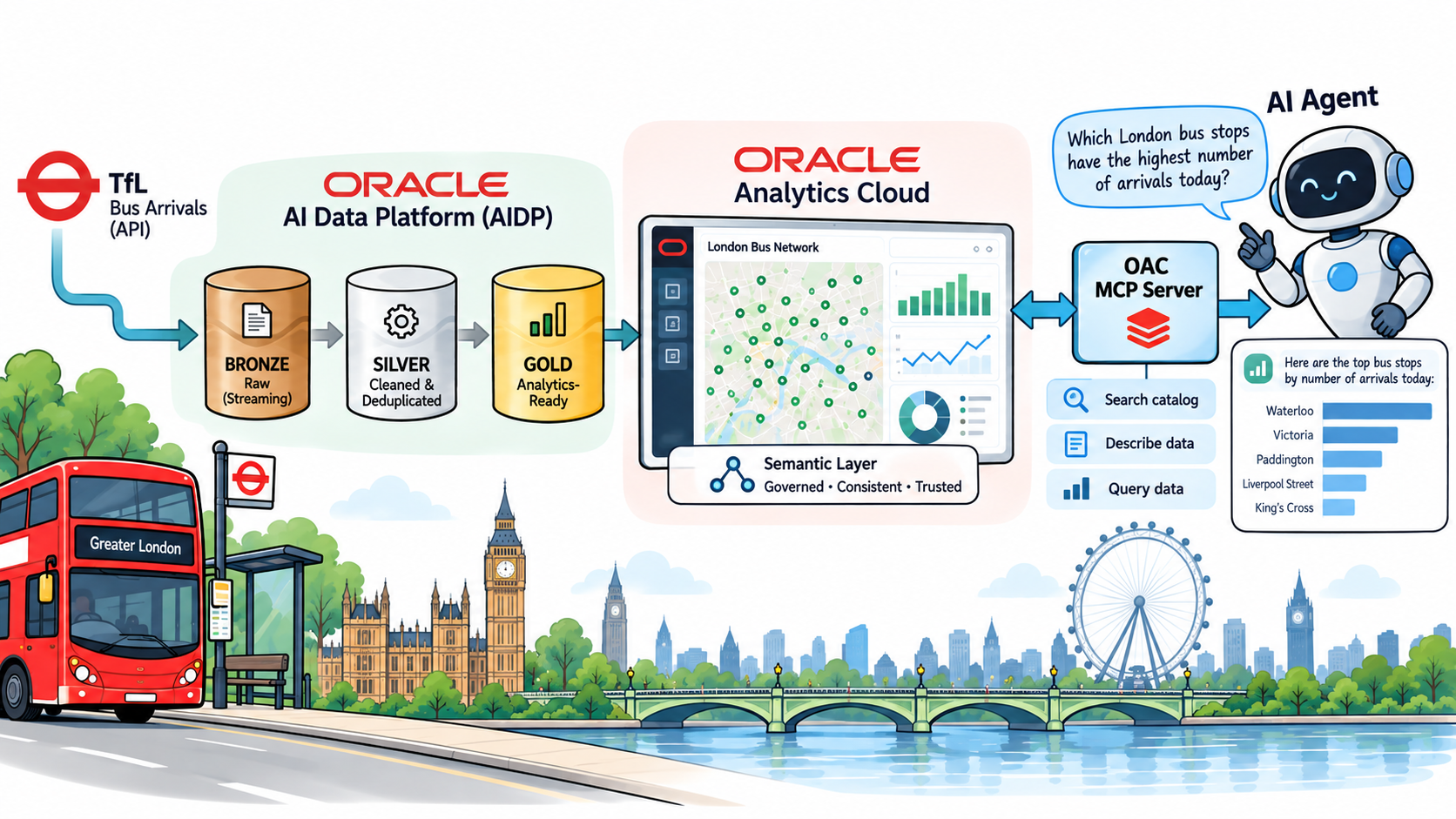
Asking the live data: Claude connected to Oracle Analytics Cloud through the OAC MCP server, querying the AIDP gold layer fed by live TfL streams

This is the eighth post in the AI Data Platform series. Over the last two posts, the gold layer grew three live pieces: an arrivals board for every bus stop in London, a stations reference table, and estimated positions for every bus on line 25, all queryable from Oracle Analytics Cloud. Until now, every question I asked that data was either SQL in a notebook or a workbook in OAC. This time I connected Claude to OAC through Oracle Analytics' MCP server and simply asked, in plain language, what was going on.

Read more
AI Data Platform Series: Gold Layer Arrivals Board

AI Data Platform Series: Gold Layer Arrivals Board

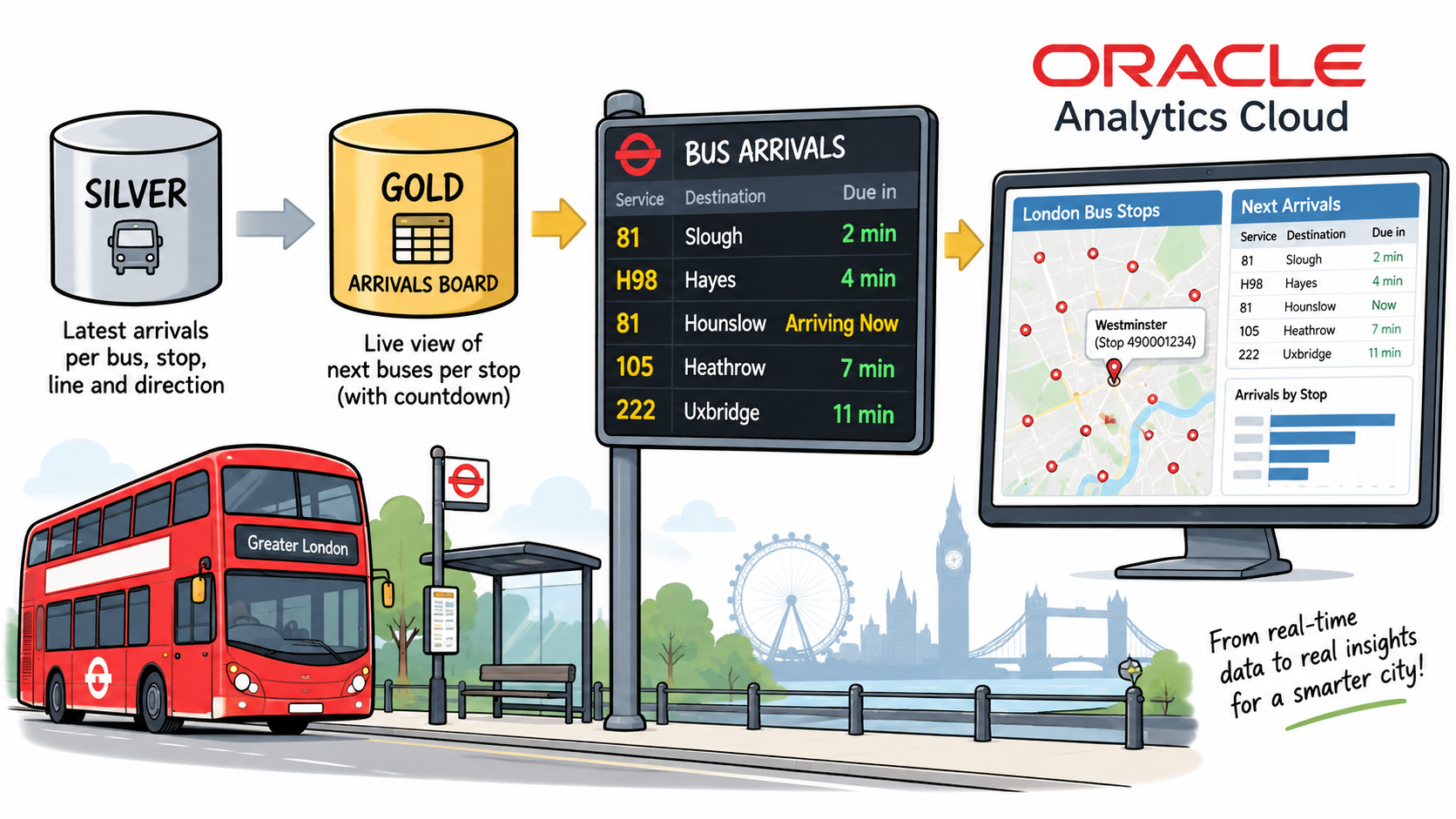
Gold Layer: the arrivals board, a live SQL view over tfl.silver.arrivals_silver, connected to Oracle Analytics Cloud through the Oracle AI Data Platform connection type

This is the sixth post in the AI Data Platform series, following Just Streams: Real-Time Data Pipelines on OCI (the series intro), Setting Up the AI Data Platform Environment (stage 0), OCI Streaming and the Stream Producer (stage 1), Bronze Layer: Spark Structured Streaming (stage 2), Silver Layer: Spark Structured Streaming (stage 3), and the Comparing Bronze and Silver with DBeaver detour. Silver gave me one clean, always-current row per bus, stop, line and direction. This post covers the first half of stage 4: turning that into a live arrivals board, the kind you see on a screen at a bus stop, and putting it in front of Oracle Analytics Cloud.

Read more
Why BI and DWH Are Not Just an IT Project, but a Business Investment

Why BI and DWH Are Not Just an IT Project, but a Business Investment

From fragmented data to trustworthy information and faster decisions with BI and a data warehouse

Most BI conversations start with a dashboard and end with a budget line. That's backwards. The tool you click on is only the last step in a chain — underneath it sits a data warehouse doing the unglamorous work of cleaning, reconciling, and remembering your data so the numbers on screen can actually be trusted. Treat BI as a software purchase and you'll get pretty charts nobody fully believes. Treat it as a business investment — dashboard and foundation together — and you get something people make decisions with.

Read more
AI Data Platform Series: bronze vs. silver

AI Data Platform Series: bronze vs. silver

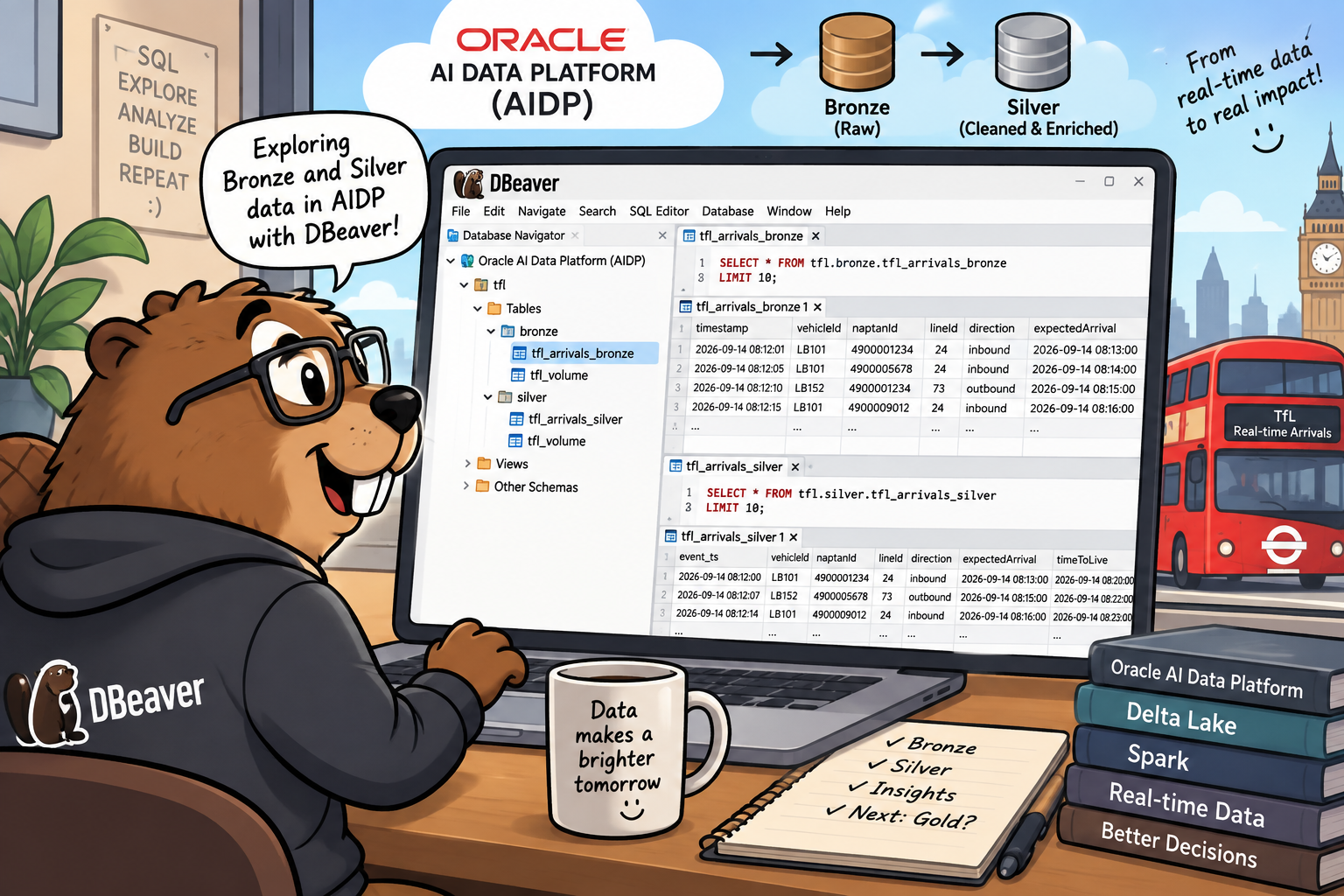
Illustration of a beaver at a desk running DBeaver against Oracle AI Data Platform, with tfl.bronze.arrivals_bronze and tfl.silver.arrivals_silver open side by side in the SQL editor, and Bronze and Silver Delta Lake barrels flowing toward real-time TfL insights

This is a short detour in the AI Data Platform series, sitting between "Silver Layer: Spark Structured Streaming" (stage 3, link to be added once that post is live) and the upcoming gold layer post. Every table in this series so far has only ever been queried from inside an AIDP Workbench notebook. This time I wanted to connect a plain SQL client, DBeaver, straight to the cluster over JDBC, and use it to look at bronze and silver side by side: same underlying event, two very different shapes. Along the way, DBeaver's own table-metadata commands surfaced something I'd walked past without really registering back in the bronze post: both tables are already readable as Apache Iceberg tables, no extra work required.
Read more
AI Data Platform Series: Silver Layer Spark Structure Streaming

AI Data Platform Series: Silver Layer Spark Structure Streaming

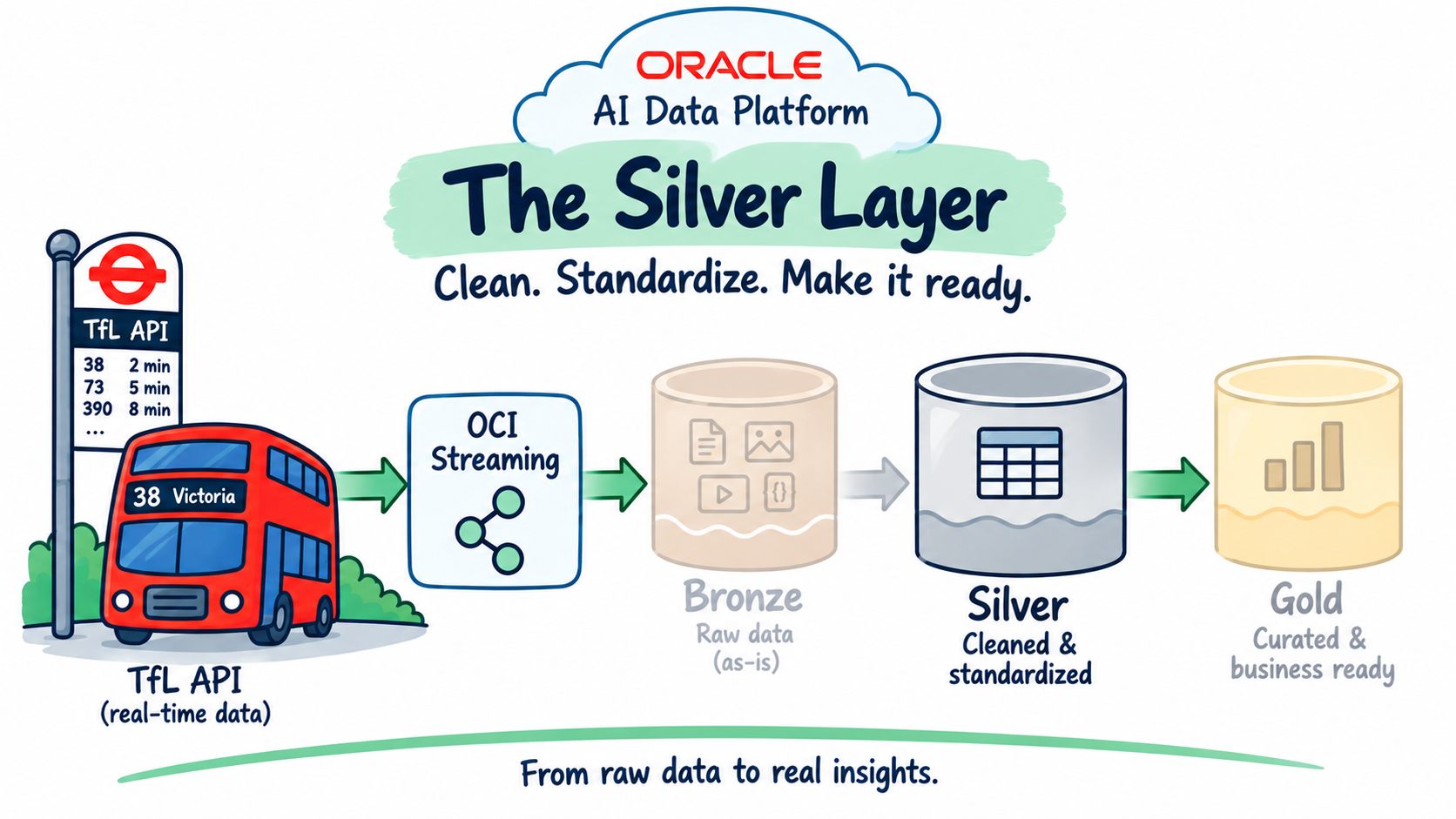
Silver Layer: Spark Structured Streaming, reading the append-only tfl.bronze.arrivals_bronze Delta table, cleaning and type-casting it, keeping only the latest prediction per vehicle/stop/line/direction, and upserting the result into tfl.silver.arrivals_silver via a foreachBatch MERGE, with OCI Logging added at the batch level

This is the fifth post in the AI Data Platform series, following Just Streams: Real-Time Data Pipelines on OCI (the series intro), Setting Up the AI Data Platform Environment (stage 0), OCI Streaming and the Stream Producer (stage 1), and Bronze Layer: Spark Structured Streaming (stage 2). That last post landed every arrival prediction as-is into an append-only Delta table, tfl.bronze.arrivals_bronze. This post covers stage 3: cleaning that data up, keeping only the latest prediction per vehicle/stop/line/direction, and upserting it into a proper silver table.

Read more
AI Data Platform Series: Bronze Layer Spark Structured Streaming

AI Data Platform Series: Bronze Layer Spark Structured Streaming

Read more
AI Data Platform Series: OCI Streaming and Stream Producer

AI Data Platform Series: OCI Streaming and Stream Producer

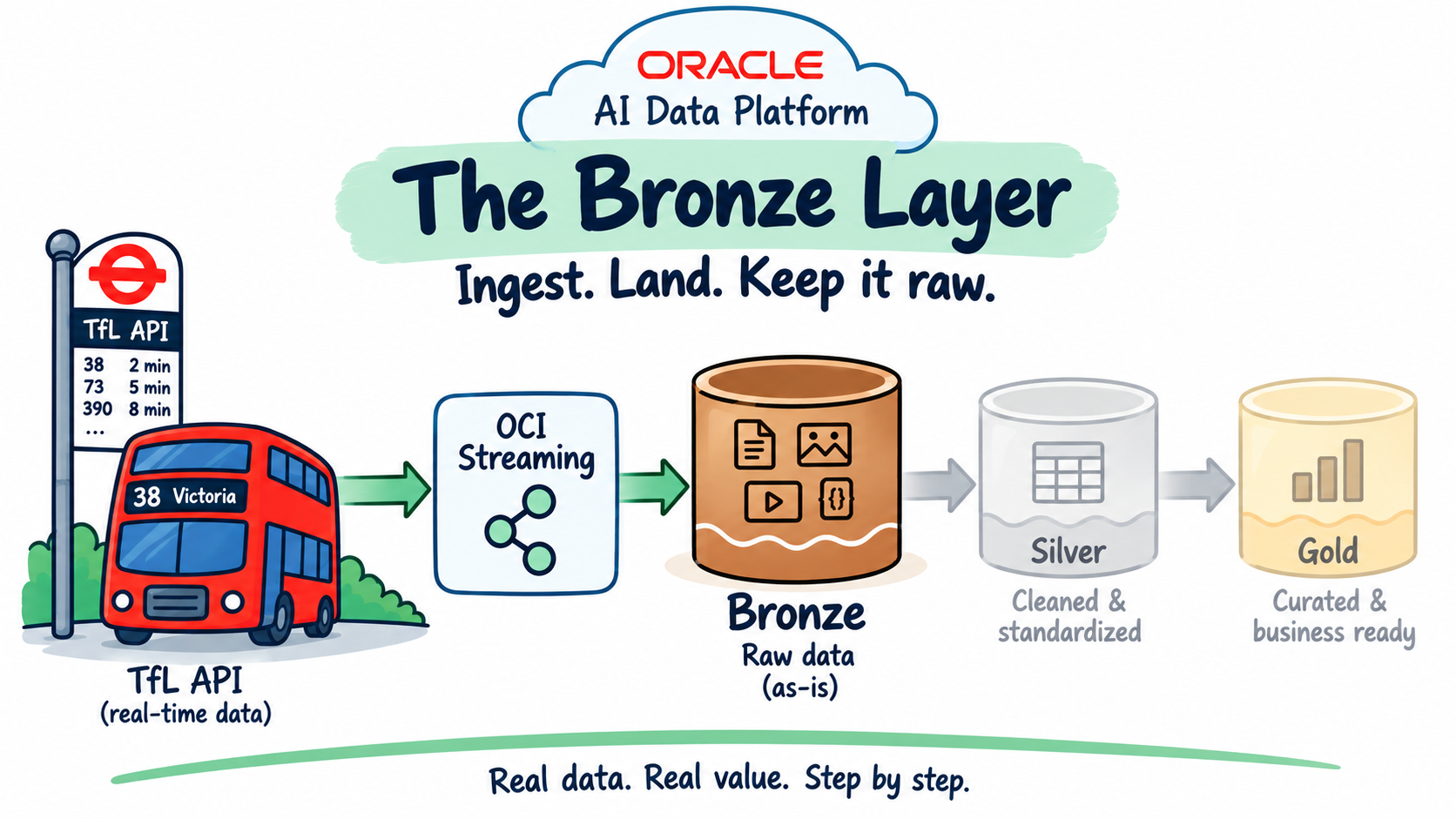
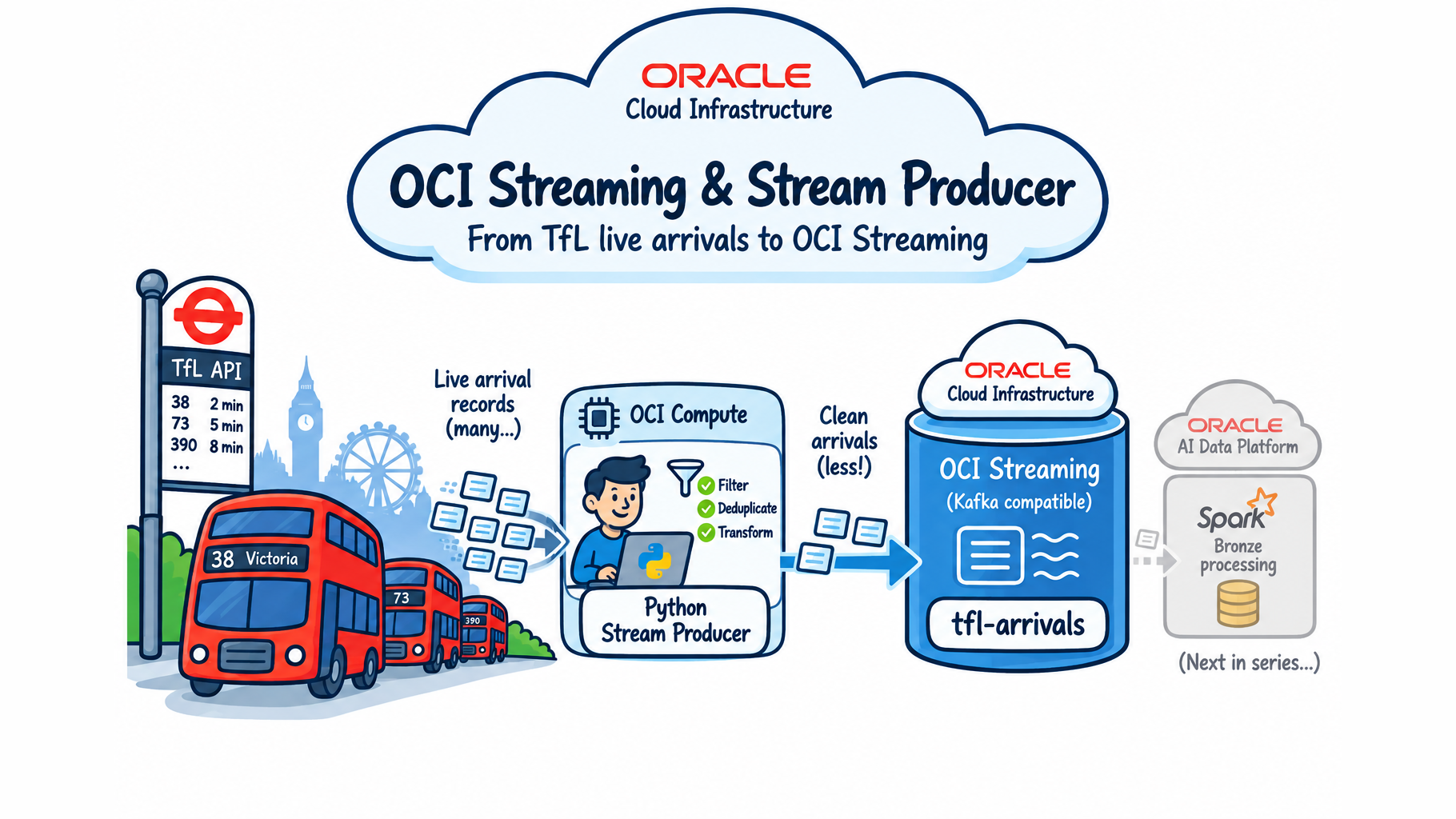
OCI Streaming and Stream Producer — from TfL live bus arrivals through a Python stream producer on OCI Compute (filter, deduplicate, transform) into the OCI Streaming tfl-arrivals topic, feeding the AI Data Platform's Spark bronze layer next in the series

This is the first technical post in the series that opened with Just Streams: Real-Time Data Pipelines on OCI. That post walked through the whole TfL-bus-arrivals demo Sandi Holub and I gave at Make IT 2026 and UKOUG 2025. This one goes one layer down: the piece that gets live data into the platform in the first place — a small Python producer and an OCI Streaming topic.

Read more
My Presentation @ Oracle Technology Roundtable, August 2026

My Presentation @ Oracle Technology Roundtable, August 2026

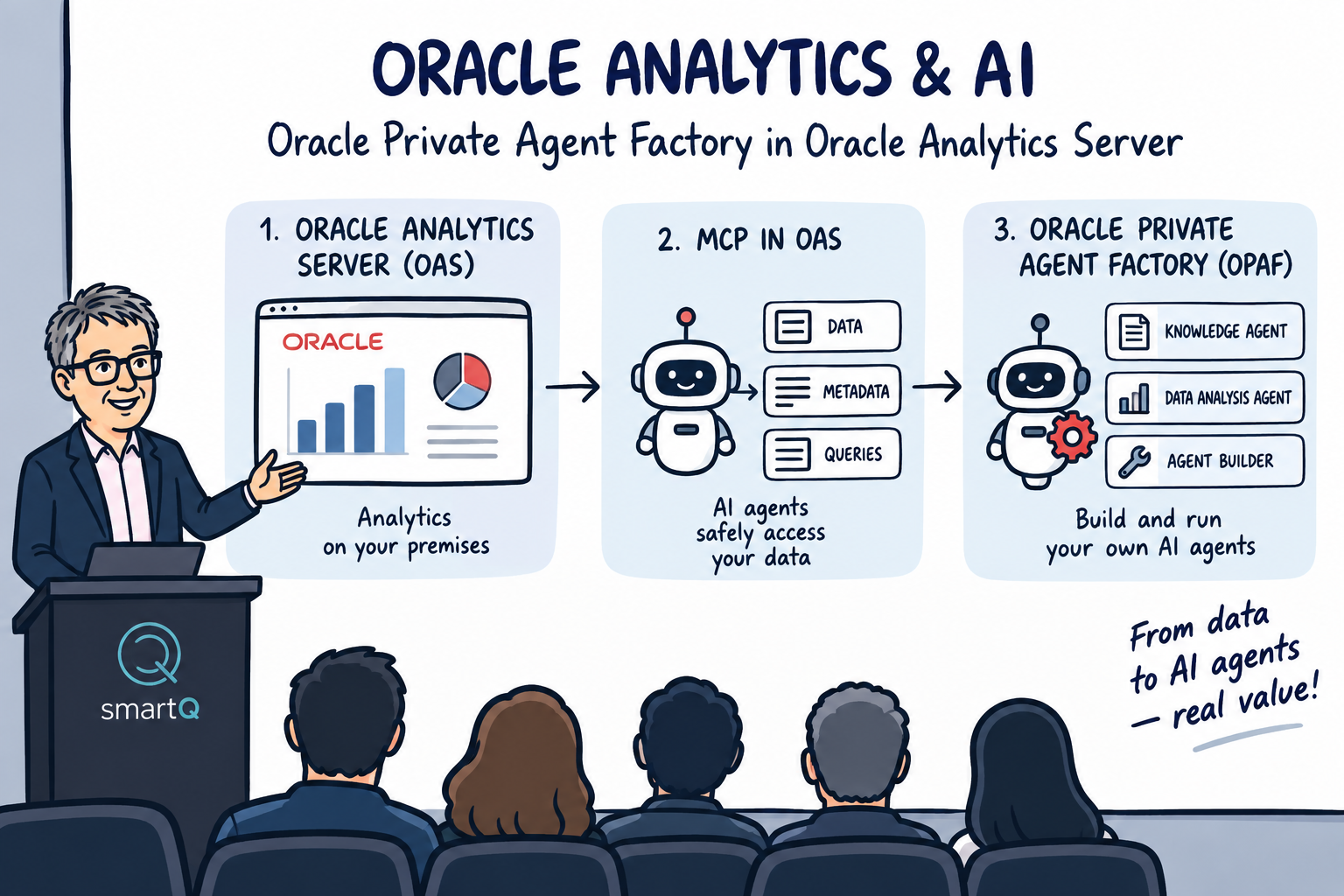
Oracle Analytics & AI presentation at Oracle Technology Roundtable — Oracle Analytics Server, MCP and Oracle Private Agent Factory

On 26 August 2026 in Ljubljana, I took part in the Oracle Technology Roundtable, where I presented together with my SmartQ colleagues Mojca Gros and Grega Dvoršak.

For the event, we prepared a joint presentation titled “Oracle Analytics & AI”, with the subtitle “Oracle Private Agent Factory in Oracle Analytics Server.” The session brought together three closely related topics: the latest Oracle Analytics Server platform, the use of Model Context Protocol with OAS, and Oracle AI Database Private Agent Factory.

Read more
AI Data Platform Series

AI Data Platform Series

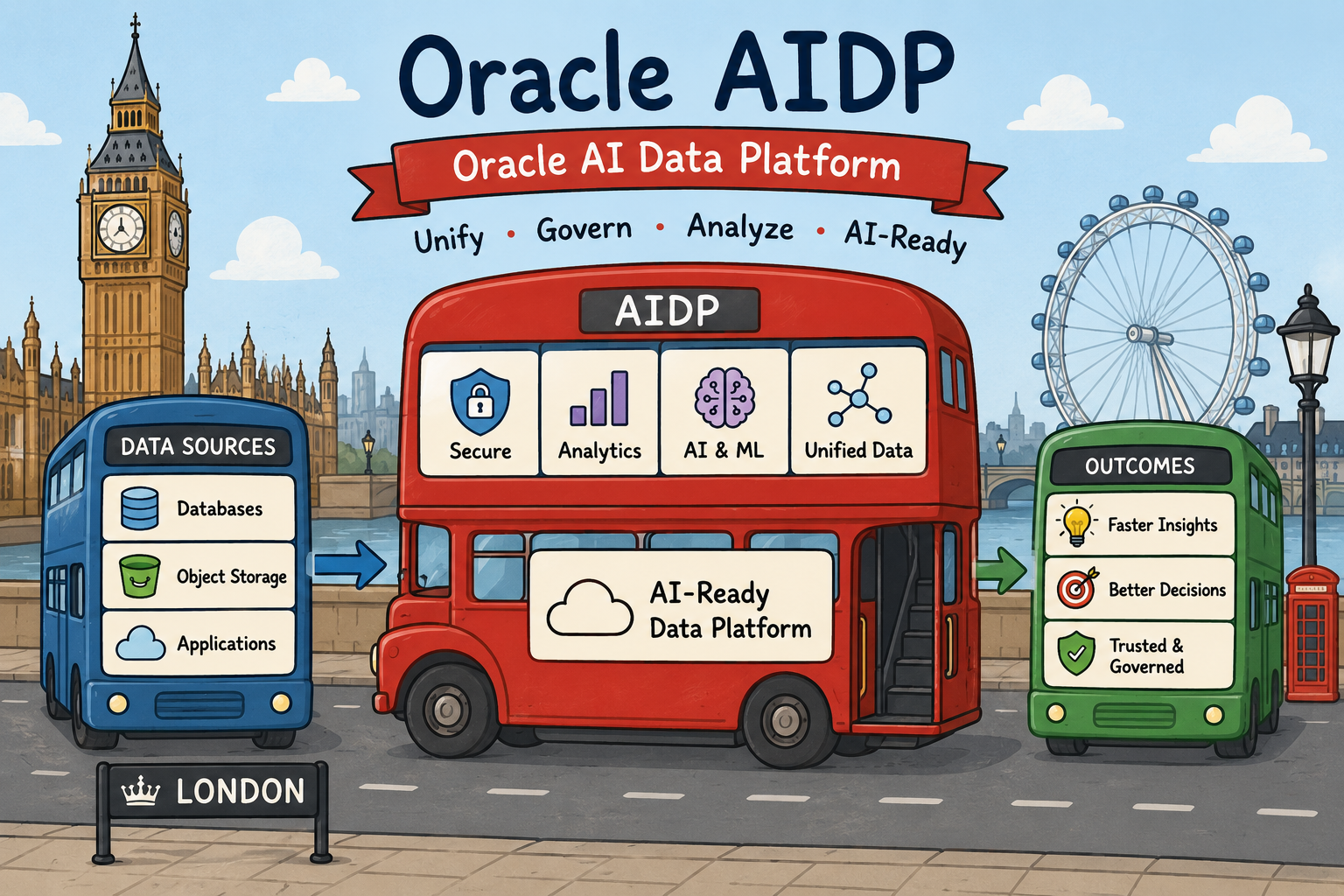
Oracle AI Data Platform

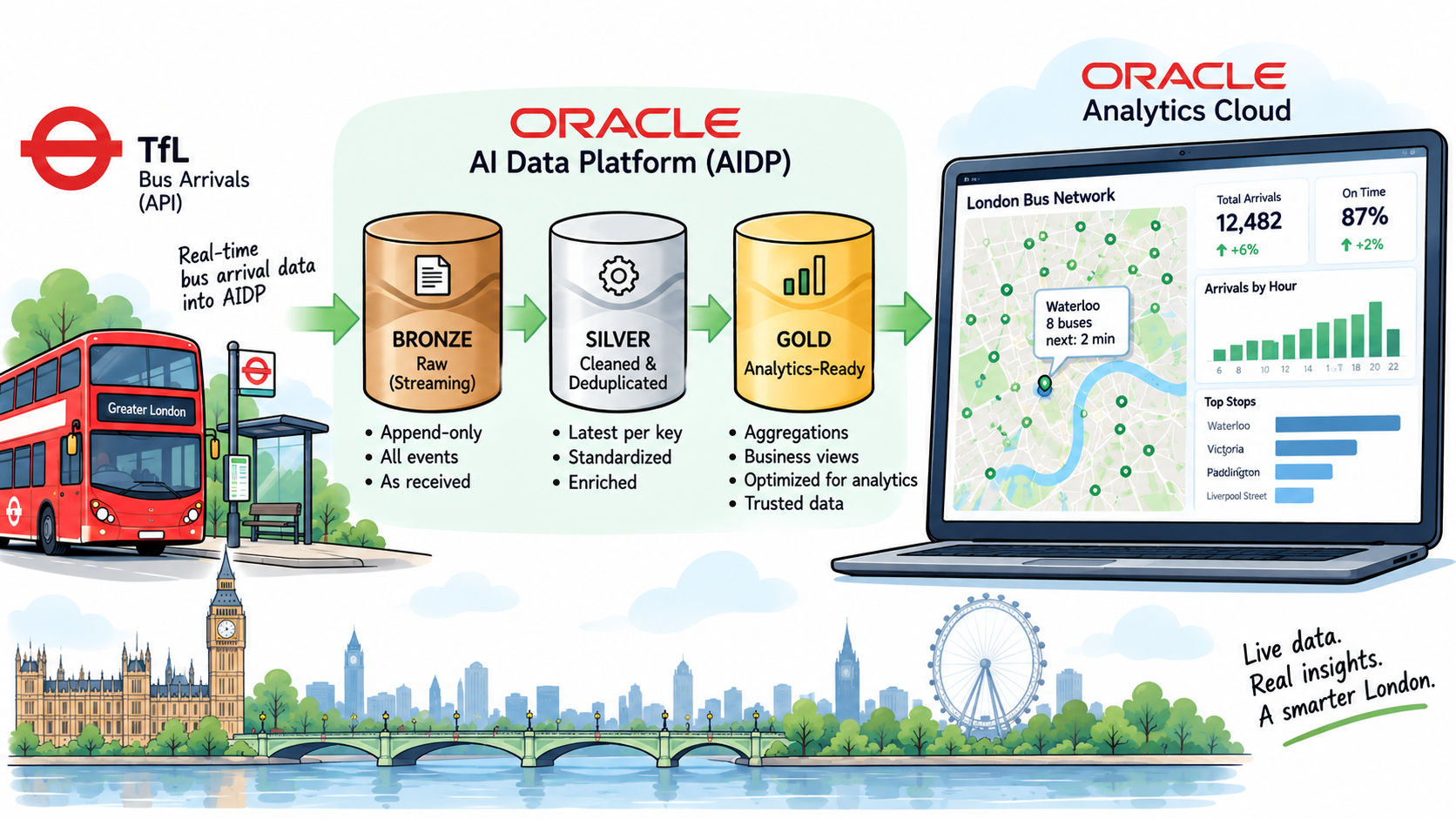
This is the overview of my AI Data Platform series. It follows one real-time demo from start to finish: live London bus arrival predictions from Transport for London (TfL), streamed through OCI into Oracle AI Data Platform (AIDP), refined through a bronze, silver and gold medallion architecture, and finally analysed in Oracle Analytics Cloud, including in plain language through the Oracle Analytics MCP Server.

Read more
AI Data Platform Series: Setting Up the AI Data Platform Environment

AI Data Platform Series: Setting Up the AI Data Platform Environment

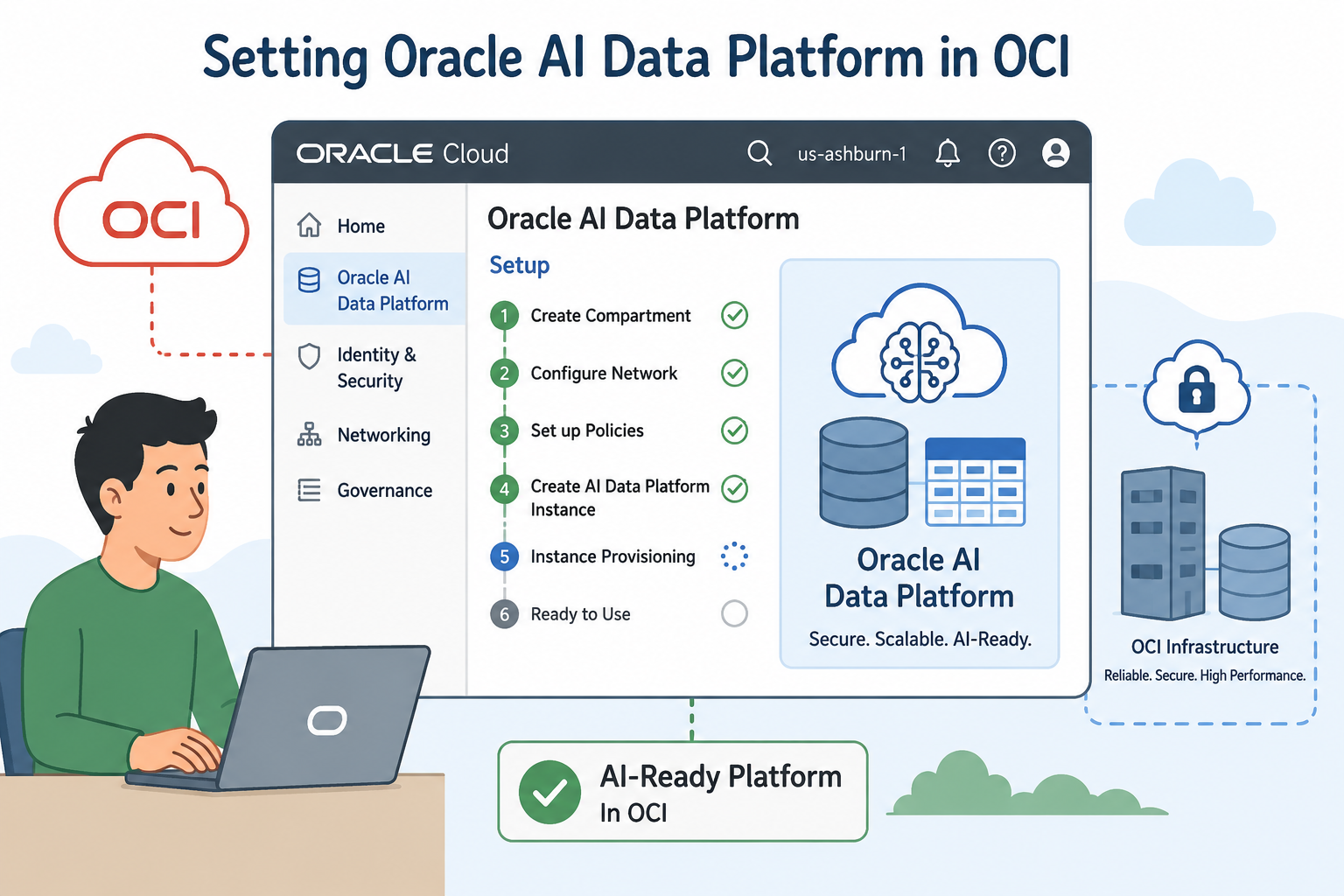
Setting Oracle AI Data Platform in OCI

This post backs up a step from the rest of the AI Data Platform series. Before any bronze/silver/gold Spark job can run, or a stream producer can hand data off to something downstream, the AI Data Platform (AIDP) environment itself has to exist: a Workbench, a workspace, a catalog, compute, and a place to keep secrets. This post walks through building all of that from nothing on a brand-new OCI tenancy, using the same TfL bus-arrivals demo's naming (catalog tfl, schemas bronze/silver/gold) as the throughline.

Read more
Connecting OPAF Chat to Oracle Analytics Cloud via MCP

Connecting OPAF Chat to Oracle Analytics Cloud via MCP

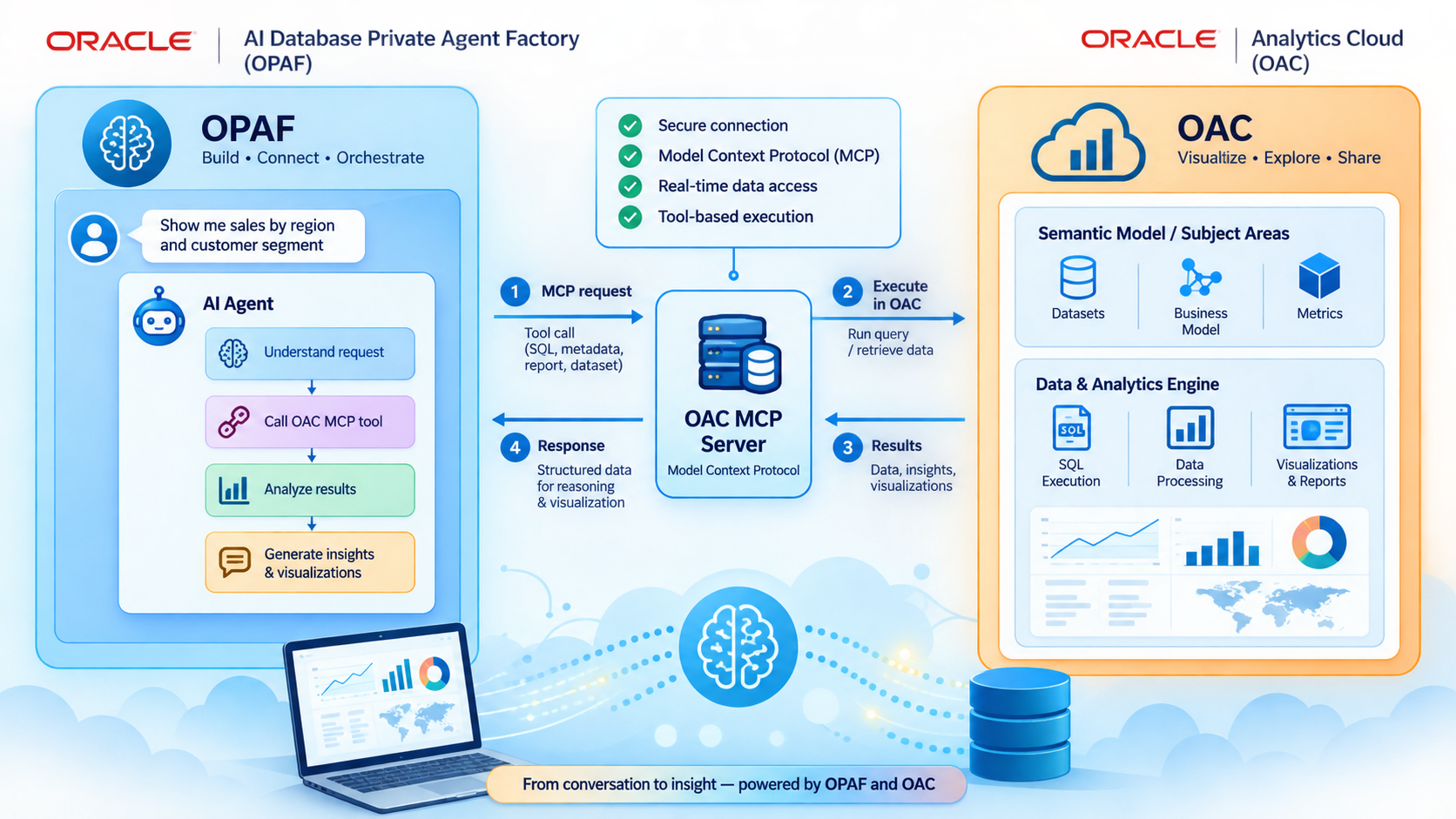
OPAF Chat and Oracle Analytics Cloud via MCP

OPAF and OAC via MCP

This post explores how to connect Oracle AI Database Private Agent Factory (OPAF) with Oracle Analytics Cloud (OAC) using the Model Context Protocol (MCP). It walks through the OAuth configuration, MCP server setup, and Agent Builder flow needed to let a private OPAF agent query live, governed OAC subject areas. The result is an analytics-aware AI assistant that can discover metadata, generate Logical SQL, and answer questions using trusted enterprise data—without duplicating the semantic model or underlying data.

Read more
AI Data Platform Series: Just Streams: Real-Time Data Pipelines on OCI

AI Data Platform Series: Just Streams: Real-Time Data Pipelines on OCI

Together with Sandi Holub, I presented "Just Streams: Real-Time Data Pipelines in OCI – With a Live Demo Twist" at the Make IT 2026 conference in Portorož (28 May 2026). Sandi and I actually first presented this same session at the UKOUG conference in Birmingham back in December 2025, but it's only now that I've found the time to write more about it.

We deliberately kept the slide deck short and let a live demo carry most of the session. This post is the written recap of that story, and also the opening post in a series where I'll break the solution down layer by layer.

Read more
Oracle Analytics meets AI Blog Series

Oracle Analytics meets AI Blog Series

Oracle Analytics Meets AI Series

This is a summary blog post with references to posts published under the Oracle Analytics Meets AI theme.

In this series, I am looking at how AI capabilities are becoming part of the Oracle Analytics experience: from asking questions in natural language, to using AI directly inside workbooks, and then extending the experience with more focused AI Agents.

Read more
Oracle Analytics meets AI: Working with AI Agents

Oracle Analytics meets AI: Working with AI Agents

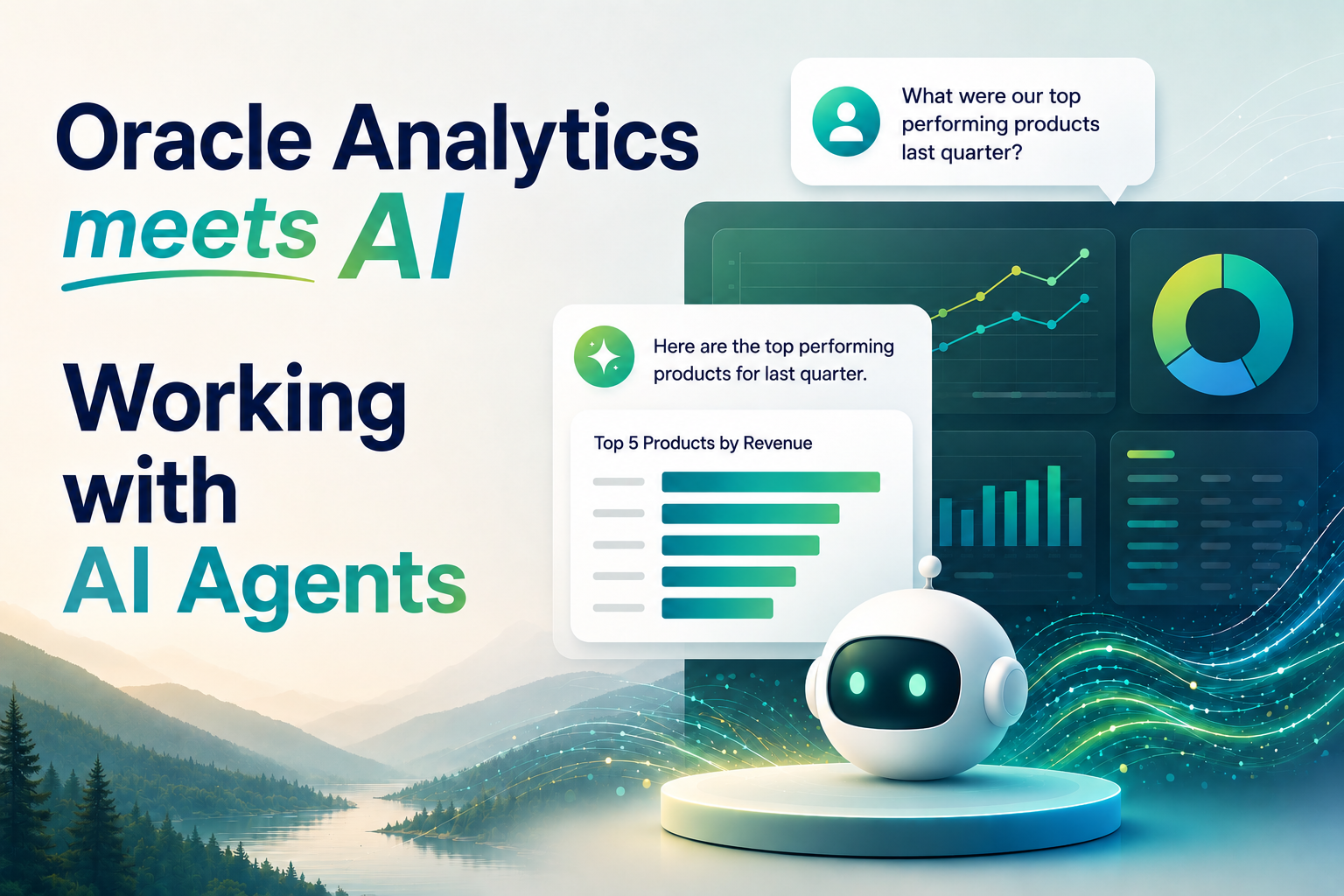
Oracle Analytics AI Assistant and AI Agents

This post explores how AI Assistant and AI Agents in Oracle Analytics Cloud (OAC) bring conversational analytics directly into the analytics experience. It shows how the AI Assistant supports natural-language exploration and visualization creation inside workbooks, while AI Agents extend this with dedicated instructions, business context, and knowledge documents. Together, they provide a path from quick conversational analysis to reusable, governed, domain-specific analytical assistants.

Read more
Oracle Analytics meets AI: Talk to Your Data with Ask BI

Oracle Analytics meets AI: Talk to Your Data with Ask BI

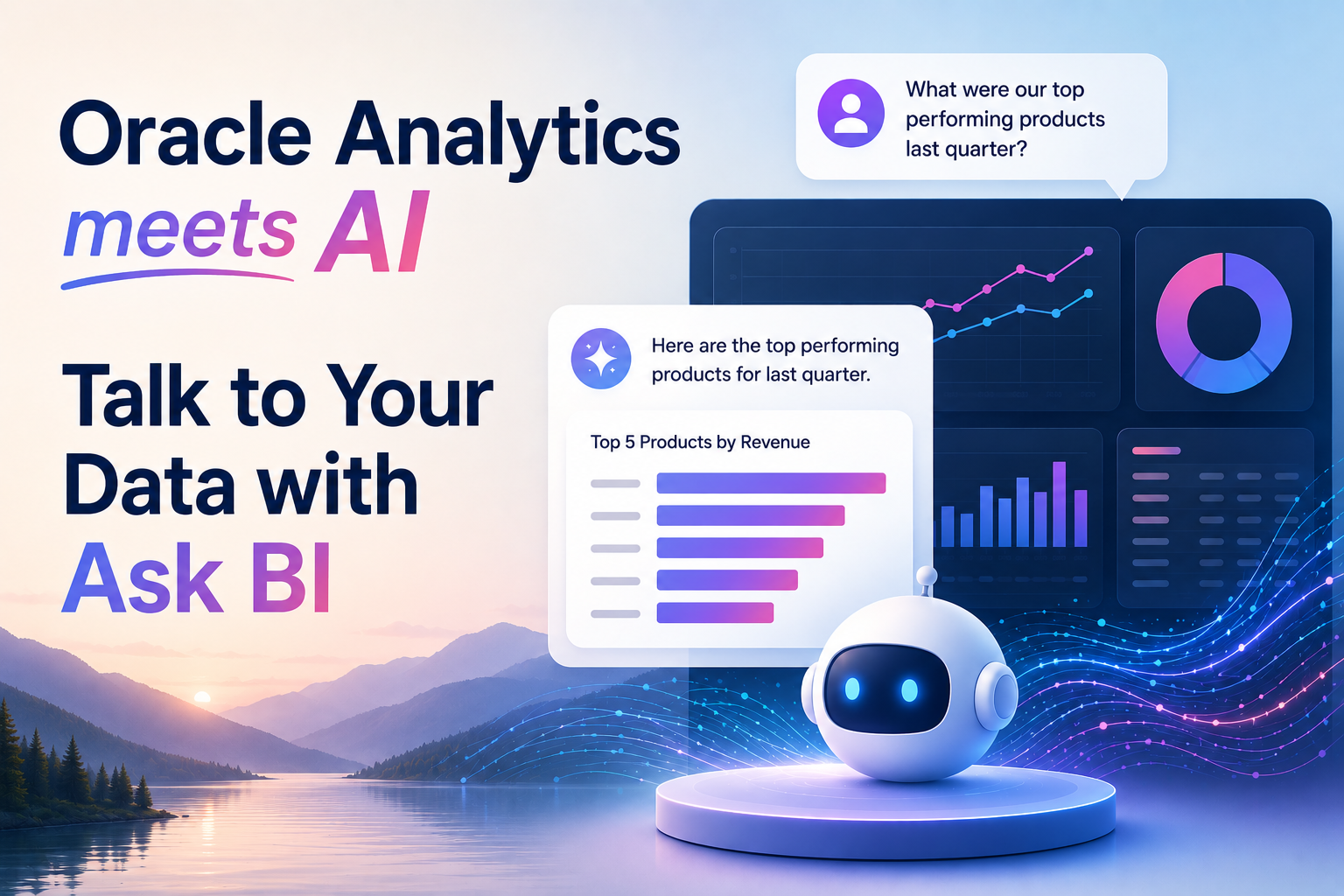
Ask BI - Oracle Analytics meets AI

This post introduces Ask BI, Oracle Analytics Cloud’s conversational interface for exploring data using natural language. It shows how users can ask business questions, refine their analysis through follow-up prompts, and receive answers and visualizations based on governed OAC data. Ask BI makes analytics more accessible by allowing users to focus on the questions they want answered rather than on how to build the analysis.

Read more
Fixing ORA-12860 Deadlocks in Oracle AI Database Private Agent Factory on ADB

Fixing ORA-12860 Deadlocks in Oracle AI Database Private Agent Factory on ADB

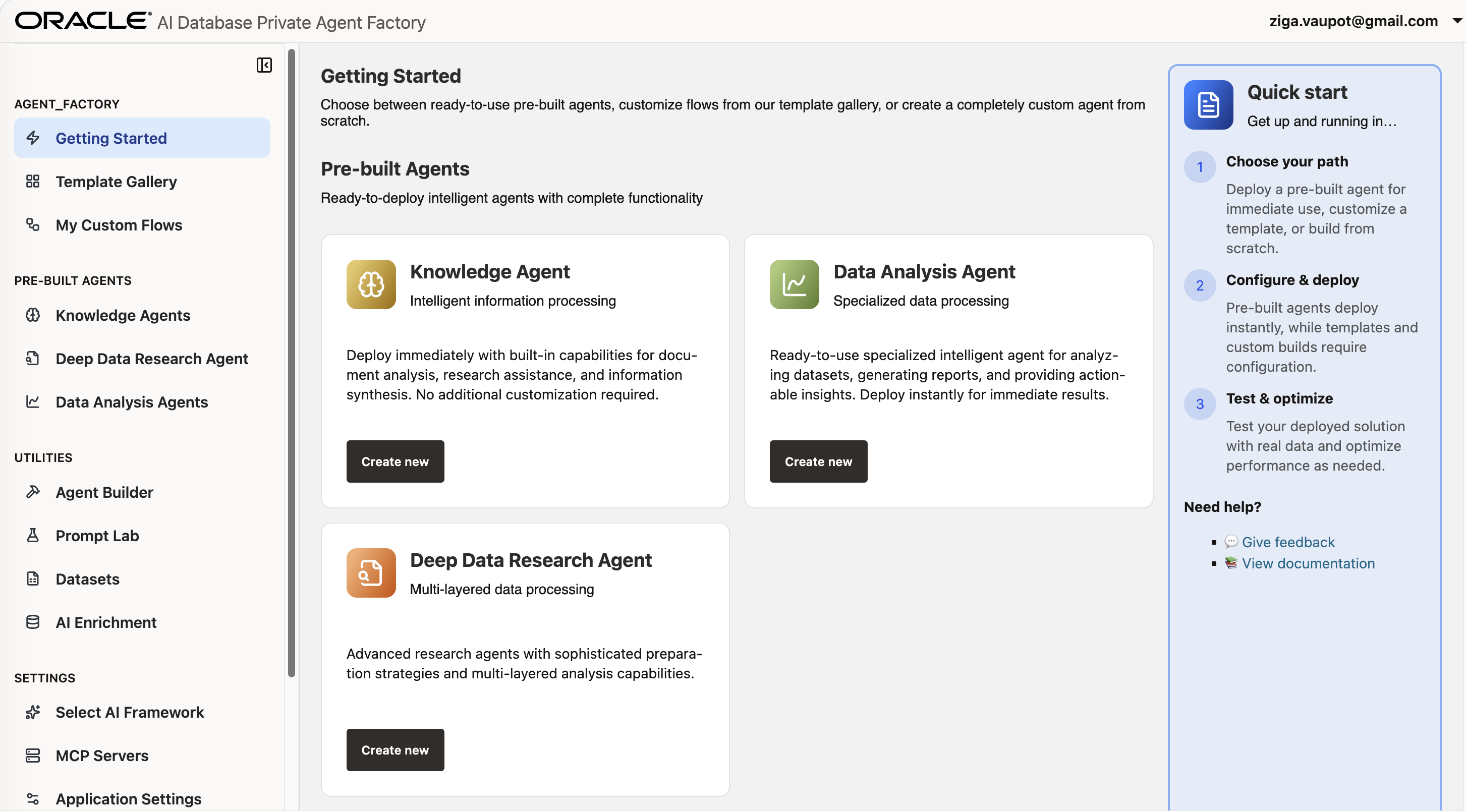
Oracle AI Database Private Agent Factory

This post documents troubleshooting ORA-12860 deadlocks encountered while running Oracle AI Database Private Agent Factory (OPAF) ingestion workloads on Autonomous Database. It follows the investigation from recurring ingestion failures through database parallelism behavior and the eventual mitigation using NOPARALLEL settings and a logon trigger. The post also covers practical lessons from testing different ADB configurations and stabilizing the OPAF ingestion environment.

Read more