AI Data Platform Series: Silver Layer Spark Structure Streaming

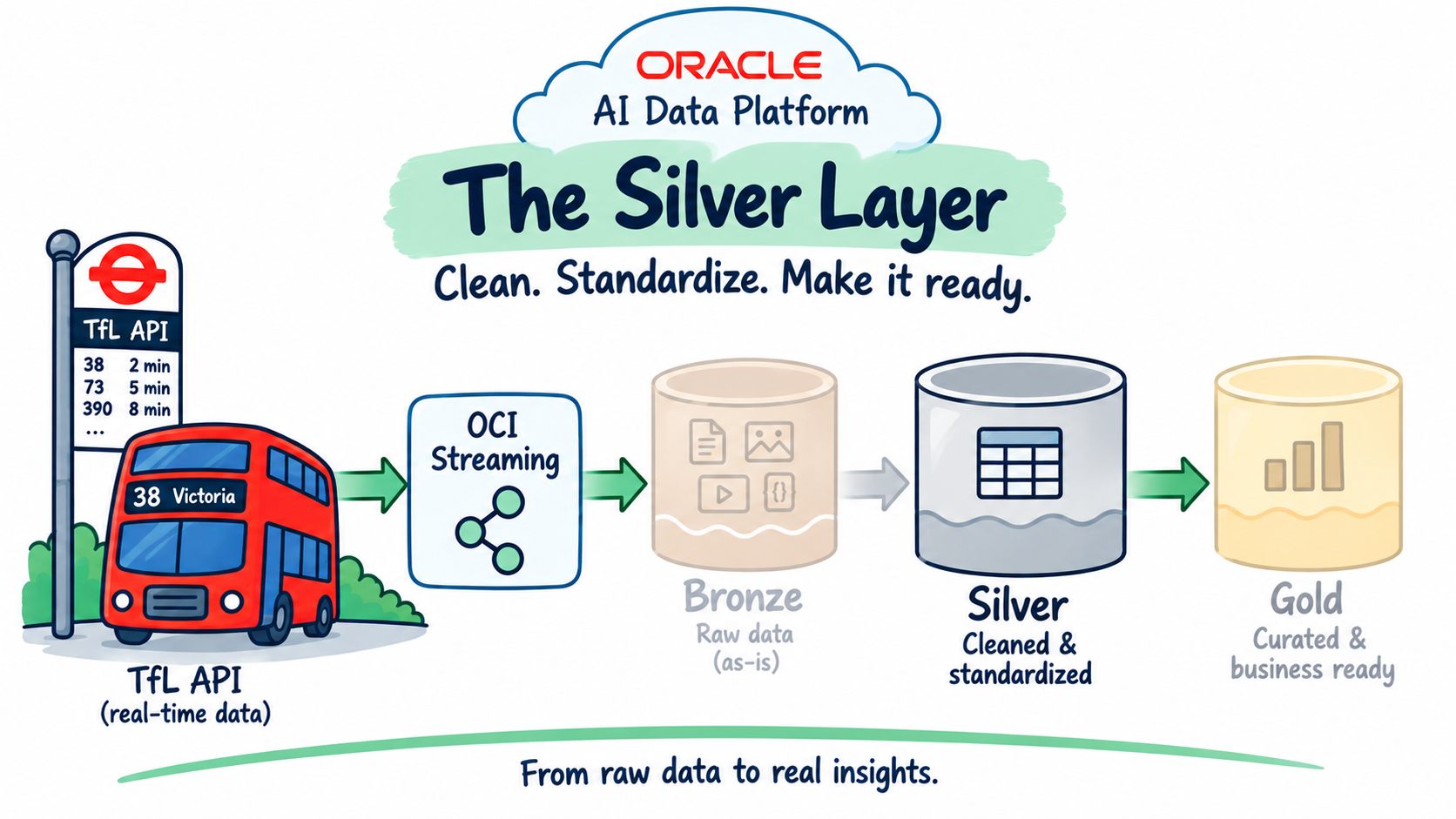
This is the fifth post in the AI Data Platform series, following Just Streams: Real-Time Data Pipelines on OCI (the series intro), Setting Up the AI Data Platform Environment (stage 0), OCI Streaming and the Stream Producer (stage 1), and Bronze Layer: Spark Structured Streaming (stage 2). That last post landed every arrival prediction as-is into an append-only Delta table, tfl.bronze.arrivals_bronze. This post covers stage 3: cleaning that data up, keeping only the latest prediction per vehicle/stop/line/direction, and upserting it into a proper silver table.
In this post I'll walk through:
- Shaping the silver table: what makes one row unique, and which bronze fields I kept or left out, and why.
- Cleaning up the data: turning the many repeated updates TfL sends for the same bus into one clean row.
- Updating the table safely: why a normal streaming write can't update rows that are already there, the workaround I use, and how I stop old data from overwriting newer data.
- Watching it with logging: a simple way to see what the pipeline is doing while it runs, and how I got that working for a demo like this.
- Running it on real data: pointing the pipeline at everything bronze had already collected, and checking the cleanup actually worked.
Recap: what we have so far
tfl.bronze.arrivals_bronze has been filling up since the last post: every message TfL's Unified API produces, landed as-is, one row per prediction, with a full-fidelity raw_payload column alongside the typed fields. Nothing in bronze is deduplicated or cleaned; the same vehicle approaching the same stop shows up over and over as TfL keeps refreshing its estimate.
Think of bronze like a messy inbox: every update TfL sends gets saved, even the tenth reminder about the same bus approaching the same stop. That's fine for bronze, it's meant to be a complete, honest copy of everything that happened, nothing thrown away.
Silver is where I clean that inbox up. One row per (vehicleId, naptanId, lineId, direction), in plain terms, one row per "this bus, at this stop, on this line, going this direction", always showing the latest prediction, kept current by updating existing rows instead of just piling on more of them.
Shaping the silver table
Like bronze, this stage needed no new core OCI resources: it reuses tfl_cluster and the tfl catalog's silver schema, both already in place from stage 0. Two small decisions shaped the table itself before writing any code.
First: how do I know two rows are "about the same thing"? I use four fields together: vehicleId, naptanId, lineId, direction. In plain words, that's "which bus, at which stop, on which line, going which direction." A single bus can show up more than once in the same chunk of data (it might serve more than one line, or have predictions queued for more than one upcoming stop), so I need all four fields together to be sure I'm looking at the same real prediction, and not two different ones that just happen to share a bus number.
Second: what do I keep from bronze's two odder fields? timeToLive says "this prediction goes stale after this point", it's already a clean timestamp in bronze, and it's genuinely useful downstream, so it carries straight through. timing is TfL's own internal bookkeeping (when their system read it, sent it, received it, and so on), nobody downstream actually needs it, so I drop it at this layer. Easy to bring back later if it turns out someone does need it.
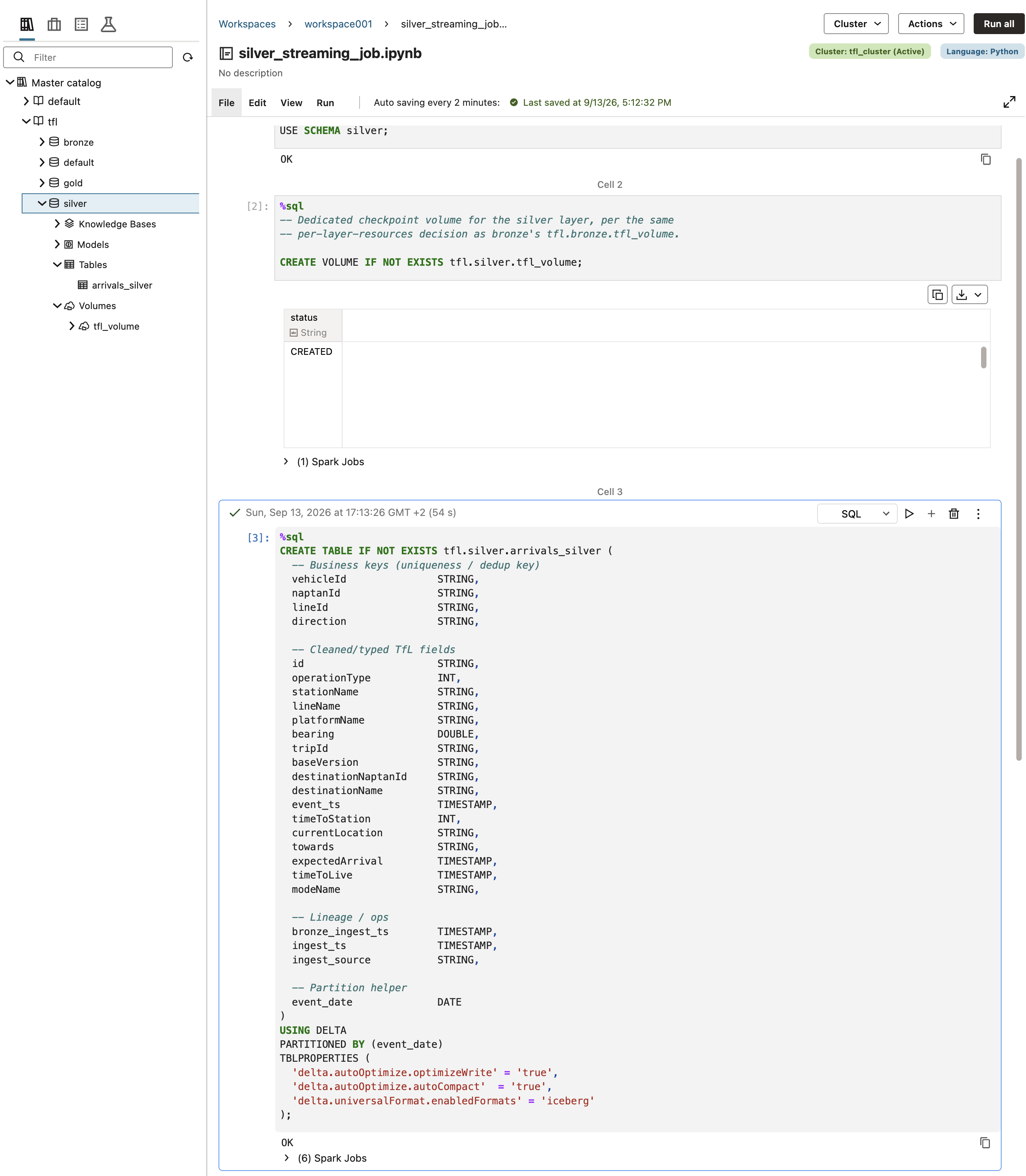
Same per-layer-resources approach as bronze: a dedicated checkpoint volume, tfl.silver.tfl_volume, rather than reusing one from another schema, and catalog-managed storage with no explicit LOCATION.
%sql
USE CATALOG tfl;
USE SCHEMA silver;
%sql
CREATE VOLUME IF NOT EXISTS tfl.silver.tfl_volume;%sql
CREATE TABLE IF NOT EXISTS tfl.silver.arrivals_silver (
-- Business keys (uniqueness / dedup key)
vehicleId STRING,
naptanId STRING,
lineId STRING,
direction STRING,
-- Cleaned/typed TfL fields
id STRING,
operationType INT,
stationName STRING,
lineName STRING,
platformName STRING,
bearing DOUBLE,
tripId STRING,
baseVersion STRING,
destinationNaptanId STRING,
destinationName STRING,
event_ts TIMESTAMP,
timeToStation INT,
currentLocation STRING,
towards STRING,
expectedArrival TIMESTAMP,
timeToLive TIMESTAMP,
modeName STRING,
-- Lineage / ops
bronze_ingest_ts TIMESTAMP,
ingest_ts TIMESTAMP,
ingest_source STRING,
-- Partition helper
event_date DATE
)
USING DELTA
PARTITIONED BY (event_date)
TBLPROPERTIES (
'delta.autoOptimize.optimizeWrite' = 'true',
'delta.autoOptimize.autoCompact' = 'true',
'delta.universalFormat.enabledFormats' = 'iceberg'
);
Reading bronze, cleaning, and de-duplicating
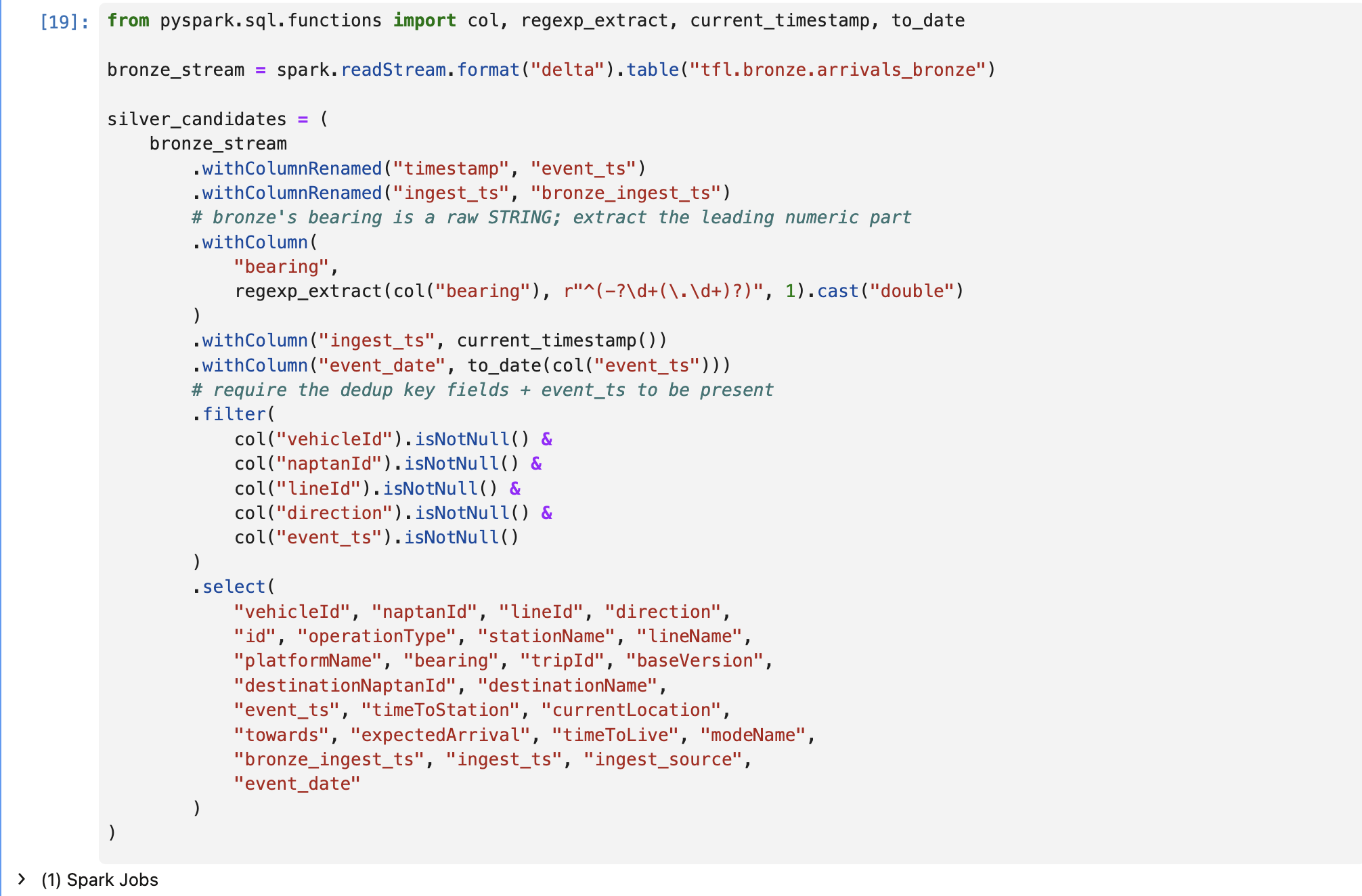
Bronze's timestamp, expectedArrival, and timeToLive columns are already TIMESTAMP-typed there, since bronze casts them on the way in. So most of this step is just renaming and deriving new columns, not re-parsing anything: timestamp becomes event_ts, bronze's own ingest_ts becomes bronze_ingest_ts (making room for silver's own fresh ingest_ts), and event_date gets derived from event_ts for partitioning.
The one real fix here is bearing, the compass direction a bus is facing. Bronze stores it as plain text, like "134.0", simply because that's how TfL happened to send it. Text isn't something you can sort or do maths on, so I pull out the numeric part with a regular expression and store it as an actual number.
I also drop any row that's missing one of the four key fields, or missing event_ts. Without those, I wouldn't even be able to tell what bus, stop, line and direction the row is about, so there's nothing useful left to keep.
from pyspark.sql.functions import col, regexp_extract, current_timestamp, to_date

bronze_stream = spark.readStream.format("delta").table("tfl.bronze.arrivals_bronze")

silver_candidates = (
    bronze_stream
        .withColumnRenamed("timestamp", "event_ts")
        .withColumnRenamed("ingest_ts", "bronze_ingest_ts")
        # bronze's bearing is a raw STRING; extract the leading numeric part
        .withColumn(
            "bearing",
            regexp_extract(col("bearing"), r"^(-?\d+(\.\d+)?)", 1).cast("double")
        )
        .withColumn("ingest_ts", current_timestamp())
        .withColumn("event_date", to_date(col("event_ts")))
        # require the dedup key fields + event_ts to be present
        .filter(
            col("vehicleId").isNotNull() &
            col("naptanId").isNotNull() &
            col("lineId").isNotNull() &
            col("direction").isNotNull() &
            col("event_ts").isNotNull()
        )
        .select(
            "vehicleId", "naptanId", "lineId", "direction",
            "id", "operationType", "stationName", "lineName",
            "platformName", "bearing", "tripId", "baseVersion",
            "destinationNaptanId", "destinationName",
            "event_ts", "timeToStation", "currentLocation",
            "towards", "expectedArrival", "timeToLive", "modeName",
            "bronze_ingest_ts", "ingest_ts", "ingest_source",
            "event_date"
        )
)
The foreachBatch upsert
Here's the problem this section solves: normally, a Spark streaming job can only add new rows, it can't go back and update one that's already there. But updating existing rows is exactly what I need: if a newer prediction comes in for a bus/stop/line/direction I've already seen, I want to update that one row, not just pile another row on top of it.
Delta's answer to this is foreachBatch. Instead of treating the stream as one continuous flow, Spark hands me small chunks of new data every few seconds, a "micro-batch", and for each chunk I get to run completely ordinary, one-off database commands, including the update-or-insert command called MERGE ("if this row already exists, update it; if not, add it as new").
One wrinkle: even a single small chunk can contain more than one update for the same bus/stop/line/direction. So before running the MERGE, I sort each chunk with row_number(), ranked by (vehicleId, naptanId, lineId, direction) and then by whichever is newest (event_ts, with bronze_ingest_ts as a tiebreaker), and keep only the top-ranked row per key. Everything else in that chunk gets thrown away before it ever reaches the table, that's the "latest per key" logic. Because a MERGE statement needs something it can reference by name, I publish these survivors as a temporary named view first, then run the actual MERGE against it.
There's one more safety net: what if an old, out-of-date update shows up a bit late, after a newer one has already been saved? Without a check, it would happily overwrite the newer, correct row with older data. The WHEN MATCHED condition below is that check: an update only goes through if it's genuinely newer than what's already in the table, or, in a tie, arrived later.
from pyspark.sql import Window
from pyspark.sql.functions import row_number

SILVER_TABLE = "tfl.silver.arrivals_silver"
KEY_COLS = ["vehicleId", "naptanId", "lineId", "direction"]


def upsert_latest_per_key(batch_df, batch_id: int):
    try:
        if batch_df.rdd.isEmpty():
            log_to_oci(f"batch_id={batch_id} empty_batch=true")
            return

        w = Window.partitionBy(*KEY_COLS).orderBy(
            col("event_ts").desc(),
            col("bronze_ingest_ts").desc()
        )

        latest_in_batch = (
            batch_df
                .withColumn("rn", row_number().over(w))
                .filter(col("rn") == 1)
                .drop("rn")
        )

        latest_in_batch.createOrReplaceGlobalTempView("silver_updates")

        merge_sql = f"""
        MERGE INTO {SILVER_TABLE} AS s
        USING global_temp.silver_updates AS u
        ON  s.vehicleId = u.vehicleId
        AND s.naptanId  = u.naptanId
        AND s.lineId    = u.lineId
        AND s.direction = u.direction
        WHEN MATCHED AND (
            u.event_ts > s.event_ts OR
            (u.event_ts = s.event_ts AND u.bronze_ingest_ts >= s.bronze_ingest_ts)
        ) THEN UPDATE SET *
        WHEN NOT MATCHED THEN INSERT *
        """

        spark.sql(merge_sql)
        log_to_oci(f"batch_id={batch_id} action=merge rows={latest_in_batch.count()}")

    except Exception as e:
        log_to_oci(f"batch_id={batch_id} action=error error={str(e)[:500]}")
        raise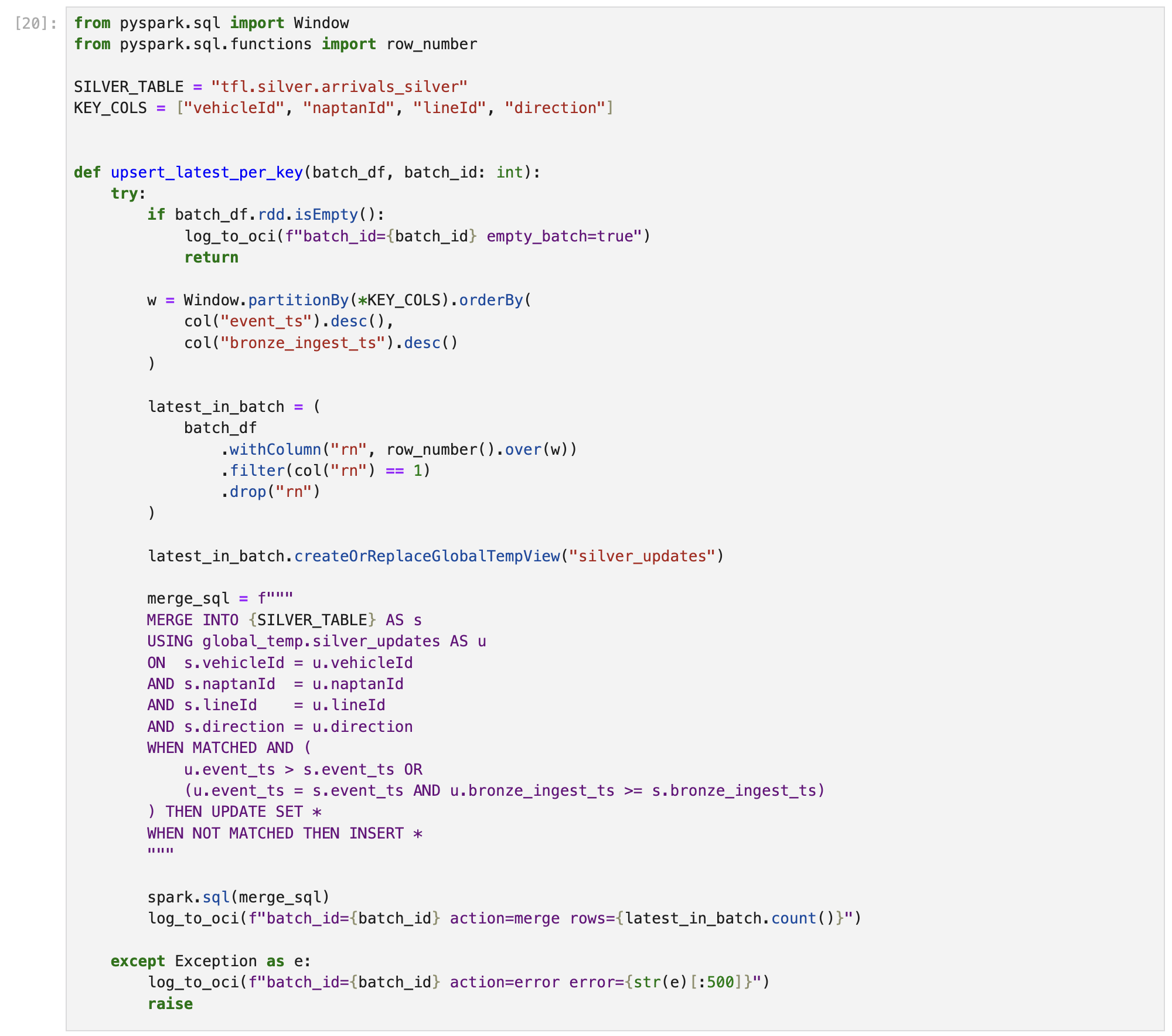
OCI Logging, briefly
Every time this batch process runs, I want a simple trail I can check later: did it succeed, how many rows did it touch, did anything go wrong. That's all log_to_oci() does above, it writes one line per batch to OCI Logging with the batch id, the row count, or the error message if the MERGE failed.
Getting the pipeline permission to actually write those logs turned out more fiddly than expected. Normally a notebook running on OCI can quietly prove "I'm allowed to be here" without any extra setup, but AIDP's notebooks don't expose either of the two usual automatic ways to do that, and the platform's own Credential Store refused to create a proper separate service identity from my own logged-in account. For this demo, my workaround was simple: I uploaded my own OCI API signing key into the workspace's file storage and pointed the logging code at it directly. That ties the pipeline's logging permission to my personal account rather than a proper, separate service identity, which is the right way to do it for anything beyond a demo, but it was more setup than this one feature needed here.
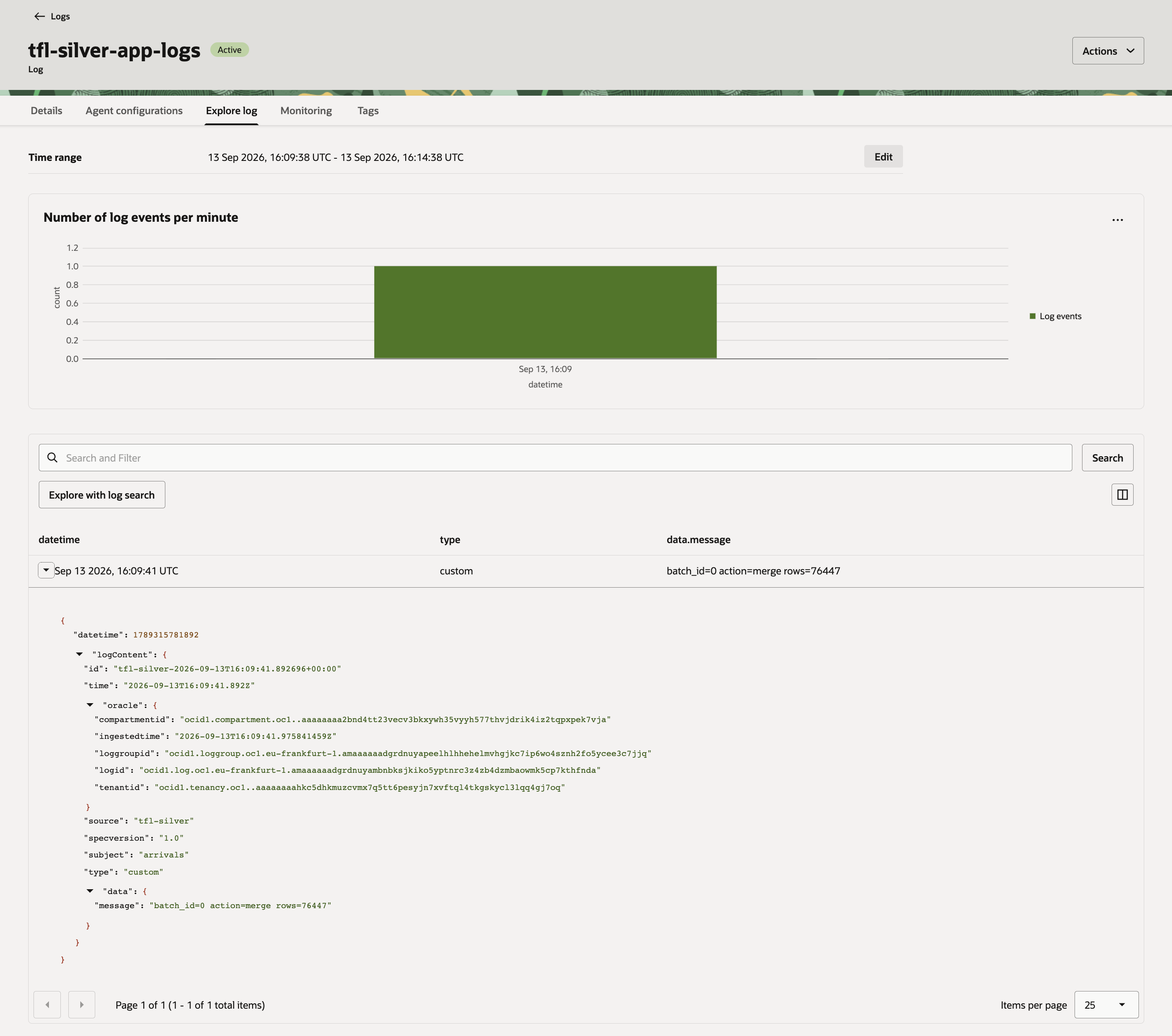
Once the pipeline actually ran, this held up: the batch_id=0 action=merge rows=76447 line showed up as a real structured entry in the Log Explorer, not just a local print.
Running and stopping
In short: I press play and the pipeline starts pulling data from bronze and updating the silver table every 5 seconds; when I'm done for the day, I press stop, the same two-step way as bronze. Same manual, on-demand model as before: run the write cell when data should flow, stop it when done. The trigger interval here is 5 seconds rather than bronze's 2, since every micro-batch now also runs a MERGE, which is heavier work than a plain append.
CHECKPOINT_PATH = "/Volumes/tfl/silver/tfl_volume/checkpoints/arrivals-silver"
TRIGGER_SEC = 5

query = (
    silver_candidates.writeStream
        .foreachBatch(upsert_latest_per_key)
        .option("checkpointLocation", CHECKPOINT_PATH)
        .trigger(processingTime=f"{TRIGGER_SEC} seconds")
        .start()
)

query.awaitTermination()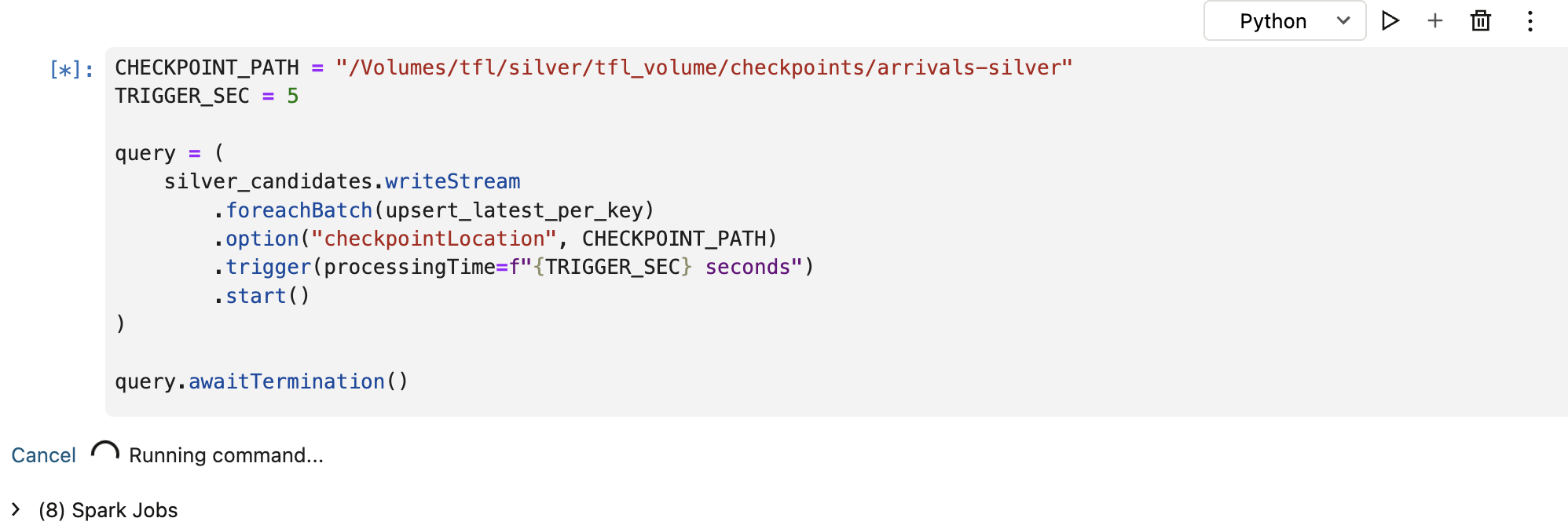
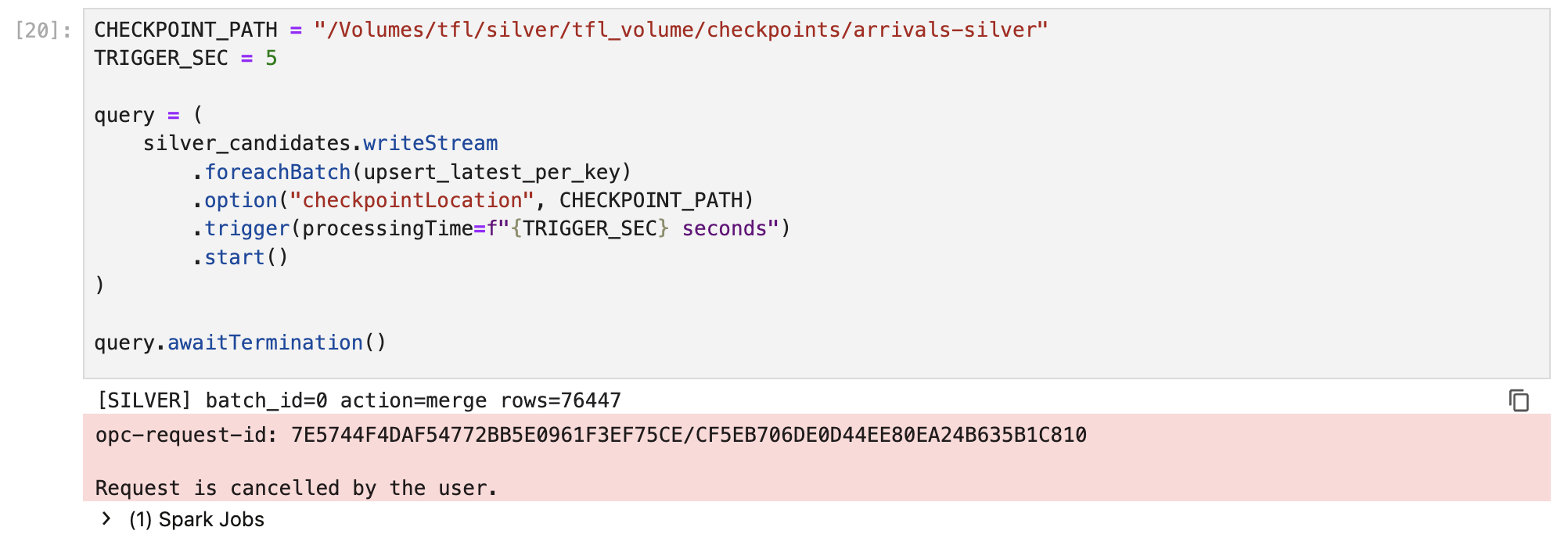
With bronze's stream running to keep data flowing, silver's very first micro-batch picked up bronze's entire existing backlog at once: 76,447 rows, merged in a single batch. Stopping the stream is the same two-step dance as bronze: cancel the blocked write cell (its own Cancel option, the only interrupt control this notebook UI has), then run query.stop() in a separate cell to actually release the checkpoint.
query.stop()print(query.isActive) # expect: FalseRunning the query notebook alongside it
Verifying it worked meant two things. First, the ordinary checks:
%sql
SELECT count(*) AS row_count, max(ingest_ts) AS last_ingest
FROM tfl.silver.arrivals_silver;
%sql
SELECT vehicleId, naptanId, lineId, direction, stationName, event_ts, expectedArrival, ingest_ts
FROM tfl.silver.arrivals_silver
ORDER BY ingest_ts DESC
LIMIT 20;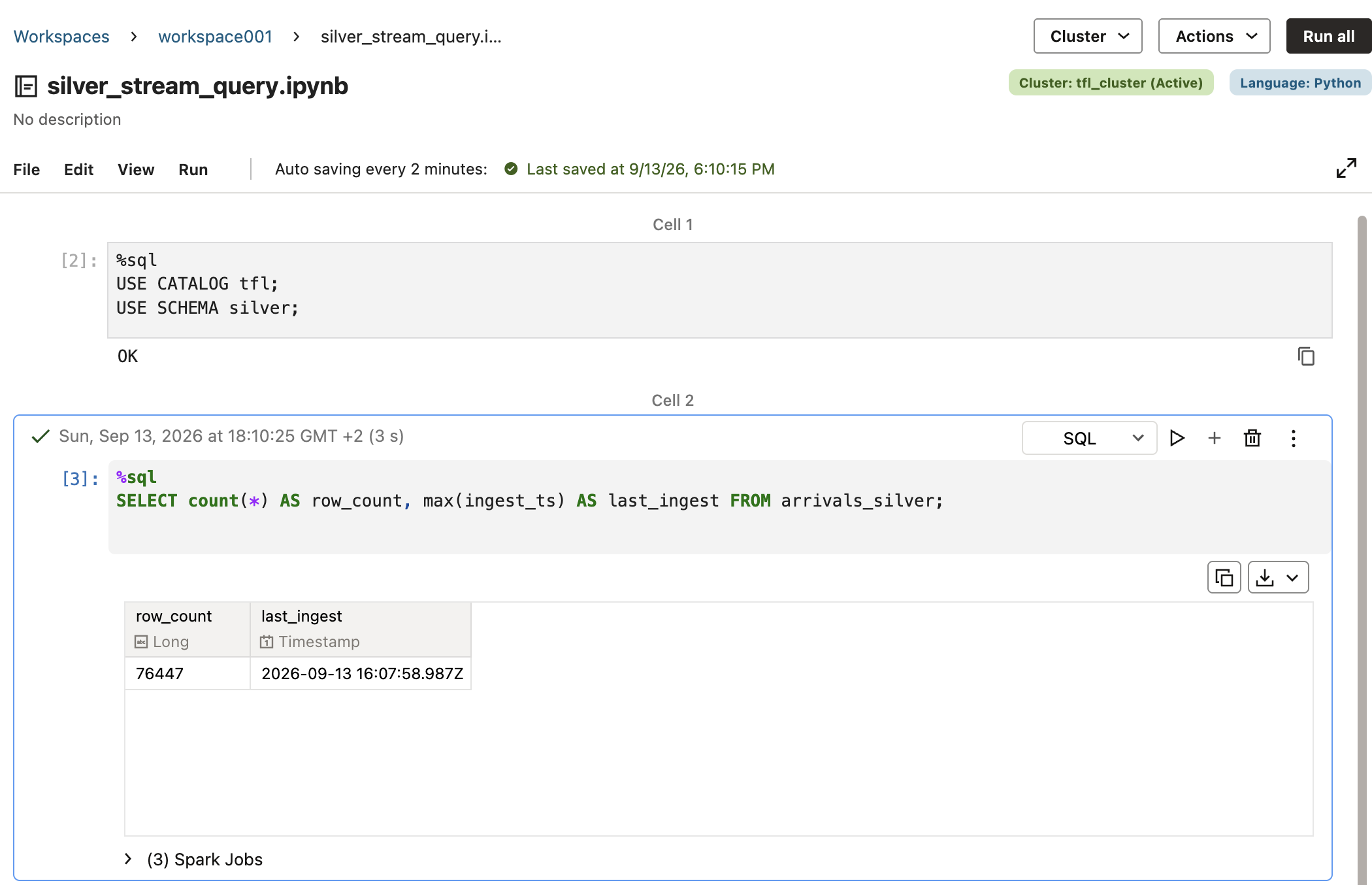
Second, and more specific to this layer: a dedup sanity check. I ran this from a second, separate notebook attached to the same cluster, not the one actually streaming. That's on purpose: the main notebook's write-stream cell is busy running and blocking, so nothing else can execute there until I stop it. Rather than interrupt the real pipeline just to peek at the data, I open a second notebook side by side and query the table from there while the first one keeps running.
%sql
SELECT vehicleId, naptanId, lineId, direction, count(*) AS cnt
FROM tfl.silver.arrivals_silver
GROUP BY vehicleId, naptanId, lineId, direction
HAVING count(*) > 1;
That query came back empty, confirming the latest-per-key logic held: every key in the table has exactly one row.
What's next
With tfl.silver.arrivals_silver staying current as a clean, deduplicated table, the next post is a short detour before the gold layer: Comparing Bronze and Silver with DBeaver, connecting a plain SQL client straight to AIDP over JDBC to look at bronze and silver side by side, and along the way finding that both tables are already readable as Apache Iceberg tables. After that, it's on to the gold layer: aggregating silver into something Oracle Analytics Cloud can query directly, and starting to bring in position data for mapping.
Related: Just Streams: Real-Time Data Pipelines on OCI (series intro), Setting Up the AI Data Platform Environment, OCI Streaming and the Stream Producer, Bronze Layer: Spark Structured Streaming, Comparing Bronze and Silver with DBeaver