AI Data Platform Series: Bronze Layer Spark Structured Streaming

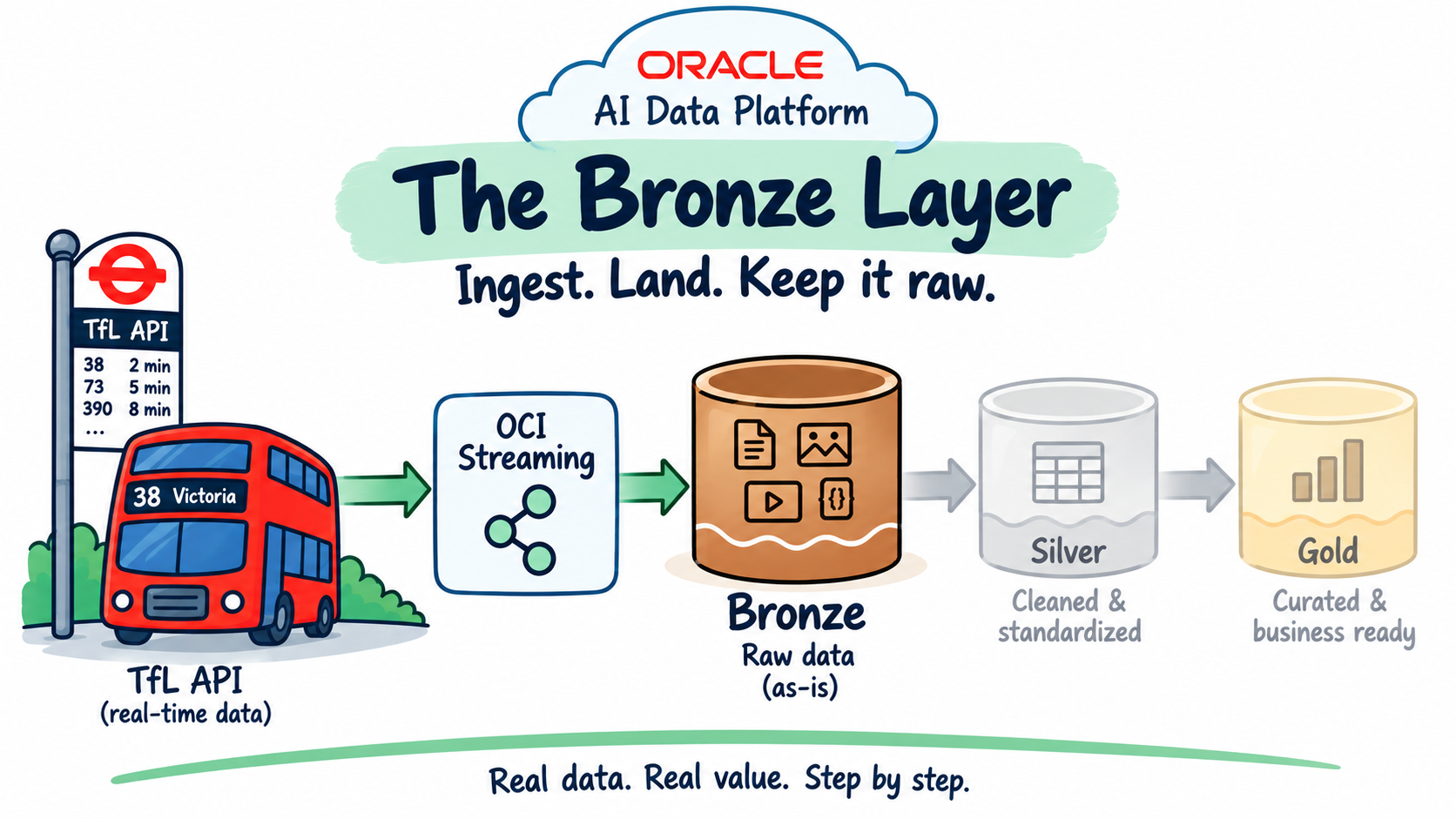
This is the fourth post in the AI Data Platform series, following Just Streams: Real-Time Data Pipelines on OCI (the series intro), Setting Up the AI Data Platform Environment (stage 0), and OCI Streaming and the Stream Producer (stage 1). That last post got live TfL bus-arrival predictions flowing into the tfl-arrivals OCI Streaming topic. This post covers stage 2: a Spark Structured Streaming job that reads the topic, parses it, and lands it as an append-only Delta table, the bronze layer.
In this post I'll walk through:
- Reusing what already exists: this stage needed zero new OCI console resources.
- Shaping the bronze table: typed columns plus a full-fidelity
raw_payloadsafety net. - The Credential Store: a separate, AIDP-native place to keep secrets that a notebook can read directly, pointed at the Vault secrets already in place rather than duplicating them.
- Running the stream, and verifying it actually worked.
Recap: what we have so far
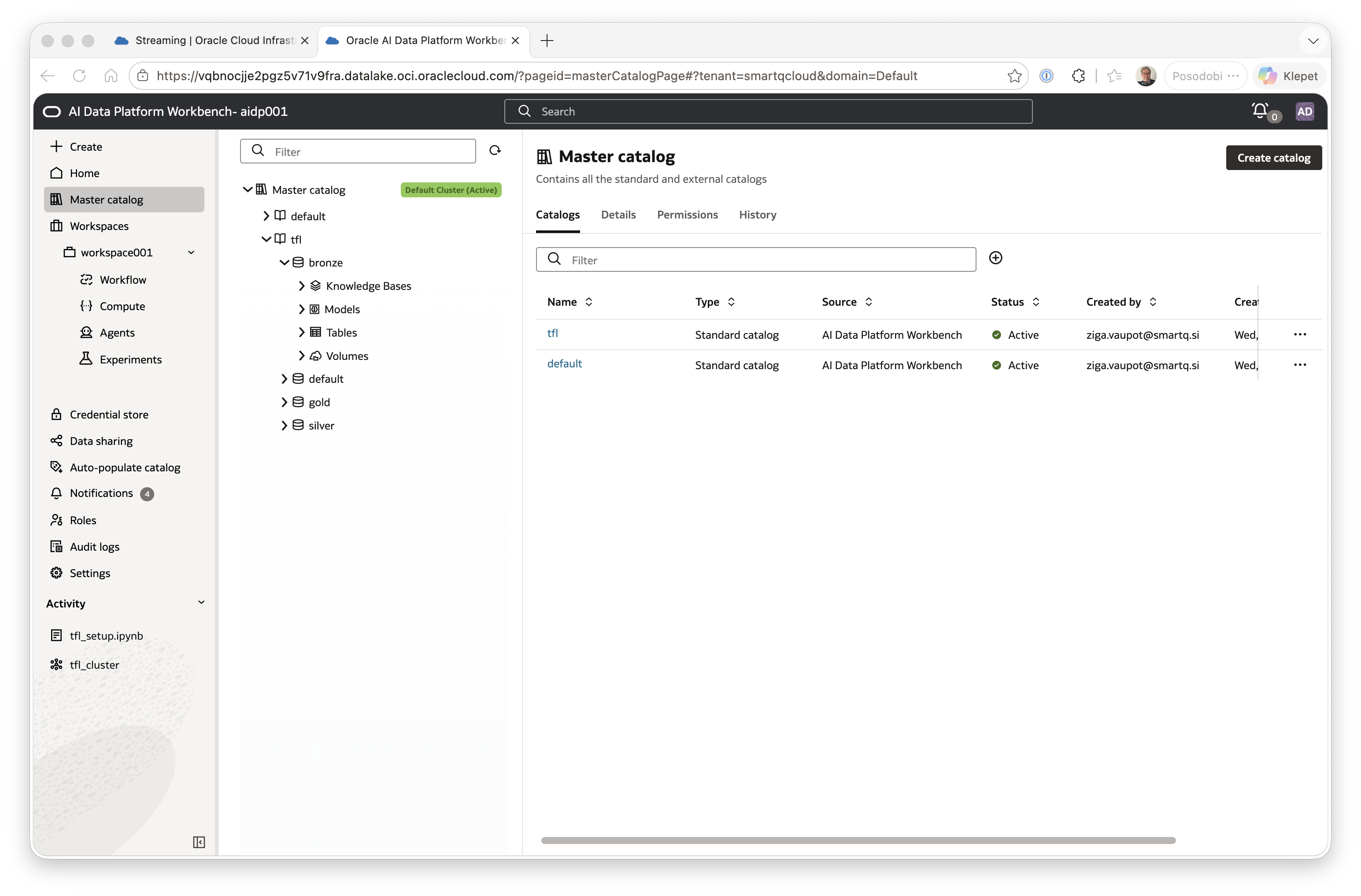
Two things are already in place from earlier in the series. First, the AI Data Platform Workbench itself: the tfl catalog with its bronze/silver/gold/default schemas, and the tfl_cluster compute cluster, all set up in Setting Up the AI Data Platform Environment.
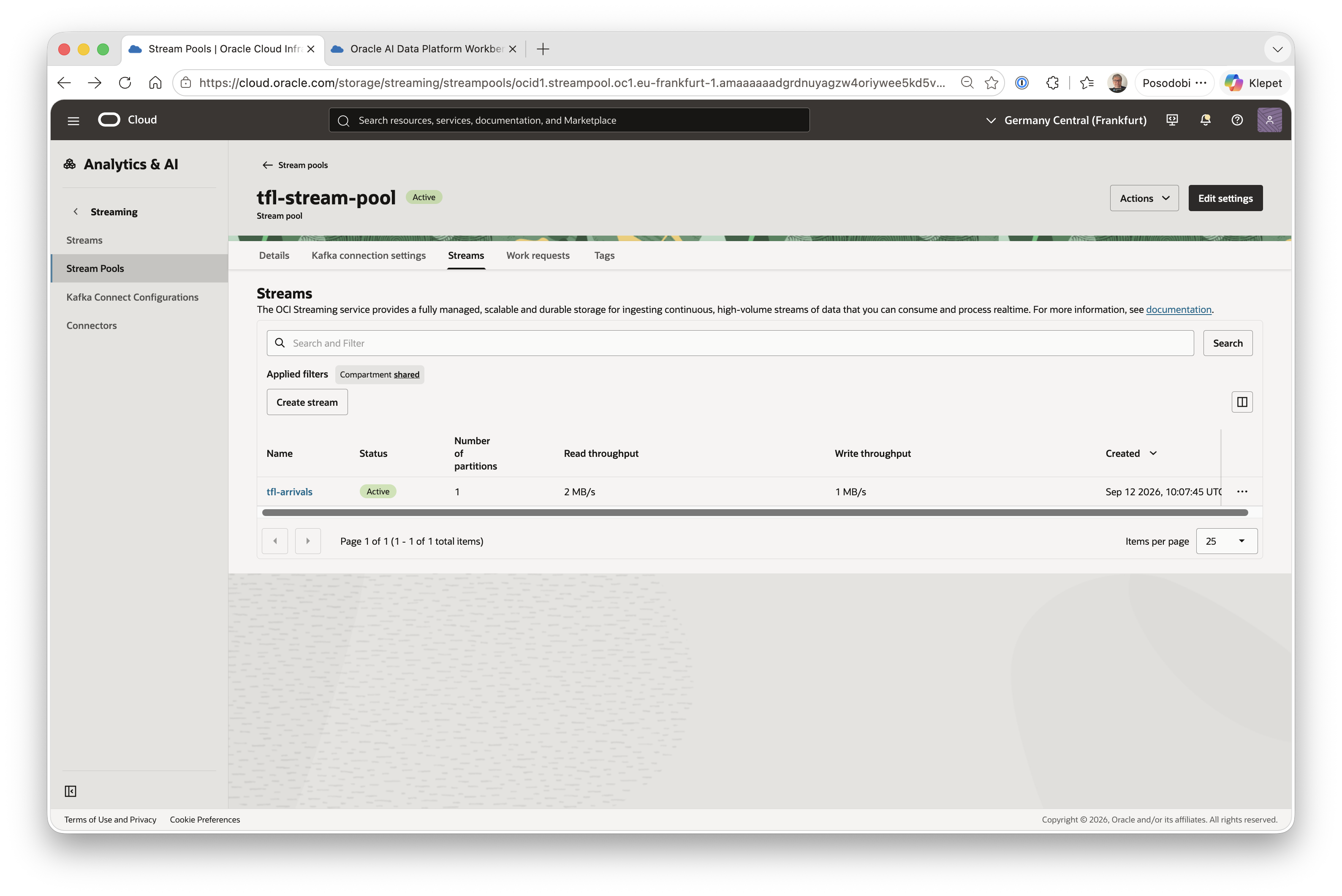
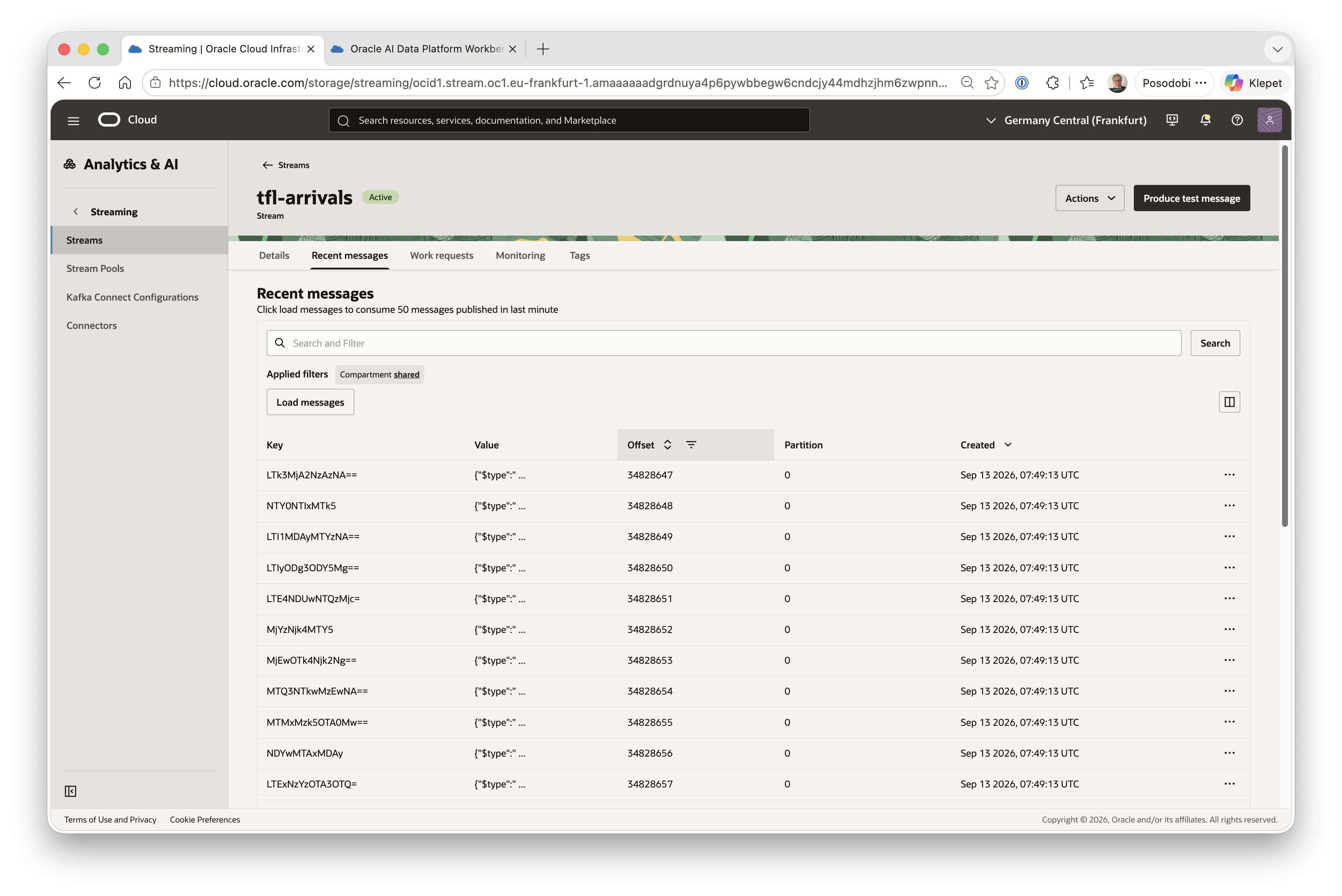
Second, a live stream of data: a small Python process on an always-on OCI Compute VM polls the TfL Unified API, deduplicates the near-identical predictions TfL keeps re-serving, and publishes the genuinely new ones onto tfl-arrivals, a single-partition OCI Streaming topic inside tfl-stream-pool.
This post connects those two pieces: reading from the topic, and landing the result inside the workbench's bronze schema.
No new OCI resources needed
This stage reuses the tfl_cluster compute and the tfl catalog's bronze schema, both already in place. Everything else happens inside a notebook, bronze_streaming_job.ipynb.
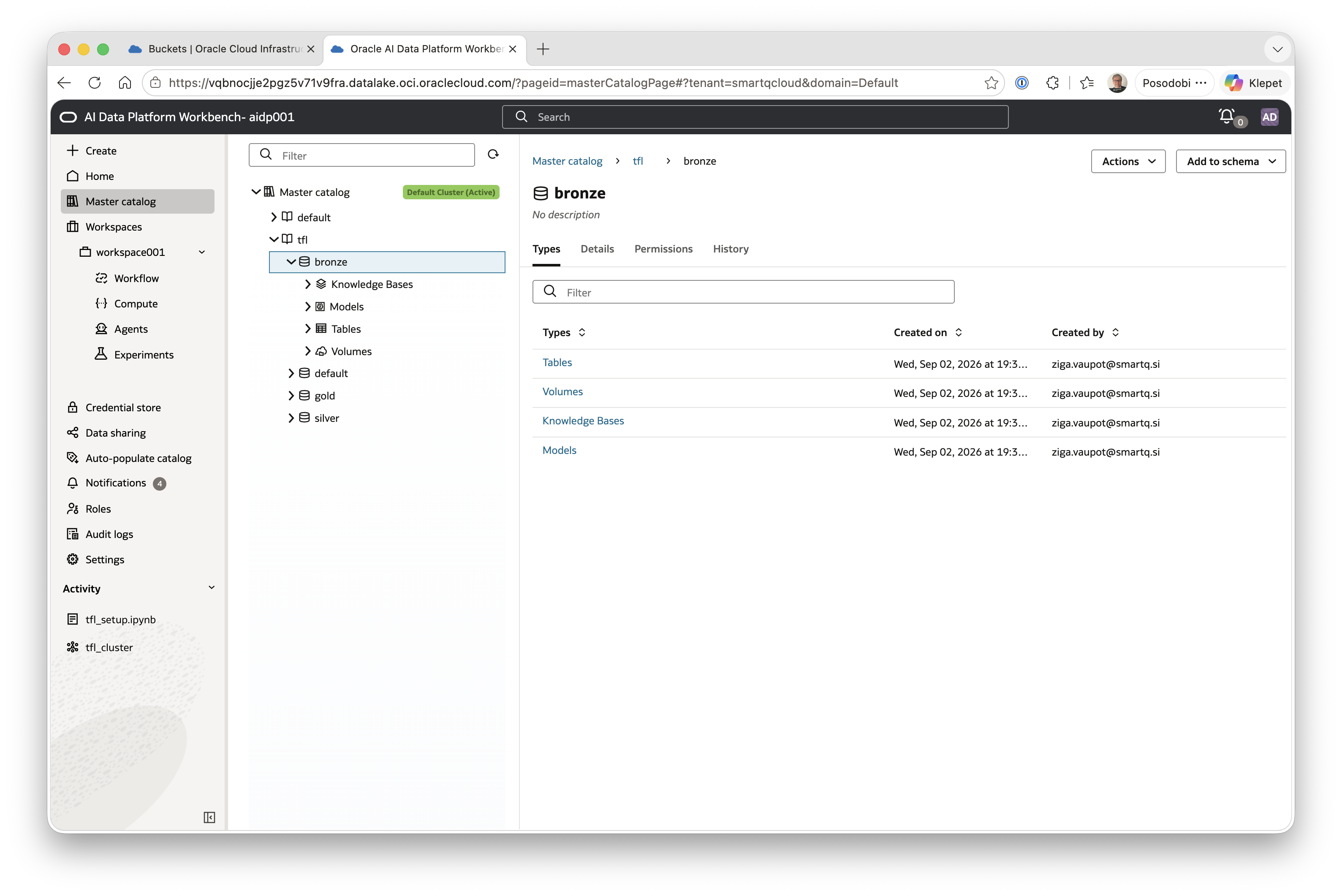
Even though the data could have been stored in a dedicated Object Storage bucket per medallion layer, it doesn't need to be: the bronze schema already has its own storage, visible in the Master Catalog UI as the Tables/Volumes/Knowledge Bases/Models categories underneath it. So the bronze table is created without an explicit LOCATION clause: a catalog-managed table sitting on storage the schema already provides, one fewer resource to keep track of.
Shaping the bronze table
A few decisions made before writing any code:
- Typed columns for every field in TfL's real payload, including
timeToLiveand the nestedtimingobject.raw_payload, the untouched original JSON string, is kept alongside the typed columns as a full-fidelity safety net. - One bronze table. In a medallion setup it's common to have a separate bronze table per kind of record a source produces. Here there's only one kind: every message on
tfl-arrivalsis an arrival prediction for one bus at one stop, nothing else. So a single table,arrivals_bronze, is enough; there's no other entity type to split it from. - A dedicated checkpoint volume,
tfl.bronze.tfl_volume, holding the write-stream's checkpoint: Spark's own record of which Kafka offsets have already been processed, so a restart doesn't redo work or duplicate rows. It lives inside thebronzeschema itself rather than somewhere shared, keeping this pipeline's state self-contained. - Manual notebook run for now, the same operating model the stream producer started with on a laptop before it moved to a VM. Automating this into a scheduled Job is a later-stage concern, not a day-one one.
What's in a TfL arrival record
Before looking at the table DDL, here's what each field coming from TfL actually means:
| Field | What it is |
|---|---|
id | Unique identifier for this specific prediction |
operationType | Internal TfL flag for the kind of update this is (arrivals data always uses the same value) |
vehicleId | Registration of the physical vehicle serving this arrival |
naptanId | NaPTAN identifier of the stop this prediction is for |
stationName | Human-readable name of that stop |
lineId | Short code identifying the bus line, e.g. 25 |
lineName | Display name of the line (usually the same as lineId for buses) |
platformName | Stop/bay label at the station, where applicable |
direction | Direction of travel, inbound or outbound |
bearing | Compass bearing of the stop, in degrees |
tripId | Identifier of the specific scheduled trip this vehicle is running |
baseVersion | Version identifier of TfL's underlying timetable data |
destinationNaptanId | NaPTAN identifier of the trip's terminating stop |
destinationName | Human-readable name of that destination |
timestamp | When TfL generated this prediction |
timeToStation | Seconds until the vehicle is expected to reach the stop |
currentLocation | Free-text description of where the vehicle currently is |
towards | Free-text summary of the direction, as shown to riders at the stop |
expectedArrival | Predicted arrival time at the stop |
timeToLive | Point after which this prediction should be considered stale |
modeName | Transport mode, always bus on this topic |
timing | A nested object with extra scheduling detail from TfL |
Everything above comes straight from TfL. timing is the one exception kept as a raw STRING in the bronze table, parsed straight out of the JSON payload rather than declared as a nested field in the schema. The remaining bronze columns, ingest_ts, ingest_source, raw_payload, event_date, and event_hour, are added by the pipeline itself, not part of TfL's payload.
The Credential Store
aidputils.secrets.get(name=..., key=...) is how the notebook reads the Kafka username and password, from AIDP's own Credential Store (Workbench sidebar, currently a Preview feature) rather than typing secrets directly into notebook code.
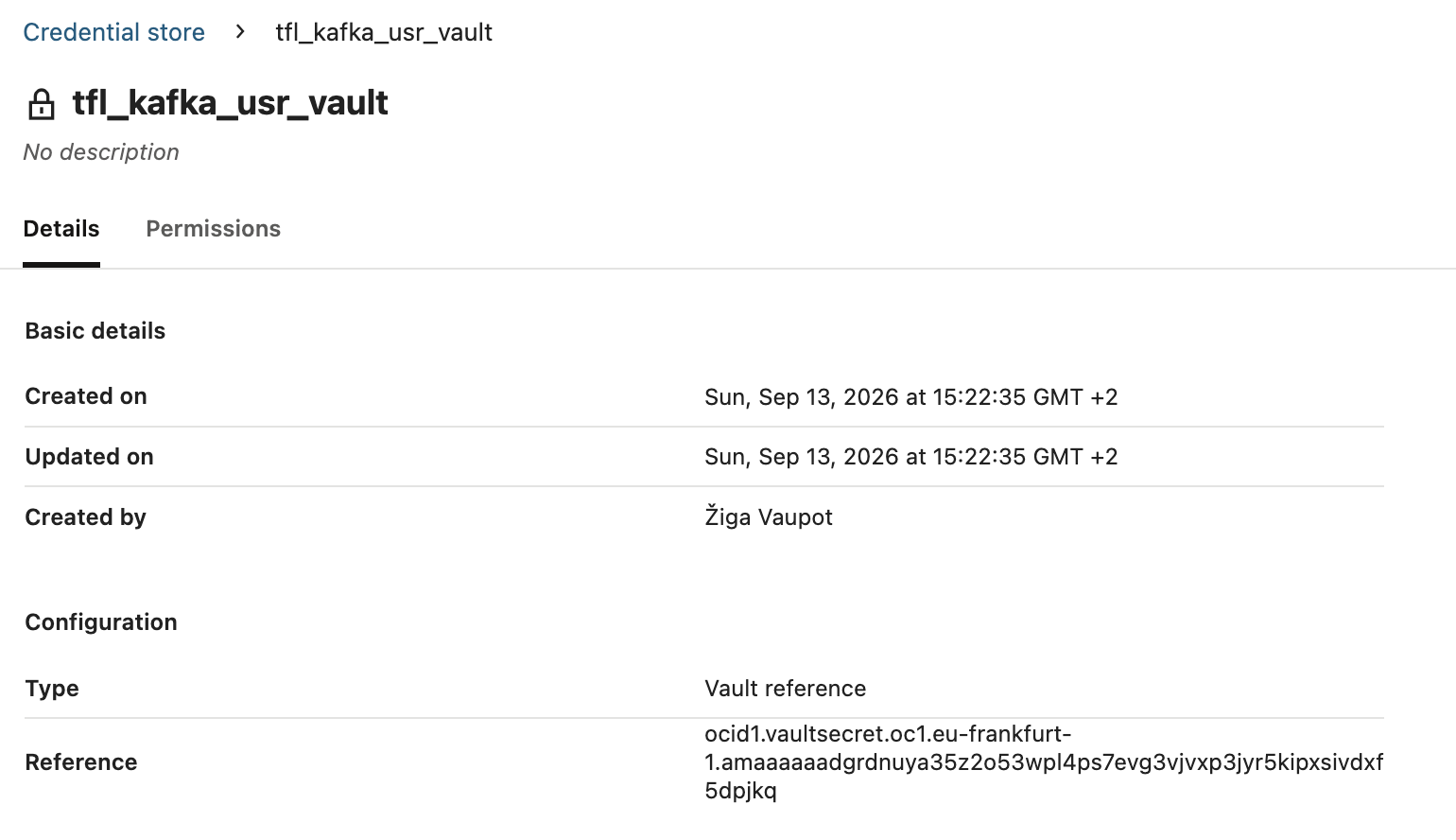
The Credential Store supports three credential types: Secret token, which stores one or more Key/Value pairs typed directly into the form; Service account, which takes a full OCI API signing key (user OCID, fingerprint, region, private key, tenancy) for authenticating as a specific OCI user; and Vault reference, which instead points at an existing Vault secret's OCID and reads its value from there. Since the Kafka username and password already exist as Vault secrets (tfl-kafka-usr/tfl-kafka-pwd) from the producer setup, Vault reference is the better fit here: nothing gets typed in or duplicated a second time.
Vault reference needs one extra IAM policy beyond what Secret token needs, called out right in the credential form itself. IAM policy to allow the AIDP instance to read secrets in the compartment:
allow any-user to use secret in tenancy where all { request.principal.type = 'aidataplatform' }
allow any-user to read secret-bundles in tenancy where all { request.principal.id = target.resource.tag.orcl-aidp.governingAidpId }
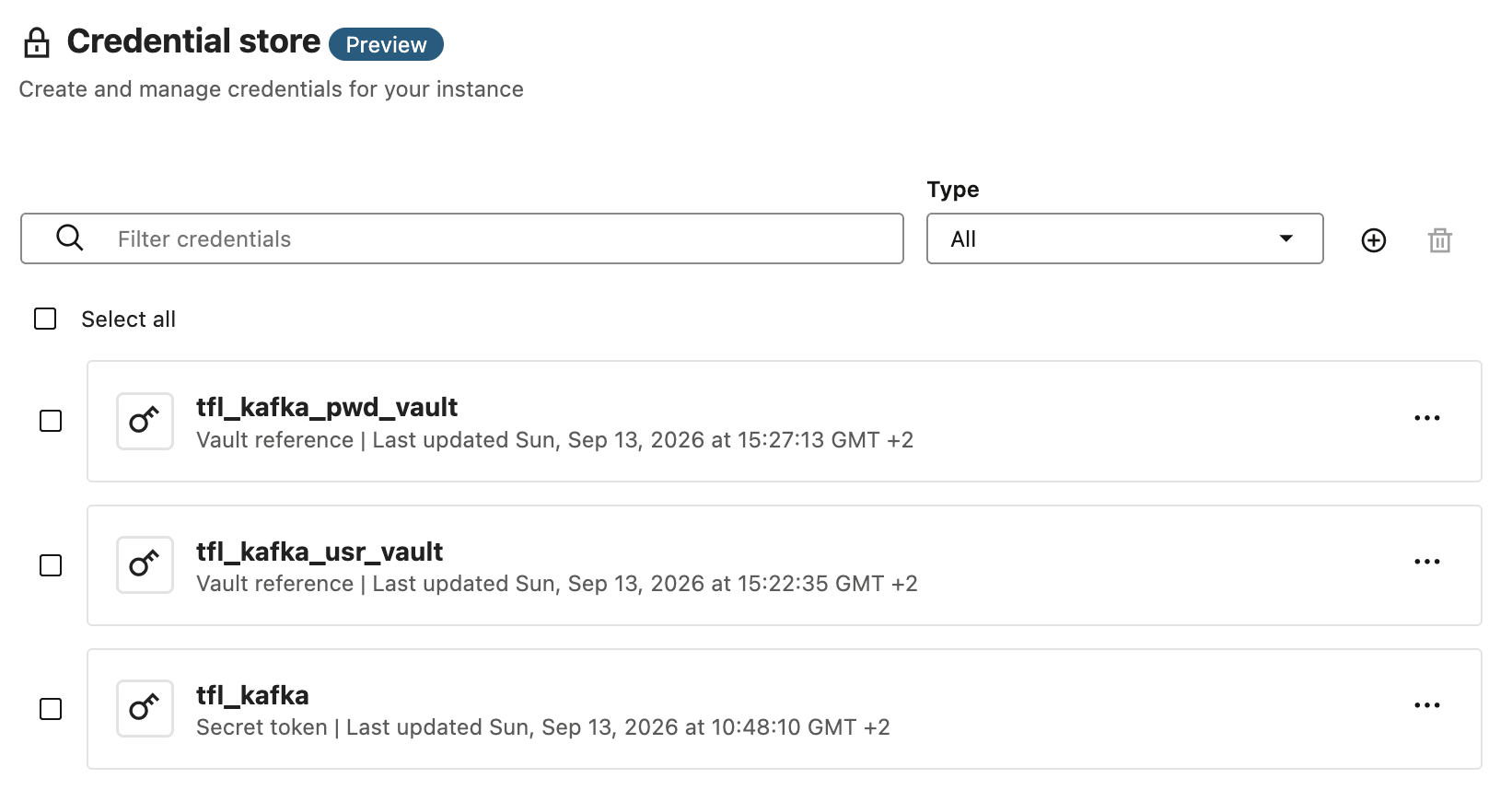
A Vault reference credential holds exactly one value, with no Key/Value bundling, so the username and password each need their own credential rather than one shared one:
- Credential store > Create. Name:
tfl_kafka_usr_vault. Credential type: Vault reference. Reference: thetfl-kafka-usrsecret's OCID. - Repeat for the password: name
tfl_kafka_pwd_vault, Reference: thetfl-kafka-pwdsecret's OCID.
Opening the notebook and running the one-time setup
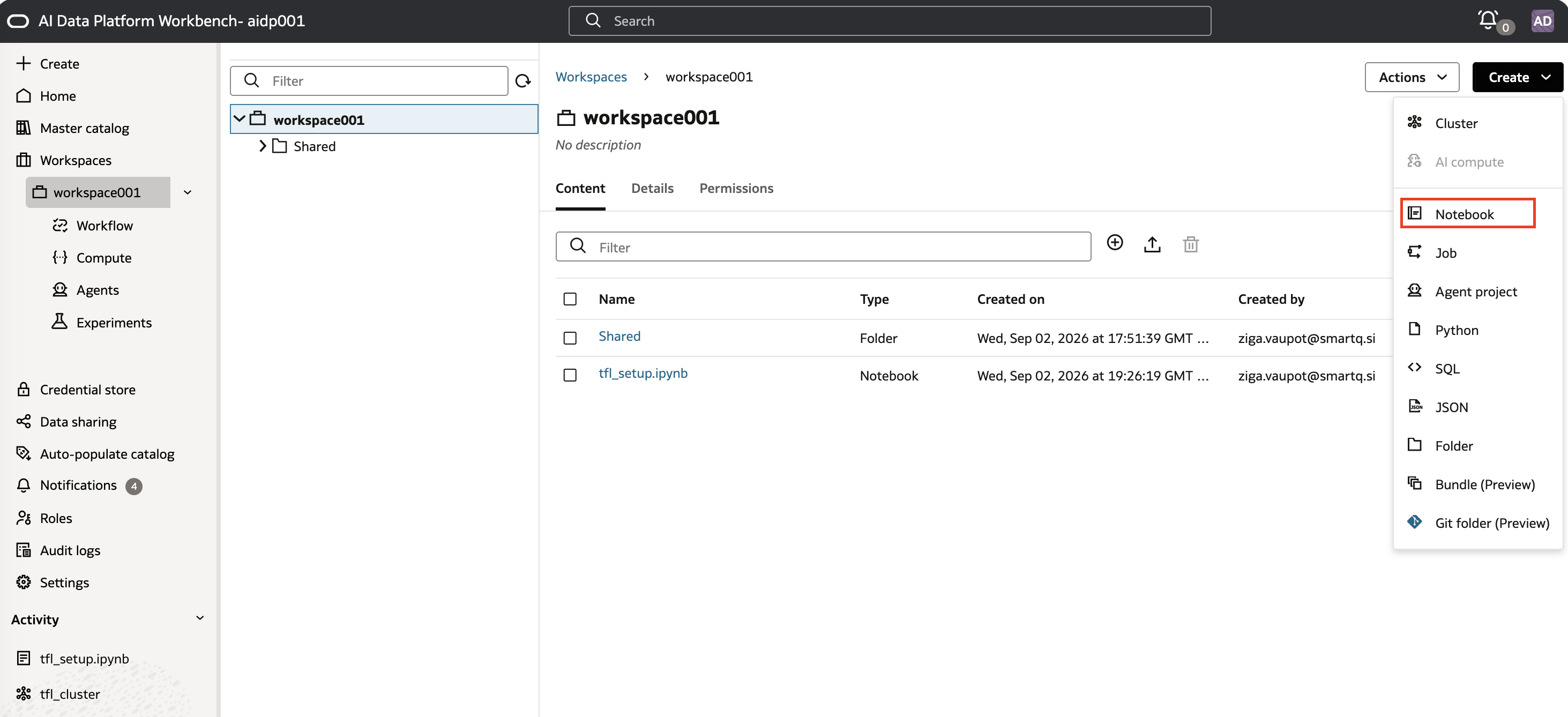
Create > Notebook in workspace workspace001, named bronze_streaming_job. The notebook mixes %sql cells and Python cells, so the default language stays Python: the %sql magic handles the SQL cells inline.
Once it exists, attach it to tfl_cluster from the notebook's own Cluster dropdown: Attach existing cluster.
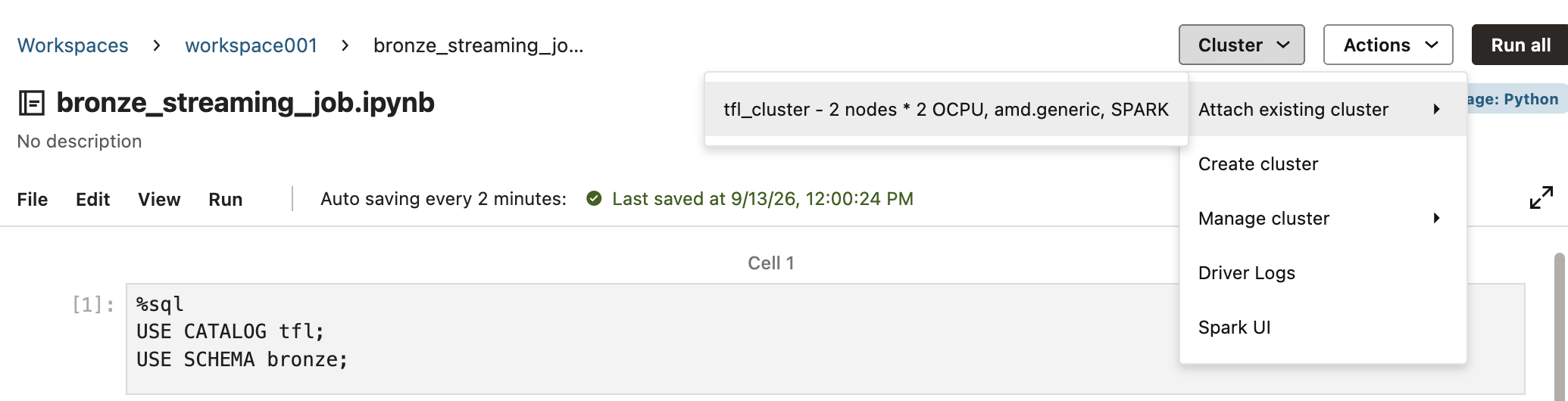
First cell, setting the catalog context; this points every %sql statement that follows at the tfl catalog's bronze schema, so table and volume names don't need to be fully qualified from here on:
%sql
USE CATALOG tfl;
USE SCHEMA bronze;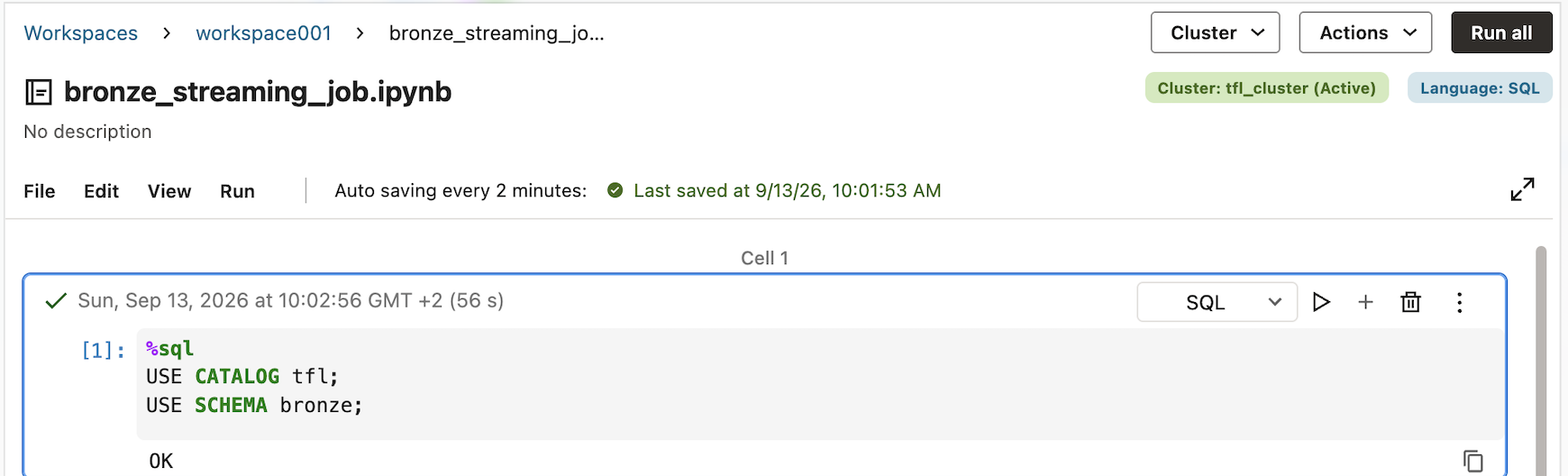
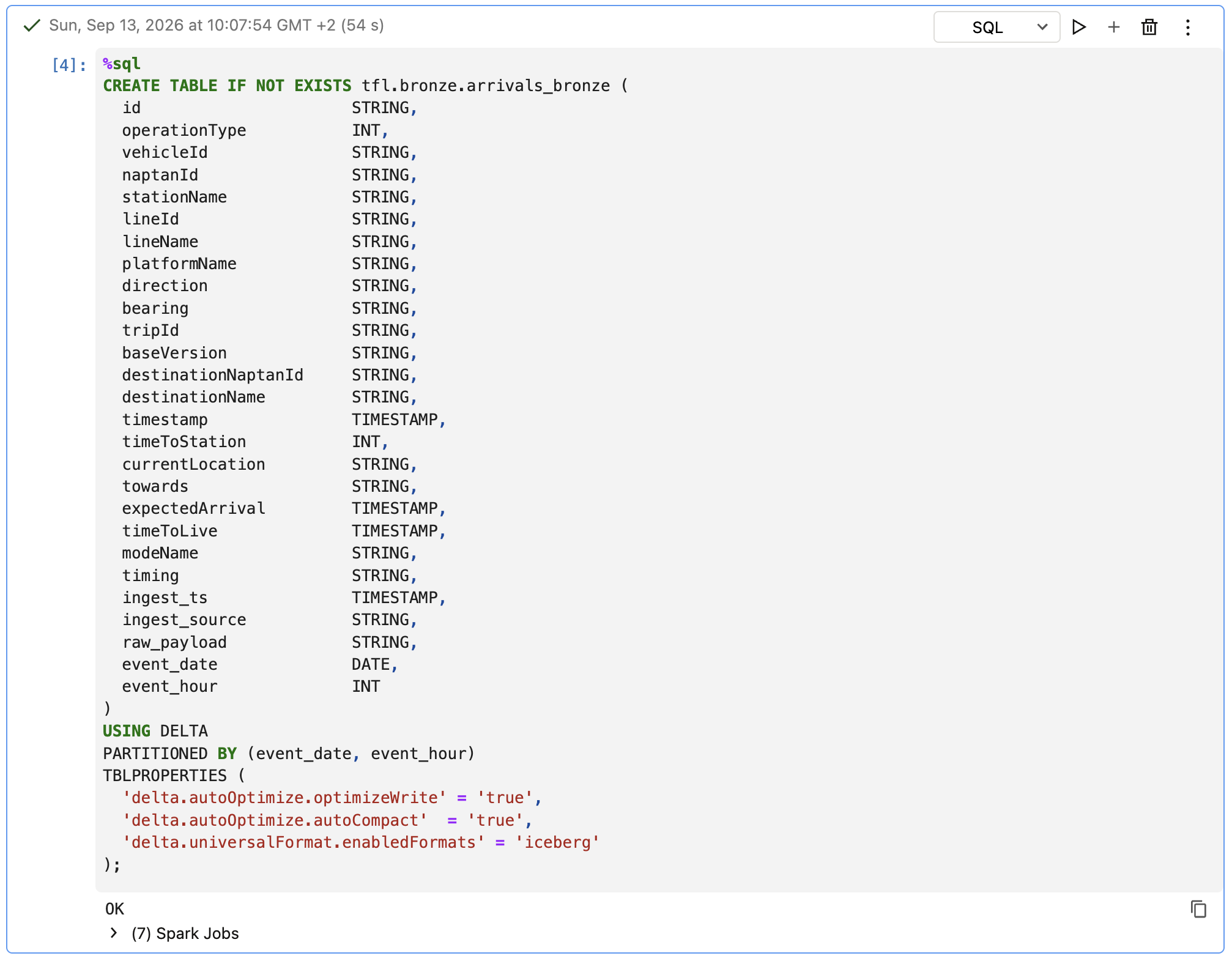
Then the checkpoint volume and the table itself, both idempotent so they're safe to re-run:
%sql
CREATE VOLUME IF NOT EXISTS tfl.bronze.tfl_volume;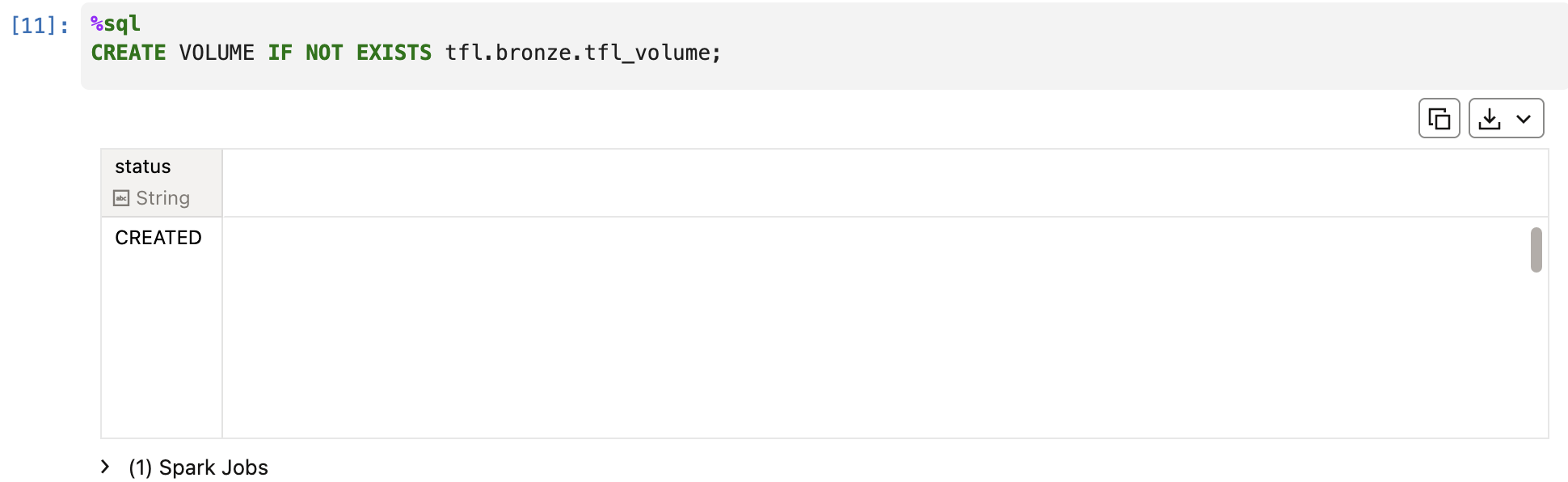
%sql
CREATE TABLE IF NOT EXISTS tfl.bronze.arrivals_bronze (
  id                      STRING,
  operationType           INT,
  vehicleId               STRING,
  naptanId                STRING,
  stationName             STRING,
  lineId                  STRING,
  lineName                STRING,
  platformName            STRING,
  direction               STRING,
  bearing                 STRING,
  tripId                  STRING,
  baseVersion             STRING,
  destinationNaptanId     STRING,
  destinationName         STRING,
  timestamp               TIMESTAMP,
  timeToStation           INT,
  currentLocation         STRING,
  towards                 STRING,
  expectedArrival         TIMESTAMP,
  timeToLive              TIMESTAMP,
  modeName                STRING,
  timing                  STRING,
  ingest_ts               TIMESTAMP,
  ingest_source           STRING,
  raw_payload             STRING,
  event_date              DATE,
  event_hour              INT
)
USING DELTA
PARTITIONED BY (event_date, event_hour)
TBLPROPERTIES (
  'delta.autoOptimize.optimizeWrite' = 'true',
  'delta.autoOptimize.autoCompact'  = 'true',
  'delta.universalFormat.enabledFormats' = 'iceberg'
);
Worth verifying directly in the Master Catalog tree, not just the cell output:
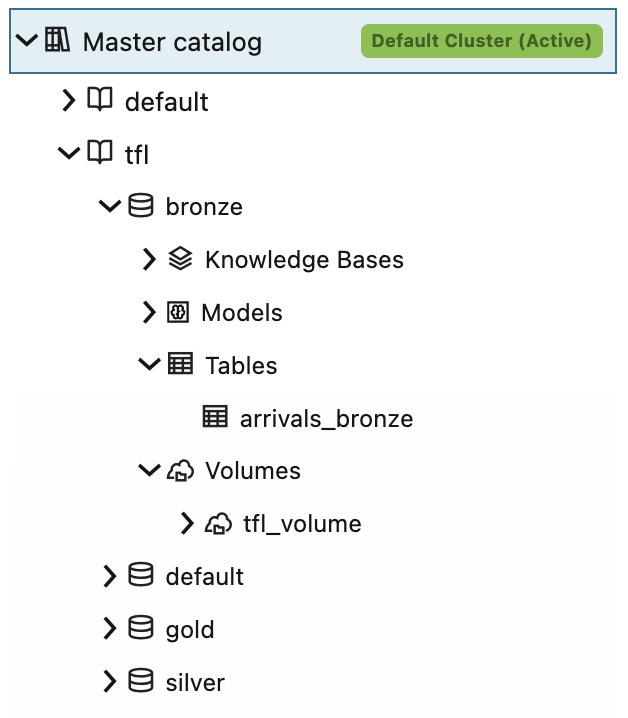
Run both statements, in order. Pasting the CREATE TABLE alone without first running CREATE VOLUME produces a VolumePathDoesNotExistException once you get to the write-stream step later on, an error that surfaces well after the fact and isn't obviously connected back to this step.
With both credentials created above, the notebook's credentials cell:
KAFKA_BOOTSTRAP_SERVERS = "cell-1.streaming.eu-frankfurt-1.oci.oraclecloud.com:9092"
KAFKA_TOPIC = "tfl-arrivals"

KAFKA_USERNAME = aidputils.secrets.get(name="tfl_kafka_usr_vault")
KAFKA_PASSWORD = aidputils.secrets.get(name="tfl_kafka_pwd_vault")
No key= argument this time: each credential only ever resolves to the one value it points at.
then the schema:
from pyspark.sql.types import (
    StructType, StructField, StringType, IntegerType
)
from pyspark.sql.functions import (
    col, from_json, get_json_object, current_timestamp, lit, to_date, hour
)

tfl_schema = StructType([
    StructField("id", StringType()),
    StructField("operationType", IntegerType()),
    StructField("vehicleId", StringType()),
    StructField("naptanId", StringType()),
    StructField("stationName", StringType()),
    StructField("lineId", StringType()),
    StructField("lineName", StringType()),
    StructField("platformName", StringType()),
    StructField("direction", StringType()),
    StructField("bearing", StringType()),
    StructField("tripId", StringType()),
    StructField("baseVersion", StringType()),
    StructField("destinationNaptanId", StringType()),
    StructField("destinationName", StringType()),
    StructField("timestamp", StringType()),          # parsed -> TIMESTAMP below
    StructField("timeToStation", IntegerType()),
    StructField("currentLocation", StringType()),
    StructField("towards", StringType()),
    StructField("expectedArrival", StringType()),    # parsed -> TIMESTAMP below
    StructField("timeToLive", StringType()),         # parsed -> TIMESTAMP below
    StructField("modeName", StringType()),
])
the Kafka readStream:
MAX_OFFSETS_PER_TRIGGER = "50000"  # throttle if a micro-batch gets too big

raw_kafka_df = (
    spark.readStream
        .format("kafka")
        .option("kafka.bootstrap.servers", KAFKA_BOOTSTRAP_SERVERS)
        .option("subscribe", KAFKA_TOPIC)
        .option("startingOffsets", "latest")
        .option("failOnDataLoss", "false")
        .option("kafka.security.protocol", "SASL_SSL")
        .option("kafka.sasl.mechanism", "PLAIN")
        .option(
            "kafka.sasl.jaas.config",
            'org.apache.kafka.common.security.plain.PlainLoginModule required '
            f'username="{KAFKA_USERNAME}" password="{KAFKA_PASSWORD}";'
        )
        .option("maxOffsetsPerTrigger", MAX_OFFSETS_PER_TRIGGER)
        .load()
)
and the parse/transform into bronze_df:
bronze_df = (
    raw_kafka_df
        .select(col("value").cast("string").alias("raw_payload"))
        .withColumn("json", from_json(col("raw_payload"), tfl_schema))
        .select("raw_payload", "json.*")
        .withColumn("timing", get_json_object(col("raw_payload"), "$.timing"))
        .withColumn("timestamp", col("timestamp").cast("timestamp"))
        .withColumn("expectedArrival", col("expectedArrival").cast("timestamp"))
        .withColumn("timeToLive", col("timeToLive").cast("timestamp"))
        # Bronze metadata
        .withColumn("ingest_ts", current_timestamp())
        .withColumn("ingest_source", lit(f"oci_stream:{KAFKA_TOPIC}"))
        # Partitions derived from event time
        .withColumn("event_date", to_date(col("timestamp")))
        .withColumn("event_hour", hour(col("timestamp")))
)
One thing worth knowing if a credential value ever changes and needs a re-run: the readStream cell bakes the current KAFKA_USERNAME/KAFKA_PASSWORD into its SASL config as literal text the moment that cell executes; Spark doesn't re-read the Python variables later. After fixing a credential, both the credentials cell and the readStream cell (and the parse cell, which depends on its output) need to be re-run before retrying the write stream, not just the credentials cell alone.
Running the stream, and stopping it on purpose
CHECKPOINT_PATH = "/Volumes/tfl/bronze/tfl_volume/checkpoints/arrivals-bronze"

query = (
    bronze_df.writeStream
        .format("delta")
        .outputMode("append")
        .option("checkpointLocation", CHECKPOINT_PATH)
        .trigger(processingTime="2 seconds")
        .toTable("tfl.bronze.arrivals_bronze")
)

#######
# this part is for testing only;
#######
#test_query.awaitTermination(timeout=60)    # seconds
#test_query.stop()

query.awaitTermination()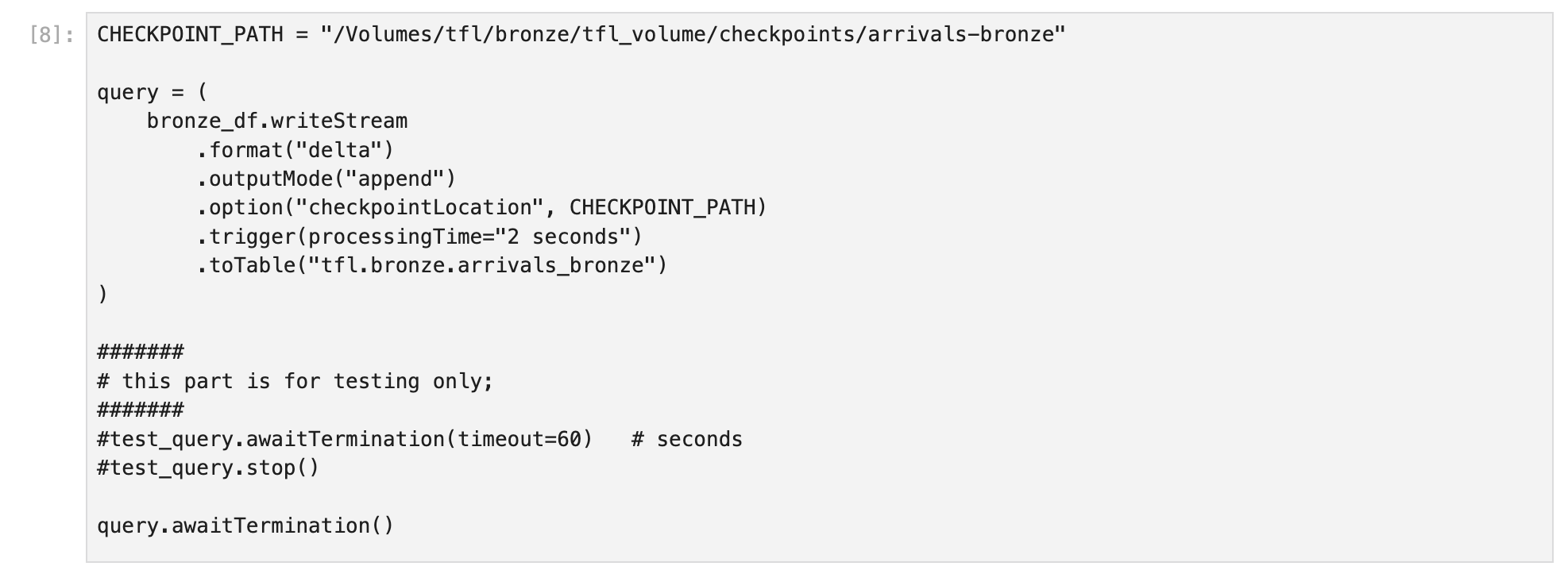
Run it whenever data should be flowing. It runs indefinitely and on demand, matching a manual-run model, no scheduled Job. It also blocks the notebook: the cell keeps running until stopped, and no other cell in that same notebook can execute while it's active. Checking on the table's contents while the stream is running needs a second notebook attached to the same cluster: its kernel session is independent, so it can safely run read-only %sql queries against tfl.bronze.arrivals_bronze concurrently. The commented-out lines above show a bounded test run instead, useful the first time through, before switching over to the indefinite version once the wiring is confirmed.
Stopping it is two steps, not one, because the write cell blocks the kernel:
- Cancel the running cell, the cell's own Cancel option; that's the only way to interrupt it, there's no separate stop or interrupt control. This raises a
KeyboardInterruptinsideawaitTermination(), but the streaming query itself keeps running in the background until told to stop, and cancelling like this can also leave the notebook's cluster session unresponsive afterward, see the note below. - Run the next cell,
query.stop(), to actually stop the query and release the checkpoint.
query.stop()print(query.isActive) # expect: FalseTo check whether a stream is already active before cancelling, useful when picking the notebook back up unsure if a previous run is still going, the notebook's own Spark UI Streaming tab is the way to check.
One thing worth knowing: cancelling a blocked cell like this can leave the notebook's cluster session unresponsive afterward, even a trivial 1+1 failing to run. If that happens, detach the notebook from its cluster and reattach it: that resets the session without restarting the cluster or affecting the checkpoint, then retry query.stop().
Verifying it worked
Two %sql cells, run from a second notebook while the stream is running, or from the same one once it's stopped:
%sql
SELECT count(*) AS row_count, max(ingest_ts) AS last_ingest
FROM tfl.bronze.arrivals_bronze;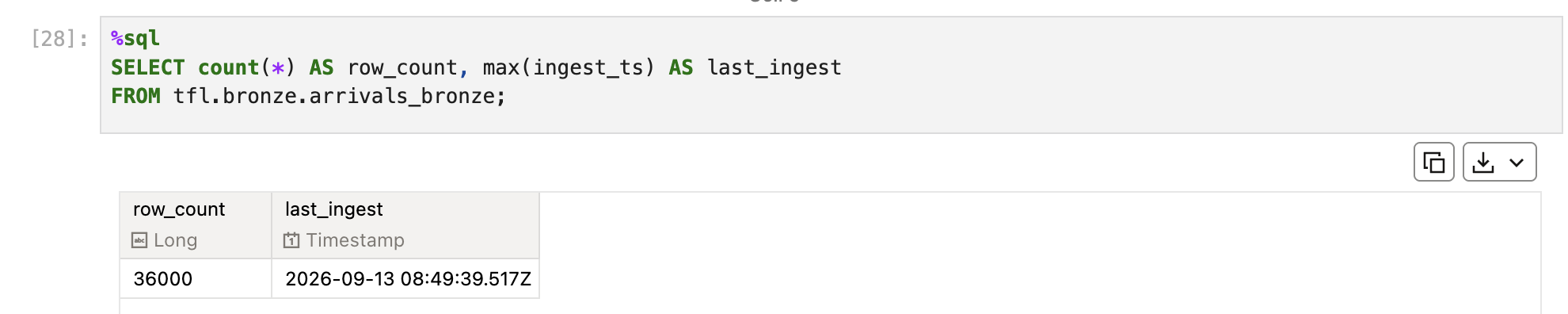
%sql
SELECT id, vehicleId, lineId, stationName, timestamp, expectedArrival, timeToLive, ingest_ts
FROM tfl.bronze.arrivals_bronze
ORDER BY ingest_ts DESC
LIMIT 20;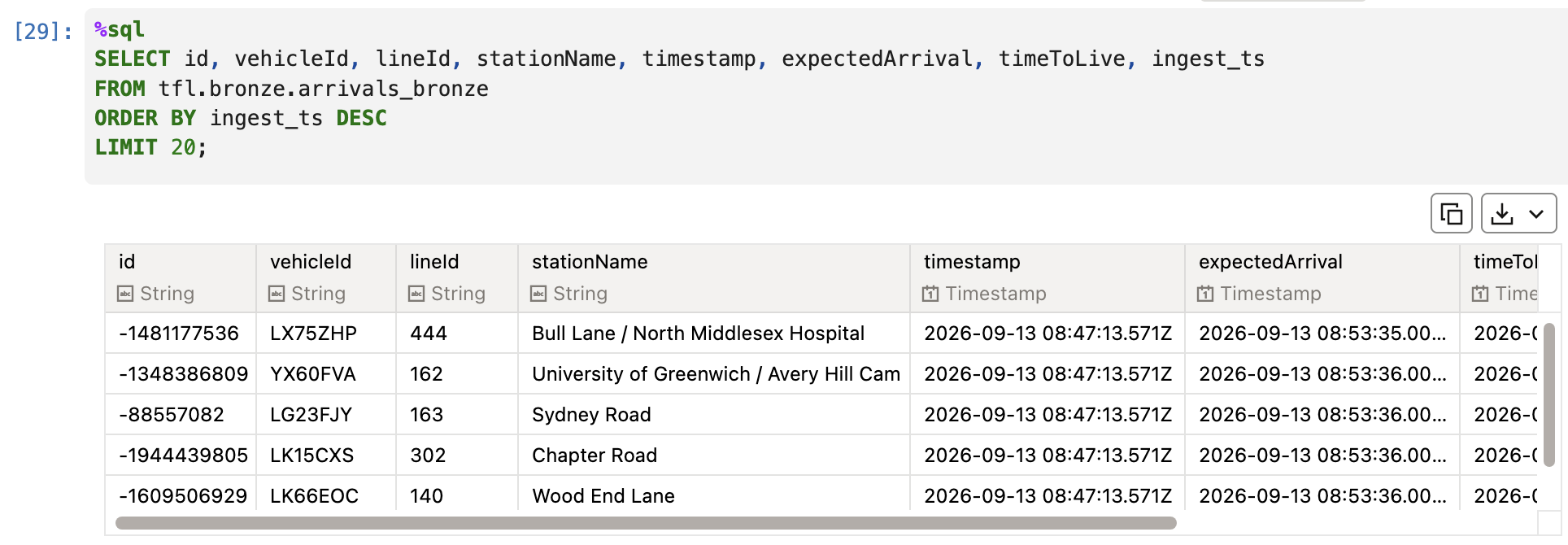
A 60-second bounded test run landed 36,000 rows with no null timestamps across timestamp, expectedArrival, and timeToLive: despite timestamp's extra fractional-second digit in the raw payload, the plain .cast("timestamp") in the parse cell handles it fine, no format string needed.
This step works whether the stream is still running or has just been stopped: the table keeps whatever rows already landed either way.
What's next
With tfl.bronze.arrivals_bronze filling up as an append-only, full-fidelity landing zone, the next post covers the silver layer: cleaning and deduplicating this data with a MERGE upsert, and starting to reconcile the raw JSON-shaped bronze columns into something more query-friendly downstream.
Related: Just Streams: Real-Time Data Pipelines on OCI (series intro), Setting Up the AI Data Platform Environment, OCI Streaming and the Stream Producer