AI Data Platform Series: Just Streams: Real-Time Data Pipelines on OCI

Together with Sandi Holub, I presented "Just Streams: Real-Time Data Pipelines in OCI – With a Live Demo Twist" at the Make IT 2026 conference in Portorož (28 May 2026). Sandi and I actually first presented this same session at the UKOUG conference in Birmingham back in December 2025, but it's only now that I've found the time to write more about it.
We deliberately kept the slide deck short and let a live demo carry most of the session. This post is the written recap of that story, and also the opening post in a series where I'll break the solution down layer by layer.
Why "Just Streams"
We often like to say we master data — every kind of data. It's not just a slogan: in practice it means using the same platform for bulk loads, incremental refreshes, and real-time/streaming sources, then carrying all of it through one data platform into analytics, machine learning, and AI.
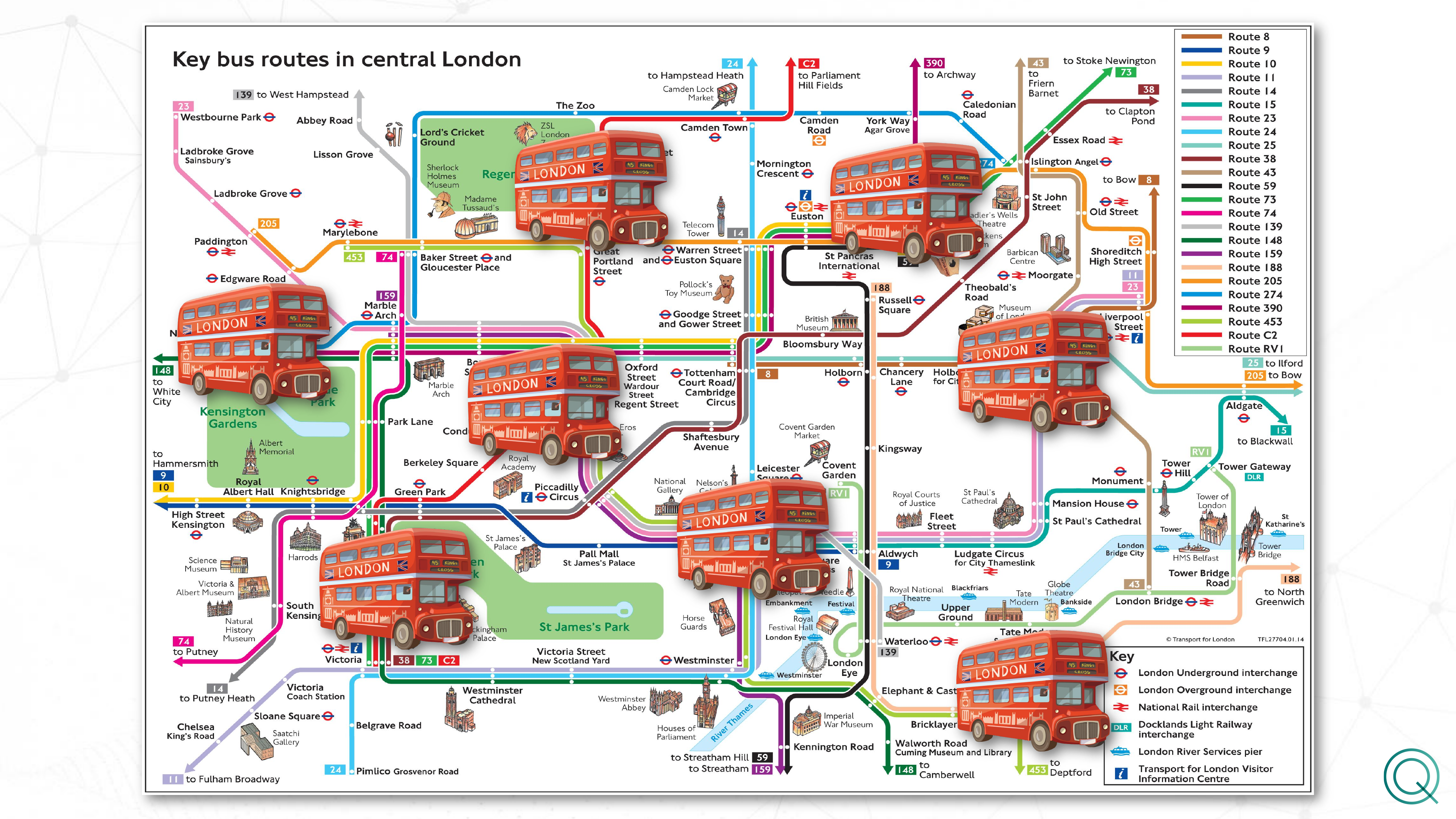
For the conference demo, we wanted something instantly relatable but "alive" enough to show the platform's real streaming nature — so we picked London and its bus network.
Setting the scene: London's bus network
London has an extremely dense web of bus routes running through central London, and Transport for London (TfL) exposes a public API with live bus arrival predictions per stop. Instead of showing a static route map, we built a solution that reads this API in real time, streams the data through OCI, and lands it in Oracle Analytics — including the ability to have a conversation with the live data through the Oracle Analytics MCP Server.
During the live demo, we asked the platform a natural-language question — "If I am at Aldgate Station and I need to go to Line 25, which stations are the closest and what are the earliest arrivals at those stations?" — and got back a ranked list of nearby stations, walking distances, and live arrival times, computed from data that was streaming into the system at that very moment.
The core architecture
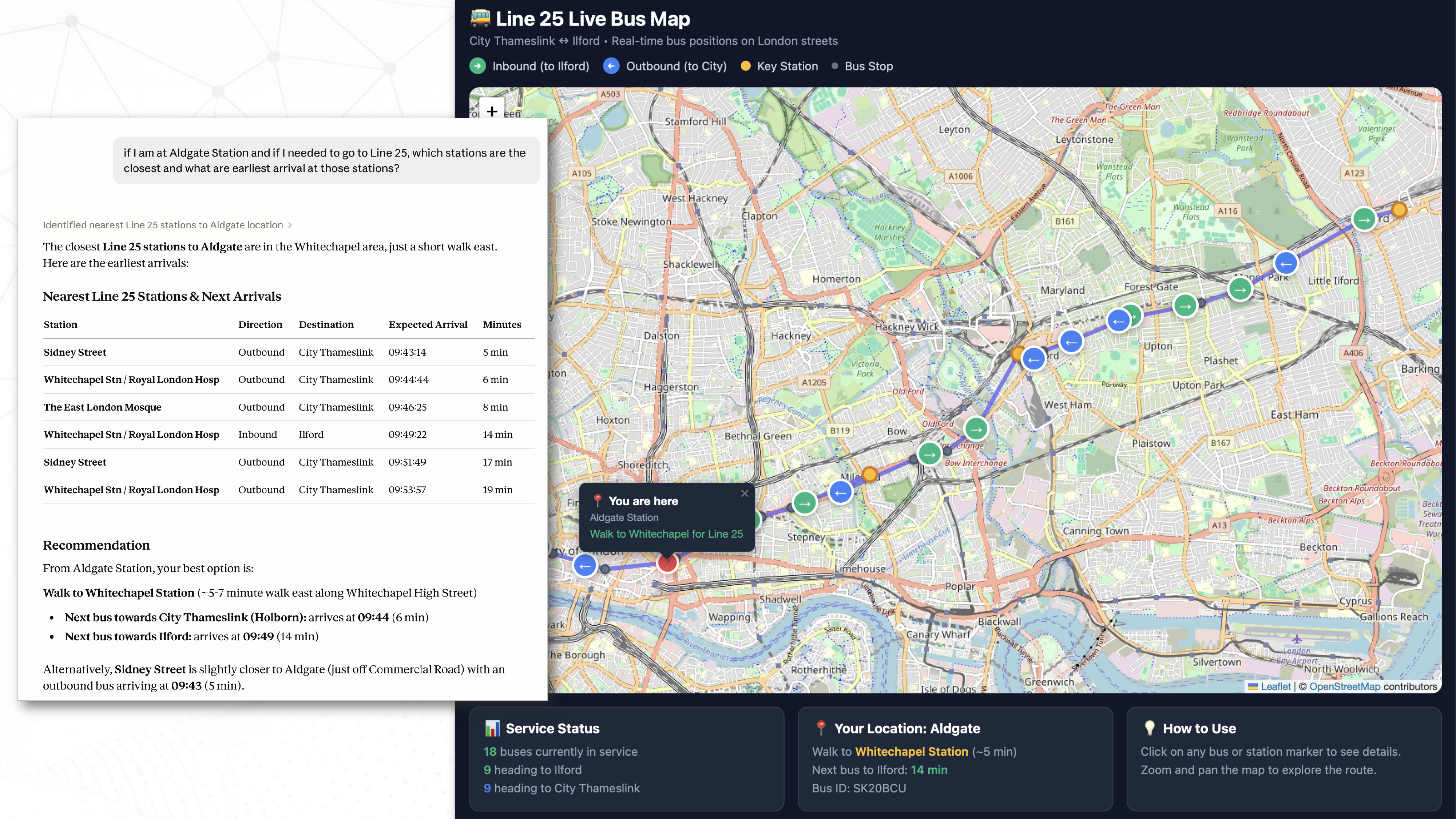
The solution is built around three steps, each of which I'll cover in its own dedicated post later in this series.
1. Stream producer. A producer continuously pulls live bus arrival data from the TfL API and streams new records into an OCI Streaming (Kafka-compatible) topic. This is the entry point of data into the platform — the place where raw JSON events first land inside the Oracle ecosystem.
2. Spark Structured Streaming across three layers (bronze/silver/gold), running on the AI Data Platform:
- The bronze layer continuously reads TfL arrival events from OCI Streaming (via the Kafka API), parses the JSON payload, adds ingestion metadata and event-time partitions, and appends everything into a Delta "bronze" table.
- The silver layer reads the bronze table, cleans and type-casts the data, keeps only the latest prediction per key (
vehicleId,naptanId,lineId,direction), upserts it into the silver table usingMERGE, and sends lightweight log records to OCI Logging with each batch. - The gold layer represents the final, consumption-ready view — bus arrivals and their positions.
3. Visualization and conversation with the data in Oracle Analytics. The live streams surface in Oracle Analytics Cloud, and on top of that, they can be queried in natural language through the Oracle Analytics MCP Server.
What the demo actually showed
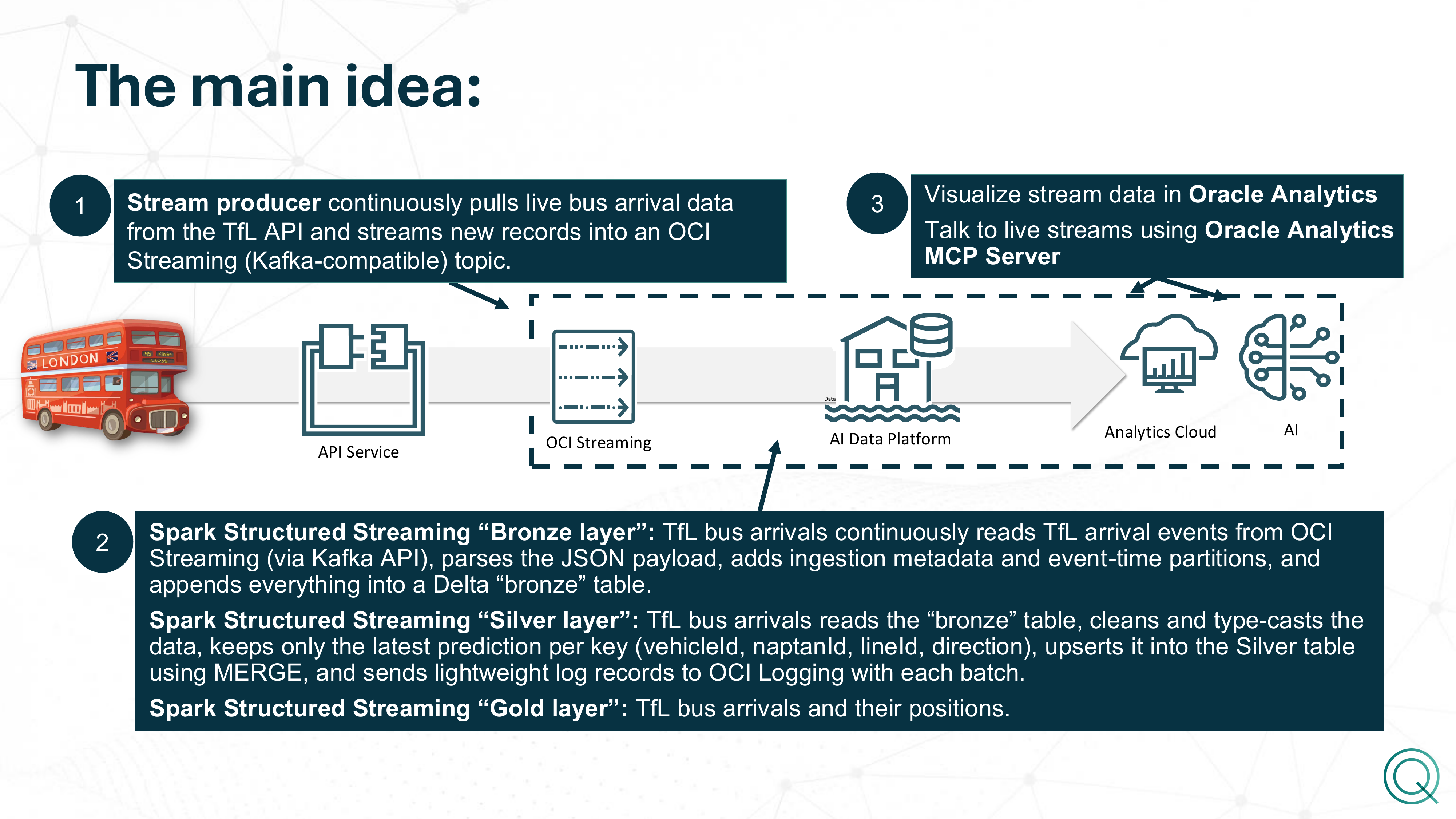
In the live part of the session, we walked through the full AI Data Platform workspace — the master catalog, the workflows (tfl_bronze_layer_job, tfl_silver_layer_job, tfl_arrivals_poller, the stream producer), and the Spark cluster running those jobs.
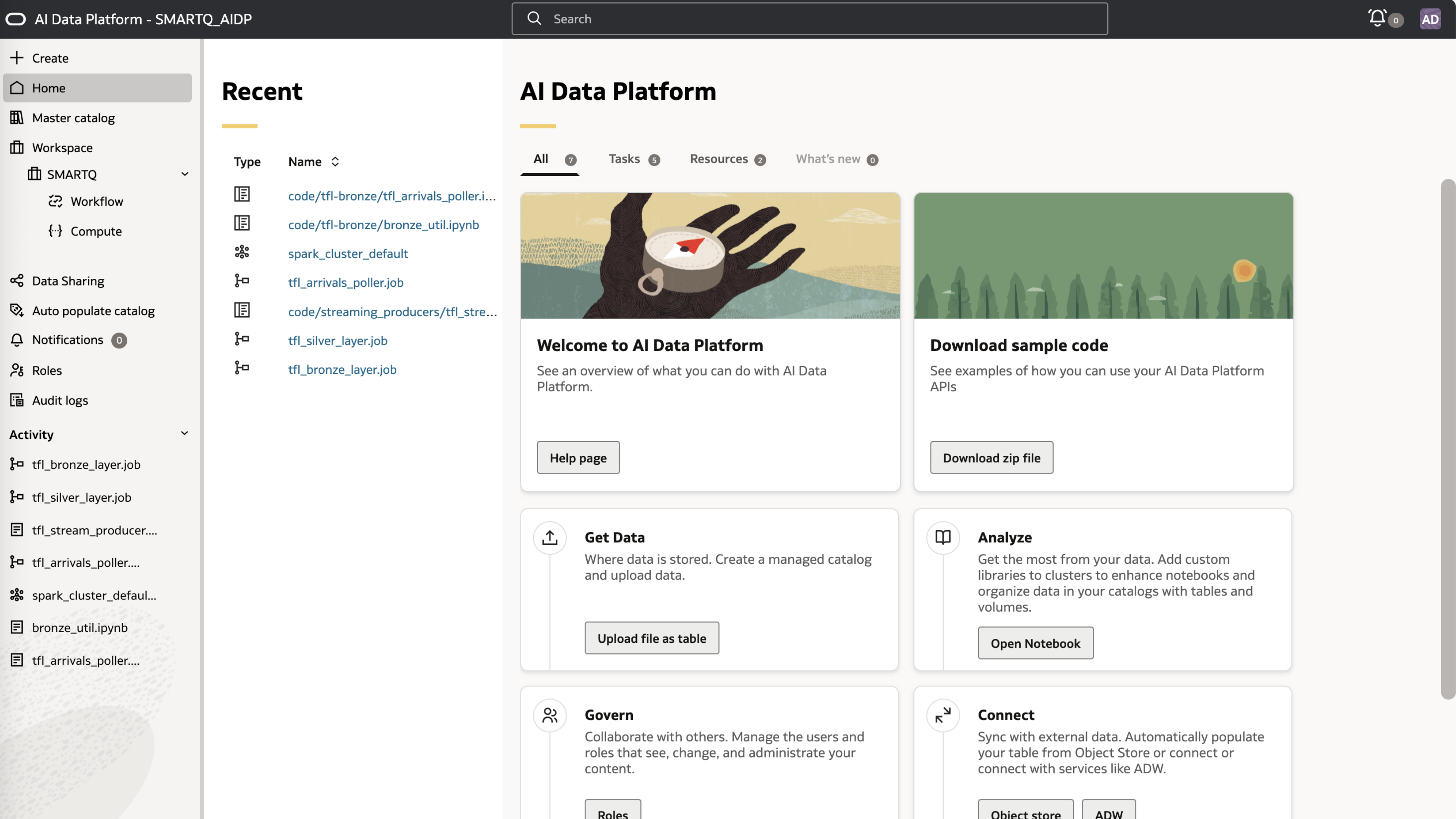
From there, we asked the platform the natural-language question about the nearest Line 25 stations and got a live, data-backed answer within seconds — a good illustration of how the bronze-to-gold pipeline and the MCP layer work together.
What's coming next in this series
This post is deliberately high level — it's the framing for the whole story. In the upcoming posts, I'll go technical on each component, roughly in this order:
- OCI Streaming and the stream producer — how the TfL API client is built, how records get published to a Kafka-compatible topic, and what to watch out for around throughput and retries.
- The bronze layer (Spark Structured Streaming) — reading from OCI Streaming via the Kafka API, parsing the JSON payload, event-time partitioning, and writing to a Delta table.
- The silver layer — cleaning, type-casting, the "latest prediction per key" logic, the
MERGEupsert pattern, and logging to OCI Logging. - The gold layer and Oracle Analytics — preparing data for analytics and connecting it to Oracle Analytics Cloud.
- The Oracle Analytics MCP Server — how we query live streams conversationally, and what's needed on the MCP server side to make that work.
If there's a particular topic you'd like prioritized, let me know — I can reorder the series accordingly.