AI Data Platform Series: OCI Streaming and Stream Producer

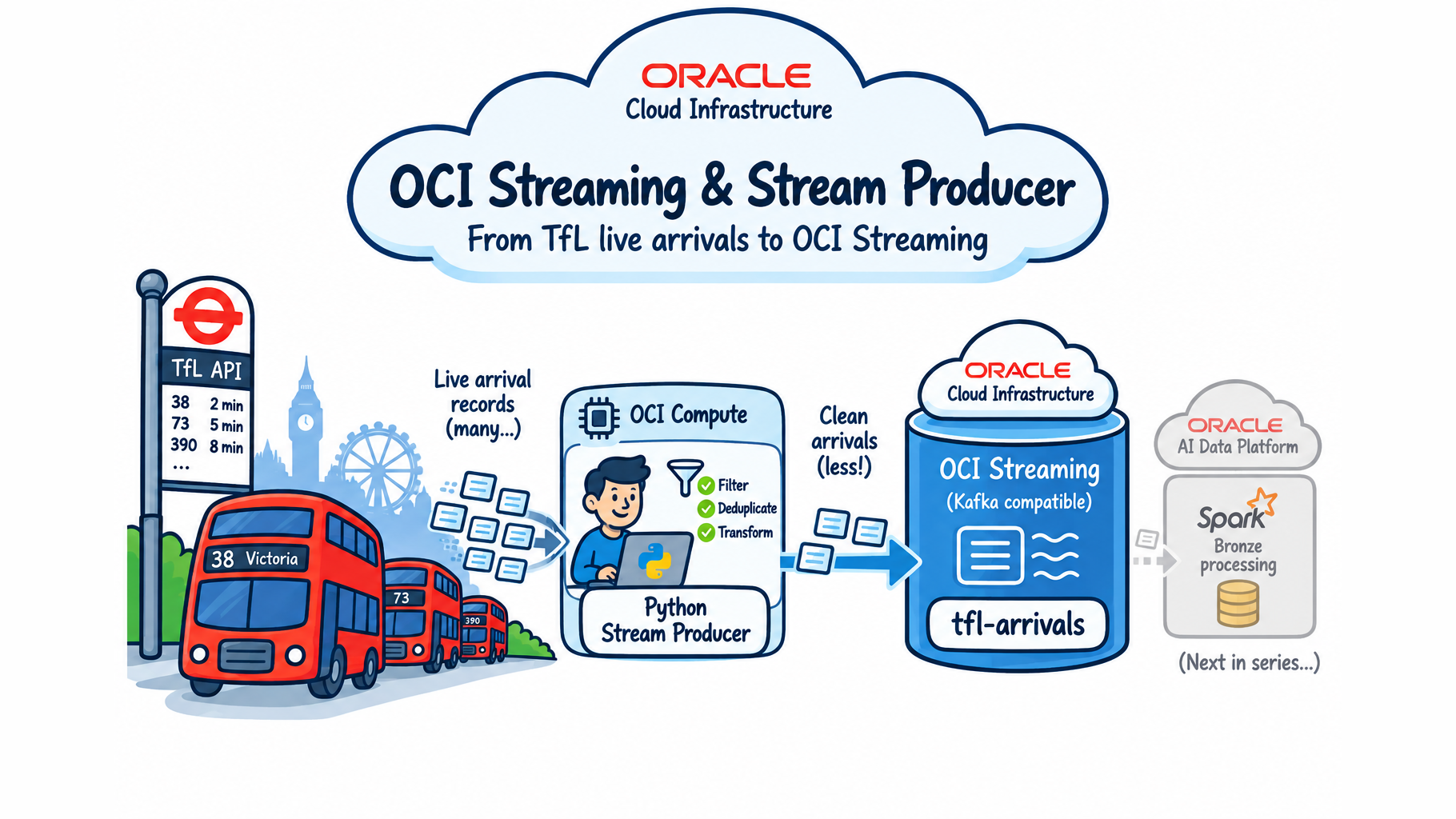
This is the first technical post in the series that opened with Just Streams: Real-Time Data Pipelines on OCI. That post walked through the whole TfL-bus-arrivals demo Sandi Holub and I gave at Make IT 2026 and UKOUG 2025. This one goes one layer down: the piece that gets live data into the platform in the first place — a small Python producer and an OCI Streaming topic.
In this post I'll walk through both halves of getting live data flowing from TfL's API into OCI Streaming, and where the producer actually lives once it's running for real:
- Setting up OCI Streaming — creating the stream pool and topic in the console, and deciding whether to authenticate as my own OCI user or a dedicated service user.
- Why a plain Python process, not a Spark job — the reasoning behind keeping the producer outside AIDP entirely.
- What the TfL API actually returns — the shape of a real arrival-prediction payload, and a few quirks worth knowing before you build against it.
- The dedupe problem — how an in-memory cache stops the same prediction from being published over and over as TfL's API keeps re-serving it.
- Publishing to OCI Streaming — how records actually get produced onto the topic, with retries for the transient failures that are bound to happen.
- Running it long-term — moving the producer off my laptop and onto a small, always-on OCI Compute VM, wired up as a systemd service so it survives reboots and restarts on its own.
Setting up OCI Streaming
All of this lives in the same shared compartment I've been using since the AIDP setup — no new compartment needed for a demo.
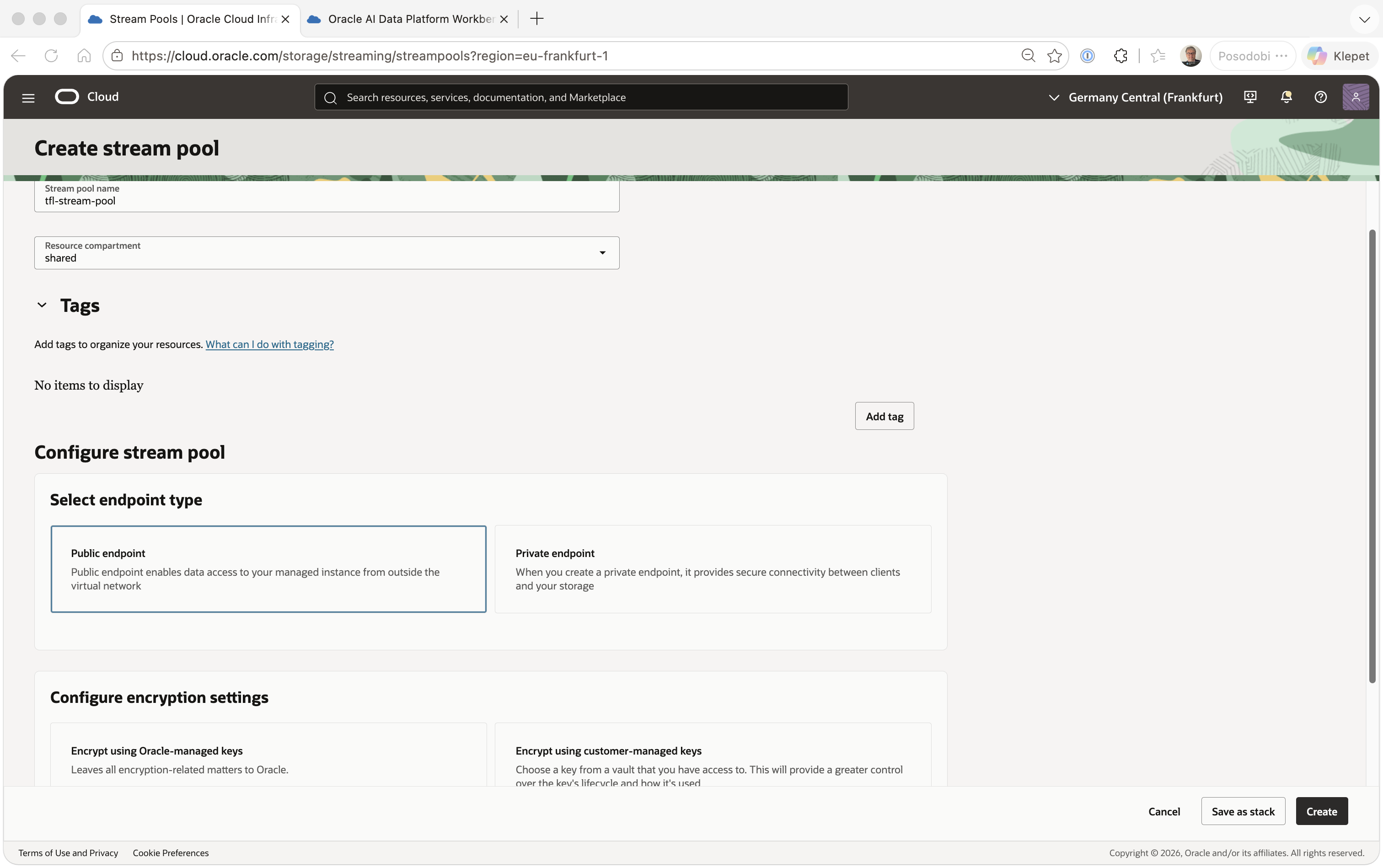
Stream pool. Analytics & AI > Messaging > Streaming > Stream Pools > Create Stream Pool. I named mine tfl-stream-pool, picked a public endpoint (this demo doesn't need a private one), and left encryption on Oracle-managed keys.
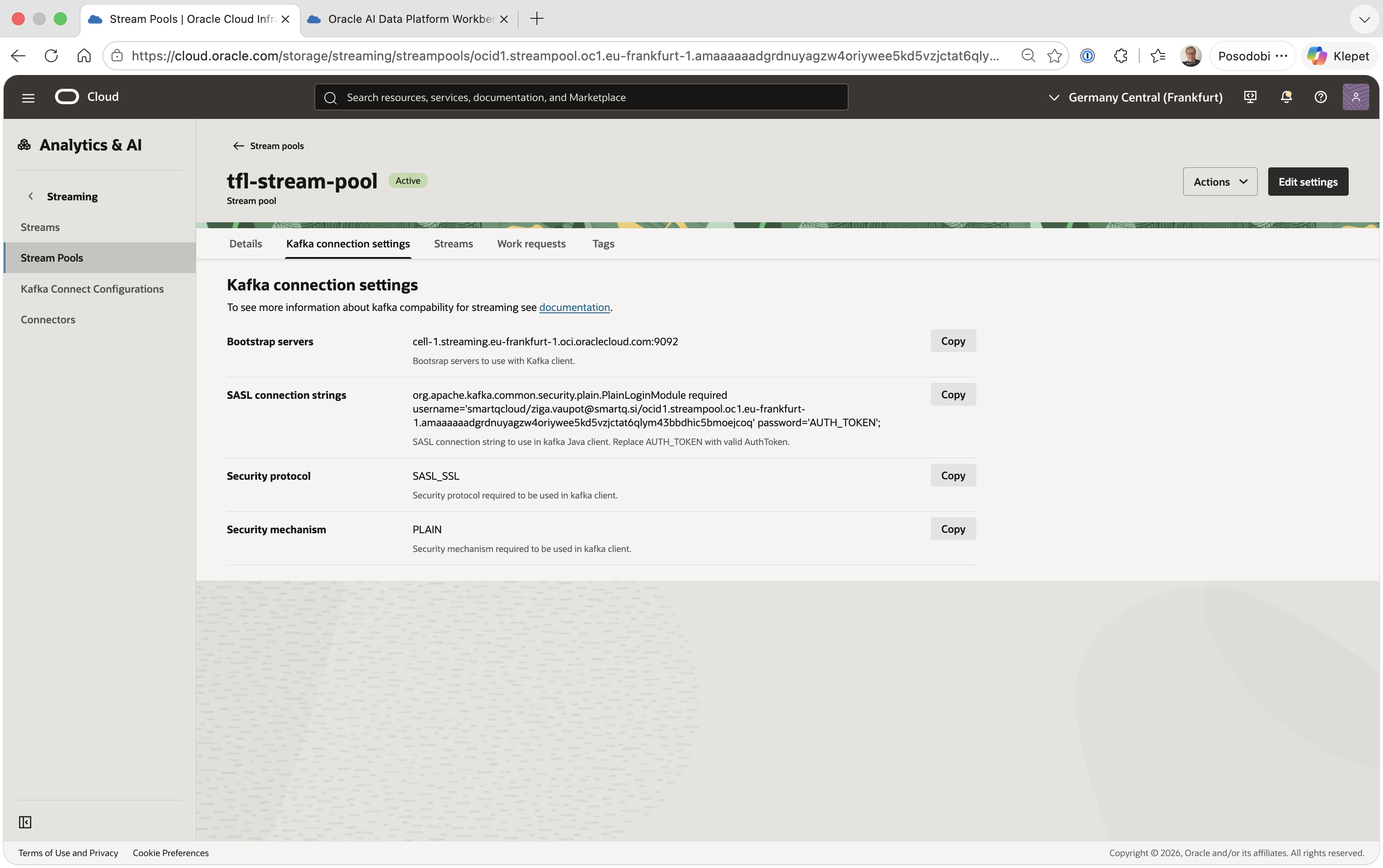
Once it's Active, the pool's own Kafka connection settings tab gives you the bootstrap servers (cell-1.streaming.<region>.oci.oraclecloud.com:9092) and — usefully — a pre-built SASL connection string for whichever OCI user is currently logged in, so you don't have to hand-assemble the username yourself.
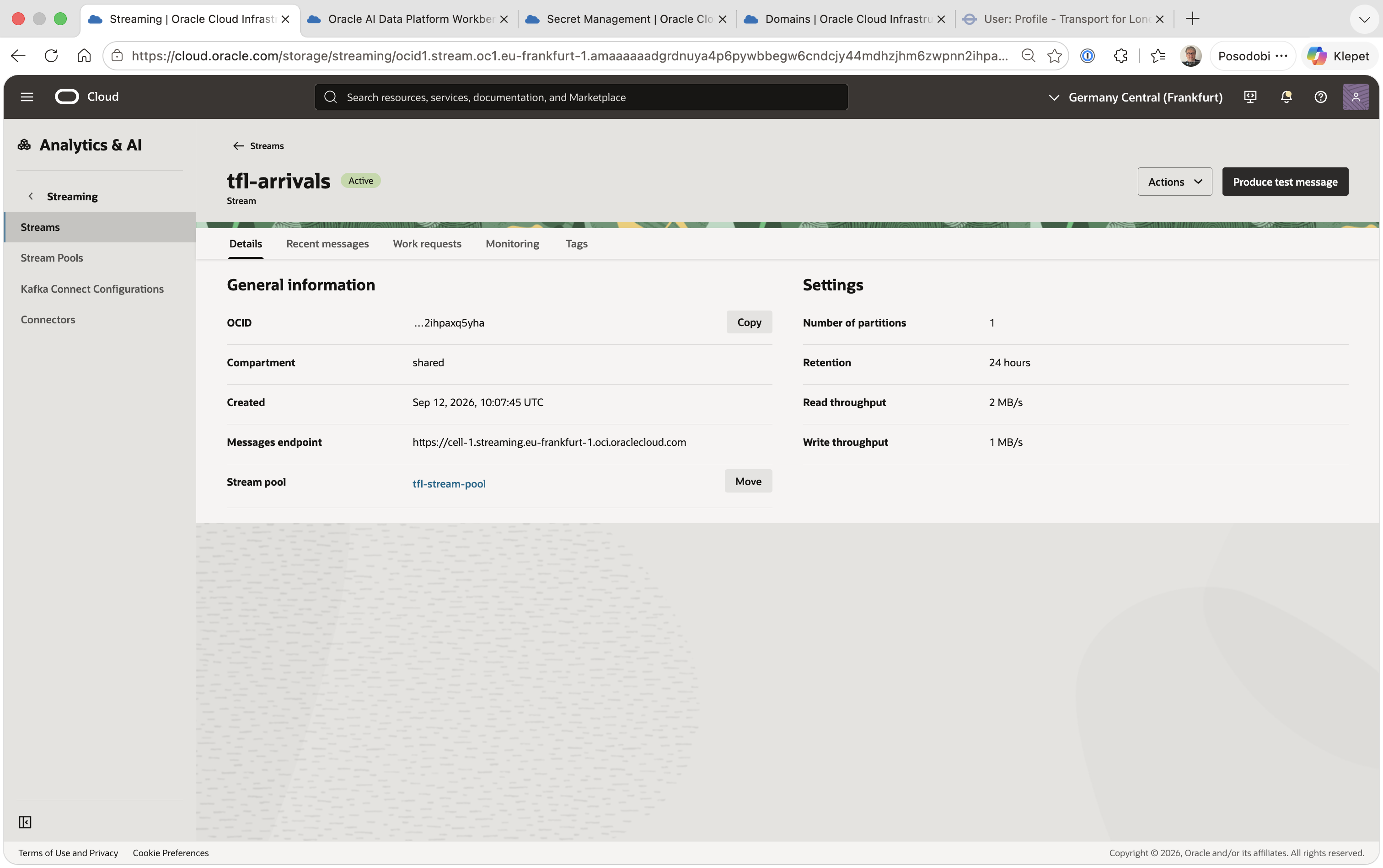
Topic. Inside the pool, Create Stream, named tfl-arrivals. One partition and 24-hour retention are plenty for a demo that's consumed continuously rather than replayed.
Credentials, the simple way. I considered creating a dedicated svc-tfl-producer OCI user with a narrowly-scoped policy, but for a demo — where I already have admin rights on this tenancy — that's setup effort without adding real access control. I used my own user instead: the Kafka connection settings tab above already gives the username, and Identity & Security > Domains > (domain) > Users > (my user) > Auth Tokens > Generate Token gives the password (shown exactly once — copy it immediately). If this producer ever needed to run unattended in a real production pipeline, that's the point where a dedicated service user would earn its keep.
TfL credentials. Register at api-portal.tfl.gov.uk, confirm your email, then subscribe to the free "500 Requests per min" product under Products. Your Primary key (visible on the Profile page) is TFL_APP_KEY. One thing that tripped me up briefly: older TfL examples also expect an app_id — that's deprecated now, the portal only issues a subscription key, and the producer treats TFL_APP_ID as optional.
Why a plain Python producer, not Spark
Everything downstream of this post — bronze, silver, gold — runs as a Spark Structured Streaming job on the AI Data Platform. The producer doesn't. It's a standalone Python process that polls the TfL Unified API and writes to OCI Streaming's Kafka-compatible endpoint using confluent-kafka.
That's a deliberate split. TfL's public API has no push/webhook mode — you poll it. Polling, deduping, and handling an unreliable third-party HTTP endpoint is exactly the kind of lightweight, stateful loop that doesn't need a cluster: a single always-on process with a small in-memory cache is enough, and it's much easier to reason about and restart than a Spark job whose only job is essentially "call requests.get in a loop." Spark's structured streaming engine is what the bronze layer uses to consume this topic — that's a different post.
What the TfL API actually returns
GET https://api.tfl.gov.uk/Mode/bus/Arrivals (with an app_key query param) returns the entire live arrivals board for every bus in London as a single JSON array — tens of thousands of predictions, one per vehicle/stop/line combination, every time you call it. There's no delta endpoint and no filtering by area in this call; you get everything, on every poll.
Each record looks roughly like:
{
  "id": "...",
  "vehicleId": "LTZ1234",
  "naptanId": "490008660N",
  "stationName": "Aldgate Station",
  "lineId": "25",
  "lineName": "25",
  "direction": "outbound",
  "timeToStation": 240,
  "expectedArrival": "2026-08-10T09:15:32Z",
  "modeName": "bus"
}
expectedArrival and timeToStation shift on almost every poll as the prediction refines, even when nothing else about the record changed. That matters for what comes next.
The dedupe problem
If you republish the full board every poll, you're not streaming — you're spamming the topic with near-duplicates. Most of a given (vehicleId, naptanId, lineId, direction) combination's records are the same prediction, seen again a poll later. Only genuinely new information — an actual change in ETA, a new vehicle appearing, one leaving the board — is worth a message.
The producer keeps a small TTL + LRU cache keyed by record id:
class DedupeCache:
    def __init__(self, ttl_sec: int, max_ids: int):
        self.ttl_sec = ttl_sec
        self.max_ids = max_ids
        self._store: "OrderedDict[str, Tuple[str, float]]" = OrderedDict()

    def is_duplicate(self, rec_id: str, fp: str) -> bool:
        now = time.time()
        self._evict_expired(now)
        existing = self._store.get(rec_id)
        if existing is not None and existing[0] == fp:
            self._store.move_to_end(rec_id)
            self._store[rec_id] = (fp, now)
            return True
        self._store[rec_id] = (fp, now)
        self._store.move_to_end(rec_id)
        self._evict_lru()
        return False
Each record gets a stable fingerprint — a blake2b hash of the JSON payload with volatile, uninteresting fields ($type, modified, created, lastUpdated) stripped out first, so a field that changes on every response without carrying new information doesn't defeat the dedupe. If the fingerprint for a given id hasn't changed since we last saw it (within DEDUP_TTL_SEC, default two hours), it's a duplicate and gets dropped. If it's new or changed, it's published and the cache is updated. DEDUP_MAX_IDS bounds memory with plain LRU eviction on top of the TTL.
In practice this cuts a ~15-20k-record poll down to a few hundred actually new records most of the time — which is the difference between a topic you can reason about and one that's just noise.
Publishing to OCI Streaming
OCI Streaming exposes a Kafka-compatible endpoint, so the producer uses confluent-kafka's Producer directly, authenticated with SASL_SSL/PLAIN:
conf = {
    "bootstrap.servers": KAFKA_BOOTSTRAP_SERVERS,
    "security.protocol": "SASL_SSL",
    "sasl.mechanism": "PLAIN",
    "sasl.username": KAFKA_USERNAME,   # <tenancy>/<user>/<stream-pool-OCID>
    "sasl.password": KAFKA_PASSWORD,   # an OCI Auth Token, not your console password
    "message.send.max.retries": 5,
    "retry.backoff.ms": 750,
    "socket.timeout.ms": 60000,
    "queue.buffering.max.ms": 100,
    "linger.ms": 50,
    "batch.num.messages": 1000,
    "enable.idempotence": False,  # OCI Streaming doesn't always support it well
}
A few OCI Streaming specifics worth calling out if you've only used Kafka proper before:
- The username is a compound string, not just an OCI username:
<tenancy-name>/<username-or-email>/<stream-pool-OCID>. Get any part of it wrong and you get an opaque SASL auth failure, not a helpful error. - The password is an OCI Auth Token, generated per-user under Identity > Users > Auth Tokens, shown exactly once at creation time — not your console login password.
enable.idempotenceis off on purpose. OCI Streaming's Kafka compatibility layer doesn't fully support the idempotent-producer protocol extensions; leaving it on causes intermittent produce failures that are hard to diagnose. Turning it off means you trade exactly-once-per-partition guarantees for retriable at-least-once delivery, which is the right trade for this pipeline (the silver layer'sMERGEupsert makes duplicate delivery harmless downstream anyway).
Records are keyed by id on produce, which matters once there's more than one partition — it's what would keep all messages for the same prediction routed consistently if the topic were ever repartitioned.
Throughput and retries
Two independent things can go wrong, and the producer handles them differently:
- The TfL API call itself fails or times out.
fetch_tfl_arrivals()retries up toTFL_RETRIEStimes with exponential backoff (TFL_BACKOFF_START * 2^attempt) within a single poll. If all retries are exhausted, the outer loop backs off further — up toPOLL_ERROR_BACKOFF_MAXseconds — before trying again, so a rough patch on TfL's side doesn't turn into a tight failure loop. - The local Kafka producer's send buffer fills up (
BufferError), which happens if OCI Streaming is applying backpressure or is briefly unreachable. The producer does oneflush()+ retry rather than dropping the record.
The bigger throughput lesson: because TfL returns the entire London bus board on every call, the dedupe cache isn't an optimization, it's what makes the volume tractable at all. Skip it, and every downstream component — the topic, the bronze layer, the silver MERGE — has to absorb 30-50x more traffic than the data actually warrants, for zero additional information.
Running it — a one-time laptop check
cp .env.example .env
# fill in TFL_APP_KEY and the OCI Streaming connection details from the
# Kafka connection settings tab above
python3 tfl_stream_producer.py
Don't source .env in bash to load these into your shell — the script loads .env itself via python-dotenv. I found this out the hard way: a shell source parses the file as shell script, and an OCI Auth Token can easily contain characters like (, ), [, ], : that trigger a bash syntax error — one that echoes part of the secret in plain text into your terminal history. If that ever happens to you, rotate the value immediately; don't just fix the syntax and move on.
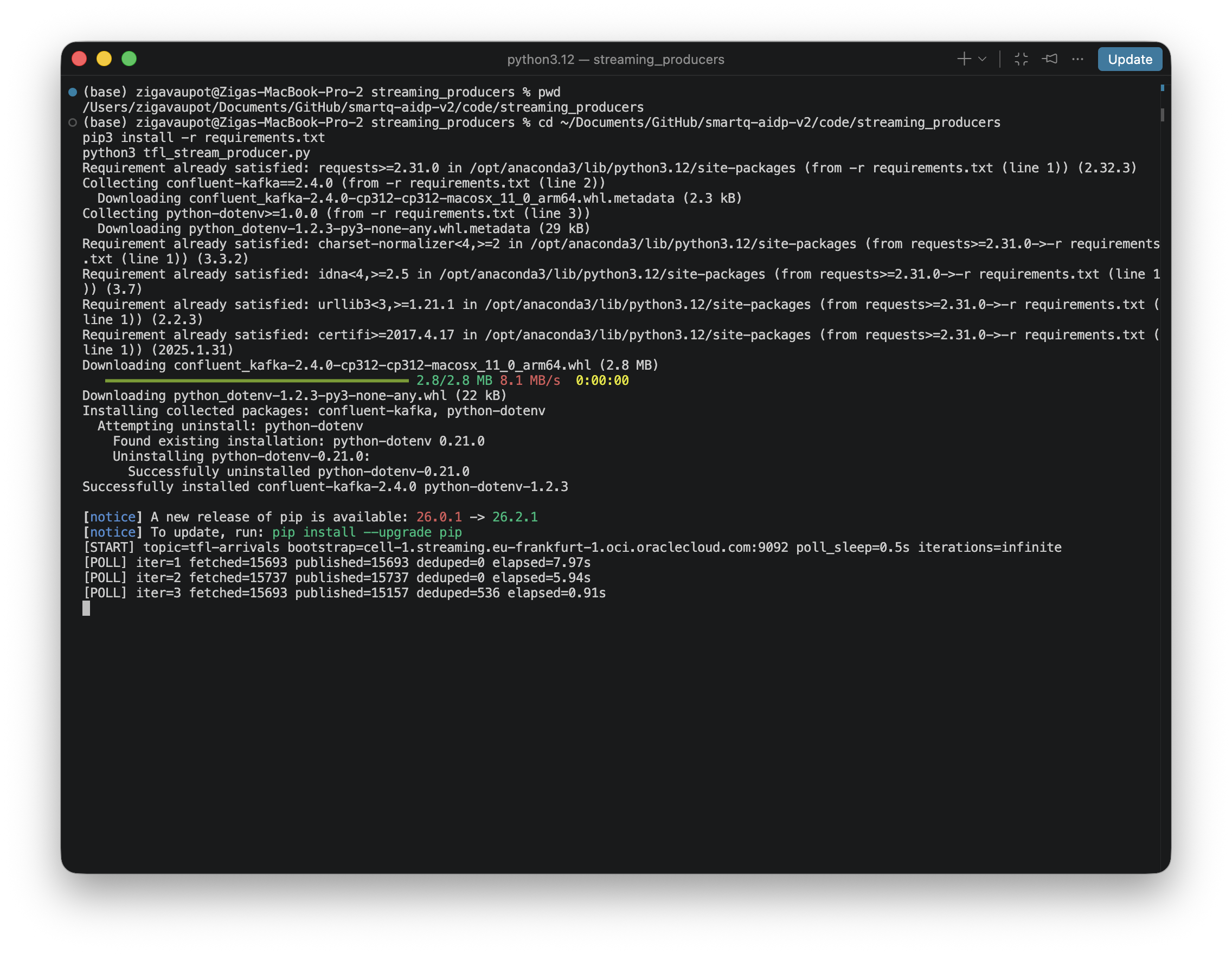
Within the first poll or two you should see a steady stream of [POLL] lines with published > 0. In the console, the tfl-arrivals stream's Recent messages tab is the fastest way to confirm real data actually landed — real offsets, base64-encoded keys, values shaped like TfL's own payload (the separate Monitoring tab's metrics can lag a few minutes behind, so don't panic if it briefly shows "No data for this time range" right after a short test run).
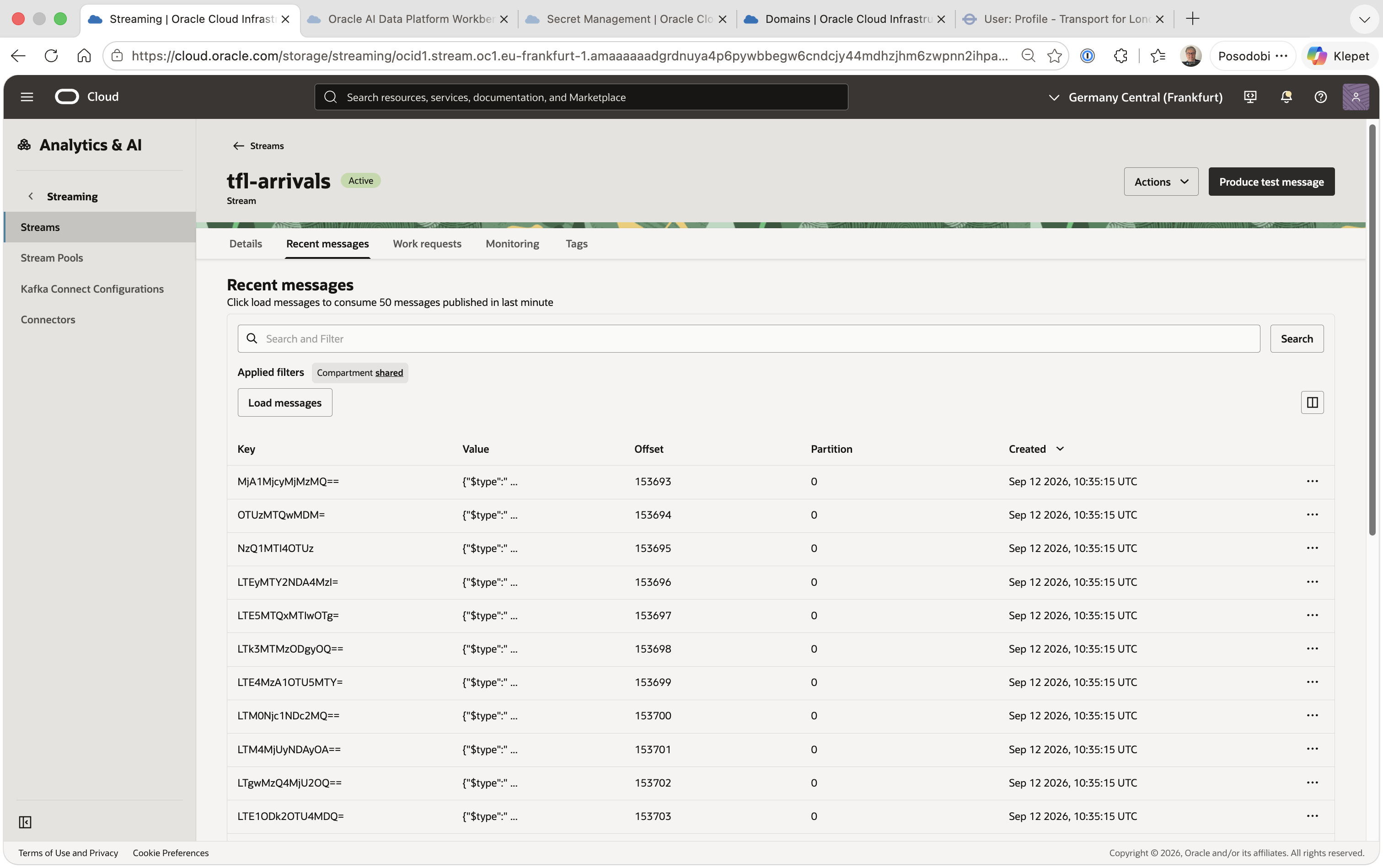
Running it like this — from a laptop, in the foreground — is only good for one thing: confirming the wiring works end to end. It's not a home for a process meant to run continuously across demos.
From a laptop to an OCI Compute VM
I considered three ways to host this properly, and ruled out two of them fast:
- OCI Functions — built for short-lived, event-triggered invocations with an execution time cap. This producer polls forever and keeps an in-memory dedupe cache across polls; a cold-started function loses that cache on every restart, which defeats the entire point of deduping.
- Container Instances — technically fine, but it's a Dockerfile and an image registry for one Python process. No real operational benefit over a plain VM at this scale.
- AIDP's own "Compute" — worth checking rather than assuming: AIDP's Compute is exclusively managed Spark clusters (the same All-Purpose clusters the bronze/silver/gold layers will use). There's no general-purpose, SSH-accessible VM available through AIDP itself, so the producer has to live outside AIDP, talking to it only indirectly through the Streaming topic.
That left a small OCI Compute VM.
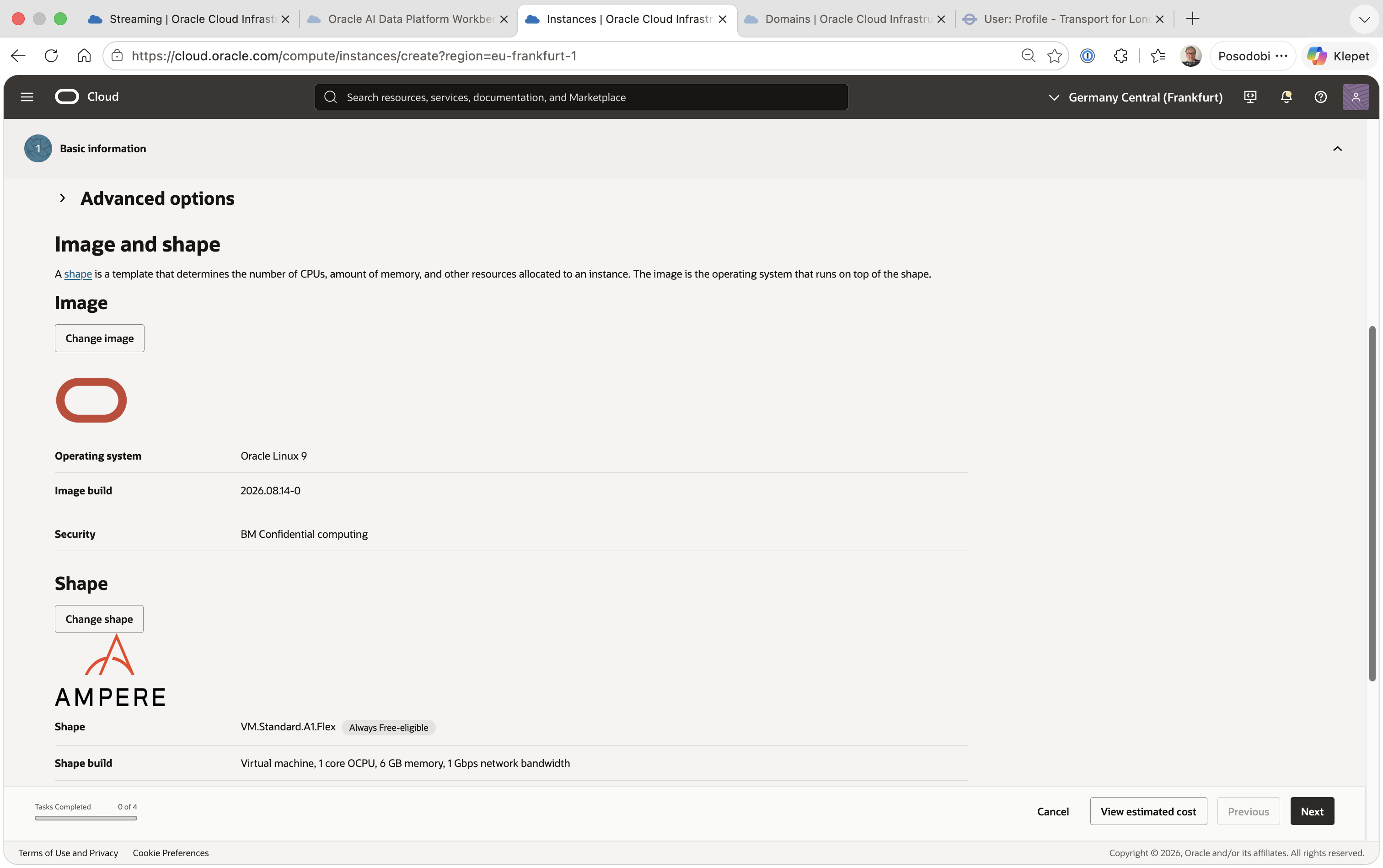
Creating the instance. Compute > Instances > Create Instance, in shared, named tfl-producer-vm. Oracle Linux 9, and the console's default shape — VM.Standard.A1.Flex (Ampere, Always Free-eligible), 1 OCPU / 6GB — is more than enough for a single Python process with no Spark involved. I reused the existing vcn-analytics-shared VCN and subnet-lb-public subnet rather than standing up new networking for a one-VM workload.
The networking wrinkle. That subnet's security list, sl-lb-public, intentionally only allows inbound port 443 — it's the sole public entry point for a separate Essbase load balancer, and widening it for SSH would have been a real, easy-to-miss security regression for an unrelated workload.
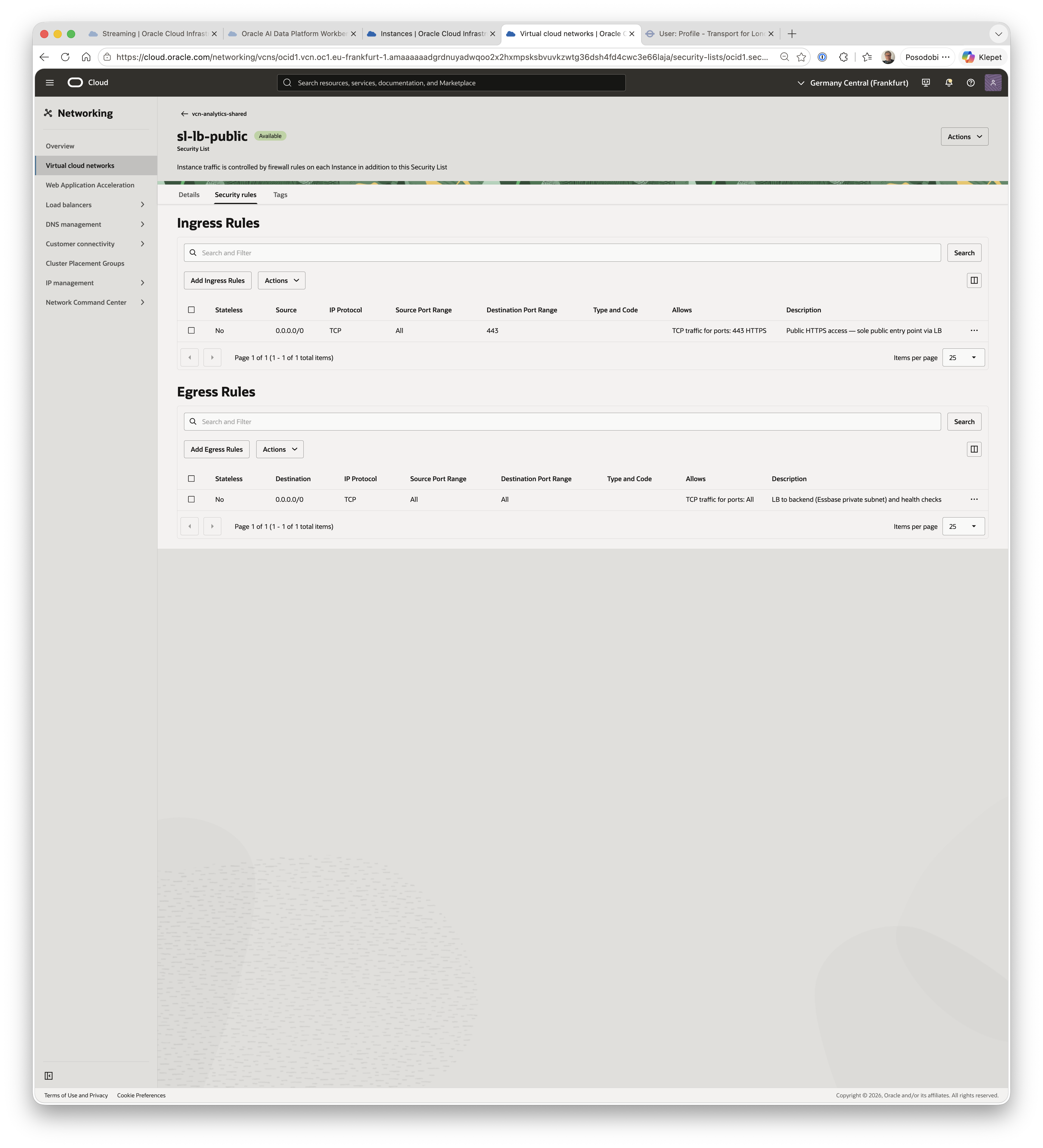
OCI evaluates Security Lists and Network Security Groups as a union — if either one allows a packet, it's allowed — so instead of touching the shared list, I created a dedicated NSG scoped to just this VM: nsg-tfl-producer-ssh, with a single ingress rule for TCP/22 from my own IP in /32 form (never 0.0.0.0/0), then attached it directly to the VM's VNIC.
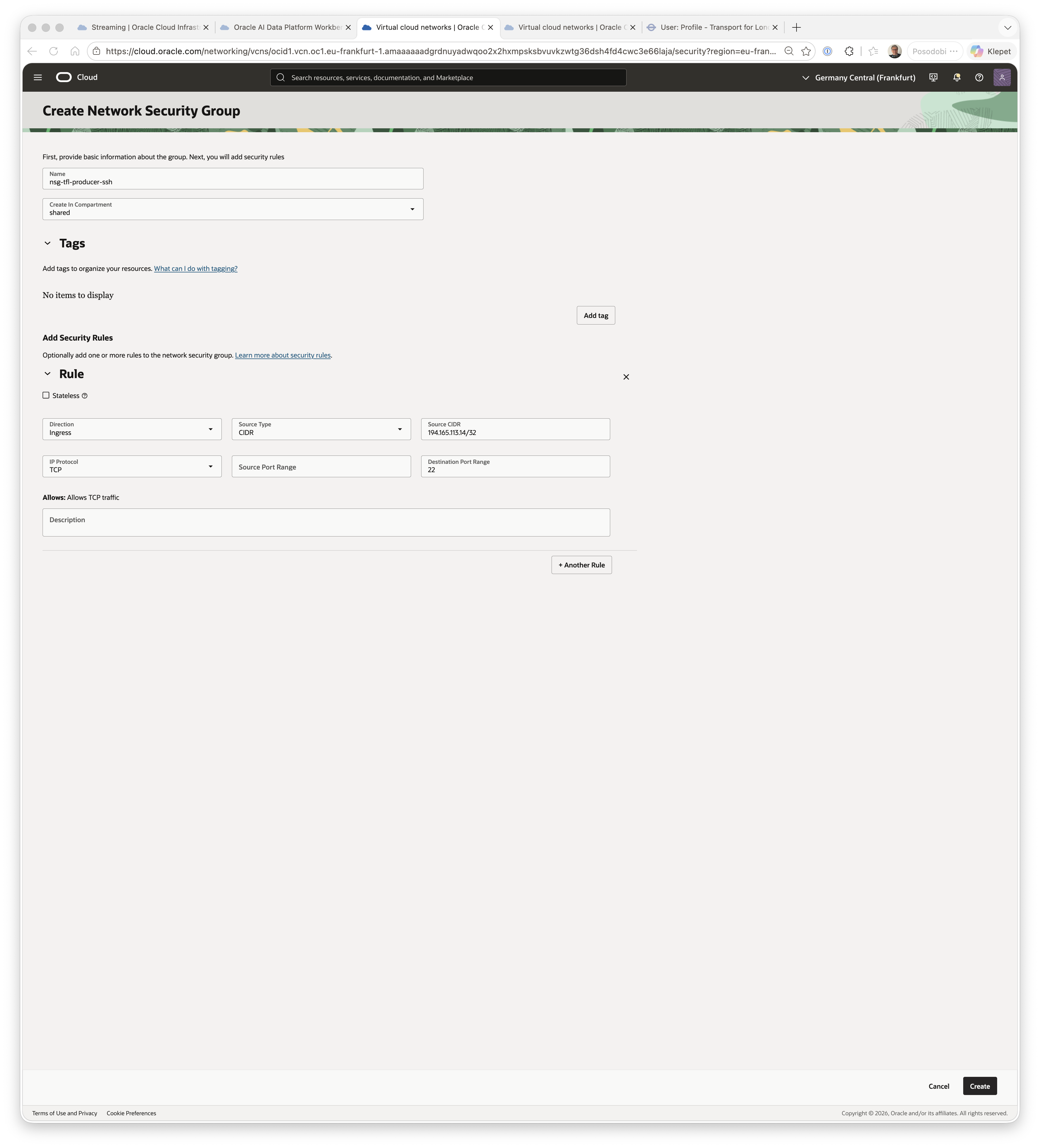
Getting the code onto the VM:
scp -i ~/.ssh/tfl-producer-vm_key \
  tfl_stream_producer.py requirements.txt .env \
  opc@<public-ip>:~/tfl-producer/

ssh -i ~/.ssh/tfl-producer-vm_key opc@<public-ip>
sudo dnf install -y python3-pip git
cd ~/tfl-producer
pip3 install --user -r requirements.txt
python3 tfl_stream_producer.py   # confirm a few [POLL] lines, then Ctrl+C
Wrapping it as a systemd service, so it survives reboots and restarts itself on failure instead of dying quietly the moment the SSH session closes:
[Unit]
Description=TfL Bus Arrivals Stream Producer
After=network-online.target
Wants=network-online.target

[Service]
Type=simple
User=opc
Environment=HOME=/home/opc
WorkingDirectory=/home/opc/tfl-producer
ExecStart=/usr/bin/python3 /home/opc/tfl-producer/tfl_stream_producer.py
Restart=on-failure
RestartSec=5
StandardOutput=journal
StandardError=journal

[Install]
WantedBy=multi-user.target
The Environment=HOME=/home/opc line is the one easy to miss: systemd doesn't set HOME by default, and without it Python can't find the packages pip3 install --user put under /home/opc/.local/.
sudo systemctl daemon-reload
sudo systemctl enable --now tfl-producer.service
sudo systemctl status tfl-producer.service     # enabled, active (running)
sudo journalctl -u tfl-producer.service -f     # live [POLL] lines
● tfl-producer.service - TfL Bus Arrivals Stream Producer
Loaded: loaded (/etc/systemd/system/tfl-producer.service; enabled; preset: disabled)
Active: active (running)
Sep 12 13:15:51 tfl-producer-vm systemd[1]: Started TfL Bus Arrivals Stream Producer.
Sep 12 13:15:52 tfl-producer-vm python3[46418]: [POLL] iter=1 fetched=15748 published=15748 deduped=0 elapsed=0.99s
Sep 12 13:15:54 tfl-producer-vm python3[46418]: [POLL] iter=2 fetched=15893 published=15893 deduped=0 elapsed=0.89s
Sep 12 13:15:56 tfl-producer-vm python3[46418]: [POLL] iter=4 fetched=15672 published=4 deduped=15668 elapsed=0.75sThat last line is the dedupe cache doing exactly its job — one poll later, almost the entire board was unchanged.
From here the producer runs independently of any laptop — it starts with the VM, restarts itself if it crashes, and the only ongoing cost discipline is the same one I already use for the AIDP compute clusters: start the instance before a demo, stop it after.
What's next
With records landing in tfl-arrivals, the next post covers the bronze layer: a Spark Structured Streaming job that reads this same topic via the Kafka API, parses the JSON payload, adds event-time partitions, and appends everything into a Delta table — the first stop for this data once it's inside the AI Data Platform itself.
Related: Just Streams: Real-Time Data Pipelines on OCI (series intro)