Setting up the OAS MCP server

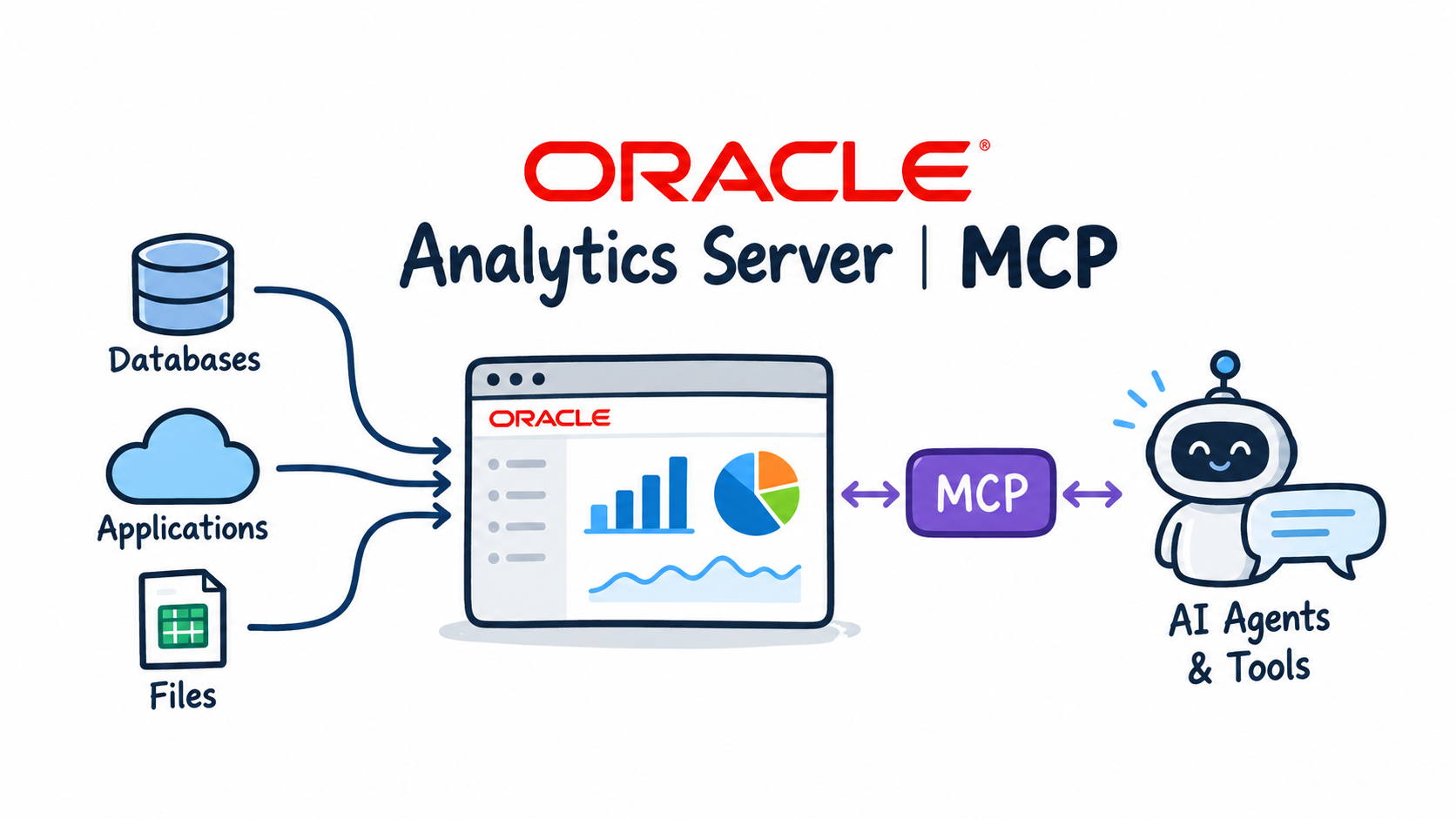
In the introduction I described the architecture and the four tools the server exposes. In this post I build it.
I walk through the Python code that talks to the OAS SOAP web services and wraps them as MCP tools, install the server on oas001 as a systemd service, test it with curl and open port 8000 for the OPAF subnet only. At the end the server answers tools/list with four tools, ready for an MCP client. The next post connects OPAF to it.
Why the SOAP web services
The SOAP web services under /analytics-ws/saw.dll provide exactly the three things an agent needs: metadata about subject areas, column details and query execution. A quick check on oas001 shows whether they respond:
curl -s -o /dev/null -w "%{http_code}\n" http://localhost:9502/analytics-ws/saw.dll/wsdl/v12 # expect 200
The code
The project has two main files, and the split is deliberate:
oas_client.pytalks only to OAS: logon, subject areas, describe, Logical SQL, sorting and top-N. It contains no MCP code.server.pyis the MCP server built with FastMCP. It wraps the client methods as tools and adds the HTTP layer with the Bearer token check and/health.
With this split I can test OAS access with test_oas.py before MCP is involved at all. Together the two files are about 520 lines of Python. The dependencies are in requirements.txt:
mcp>=1.25,<2
requests>=2.31
uvicorn>=0.30
python-dotenv>=1.0
Talking to OAS
Every call is a SOAP envelope posted to saw.dll with the service name in the SoapImpl parameter. The client logs on once with nQSessionService, keeps the session ID and logs on again if the session expires. Running Logical SQL looks like this:
root = self._call(
    "xmlViewService",
    "<v12:executeSQLQuery>"
    f"<v12:sql>{_esc(sql)}</v12:sql>"
    "<v12:outputFormat>SAWRowsetSchemaAndData</v12:outputFormat>"
    "<v12:executionOptions><v12:async>false</v12:async>"
    f"<v12:maxRowsPerPage>{page}</v12:maxRowsPerPage>"
    "<v12:refresh>true</v12:refresh><v12:presentationInfo>true</v12:presentationInfo>"
    "<v12:type>query</v12:type></v12:executionOptions>"
    "<v12:sessionID>{sid}</v12:sessionID></v12:executeSQLQuery>",
)
SAWRowsetSchemaAndData returns an XML schema with the column headings together with the rows. The client reads the column headings and data types from the schema, converts numeric values and fetches further pages with fetchNext until the result is complete or the row limit is reached.
Behaviour of the OAS web service
Three things in the OAS answers are handled in code, so the agent does not have to deal with them:
- Names come back in double quotes (
"Sales Facts"). The client removes the quotes, so the names returned bydescribe_subject_areacan be used directly in Logical SQL. executeSQLQueryignoresORDER BYandFETCH FIRST n ROWS ONLY. The client parses both clauses from the query, sorts the rows and applies the row limit itself. Without this, "which region has the highest revenue" would return an unsorted list.- Large results. If a result has more rows than
MAX_ROWS, sorting and top-N apply only to the rows fetched. The tool then returns awarningthat asks the agent to add filters.
Read-only by design
Logical SQL can contain EXECUTE PHYSICAL, which sends SQL straight to a database connection. An agent must never do that, so every query passes a check before it reaches OAS:
# Words that must never appear in a query sent by an AI agent (read-only PoC).
FORBIDDEN_SQL = re.compile(
    r"\b(EXECUTE\s+PHYSICAL|INSERT|UPDATE|DELETE|DROP|CREATE|ALTER|TRUNCATE|MERGE|CALL|GRANT|REVOKE)\b",
    re.IGNORECASE,
)
check_read_only first removes quoted names and strings, so a column called "Last Update Date" does not trigger the filter. Then it requires the statement to start with SELECT (optionally after SET VARIABLE ...;) and rejects any forbidden keyword.
The MCP server
FastMCP turns each Python function into a tool. The docstring becomes the tool description, which the agent's LLM reads to decide when and how to call the tool, so I put the Logical SQL rules there:
@mcp.tool()
async def execute_logical_sql(sql: str, max_rows: int = 100) -> dict:
    """Execute a read-only Logical SQL SELECT against Oracle Analytics Server and return
    column headings and rows.

    Logical SQL rules:
      - Reference columns as "Table"."Column" exactly as returned by describe_subject_area.
      - FROM contains only the subject area name in double quotes, e.g. FROM "Sample Sales".
      - No joins and no GROUP BY: measures are aggregated automatically by the attributes selected.
      - Filter with WHERE, sort with ORDER BY, limit with FETCH FIRST n ROWS ONLY.

    Args:
        sql: the Logical SQL SELECT statement
        max_rows: maximum number of rows to return (default 100)
    """
    limit = max(1, min(int(max_rows), MAX_ROWS))
    log.info("Logical SQL (max %s rows): %s", limit, sql)
    return await _run(oas.execute_logical_sql, sql, limit)
The SOAP calls are blocking, so _run executes them in a worker thread and turns OAS errors into a readable tool error ("Oracle Analytics error: ..."). The server is created with stateless_http=True and json_response=True: every request stands on its own, and answers are plain JSON instead of an event stream.
Authentication is a small ASGI middleware in front of the MCP app. It requires Authorization: Bearer <MCP_API_KEY> on every request except /health:
headers = {k.decode().lower(): v.decode() for k, v in scope["headers"]}
token = headers.get("authorization", "")
token = token[7:] if token.lower().startswith("bearer ") else headers.get("x-api-key", "")
if token != self.api_key:
    return await JSONResponse({"error": "unauthorized"}, status_code=401)(scope, receive, send)
Installing the server on oas001
Oracle Linux 8 ships with Python 3.6, which is too old for the MCP SDK. I use Python 3.11 (/usr/bin/python3.11). Outbound internet access is needed once, for pip install.
From my Mac I copy the project to the server:
cd ~/Documents/GitHub
scp -i ~/.ssh/oas001_key -r oas-mcp-server opc@<oas001-public-ip>:/tmp/
On oas001 I put it in /opt/oas-mcp-server and create the virtual environment:
sudo mkdir -p /opt/oas-mcp-server
sudo cp -r /tmp/oas-mcp-server/. /opt/oas-mcp-server/
sudo chown -R opc:opc /opt/oas-mcp-server

cd /opt/oas-mcp-server
python3.11 -m venv venv
source venv/bin/activate
pip install --upgrade pip
pip install -r requirements.txt
Configuration
All settings come from a .env file. I generate a random API key and fill in the OAS password:
cp .env.example .env
python -c "import secrets; print(secrets.token_urlsafe(32))"    # -> value for MCP_API_KEY
nano .env
chmod 600 .env
OAS_URL=http://localhost:9502
OAS_USER=admin
OAS_PASSWORD=<OAS admin password>
OAS_VERIFY_SSL=true
OAS_TIMEOUT=120
MAX_ROWS=500

MCP_HOST=0.0.0.0
MCP_PORT=8000
MCP_API_KEY=<generated key>
.env stays out of Git.
Testing OAS access without MCP
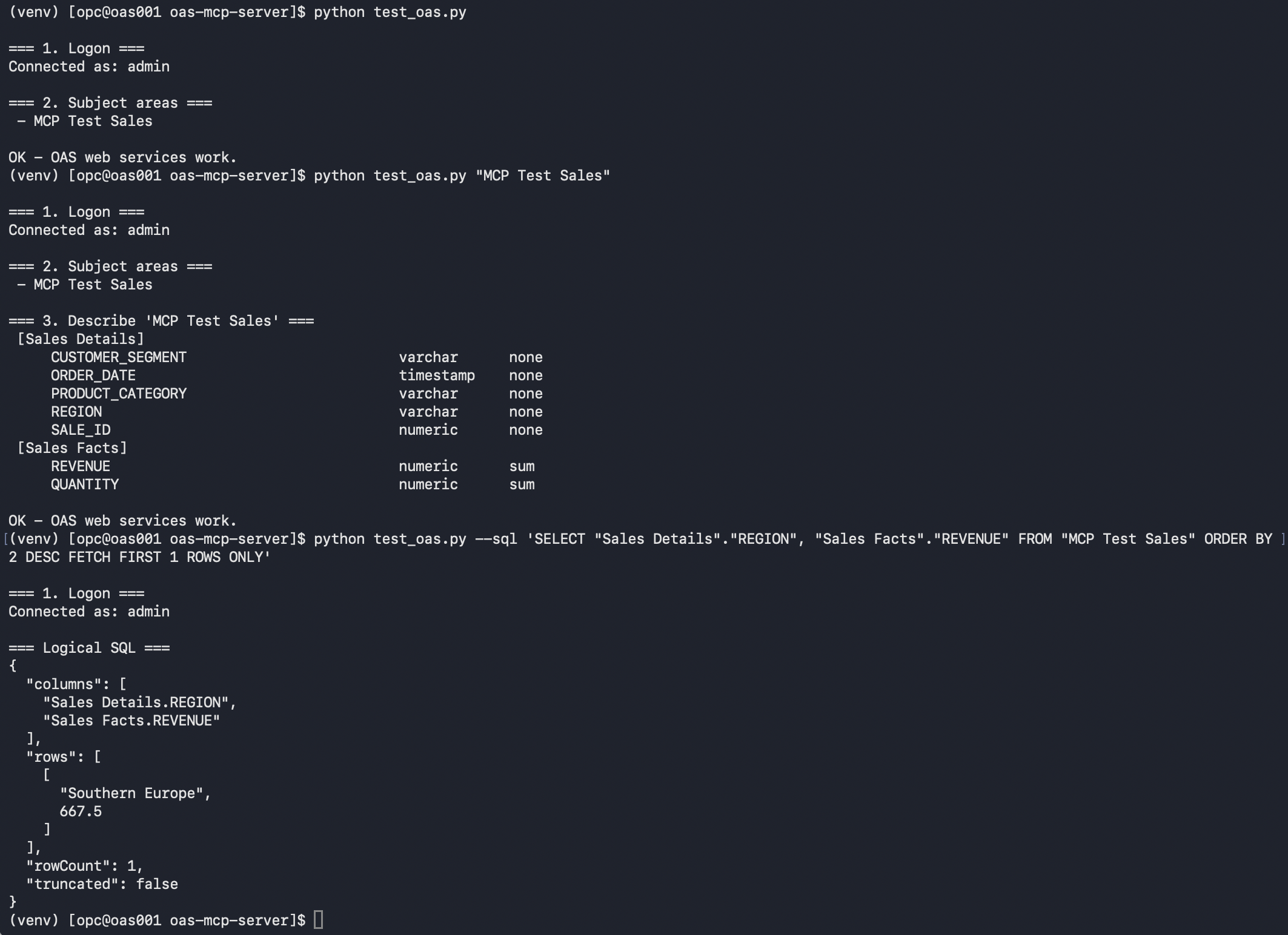
test_oas.py uses only the client, so it confirms that the SOAP layer works before the MCP server runs. My test subject area is MCP Test Sales:
python test_oas.py
python test_oas.py "MCP Test Sales"
python test_oas.py --sql 'SELECT "Sales Details"."REGION", "Sales Facts"."REVENUE" FROM "MCP Test Sales" ORDER BY 2 DESC FETCH FIRST 1 ROWS ONLY'
The first call logs on and lists the subject areas, the second lists tables and columns without quotes, and the third returns one row: the region with the highest revenue. The last test also proves that sorting and top-N work, because OAS itself ignores both.
Running as a systemd service
The unit file runs the server as opc from /opt/oas-mcp-server, starts it on boot and restarts it on failure:
[Unit]
Description=Oracle Analytics Server MCP server
After=network-online.target
Wants=network-online.target

[Service]
Type=simple
User=opc
WorkingDirectory=/opt/oas-mcp-server
ExecStart=/opt/oas-mcp-server/venv/bin/python server.py
Restart=on-failure
RestartSec=5

[Install]
WantedBy=multi-user.target
sudo cp /opt/oas-mcp-server/oas-mcp.service /etc/systemd/system/
sudo systemctl daemon-reload
sudo systemctl enable --now oas-mcp
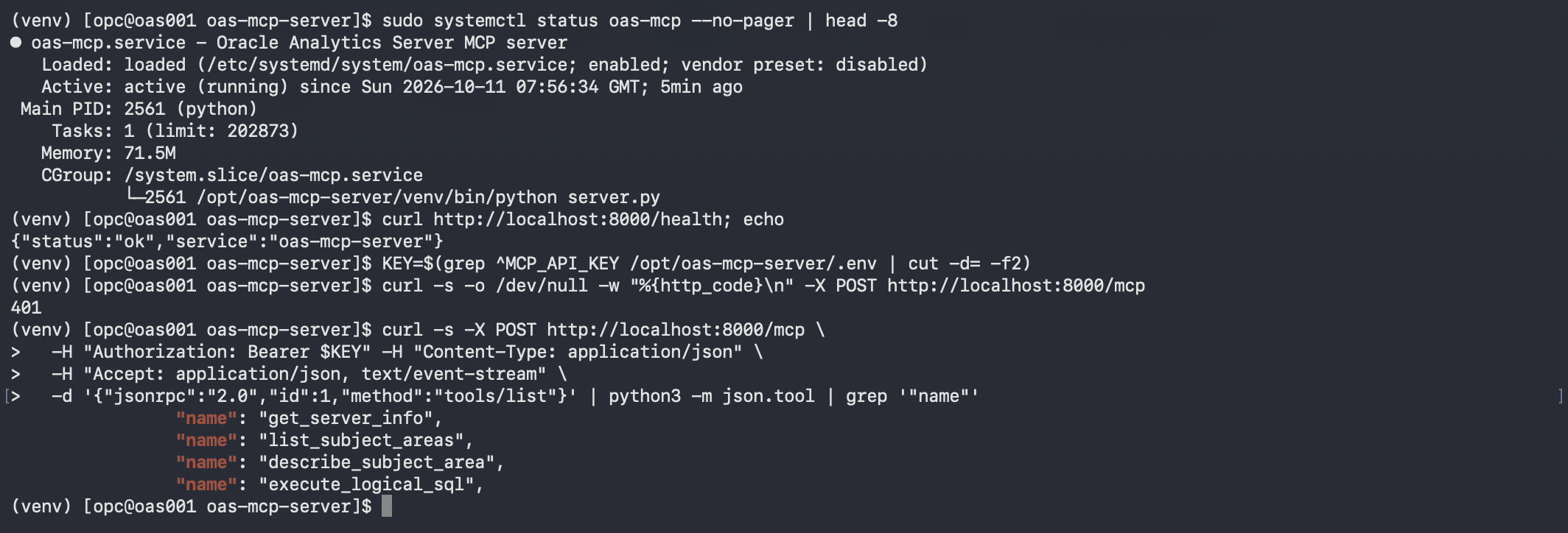
sudo systemctl status oas-mcp --no-pager | head -8      # Active: active (running)
curl http://localhost:8000/health                        # {"status":"ok",...}
Testing the MCP endpoint
Two checks with curl: a request without a key must be rejected, and tools/list with the key must return the four tool names.
KEY=$(grep ^MCP_API_KEY /opt/oas-mcp-server/.env | cut -d= -f2)

# without key -> 401
curl -s -o /dev/null -w "%{http_code}\n" -X POST http://localhost:8000/mcp

# list tools -> 4 names
curl -s -X POST http://localhost:8000/mcp \
  -H "Authorization: Bearer $KEY" -H "Content-Type: application/json" \
  -H "Accept: application/json, text/event-stream" \
  -d '{"jsonrpc":"2.0","id":1,"method":"tools/list"}' | python3 -m json.tool | grep '"name"'
tools/list is the same first request OPAF sends after connecting, so if this works, the server side is ready.
Opening the network for OPAF only
Port 8000 must be reachable from OPAF and from nowhere else. Two layers need a rule.
The OS firewall on oas001:
sudo firewall-cmd --permanent --add-port=8000/tcp
sudo firewall-cmd --reload
sudo firewall-cmd --list-ports            # 8000/tcp
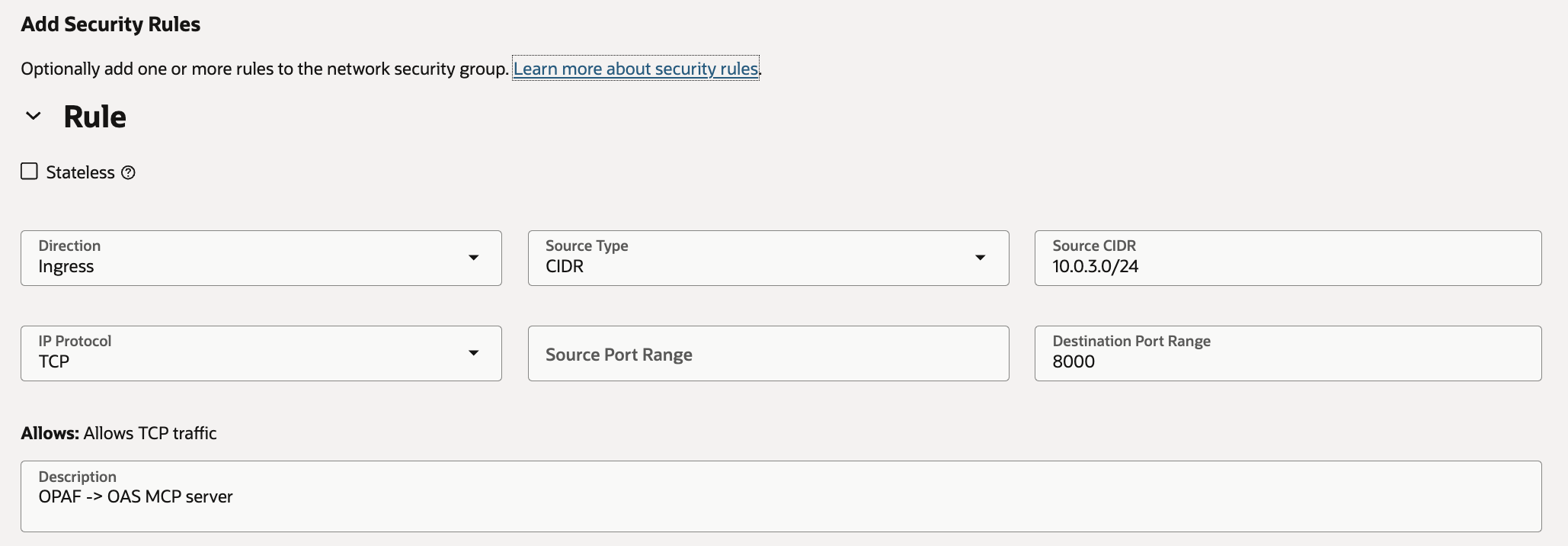
In OCI I create a dedicated Network Security Group, so the existing OAS security lists and NSGs stay unchanged: Networking → Virtual Cloud Networks → vcn-analytics-shared → Network Security Groups → Create Network Security Group.
| Field | Value |
|---|---|
| Name | nsg-oas-mcp |
| Compartment | shared |
| Direction | Ingress |
| Stateless | No |
| Source type / CIDR | CIDR / 10.0.3.0/24 (subnet-opaf-private) |
| IP protocol | TCP |
| Destination port | 8000 |
| Description | OPAF -> OAS MCP server |
Then I attach it to the instance: Compute → Instances → oas001 → Networking → Attached VNICs → VNIC oas001 → Network Security Groups → Edit, add nsg-oas-mcp and save.
On the OPAF side nothing changes: subnet-opaf-private uses the Default Security List, which allows all egress. Port 8000 is not open to the internet, because the security list of subnet-oas-public allows only SSH from outside.
To check the path manually, I open a Bastion port forwarding session to the OPAF VM and run, on agentfactoryvm:
curl -m 5 http://10.0.1.205:8000/health
A timeout here points to the NSG or the firewall. OPAF itself does not need the Bastion; it connects to the MCP server directly.
The server is ready. In the next post I register it in OPAF and build an agent on top of it.
Back to the introduction and list of posts.