Using the OAS MCP server in OPAF

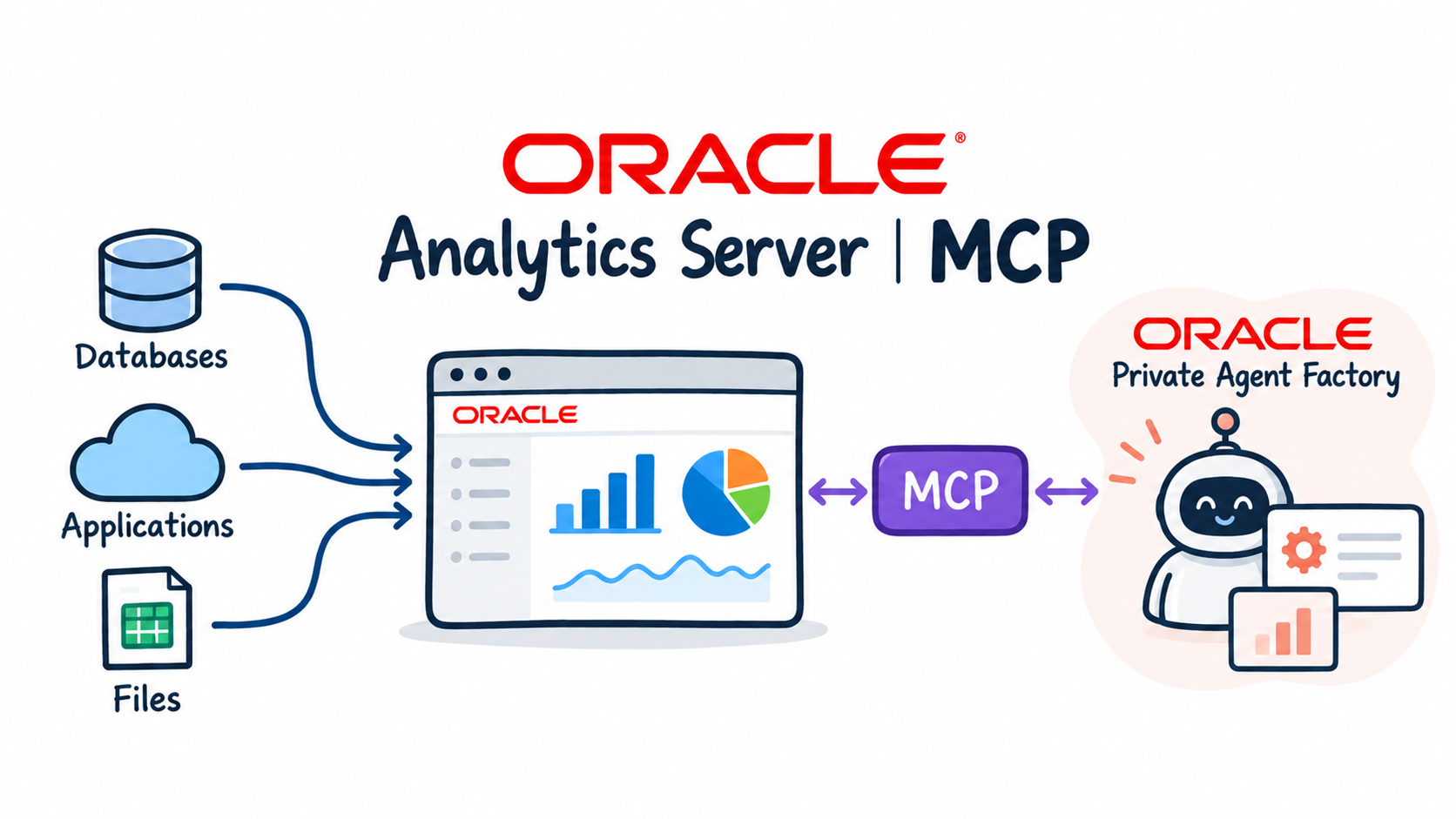
In the previous post I built the OAS MCP server and opened port 8000 for the OPAF subnet. Now OPAF becomes the MCP client.
In this post I change two OPAF proxy settings, register the server with a Bearer token and build a Custom Flow with an MCP server node and an Agent node. Then I test the agent with business questions and check in the service log which Logical SQL it sent to OAS. I close with what I would change before using the server with a customer's OAS.
Proxy Settings
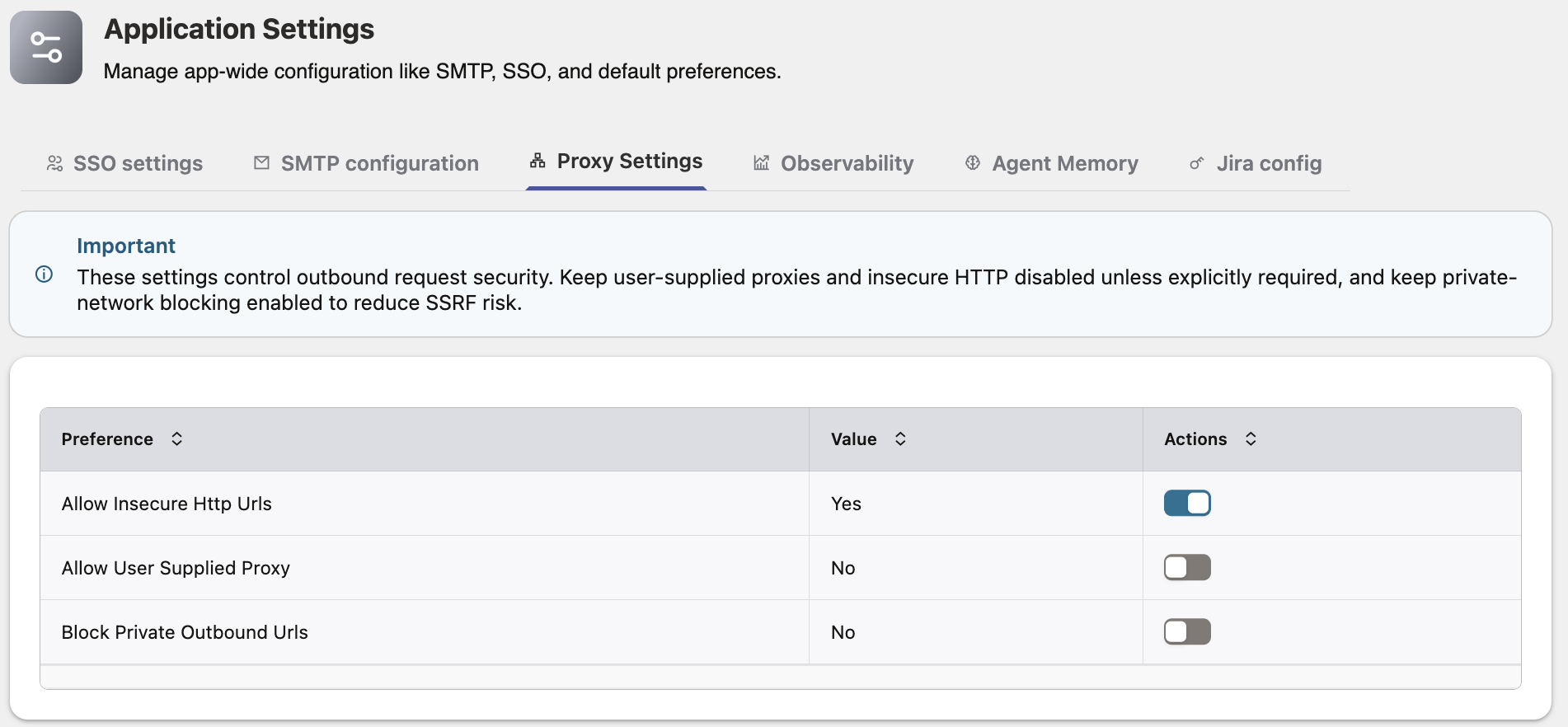
By default OPAF refuses MCP servers on private IP addresses and over plain HTTP. Both apply here, so as an OPAF administrator I change two preferences in Application Settings → Proxy Settings:
| Preference | Value | Why |
|---|---|---|
| Allow Insecure Http Urls | Yes | The MCP server uses HTTP inside the VCN |
| Allow User Supplied Proxy | No | Not needed |
| Block Private Outbound Urls | No | The MCP server is on a private IP (10.0.1.205) |
These settings are global for the OPAF instance. Without them, registration fails with "MCP server URL must use https" or "resolves to a private or non-routable network address".
HTTP is acceptable for this setup because the traffic stays inside the private VCN, the NSG admits only the OPAF subnet, and every request needs the Bearer token. The server also supports TLS (MCP_SSL_CERTFILE and MCP_SSL_KEYFILE in .env), but OPAF accepts only certificates from a CA it trusts and rejects self-signed ones. With a trusted certificate, Allow Insecure Http Urls can go back to No.
Registering the MCP server
In OPAF: Add MCP server
- Server name:
oas001-mcp - Server URL:
http://10.0.1.205:8000/mcp - Authentication mode: Bearer Token
- Bearer token: only the value of
MCP_API_KEY, without the wordBearer
I read the key on oas001 with grep ^MCP_API_KEY /opt/oas-mcp-server/.env | cut -d= -f2. Test connection returns "MCP connection successful", then Add MCP server.
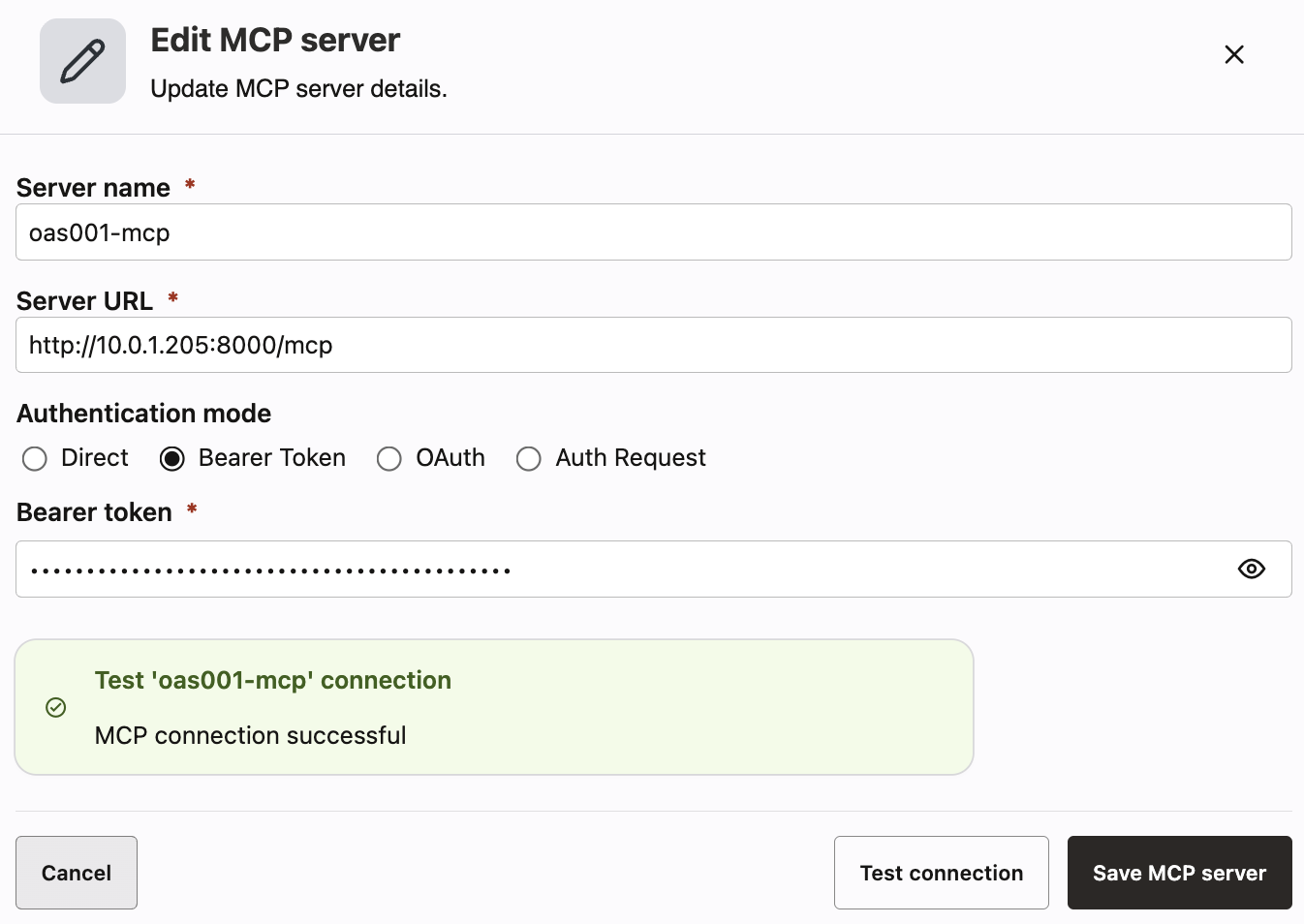
The URL must end with /mcp. With a wrong path, OPAF can still report a successful connection but discover zero tools.
The agent flow
In Agent Builder I create a Custom Flow with two nodes:
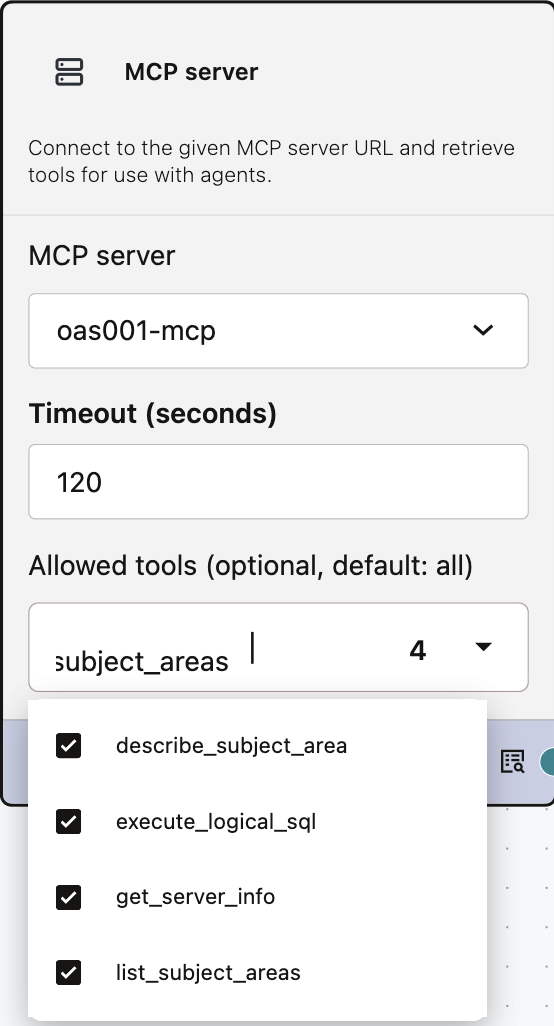
- An MCP server node with server
oas001-mcp, timeout120and Allowed tools left empty, which means all four tools. The dropdown listsdescribe_subject_area,execute_logical_sql,get_server_infoandlist_subject_areas. - An Agent node. The Tools output of the MCP server node connects to it.
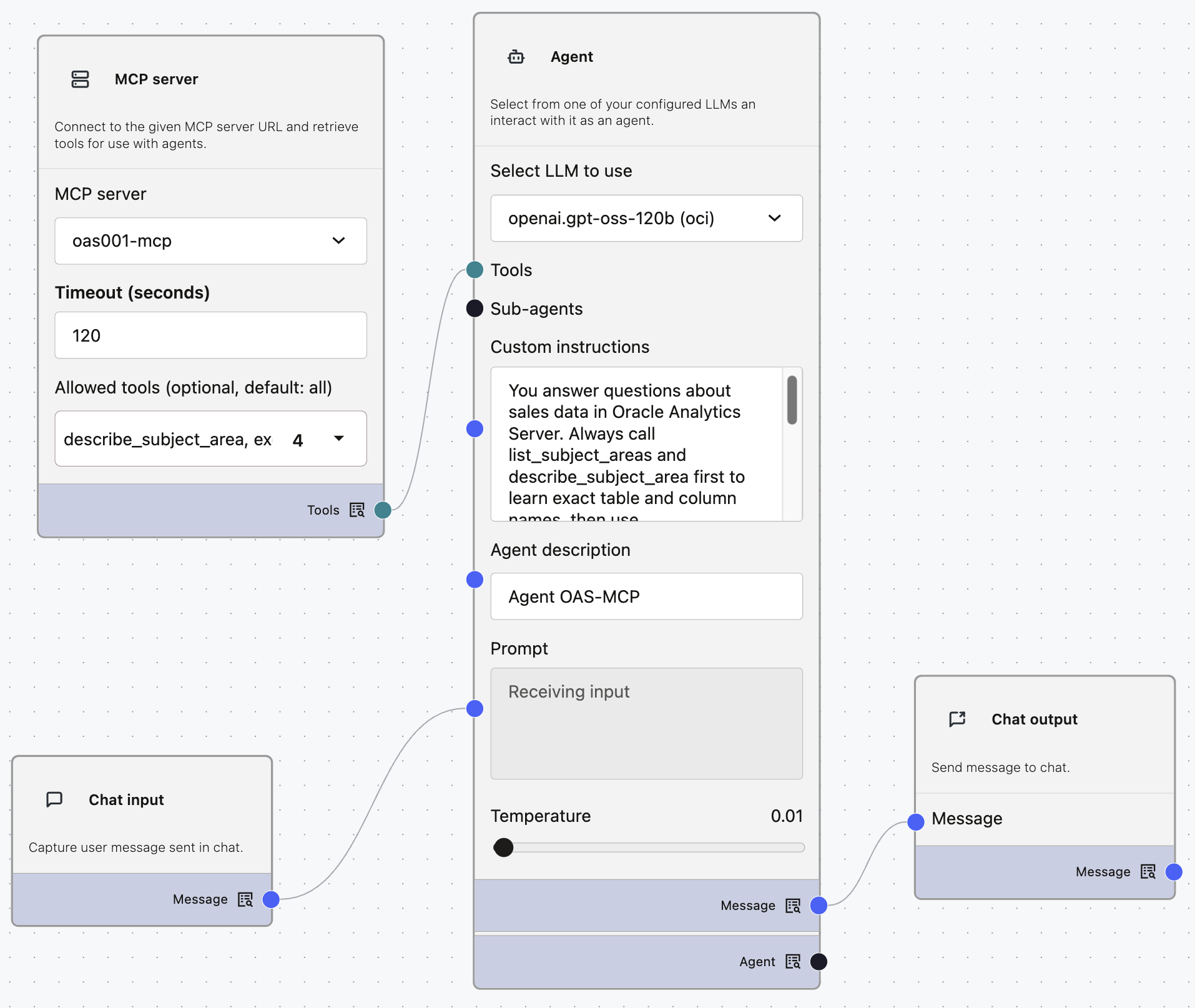
The agent instructions:
You answer questions about sales data in Oracle Analytics Server. Always call list_subject_areas and describe_subject_area first to learn exact table and column names, then use execute_logical_sql. Never invent column names. Always answer in natural language. Present data as a markdown table with clear column headings, sorted in a meaningful order (e.g. highest value first). Add a one-sentence summary of the key finding. Never return raw JSON.
The first paragraph sets the order of tool calls. The second one is about the answer format: without it, the first answer in a new chat may come back as raw JSON from the tool.
Testing the agent
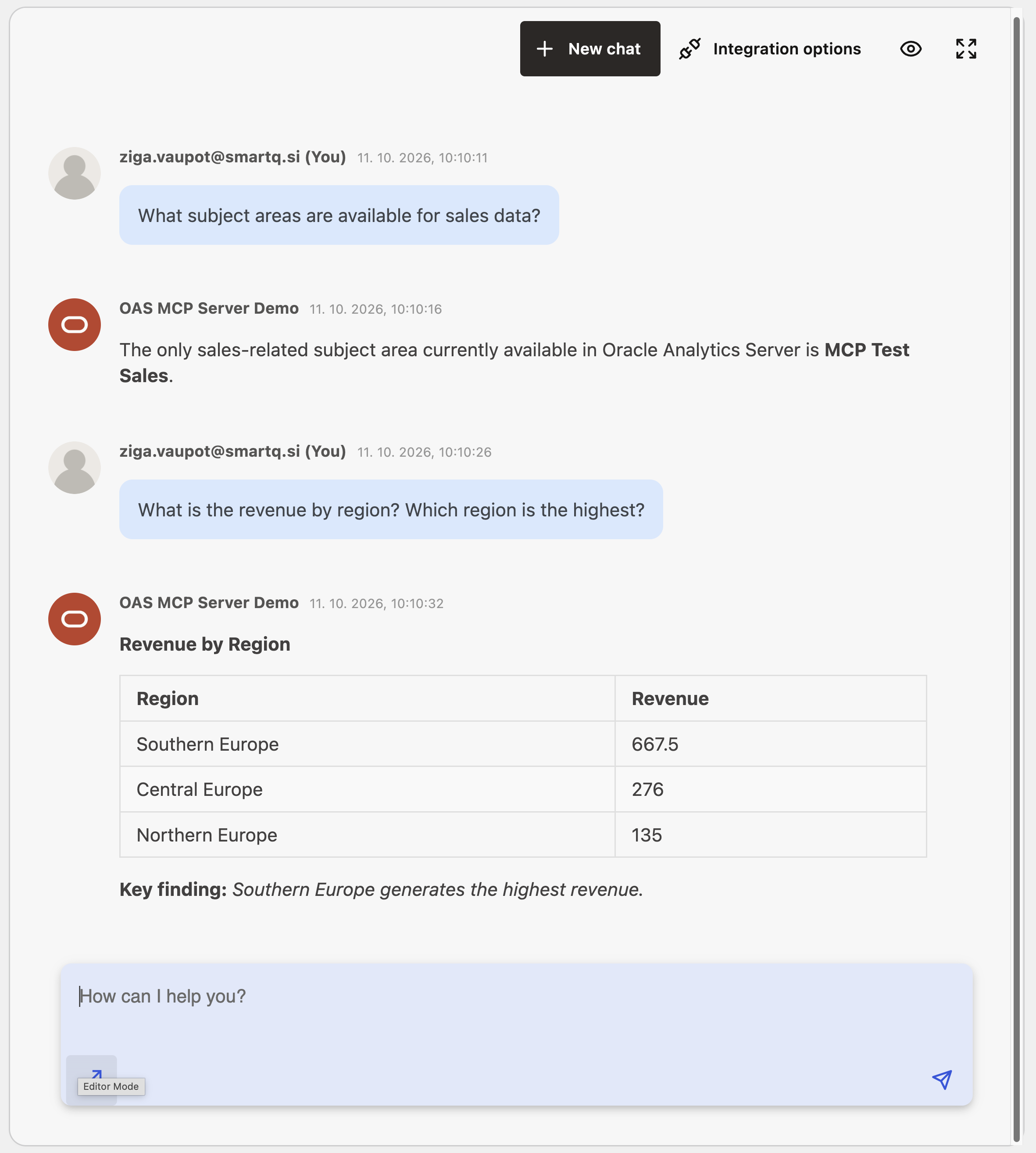
I test with two questions:
- What subject areas are available for sales data?
- What is the revenue by region? Which region is the highest?
For the second question the agent goes through the whole sequence: it finds the subject area, reads its tables and columns, writes Logical SQL and presents the result as a sorted table with a one-sentence summary.
The service log on oas001 shows every Logical SQL statement the agent sends, which is the easiest way to see what the agent actually asked OAS:
journalctl -u oas-mcp -f

From proof of concept to customer deployment
The server works as a proof of concept. Before using it with a customer's OAS, I would change three things:
- A dedicated read-only OAS user instead of
admin. The agent then sees only the subject areas and data that user is allowed to see, enforced by OAS security. - HTTPS with a CA-signed certificate, so Allow Insecure Http Urls can be switched back to No.
- Block Private Outbound Urls = No stays. An on-premises OAS is always on a private address from OPAF's point of view, so this setting is a requirement for this pattern, not a shortcut.
The pattern itself carries over unchanged: a thin MCP layer that exposes the semantic model, not the database. The agent asks questions in business terms, and OAS keeps doing what it has always done: joins, aggregations, calculations and security.
If you work with Oracle Analytics Cloud or Autonomous Database instead, both have built-in MCP servers. I used the Autonomous Database one with OPAF in The ADB built-in MCP server and OPAF agents over MCP, both part of Select AI Agent meets OPAF.
Back to the introduction and list of posts.