Using Claude Desktop with OAS MCP

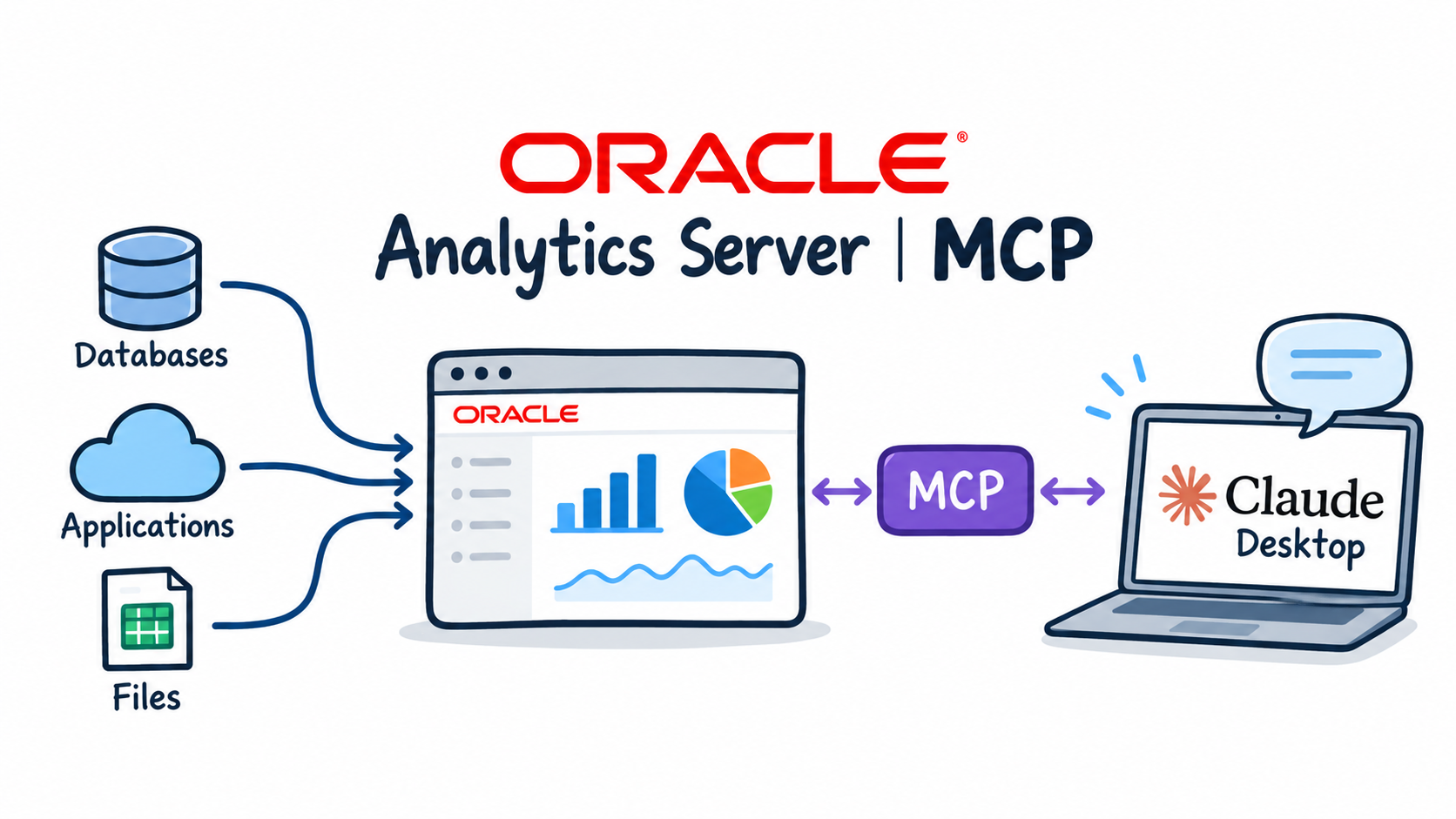
In the previous post an OPAF agent queried Oracle Analytics Server through my MCP server. MCP is an open protocol, so the same server works with any MCP client, without changing a line of code on oas001.
In this post I connect Claude Desktop on my Mac to the OAS MCP server through an SSH tunnel and ask it the same questions as the OPAF agent. Then I go further: charts, a follow-up drill-down, and a short comparison of the two clients.
How Claude reaches the server
The OAS MCP server listens on port 8000 inside the VCN, and that port is not open to the internet. Instead of changing the network, I bring the port to my laptop with an SSH tunnel. Port 22 on oas001 is already open for administration, so nothing changes on the OCI side.
Claude Desktop starts local MCP servers as processes on the laptop. For a remote HTTP server like mine, the open-source mcp-remote package acts as the local process: Claude Desktop talks to it, and it forwards every request to http://localhost:18000/mcp with the Bearer token added. The only prerequisite on the laptop is Node.js 18 or newer, because mcp-remote runs through npx.
The SSH tunnel
ssh -i ~/.ssh/oas001_key -N -L 18000:localhost:8000 opc@<oas001-public-ip>
-L 18000:localhost:8000 forwards local port 18000 to port 8000 on oas001, and -N keeps the connection open without starting a shell. I use local port 18000 because 8000 is already taken on my Mac. The tunnel has to run while Claude uses the tools.
A quick check from a second terminal window:
curl http://localhost:18000/health; echo
The answer {"status":"ok","service":"oas-mcp-server"} comes from oas001, through the tunnel.
Configuring Claude Desktop
In Claude Desktop, Settings → Developer → Edit Config opens claude_desktop_config.json. I add one entry under mcpServers:
"oas001": {
  "command": "/usr/local/bin/npx",
  "args": ["-y", "mcp-remote", "http://localhost:18000/mcp",
           "--header", "Authorization:${OAS_MCP_AUTH}"],
  "env": { "OAS_MCP_AUTH": "Bearer <MCP_API_KEY>" }
}
commandis the full path tonpx(which npx), because Claude Desktop does not always see the shell'sPATH.mcp-remotegets the URL of the tunnel and one extra header.- The header value comes from the environment variable
OAS_MCP_AUTH. Unlike in OPAF, the value here includes the wordBearer, because it is the complete header value.
After a full restart of Claude Desktop (Cmd+Q, then start it again), Settings → Developer shows oas001 as running, and the four tools appear in the chat's tools menu.
Asking questions
I start with the two questions from the OPAF test, then continue the conversation.
Which subject areas are there?
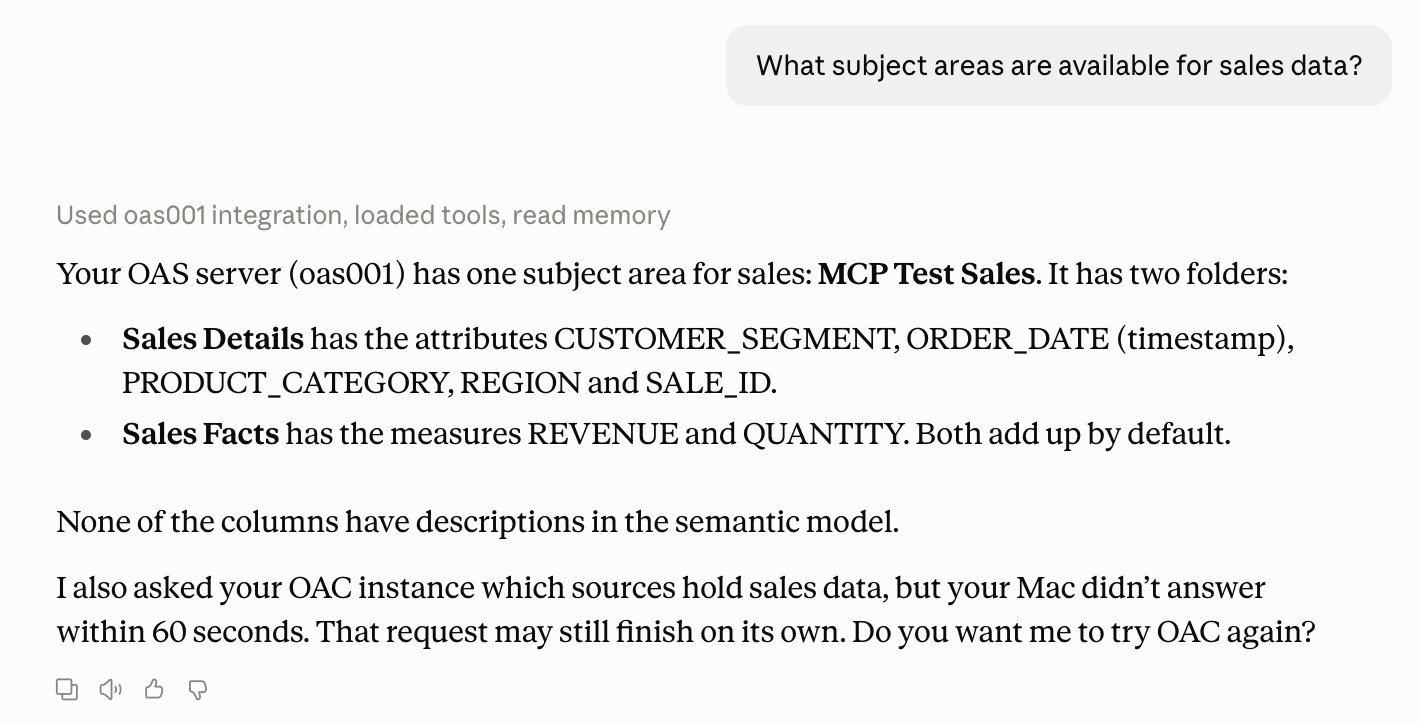
What subject areas are available for sales data?
Claude called list_subject_areas and then, without being asked, describe_subject_area. The answer lists the folders of MCP Test Sales, separates attributes from measures by their aggregation rule, and points out that none of the columns have descriptions in the semantic model. That last remark is a useful hint: descriptions in the semantic model are what an AI client reads to understand the data.
Revenue by region
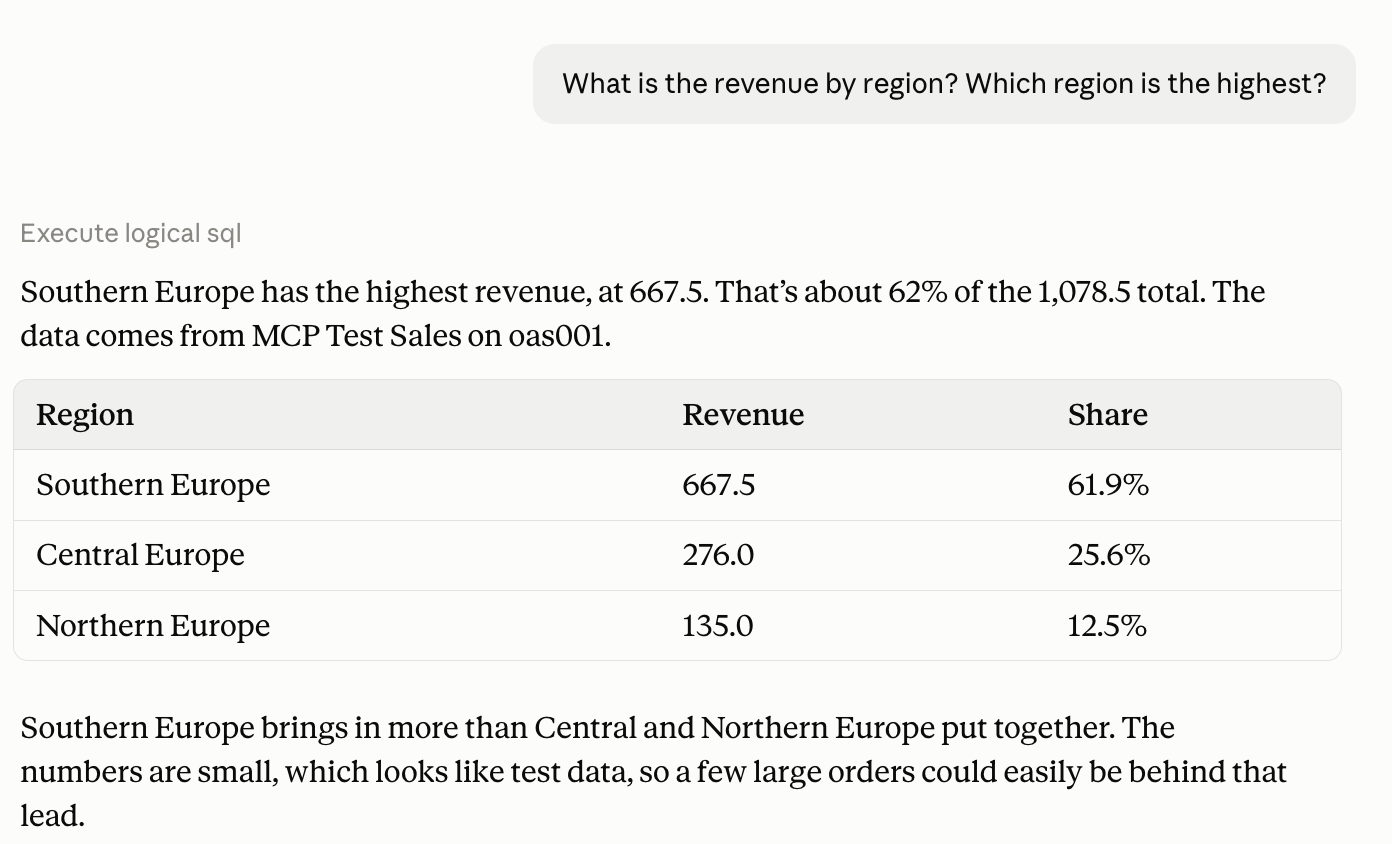
What is the revenue by region? Which region is the highest?
The numbers are the same as in OPAF: Southern Europe 667.5, Central Europe 276 and Northern Europe 135. Both clients use the same server and the same Logical SQL against the same subject area, so they cannot disagree. Claude added each region's share of the total and a word of caution: the numbers are small, so a few large orders could be behind Southern Europe's lead.
Visualize results
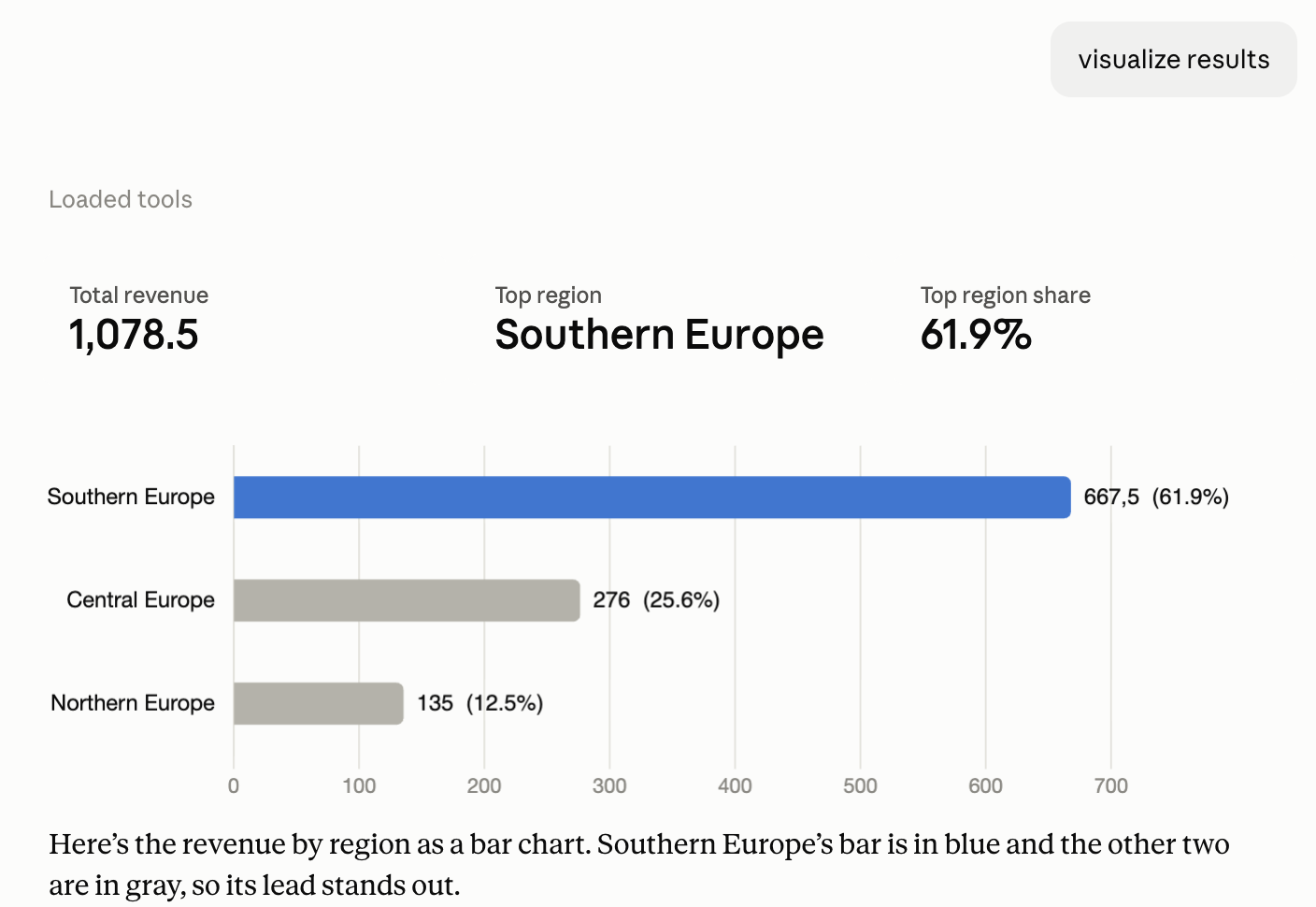
visualize results
This request did not reach OAS at all. Claude reused the result it already had and drew a bar chart with three key figures above it: total revenue, top region and its share.
Revenue by product category and customer segment
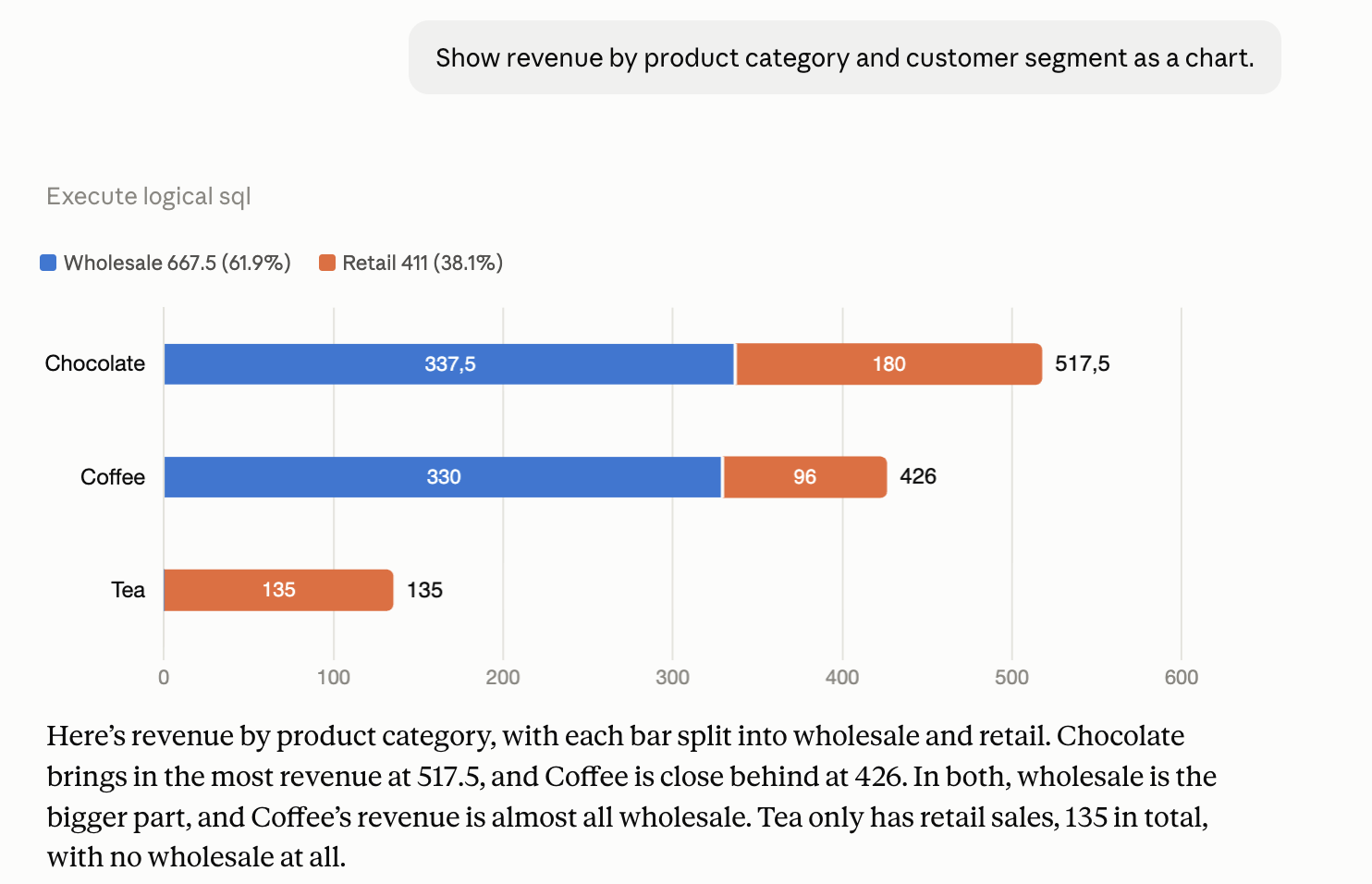
Show revenue by product category and customer segment as a chart.
One more Logical SQL with two attributes, and Claude chose a stacked bar chart: Chocolate 517.5, Coffee 426 and Tea 135, each split into wholesale and retail. Wholesale makes up 667.5 of the total, retail 411, and Tea has no wholesale sales at all.
Drill down into wholesale
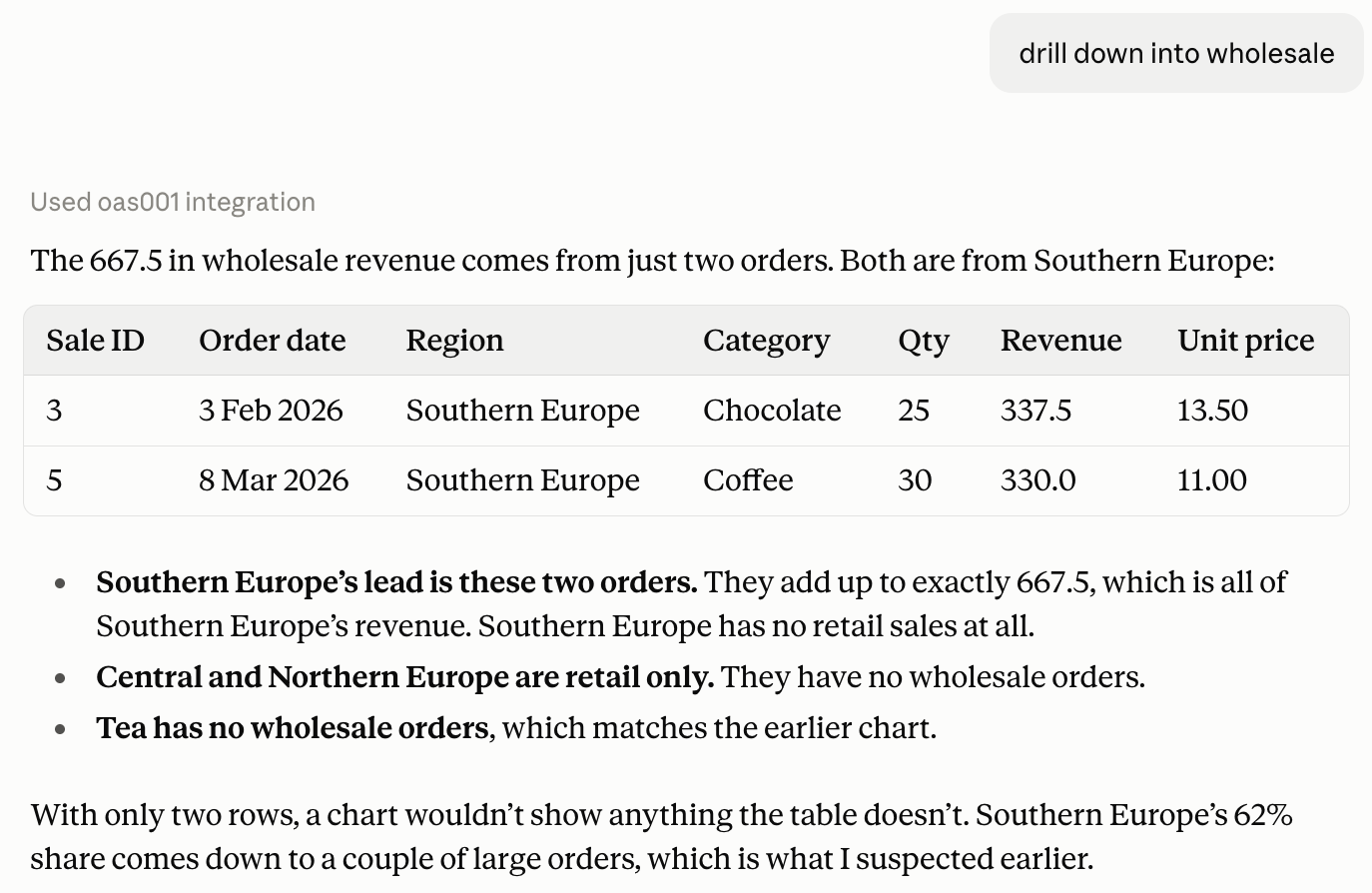
drill down into wholesale
A short follow-up in the same conversation is enough. Claude queried the individual orders and found that the whole wholesale revenue comes from two orders, both in Southern Europe. That also explains the regional result from the second question: Southern Europe's lead is exactly these two orders, which confirms the caution Claude raised earlier.
OPAF agent and Claude side by side
| OPAF agent | Claude Desktop | |
|---|---|---|
| Where the client runs | OPAF in the private subnet | My laptop |
| Path to the MCP server | Direct, inside the VCN (NSG on port 8000) | SSH tunnel to oas001 |
| Authentication | Bearer token in the MCP server registration | Bearer token in claude_desktop_config.json, sent by mcp-remote |
| Answer format | Defined in the agent instructions | Chosen by Claude: tables, charts, key figures |
| Typical use | A shared agent in a governed flow, for many users | Personal, exploratory analysis in a conversation |
The server did not change between the two posts. Both clients send Logical SQL through the same four tools, so the joins, aggregation rules and calculations of the OAS semantic model apply in both, and the numbers match. The difference is in the client: OPAF is where I would build a governed agent for a team, and Claude is where I explore the data in a conversation.
One thing is the same in both setups: every query runs as the OAS user configured on the server, whoever asks the question. For anything beyond a demo, that user should be a dedicated read-only account, as described in the previous post.
Back to the introduction and list of posts.