AI Data Platform Series: bronze vs. silver

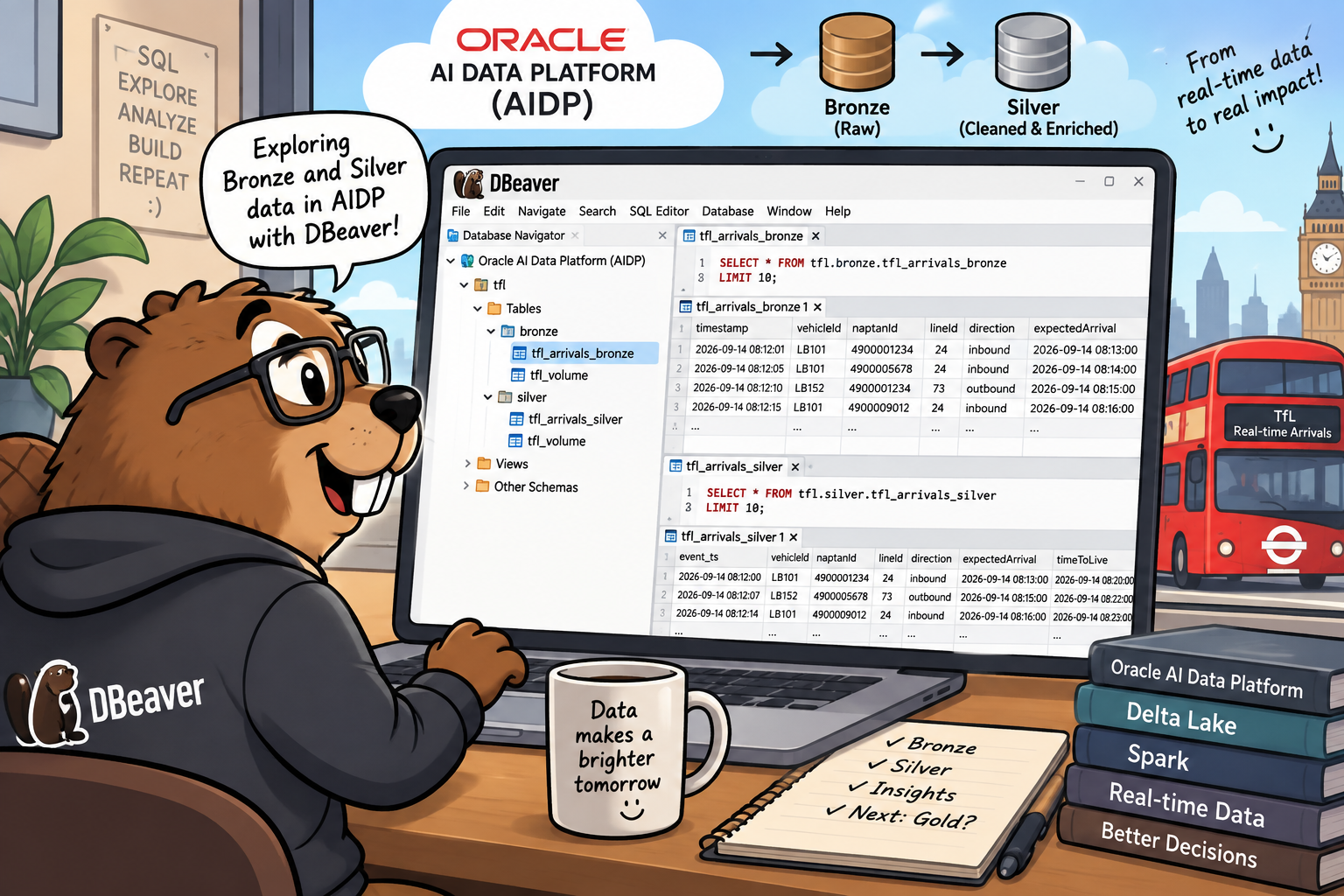
This is a short detour in the AI Data Platform series, sitting between "Silver Layer: Spark Structured Streaming" (stage 3, link to be added once that post is live) and the upcoming gold layer post. Every table in this series so far has only ever been queried from inside an AIDP Workbench notebook. This time I wanted to connect a plain SQL client, DBeaver, straight to the cluster over JDBC, and use it to look at bronze and silver side by side: same underlying event, two very different shapes. Along the way, DBeaver's own table-metadata commands surfaced something I'd walked past without really registering back in the bronze post: both tables are already readable as Apache Iceberg tables, no extra work required.
In this post I'll walk through:
- Connecting DBeaver to AIDP with the Simba Spark JDBC driver: registering the driver, building the connection, and the handful of DBeaver-specific gotchas that got in the way before a query would actually run.
- Bronze vs. silver, query by query: row counts, a duplicated key traced from raw bronze noise down to its one clean silver survivor, and every transformation from the silver post confirmed against live data.
- The Iceberg part: what
DESCRIBE DETAILandSHOW TBLPROPERTIESactually show, why it's there, and a plain-language look at what Apache Iceberg is and when it starts to matter.
Connecting DBeaver to AIDP
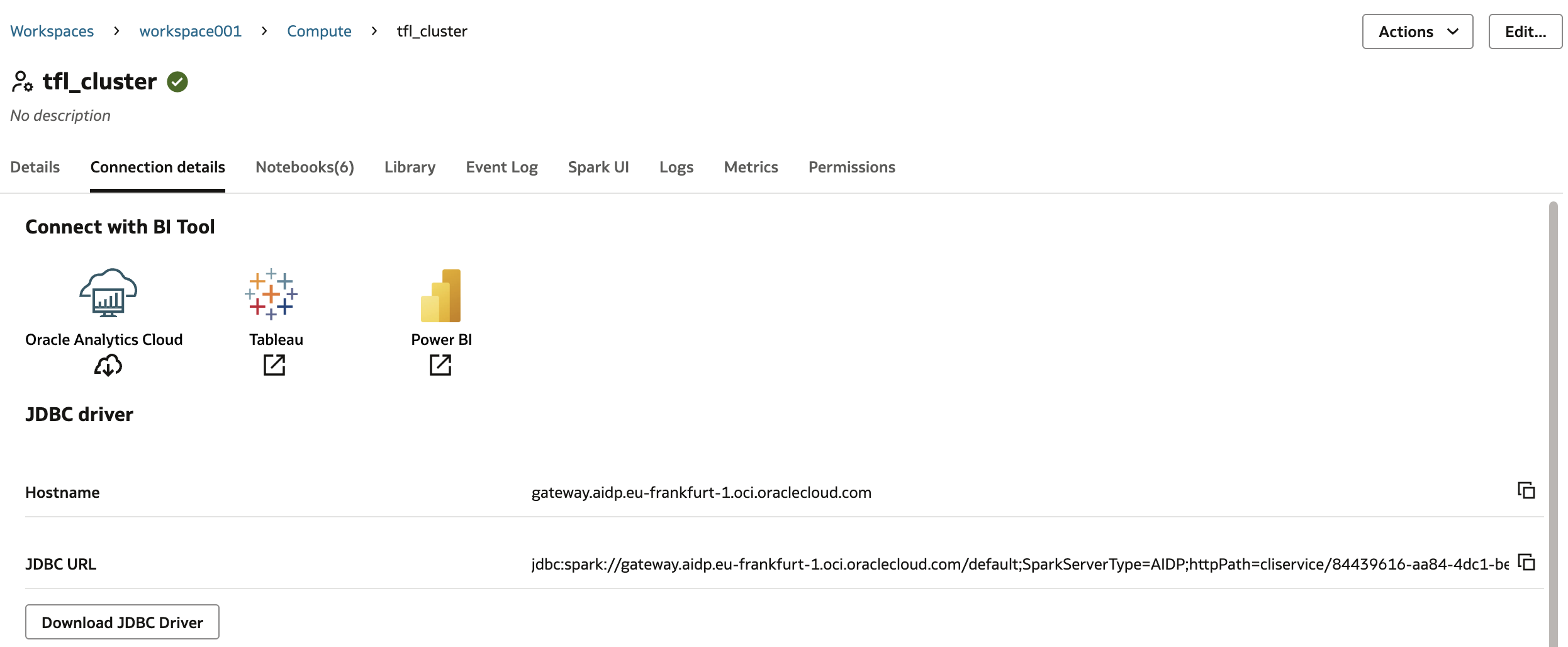
Everything up to this point has run inside an AIDP Workbench notebook, which talks to the cluster on its own terms. DBeaver doesn't know anything about AIDP; it only knows JDBC. The cluster's own Connection Details tab is where that gap gets bridged: it lists the JDBC URL, the hostname, and a download link for the Simba Apache Spark JDBC driver, the same driver Tableau or Power BI would use to connect too.
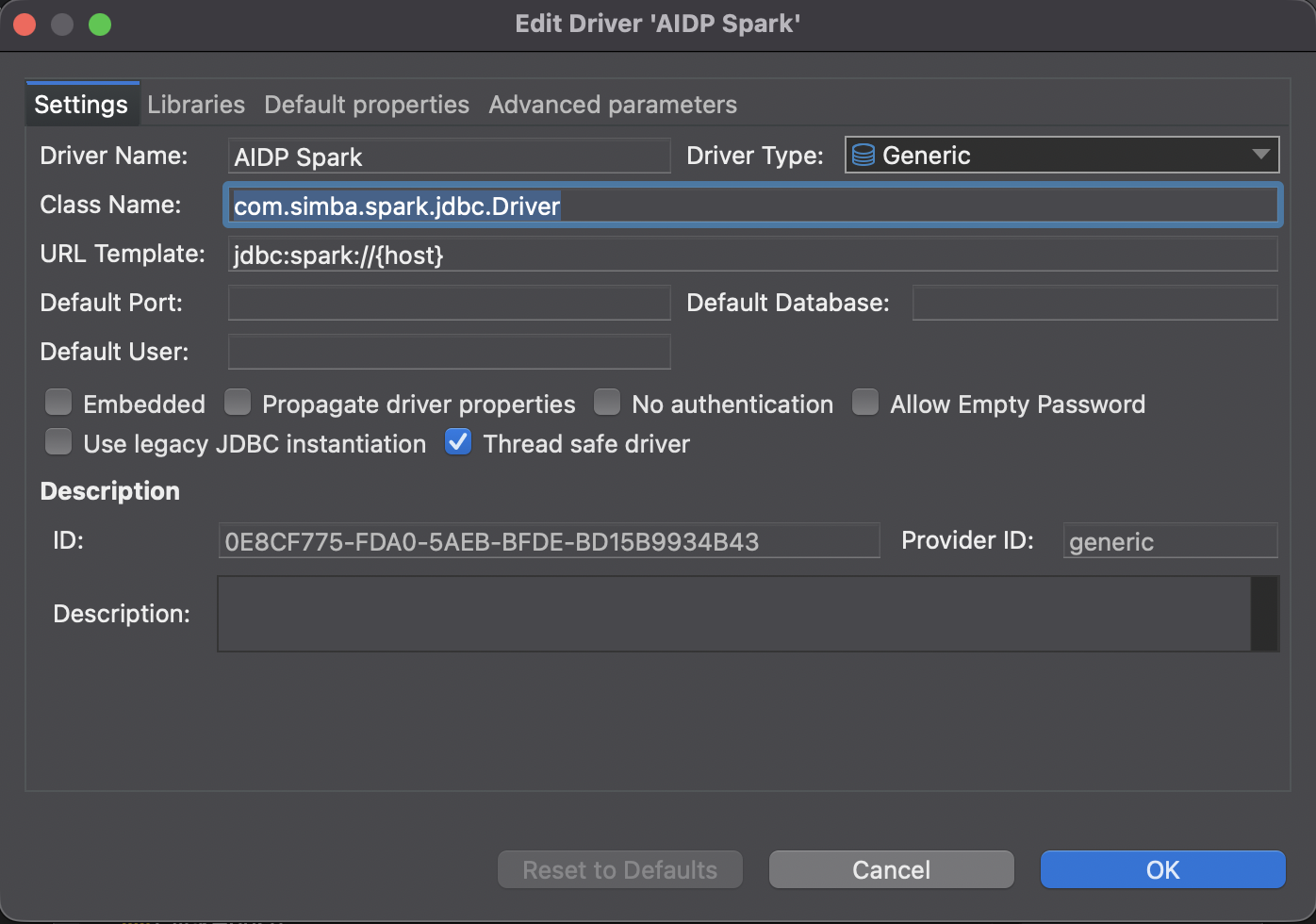
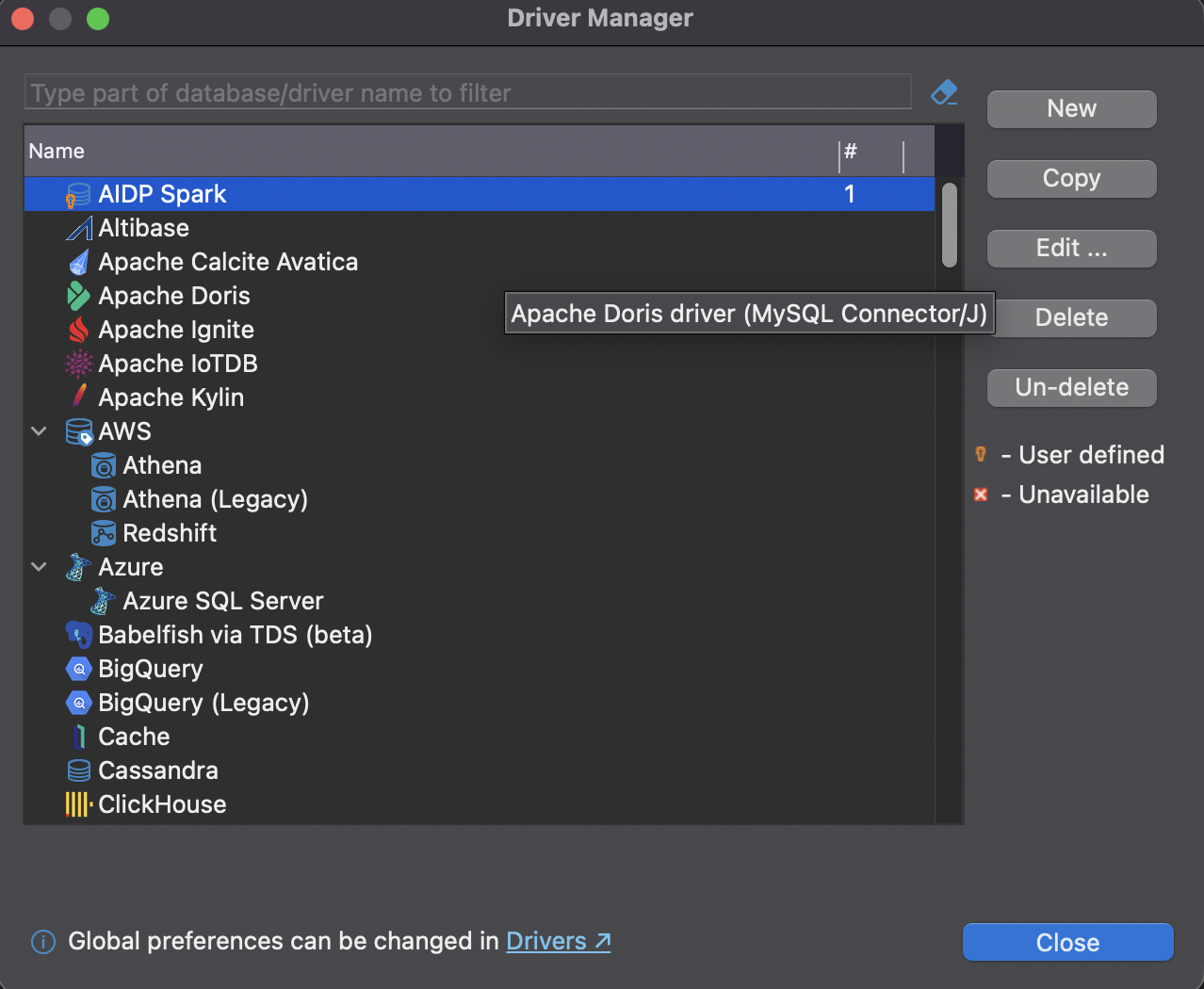
Registering that driver in DBeaver took a few attempts to get right. The Class Name field needs com.simba.spark.jdbc.Driver typed in directly. Picking the class via the Libraries tab's "Find Class" button gets it into that tab's own dropdown, but it doesn't reliably propagate back to the Settings tab, and a driver with an empty Class Name fails later with "No suitable driver found" rather than failing loudly up front. The URL Template field also can't be left empty, even though the real connection string gets typed in separately per-connection; any placeholder value like jdbc:spark://{host} satisfies it.
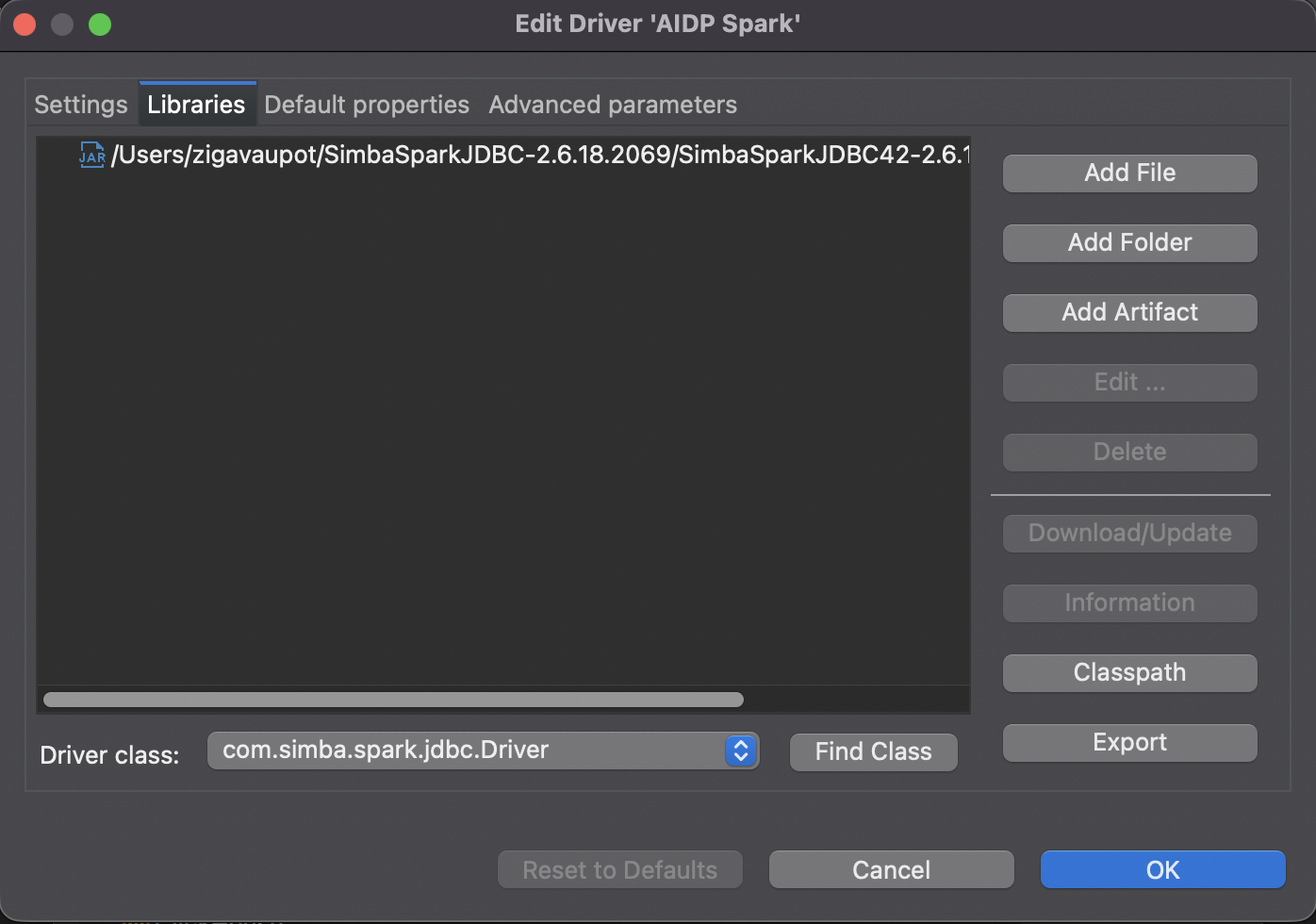
Even with both of those set correctly, the Driver Manager kept showing the driver as Unavailable, a stale status that a full quit-and-restart of DBeaver cleared; a config change alone wasn't enough. Afterwards it showed up as User defined, DBeaver's normal status for a manually configured driver.
The last gotcha was in the connection dialog itself. DBeaver defaults Connect by to Host, which throws away everything in the JDBC URL past the bare hostname, including SparkServerType=AIDP and the httpPath carrying the cluster ID. That surfaces later as a Connection Refused error complaining about a missing Port, which has nothing to do with the actual problem. Switching Connect by to URL and pasting the full connection string in fixed it.
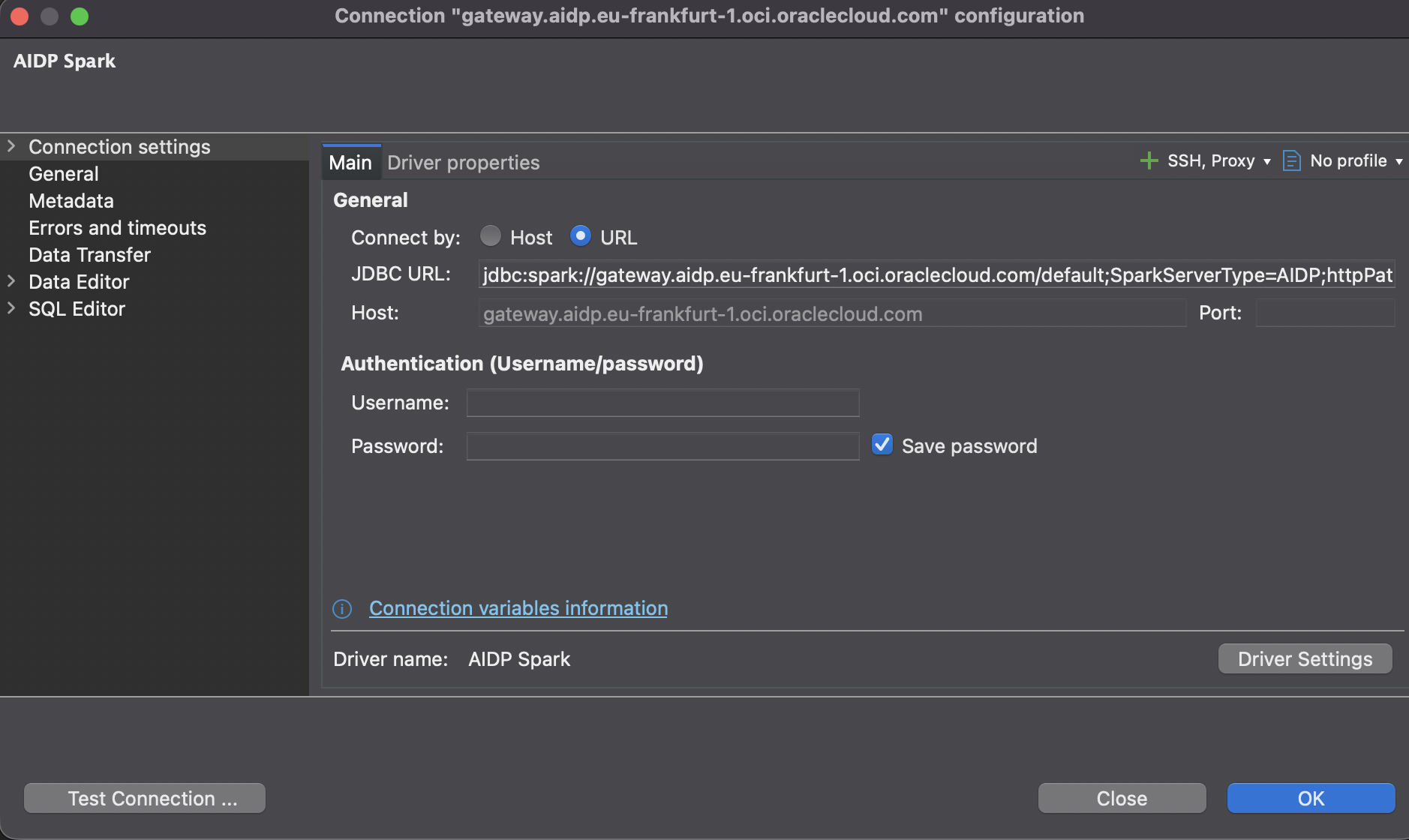
No username or password is needed here. SparkServerType=AIDP behaves the same as OCI's Dataflow Interactive server type, and both only support API-signing-key or token-based authentication, never a plain password. With no ~/.oci/config file on this laptop, the driver falls back to token-based auth automatically: hitting Connect just opens a browser for an interactive OCI sign-in. One more rough edge showed up after that: expanding Tables in DBeaver's schema navigator threw an internal NPE, a metadata-introspection quirk with this particular driver and catalog-aware endpoint. The connection itself was fine, so the fix was simply to skip the tree browser and write fully-qualified catalog.schema.table queries directly in the SQL Editor, which worked without any further issues.
Bronze vs. silver, query by query
With a working connection, the first obvious question was the headline numbers.
SELECT count(*) FROM tfl.bronze.arrivals_bronze LIMIT 1;SELECT count(*) FROM tfl.silver.arrivals_silver LIMIT 1;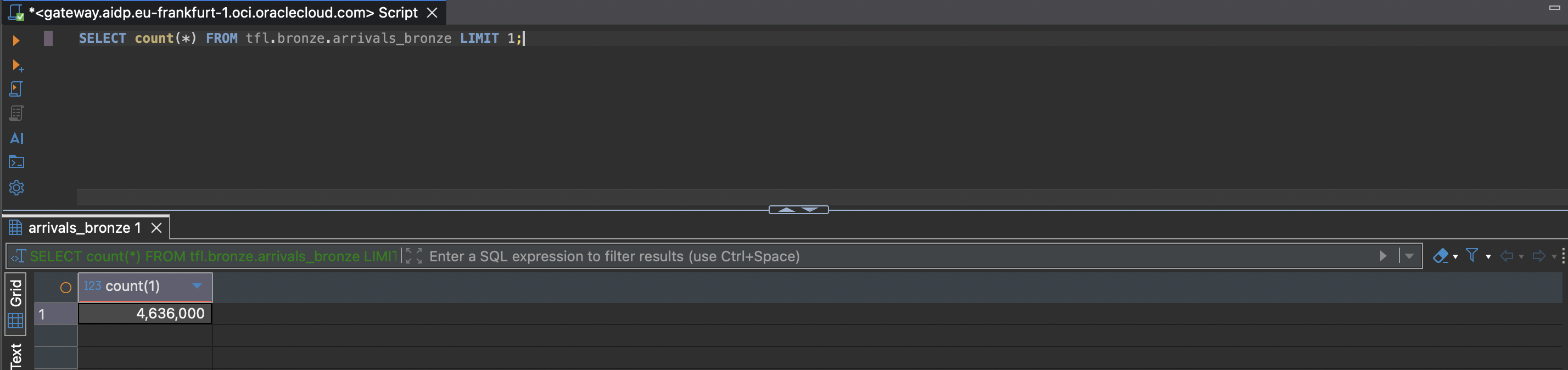
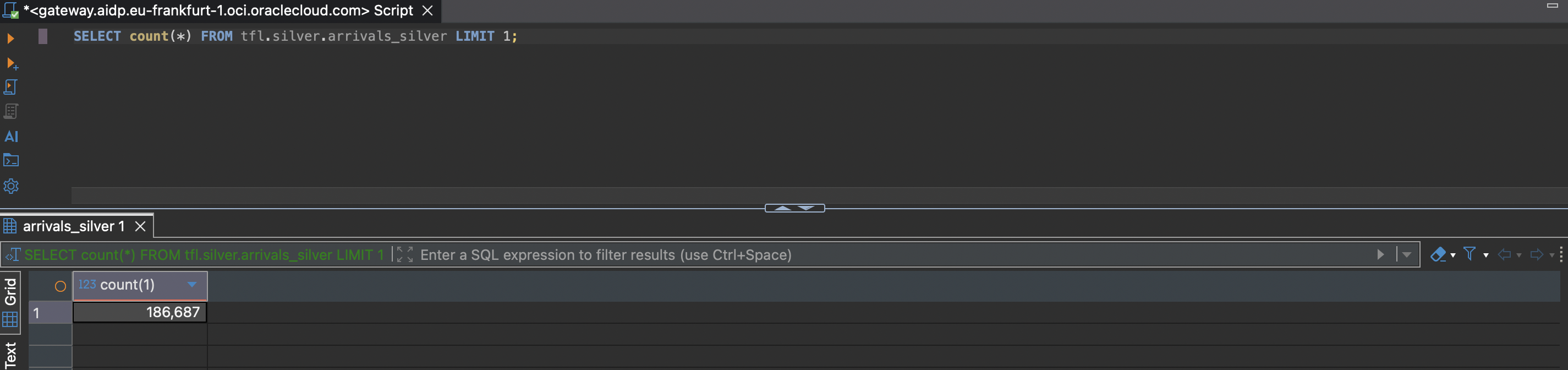
That 25x difference is the append-only-versus-upsert design from the silver post made concrete. TfL keeps re-sending an updated prediction for the same approaching bus every few seconds, and bronze keeps every single one of them. Grouping bronze by the same 4-column key silver dedups on makes that obvious:
SELECT vehicleId, naptanId, lineId, direction, count(*) AS bronze_occurrences
FROM tfl.bronze.arrivals_bronze
GROUP BY vehicleId, naptanId, lineId, direction
ORDER BY bronze_occurrences DESC
LIMIT 10;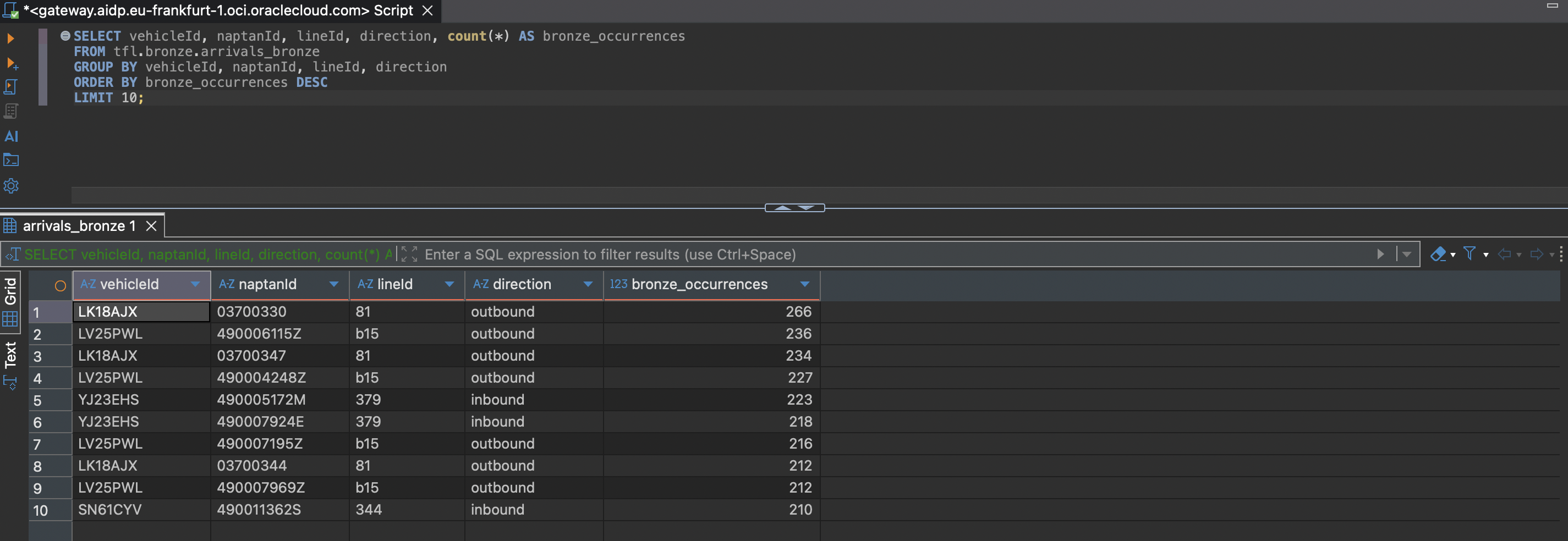
Running the equivalent grouping against silver, looking for any key that still has more than one row, is the actual dedup proof:
SELECT vehicleId, naptanId, lineId, direction, count(*) AS silver_occurrences
FROM tfl.silver.arrivals_silver
GROUP BY vehicleId, naptanId, lineId, direction
HAVING count(*) > 1;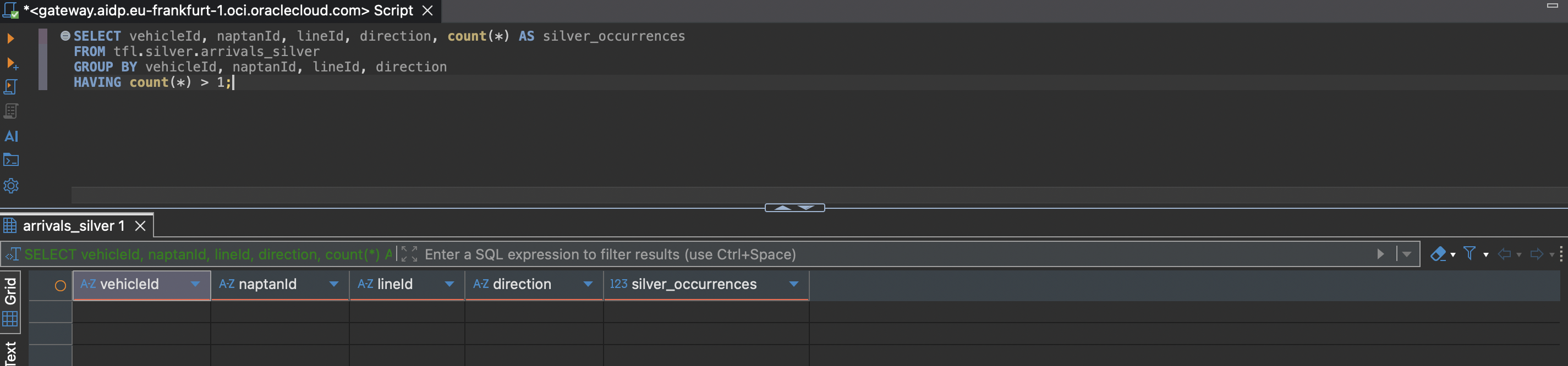
Pulling that specific 266-row key straight out of bronze shows what "every prediction, as-is" really looks like: dozens of near-identical rows, same key, slightly different timestamp and timeToStation values as TfL's estimate ticks down, plus a few genuinely exact duplicates where the same prediction just got re-ingested with a newer ingest_ts.
SELECT vehicleId, naptanId, lineId, direction, timestamp AS event_ts,
       timeToStation, expectedArrival, ingest_ts
FROM tfl.bronze.arrivals_bronze
WHERE vehicleId = 'LK18AJX' AND naptanId = '03700330'
  AND lineId = '81' AND direction = 'outbound'
ORDER BY timestamp DESC;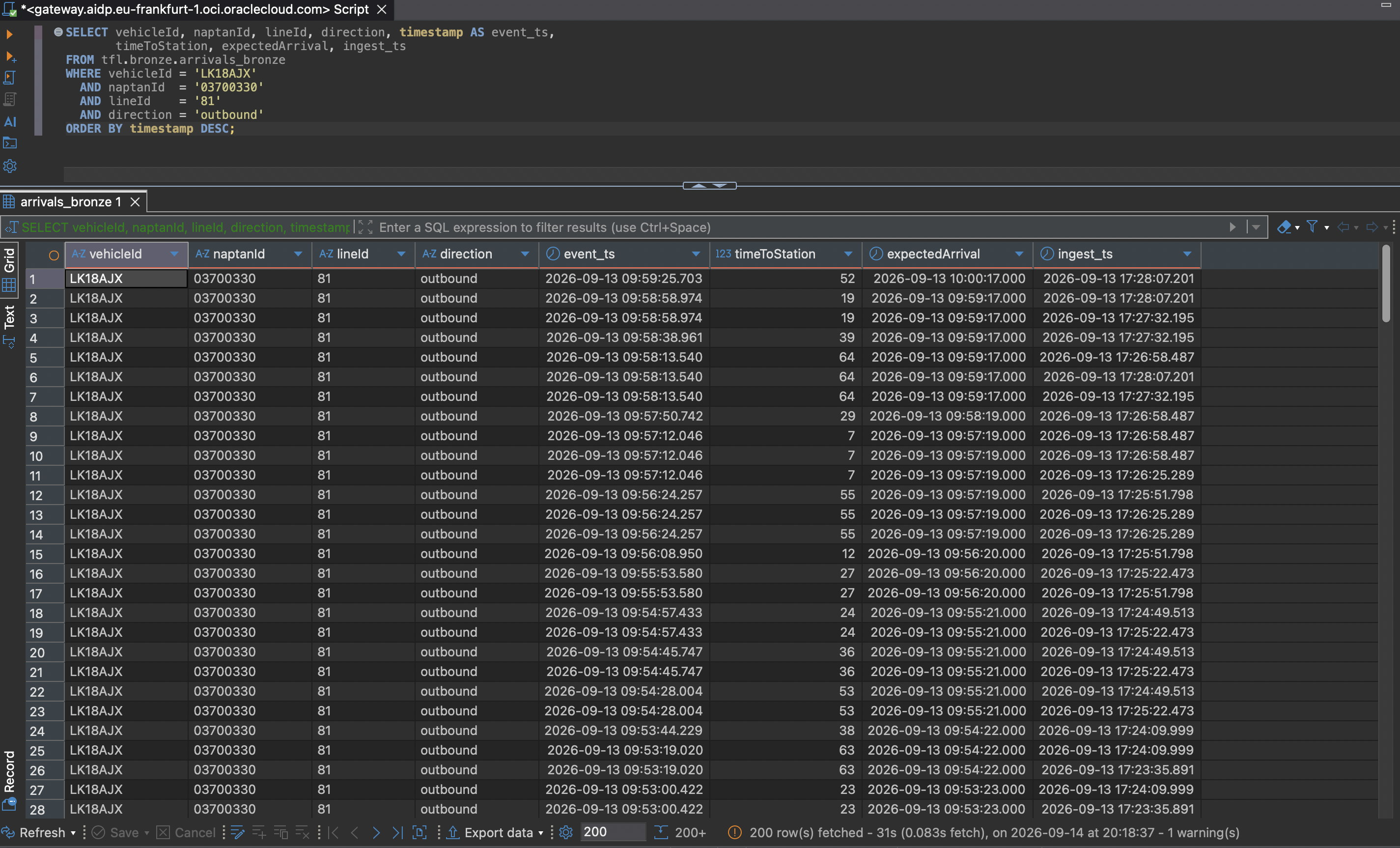
The same key against silver returns exactly one row: whichever of those bronze rows had the newest event_ts.
SELECT vehicleId, naptanId, lineId, direction, event_ts,
       timeToStation, expectedArrival, ingest_ts, bronze_ingest_ts
FROM tfl.silver.arrivals_silver
WHERE vehicleId = 'LK18AJX' AND naptanId = '03700330'
  AND lineId = '81' AND direction = 'outbound';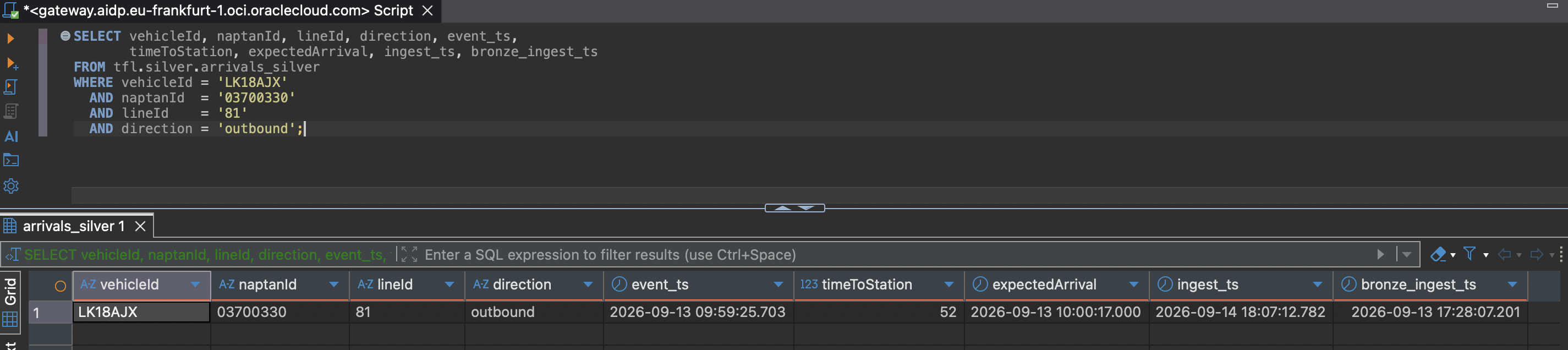
From here it's just working through the rest of the transformations the silver post described, now visible directly in the data instead of in code. Joining bronze and silver on the shared key plus timestamp shows the column renames: bronze's timestamp and ingest_ts come back unchanged in value, just under silver's event_ts and bronze_ingest_ts names, with silver's own ingest_ts holding a distinct, newer value.
SELECT b.timestamp AS bronze_timestamp, s.event_ts AS silver_event_ts,
       b.ingest_ts AS bronze_ingest_ts_original, s.bronze_ingest_ts AS silver_bronze_ingest_ts,
       s.ingest_ts AS silver_own_fresh_ingest_ts
FROM tfl.bronze.arrivals_bronze b
JOIN tfl.silver.arrivals_silver s
  ON b.vehicleId = s.vehicleId AND b.naptanId = s.naptanId
 AND b.lineId = s.lineId AND b.direction = s.direction AND b.timestamp = s.event_ts
LIMIT 10;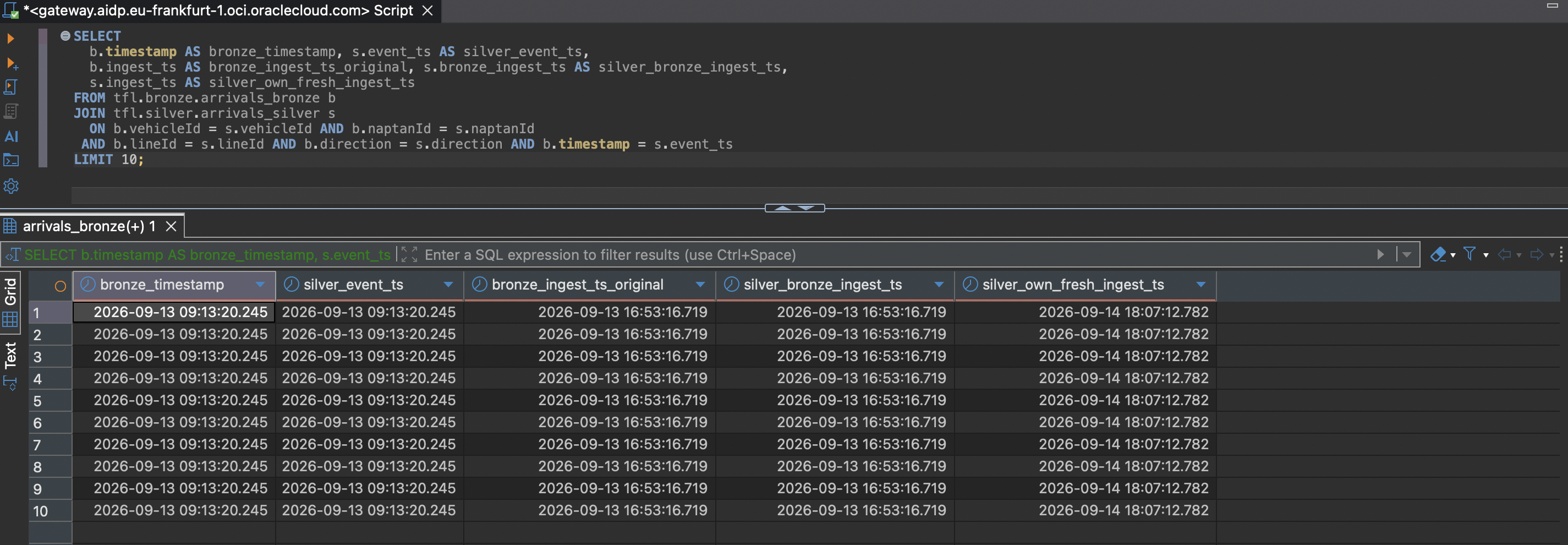
Bronze stores bearing as a raw STRING, which is easy to state but not that interesting until you see it: values like 296, 125, and 7 sitting in a text column.
SELECT DISTINCT bearing FROM tfl.bronze.arrivals_bronze WHERE bearing IS NOT NULL LIMIT 20;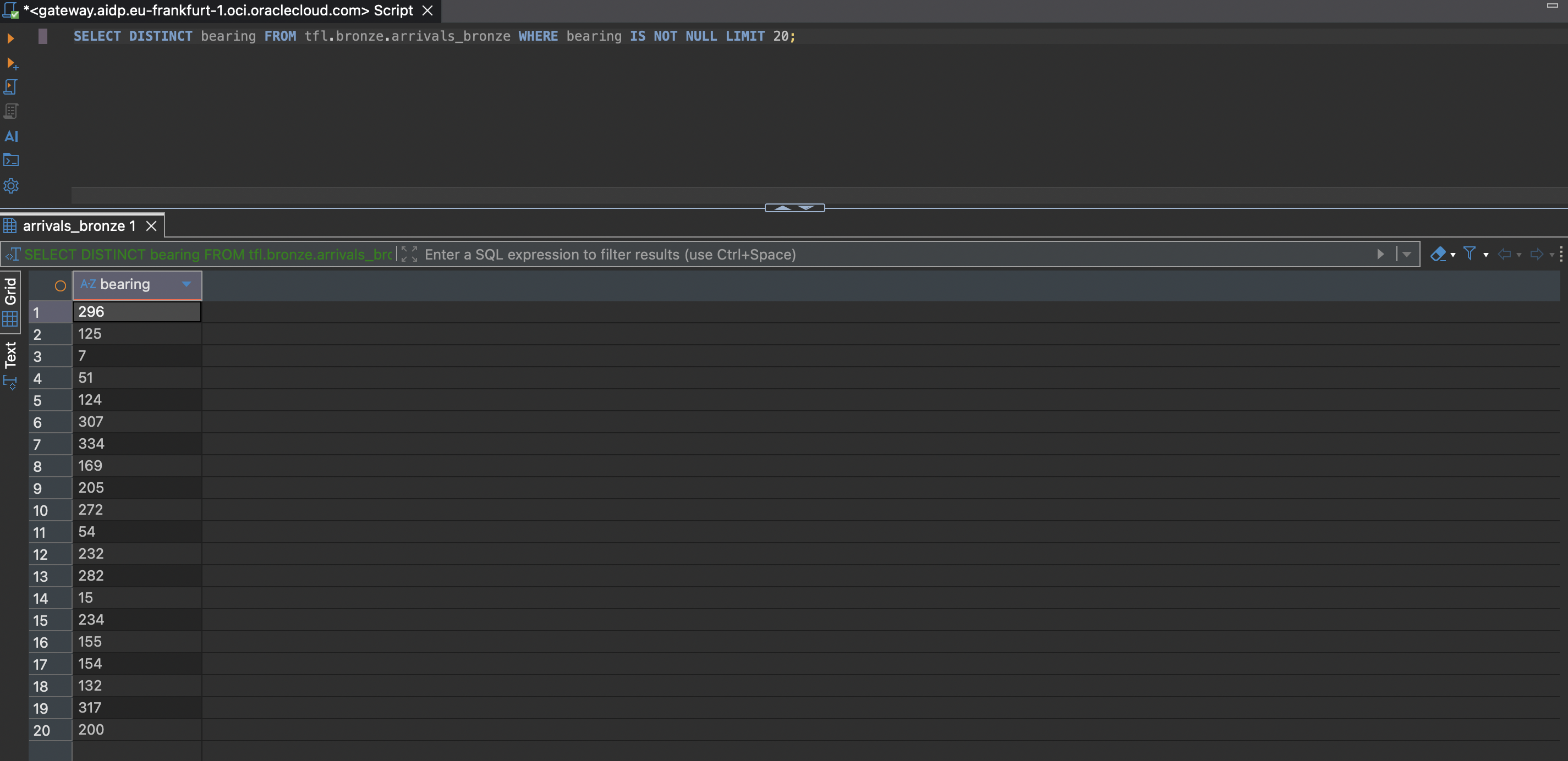
Joining bronze and silver the same way as before and comparing bearing directly shows the cast in action: the same numeric value, unchanged, now typed as a DOUBLE.
SELECT b.bearing AS bronze_bearing_raw, s.bearing AS silver_bearing_double
FROM tfl.bronze.arrivals_bronze b
JOIN tfl.silver.arrivals_silver s
  ON b.vehicleId = s.vehicleId AND b.naptanId = s.naptanId
 AND b.lineId = s.lineId AND b.direction = s.direction AND b.timestamp = s.event_ts
WHERE b.bearing IS NOT NULL LIMIT 15;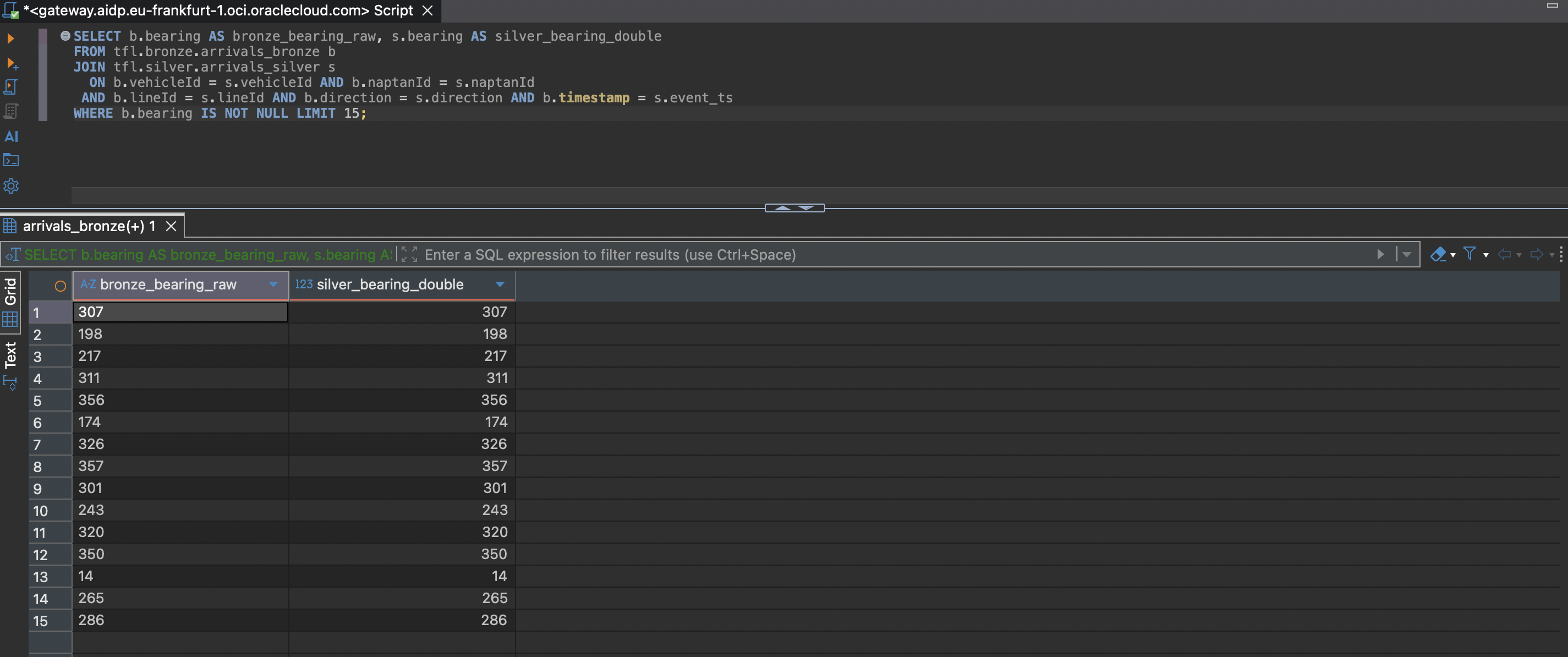
Bronze's timing column is the one deliberately dropped in silver, and it earns that treatment: it's a raw nested JSON blob of TfL's own internal prediction-timing diagnostics, not cleaned business data.
SELECT vehicleId, naptanId, timing FROM tfl.bronze.arrivals_bronze WHERE timing IS NOT NULL LIMIT 5;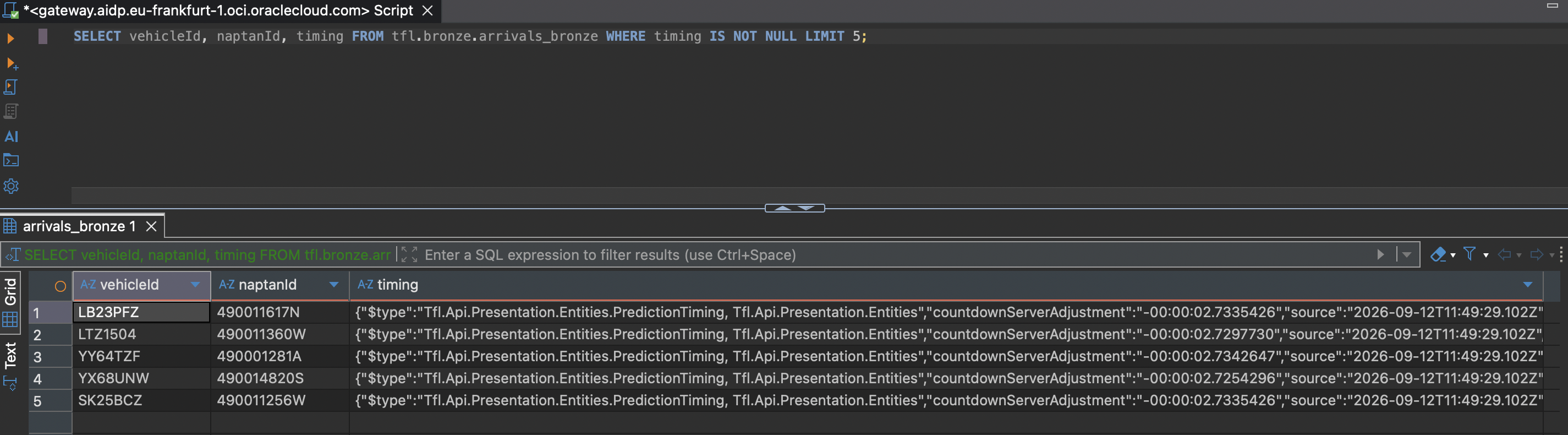
DESCRIBE TABLE against silver confirms it's really gone, not just unused: the full column list runs from the four key columns through the cleaned/typed fields to the lineage columns and the event_date partition, with no timing anywhere in it.
DESCRIBE TABLE tfl.silver.arrivals_silver;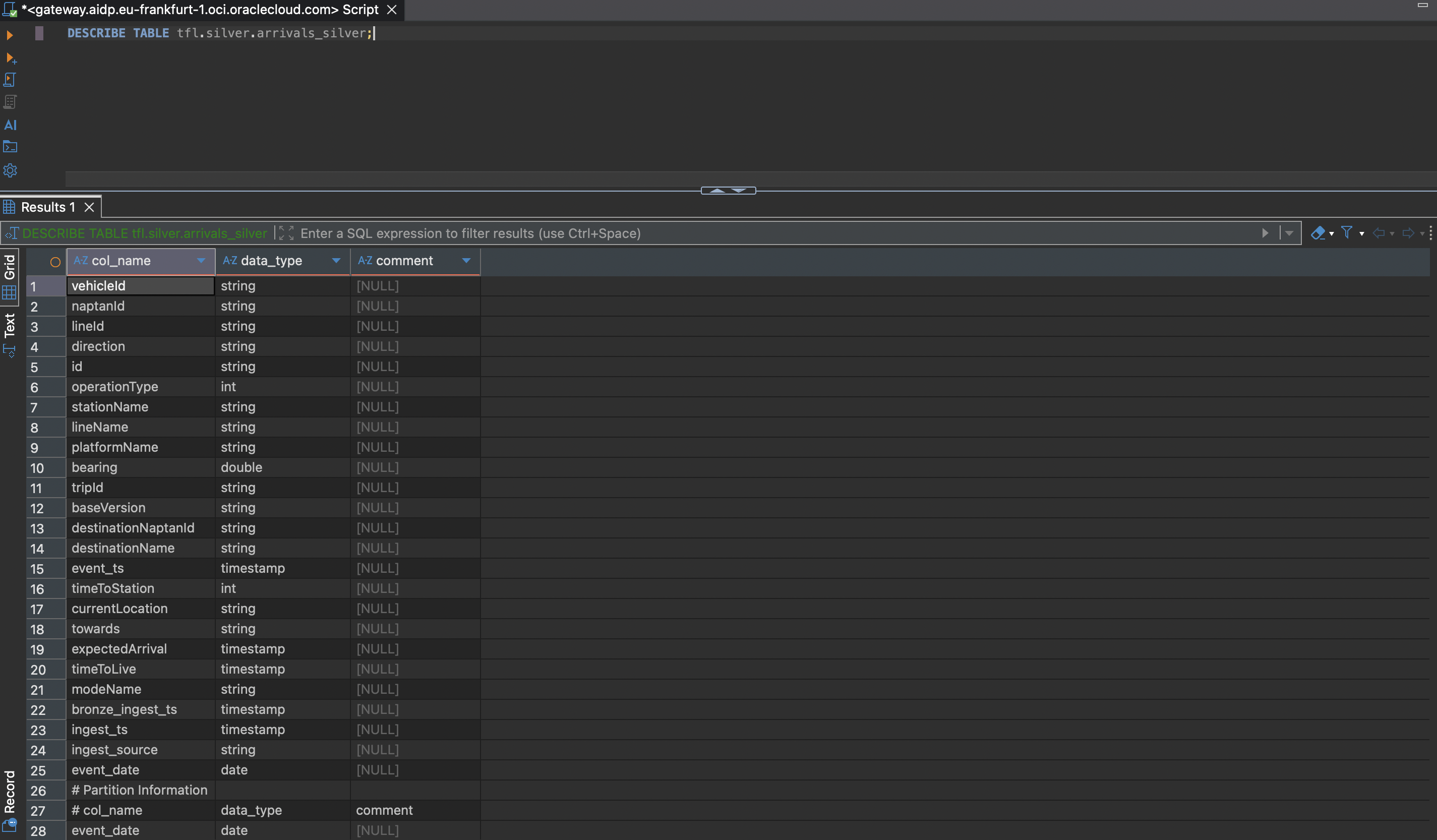
Last check: a completeness pass over bronze, on the same four key fields plus timestamp, since silver's write path filters out any row missing one of them before it can even reach the MERGE.
SELECT count(*) AS bronze_rows_missing_a_key_field
FROM tfl.bronze.arrivals_bronze
WHERE vehicleId IS NULL OR naptanId IS NULL OR lineId IS NULL OR direction IS NULL OR timestamp IS NULL;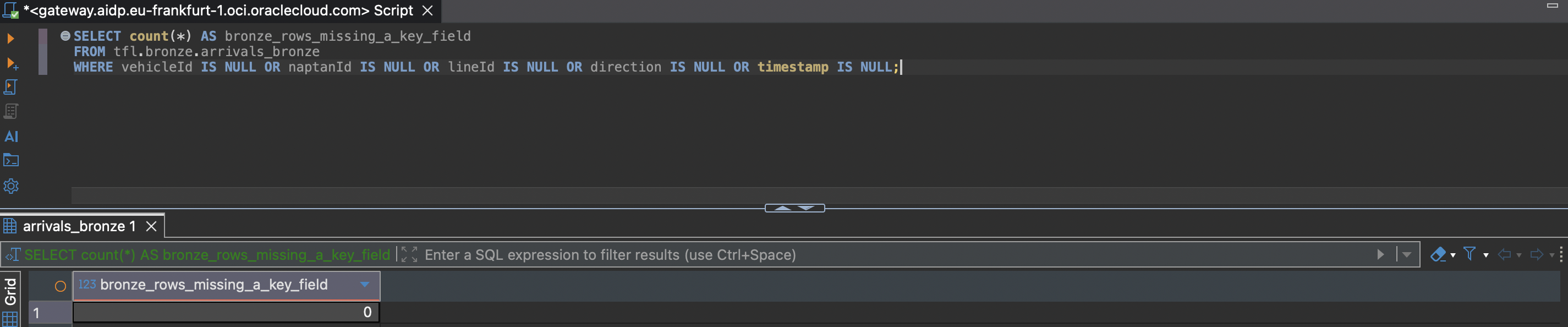
The Iceberg part
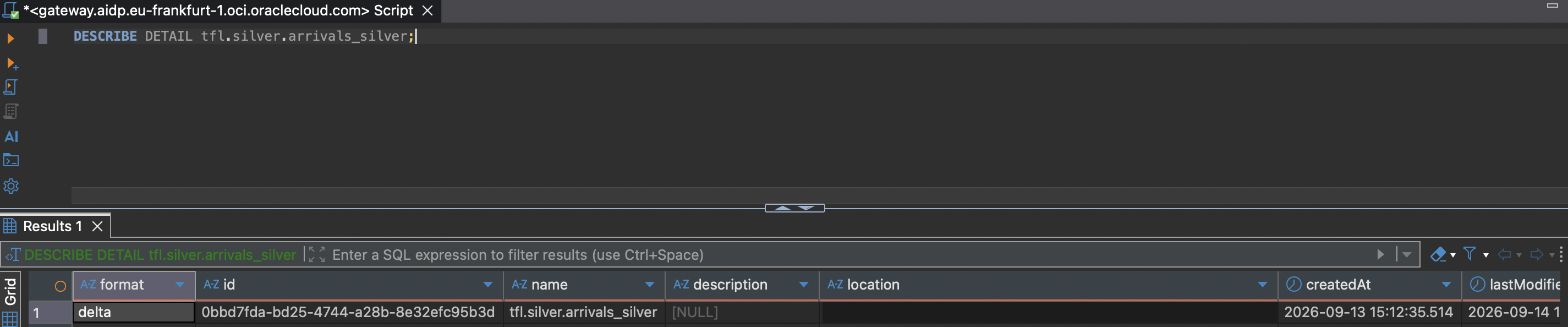
Two commands pulled up more than I expected. DESCRIBE DETAIL on either table shows the physical format as delta, as it should, but also a table_type value that isn't Delta-specific at all.
DESCRIBE DETAIL tfl.bronze.arrivals_bronze;DESCRIBE DETAIL tfl.silver.arrivals_silver;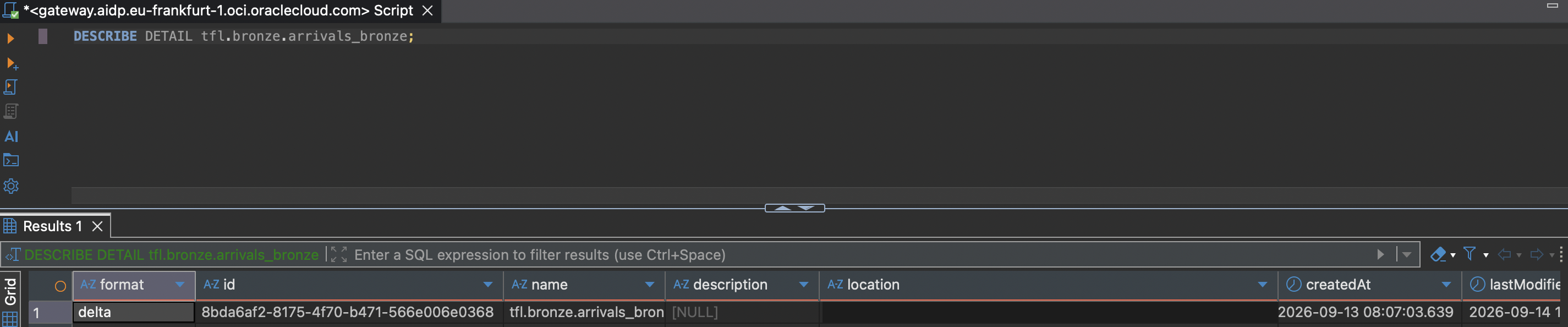
SHOW TBLPROPERTIES on silver is where it gets explicit:
SHOW TBLPROPERTIES tfl.silver.arrivals_silver;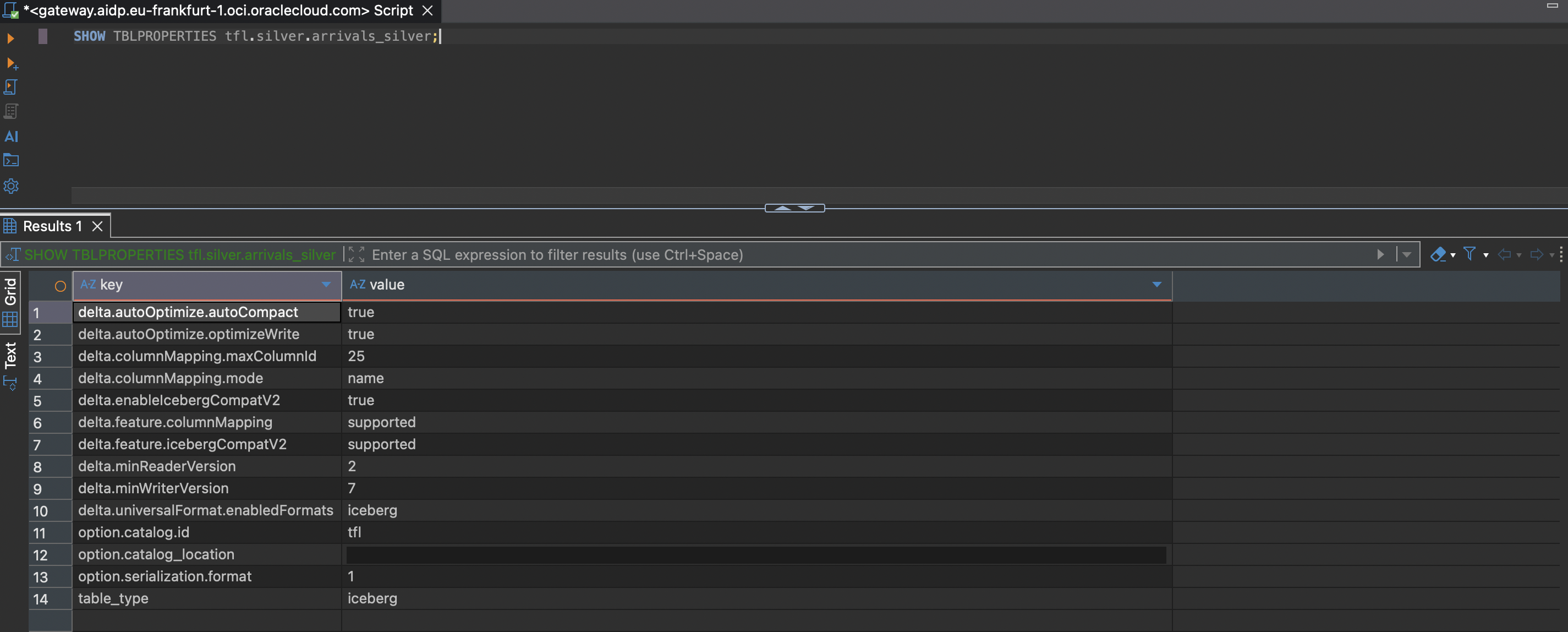
Worth being honest about where this actually came from: it isn't some default AIDP quietly applies to every table. Going back to the CREATE TABLE statements in the bronze and silver posts, both already included this line in their TBLPROPERTIES, without much comment at the time:
TBLPROPERTIES (
  'delta.autoOptimize.optimizeWrite' = 'true',
  'delta.autoOptimize.autoCompact'  = 'true',
  'delta.universalFormat.enabledFormats' = 'iceberg'
);
That single line is Delta Lake's Universal Format, or UniForm: a feature that generates Iceberg-compatible metadata alongside a table's normal Delta metadata, asynchronously, while keeping just one copy of the underlying Parquet files. Turning it on for Iceberg specifically requires IcebergCompatV2, a write-protocol feature that makes the data itself, not just the metadata, satisfy Iceberg's stricter rules. That in turn needs column mapping by name and a minimum reader/writer protocol version, which is exactly the rest of what SHOW TBLPROPERTIES printed: delta.columnMapping.mode = name, delta.minReaderVersion = 2, delta.minWriterVersion = 7. AIDP's Delta runtime satisfied all of that on its own the moment enabledFormats was set; nothing else in either DDL had to change for it.
So, briefly, what Apache Iceberg actually is: an open table format, originally built at Netflix, that sits on top of plain files in object storage and adds the things a data warehouse table normally has but a folder of Parquet files doesn't. Schema changes (adding, renaming, or dropping a column) don't require rewriting existing files, because columns are tracked by a stable ID rather than by position. Partitioning is handled by the engine based on column values rather than by hand-written folder structure. Every change to the table is a new snapshot, which is what makes time travel and point-in-time queries possible. And because the format itself, not any one vendor's engine, defines how a table is structured, Spark, Trino, Flink, Snowflake, and others can all read (and in most cases write) the same physical table without a copy or an export step in between.
That last point is what actually connects back to this table. UniForm's Iceberg support is currently read-only from the Iceberg side: an Iceberg-native reader can query tfl.bronze.arrivals_bronze or tfl.silver.arrivals_silver as if they were plain Iceberg tables, but any writes still have to go through Delta, the way this pipeline already does. Whether that matters depends entirely on what else, if anything, ever needs to read this data. As long as everything stays inside AIDP's own Spark, plain Delta is already enough, and this flag does nothing observable day to day. It starts to earn its keep the moment a second engine needs to read the same tables directly, an Iceberg-only BI tool, a different lakehouse query engine, or a federated query layer that only speaks Iceberg, without anyone building an export pipeline first. That door was already open on both tables here, one property, set back in the bronze post, without me fully realizing what it bought at the time.
What's next
Back to the main pipeline for the next post: the gold layer, aggregating silver into something Oracle Analytics Cloud can query directly. This detour was worth the friction, though; seeing the actual bytes in bronze and silver side by side, rather than only reading the code that produces them, is a good habit to keep around.
Related: Just Streams: Real-Time Data Pipelines on OCI (series intro), Bronze Layer: Spark Structured Streaming, Silver Layer: Spark Structured Streaming (link to be added once published)