Oracle Analytics meets AI: Working with AI Agents

This post explores how AI Assistant and AI Agents in Oracle Analytics Cloud (OAC) bring conversational analytics directly into the analytics experience. It shows how the AI Assistant supports natural-language exploration and visualization creation inside workbooks, while AI Agents extend this with dedicated instructions, business context, and knowledge documents. Together, they provide a path from quick conversational analysis to reusable, governed, domain-specific analytical assistants.
Oracle Analytics Meets AI: From Workbook Assistant to AI Agents
Ask BI brings a conversational experience to search. The next step is to bring that experience closer to the analytical work itself - inside a workbook, and eventually as a reusable, purpose-built assistant.
Oracle Analytics offers both an AI Assistant and AI Agents. They share the same basic goal: help users ask questions of governed data in natural language. The difference is in where they live and how much context they can carry.
The AI Assistant is embedded in a workbook. An AI Agent is a standalone object that can be configured with data, instructions, and knowledge documents. That distinction is useful because not every analytical conversation needs the same level of specialization.
The AI Assistant: conversational analysis in a workbook
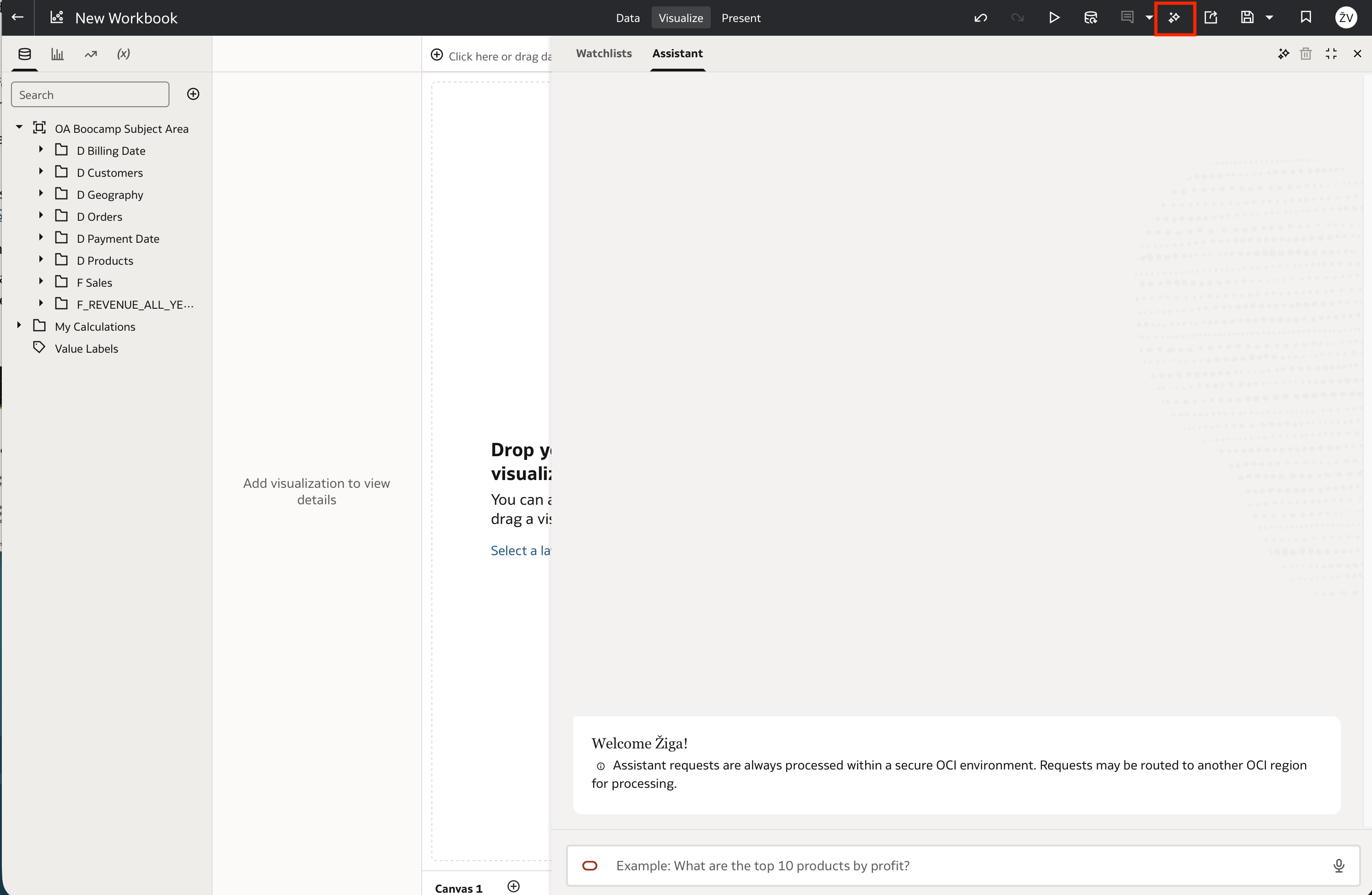
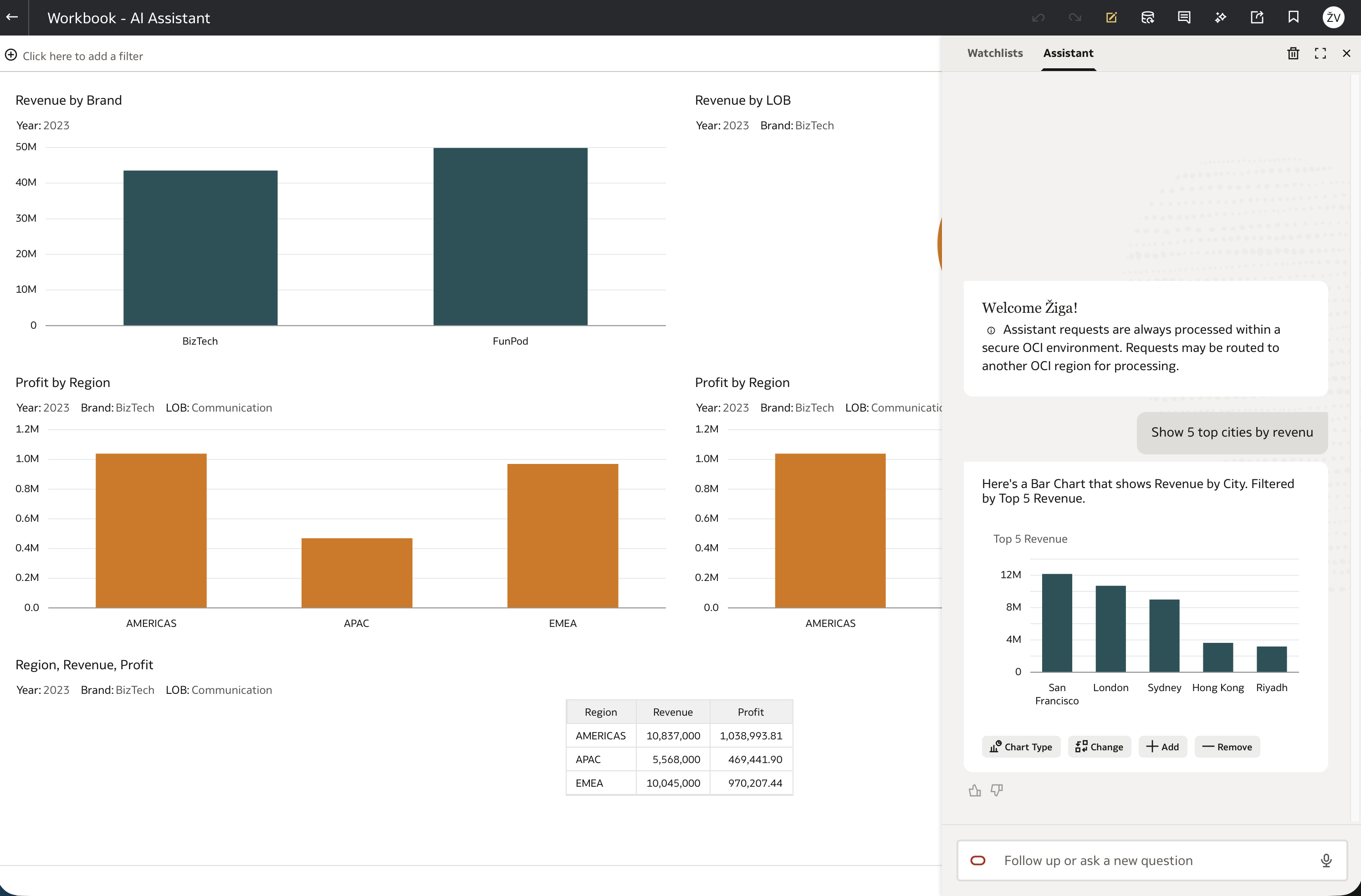
The AI Assistant is accessed from the Auto Insights icon in a workbook. It gives users a chat interface to ask questions and explore the workbook’s data. It can work with a dataset, including a subject area, so the conversation stays tied to the analytical context already in use.
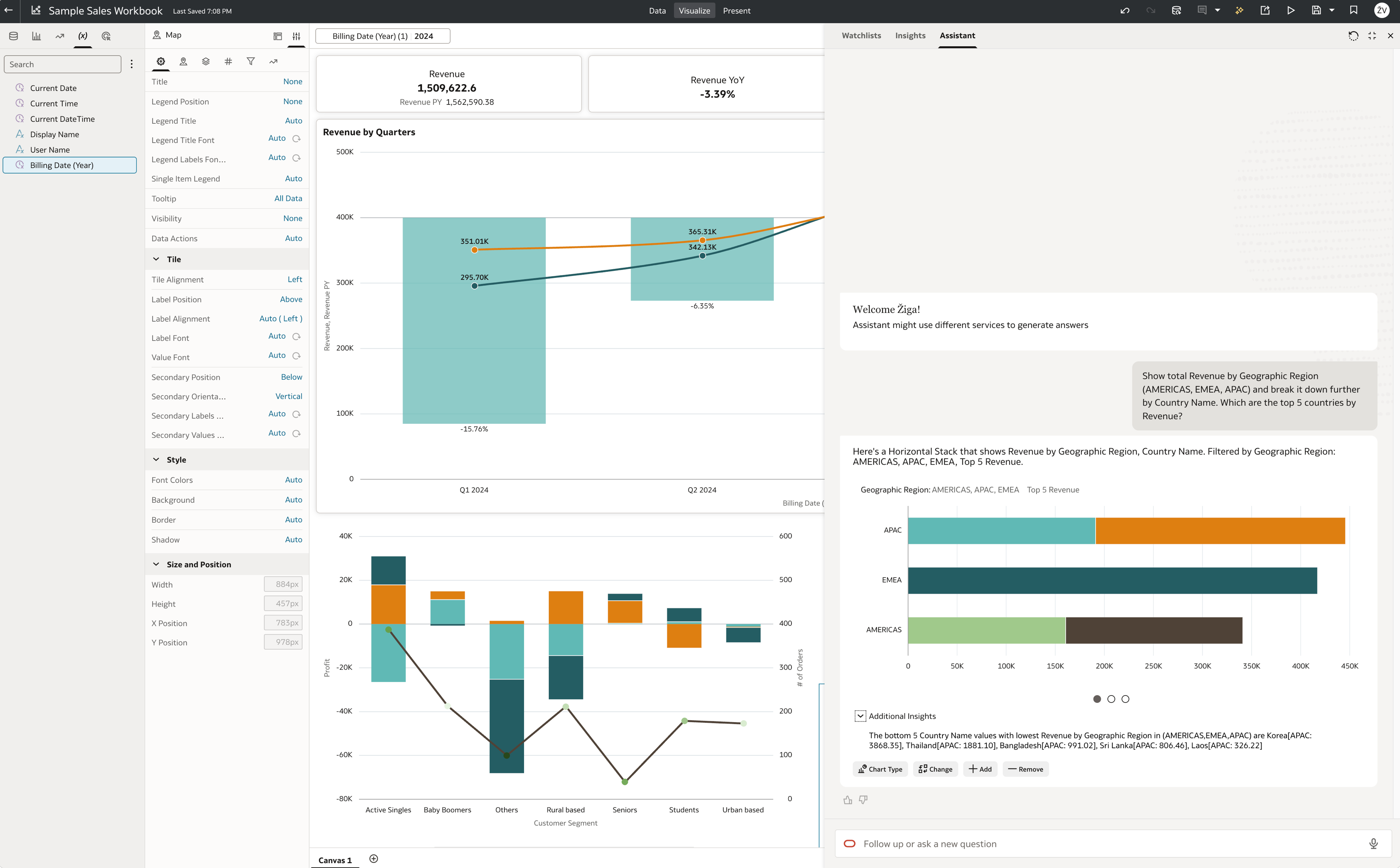
In Visualize (Edit) mode, the Assistant can generate a visualization from a request. The useful part is that the output does not have to stay in the chat: any visualization produced by the Assistant can be inserted onto a workbook canvas. From there, it becomes part of the normal workbook design process.
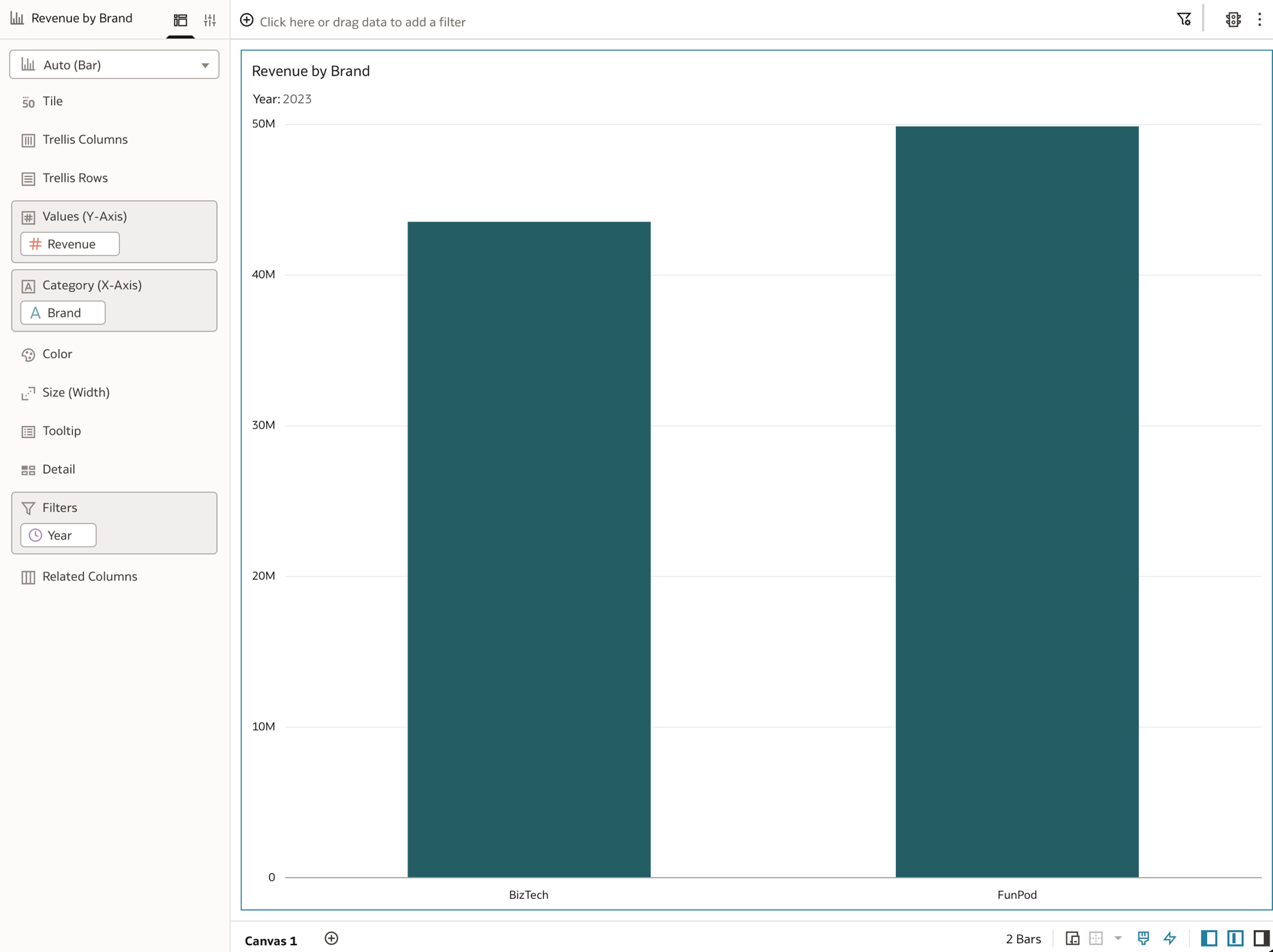
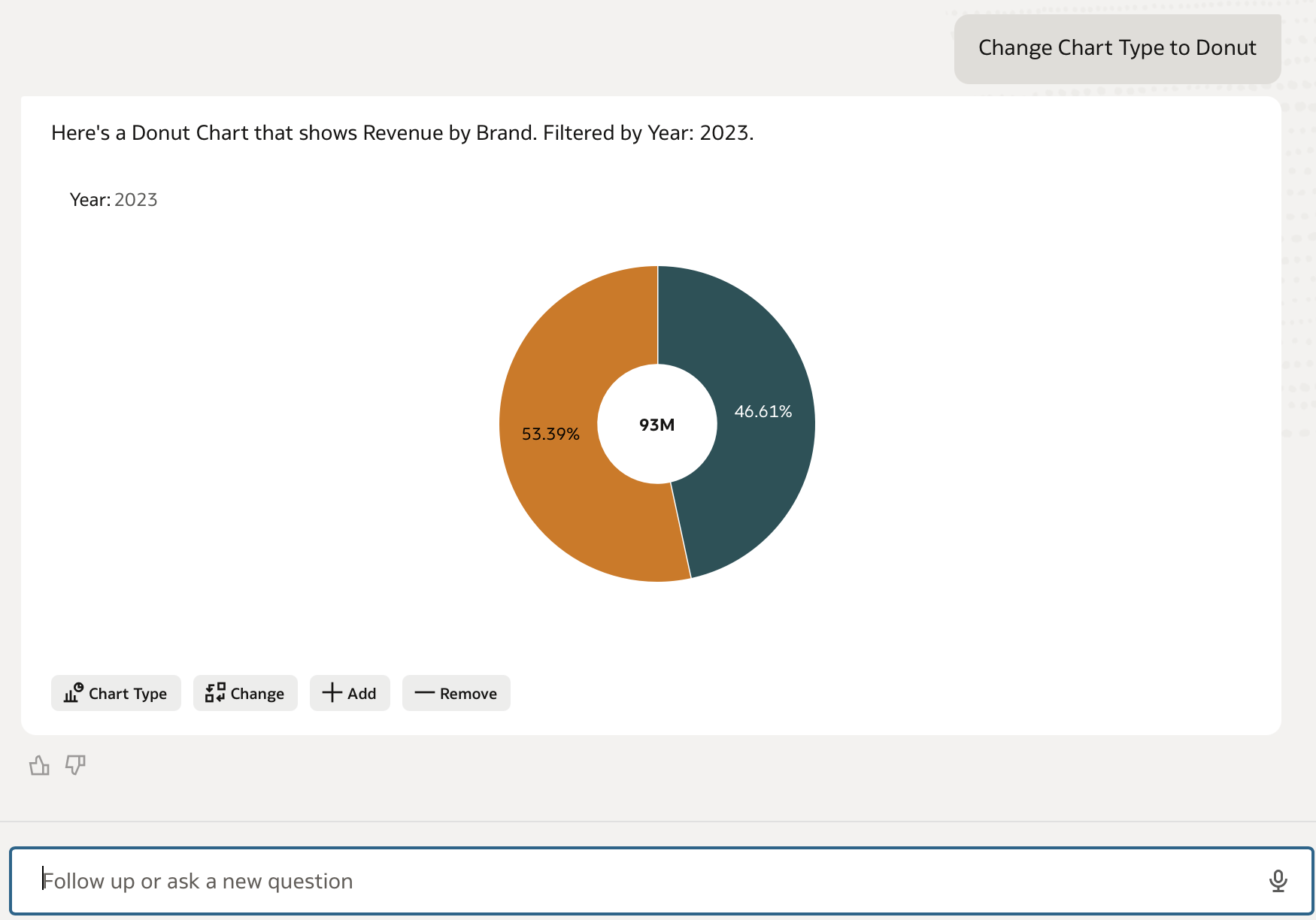
The generated visualization can then be adjusted with the usual authoring tools. Change the visualization type, switch an axis, or add and remove attributes. This is an important design principle: AI accelerates the first draft, while the analyst retains control over the final analytical product.
Making the Assistant available in Present mode
There is one detail that is easy to miss: the AI Assistant is not enabled by default in Present mode. To make it available to workbook consumers, switch to Present mode and turn on the Insights panel. The Auto Insights icon then becomes available and users can work with the Assistant even if they do not have Edit privileges.
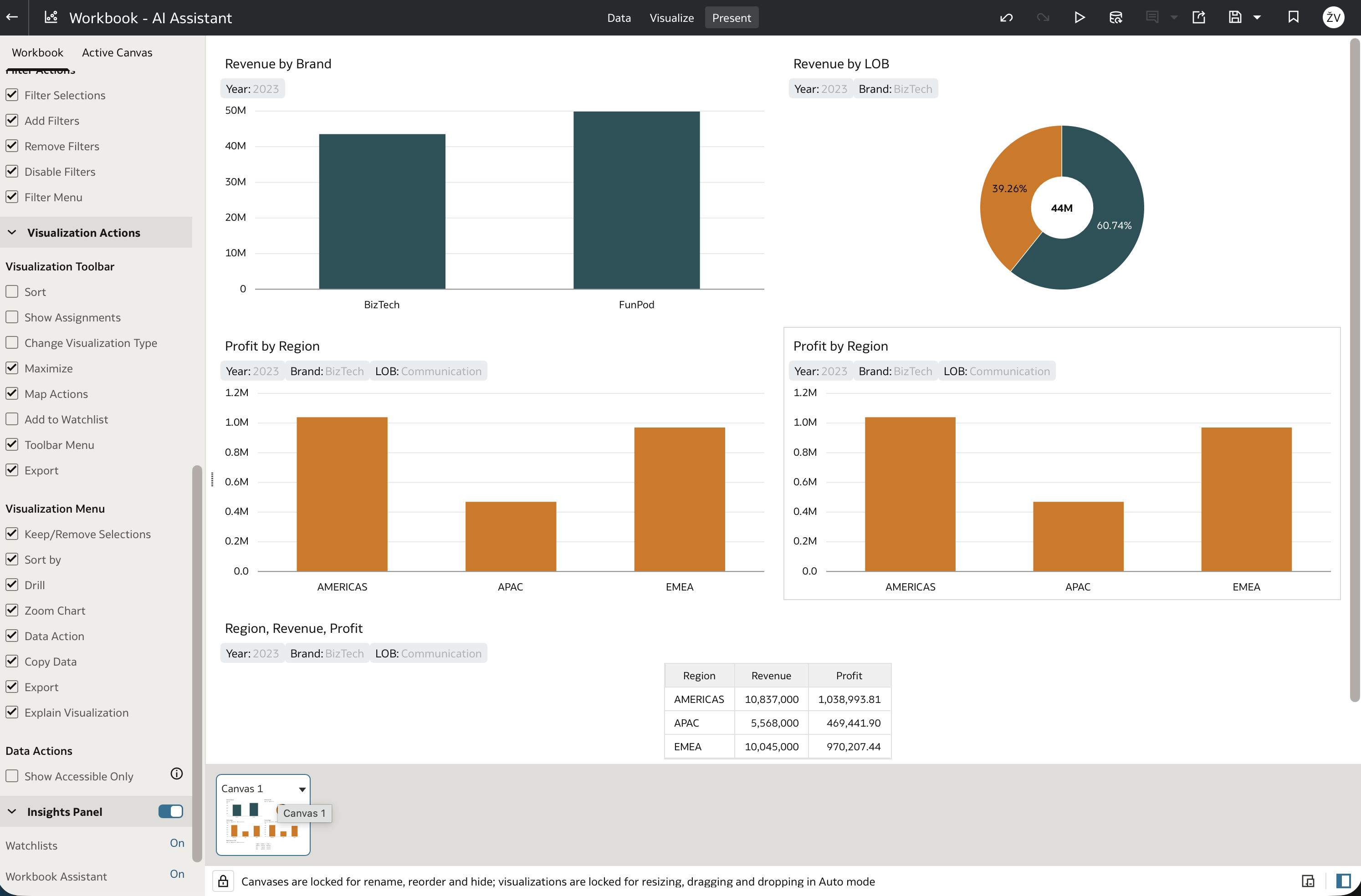
This makes a workbook more than a curated collection of pages and filters. Users can still consume the designed experience, but they can also ask a question that the original author did not anticipate. It is a practical way to combine governed, reusable reporting with a degree of self-service exploration.
AI Agents: add focused context to the conversation
AI Agents have similar analytical capabilities, but they are not embedded in one workbook. They are standalone objects designed for a more specific domain or task.
When creating an Agent, first add the data it should use. This can be a dataset; Oracle recommends using Local Subject Areas rather than Subject Areas where possible. The key difference is that an Agent can also be given two additional forms of context:
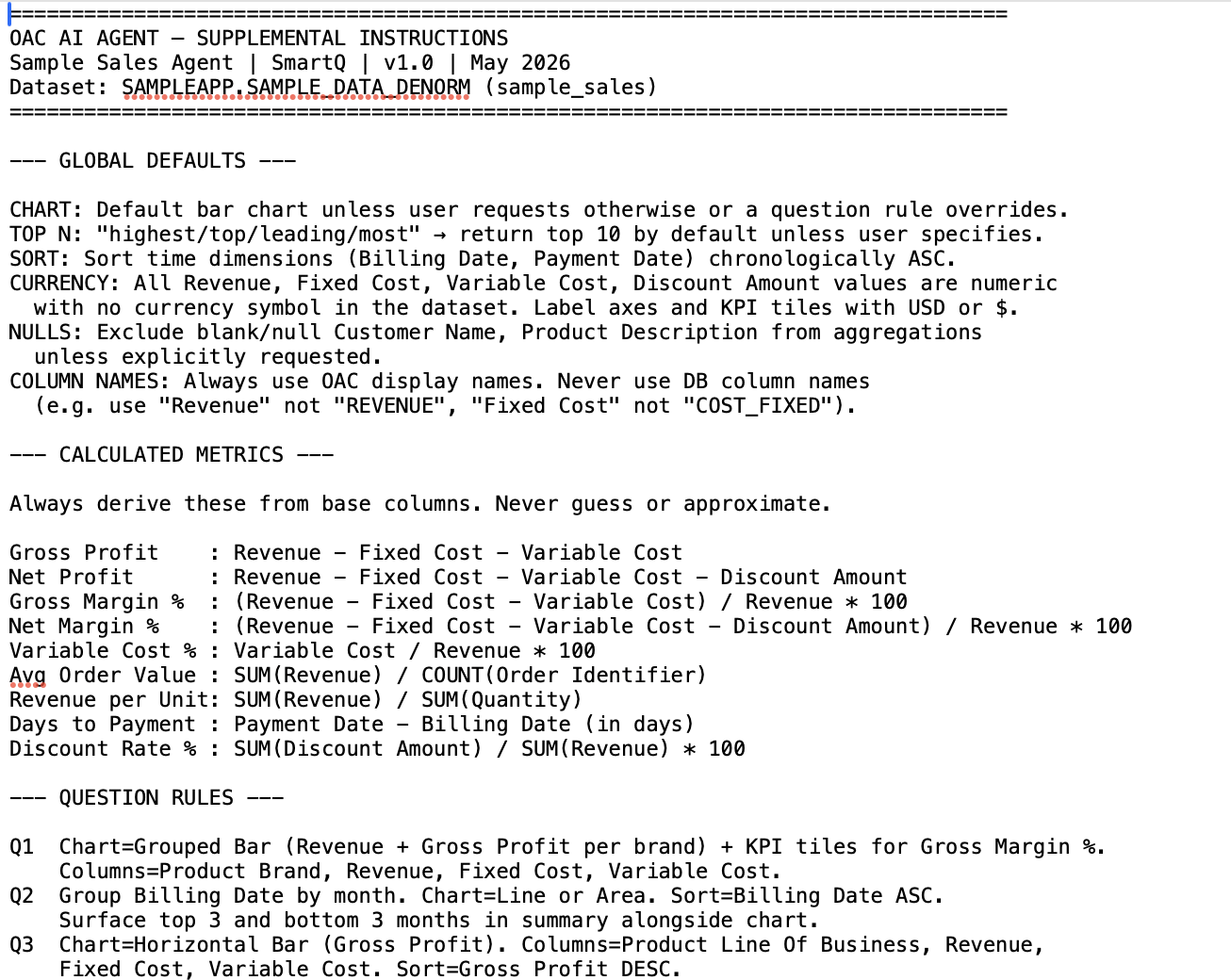
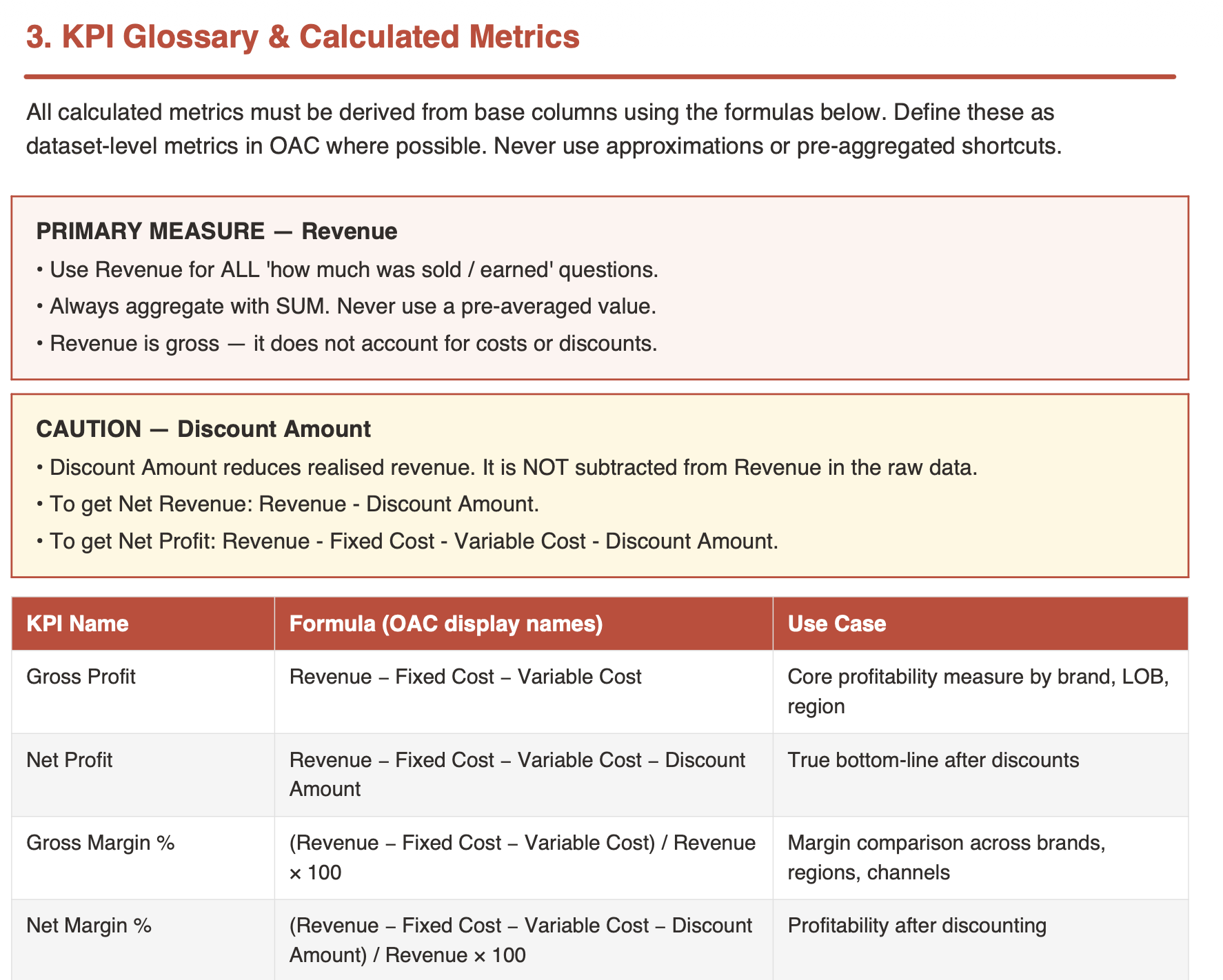
- Supplemental instructions tell the Agent how to behave, which definitions to follow, and how to structure its answers.
- Knowledge documents provide information that may not be contained in the analytical model: business definitions, policies, process descriptions, or supporting documentation.
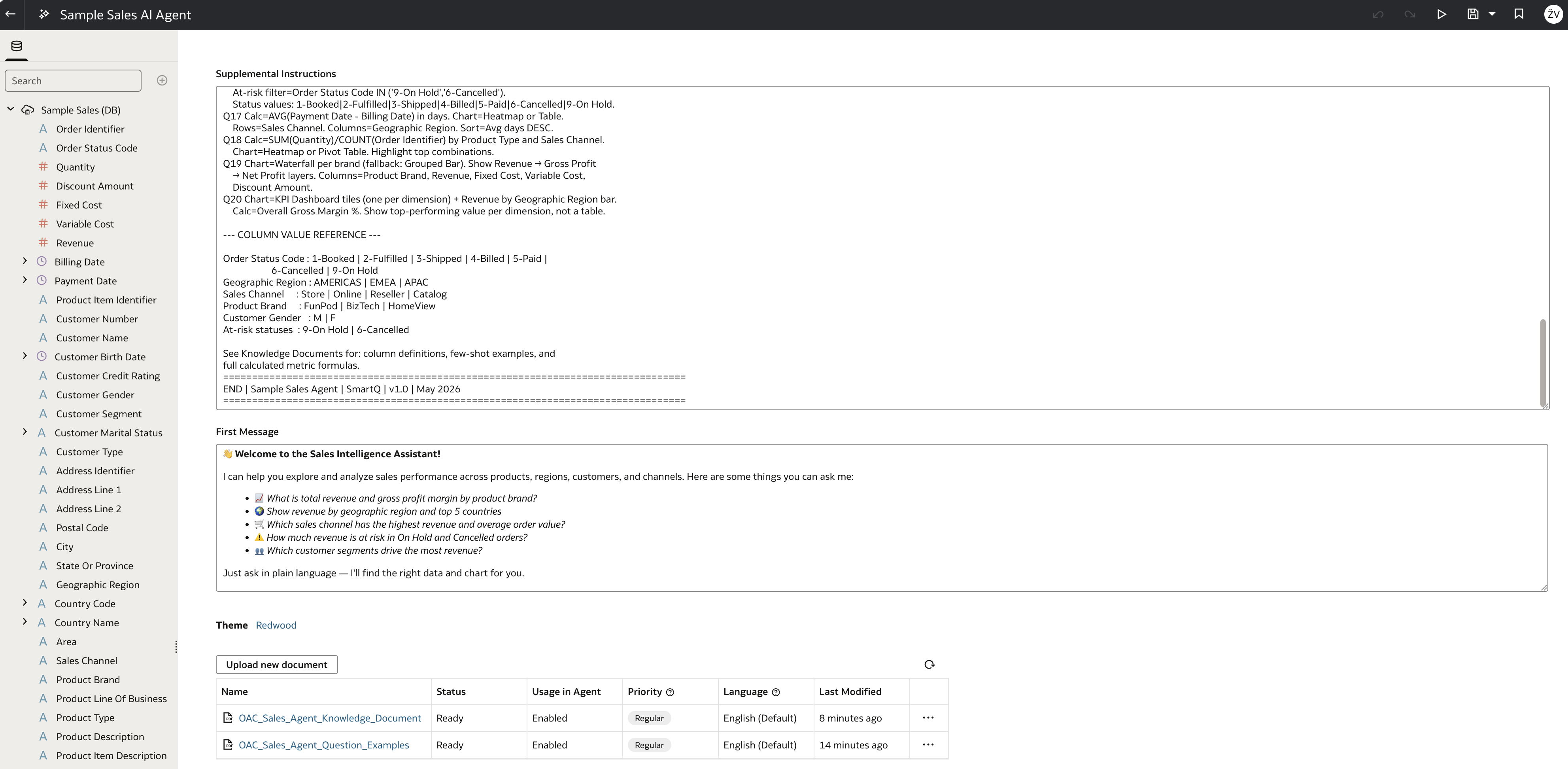
Supplemental instructions are where a generic assistant can become a useful business assistant. For example, an HR analytics Agent could be instructed to explain attrition metrics in business terms, use the organization’s agreed definition of voluntary attrition, and always call out the population and time period used in an answer.
The first message is another small but thoughtful touch. It gives the Agent an appropriate opening prompt, helping users understand what it is for and how to begin the conversation.
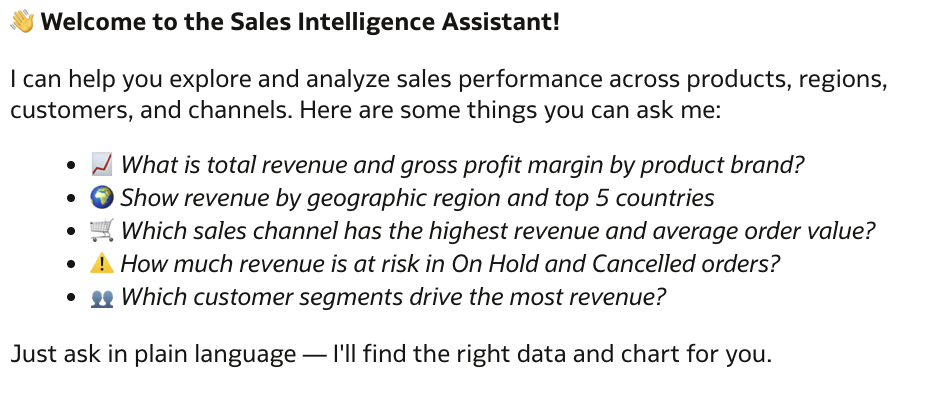
Knowledge documents complete the picture. A data model may tell the Agent that a measure is called Attrition Rate; a policy document can explain the official definition, exclusions, and the actions a manager should consider. Combining both types of context makes the Agent’s responses more useful and better aligned with the organization.
Use an Agent in a workbook when accuracy needs more context
Agents can also be used from a workbook in Present mode. In that situation, the workbook assistant can use either the indexed dataset or an attached AI Agent.
Why choose the Agent? A plain Assistant can answer a question from the data that is available to it, but it may lack the context needed to interpret that answer correctly. An attached Agent brings its instructions and knowledge documents into the interaction, so it can produce an answer that follows the organization’s definitions and expectations more closely.
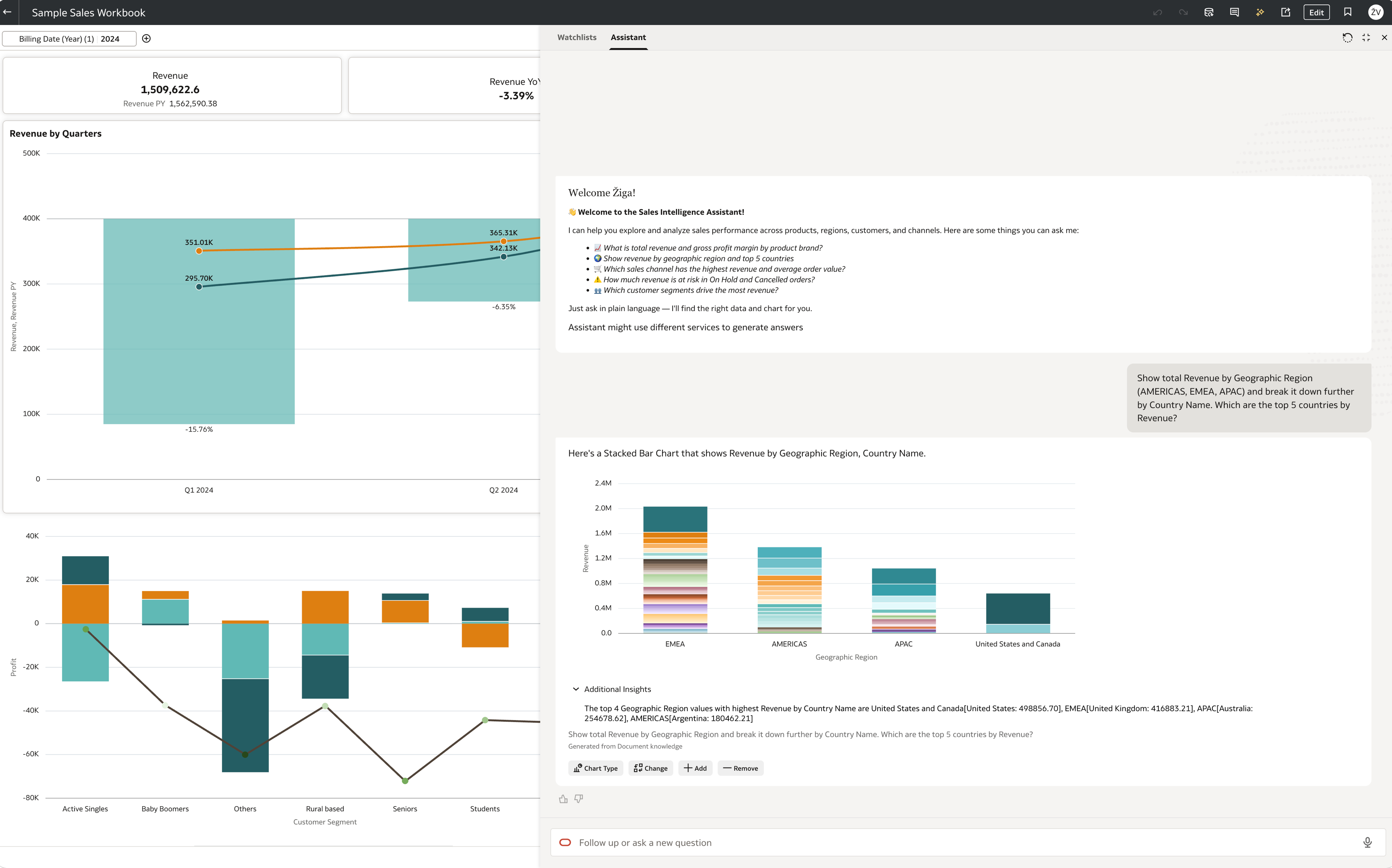
This should not be read as an argument to create an Agent for every dataset. The Assistant is ideal for quick, in-context exploration. An Agent is the better fit when the subject needs durable guidance, non-data documentation, or a consistent style of response across many users and workbooks.
Choosing the right tool
Use the AI Assistant when the goal is to explore a workbook quickly, create a first visualization, or let consumers ask follow-up questions about the content they are viewing. Use an AI Agent when the conversation needs a defined role, additional business guidance, or supporting knowledge beyond the model itself.
Together, they offer a useful progression. Start with a workbook conversation when the question is immediate. Build an Agent when the same kind of conversation needs to become a reusable, governed capability for a wider audience. In both cases, the quality of the experience still depends on the foundations: understandable data, reliable definitions, and carefully chosen context.